8 Powerful Ways to Leverage ChatGPT for Your Instagram Strategy
ChatGPT can handle much of the heavy lifting involved in preparing Instagram content. It can brainstorm angles, structure carousel posts, draft compelling captions, and craft thoughtful responses to comments. Just remember: always review the output before publishing—AI-generated content needs a human touch.
This guide walks through eight proven methods to supercharge your Instagram presence with ChatGPT, complete with real output examples and ready-to-use prompts for each approach.
Contents
1. Generate Compelling Quotes and Sayings
ChatGPT excels at creating short, original statements perfect for standalone Instagram posts or as individual carousel slides. The AI can produce variations quickly and in different tones.
Important note: Never ask ChatGPT to attribute quotes to real people. If you want to use an actual famous quote, verify the exact wording, author, and original source yourself.
This prompt has proven effective:
Write 20 short, original sayings about [topic].

Don't attribute them to anyone or recycle famous quotes. Keep each statement under 15 words and vary the phrasing.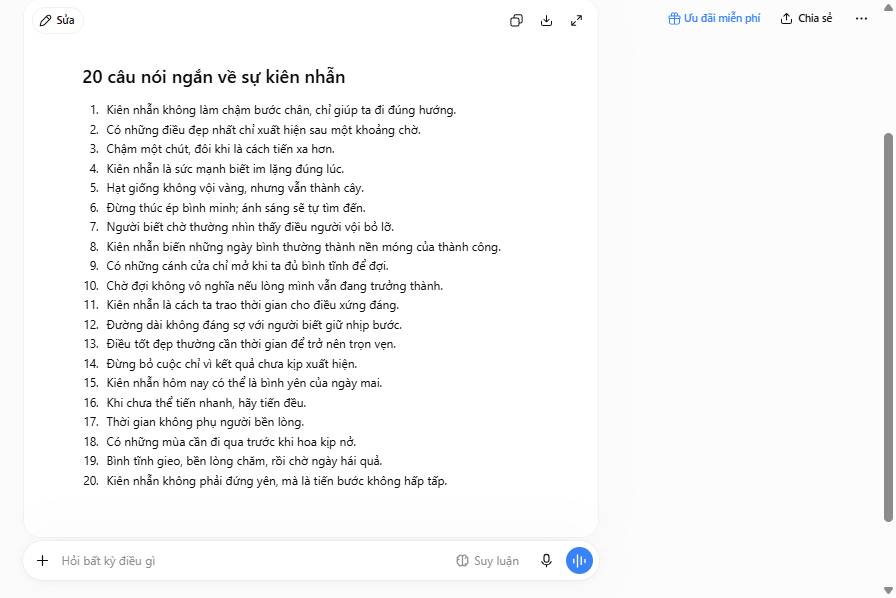
You can also request topic-specific variations:
Write 20 original, unattributed sayings about [topic]. Vary the tone and sentence structure. Highlight the 5 strongest options.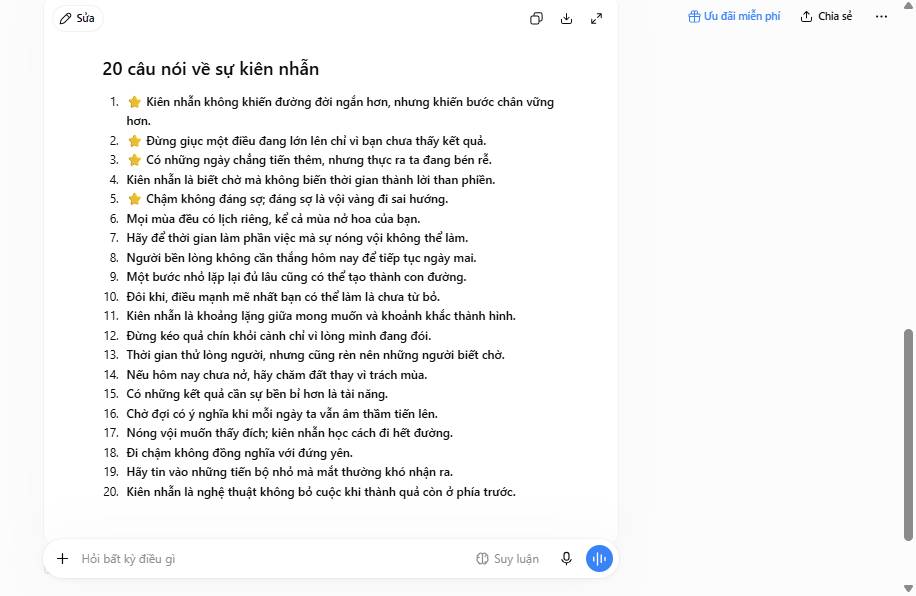
2. Repurpose Blog Posts into Carousel Posts
One of ChatGPT's strongest uses is content recycling. Transform your existing blog articles into engaging carousel posts—it's an efficient way to squeeze more value from what you've already written.
Tip: Specifying slide count is optional. You can let ChatGPT decide the number of slides.
Create an Instagram carousel post with [number] slides from the article below.

Use only statements from the pasted article. Don't fabricate statistics, quotes, or sources. Write a short headline for each slide and keep it to no more than two sentences. List any uncertain or missing information separately at the end:

[paste blog article]
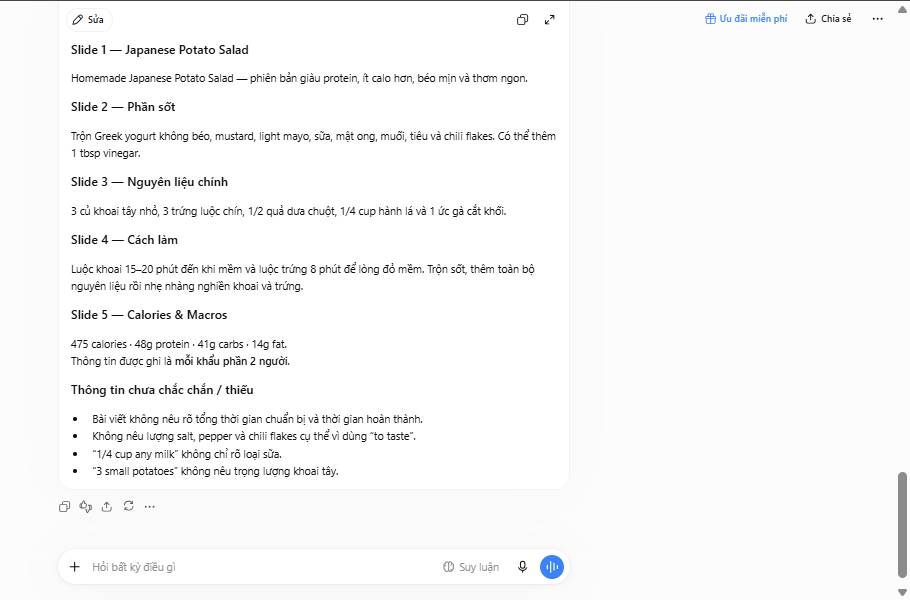
Here's what the output looks like when applied to a blog piece about ChatGPT:
3. Identify Discussion Topics in Your Niche
Want more engagement on your Instagram? Focus on topics that spark conversation in your field. ChatGPT can identify these discussion starters instantly.
Use this straightforward prompt:
Create a list of 20 discussion topics commonly debated in [field/specialty].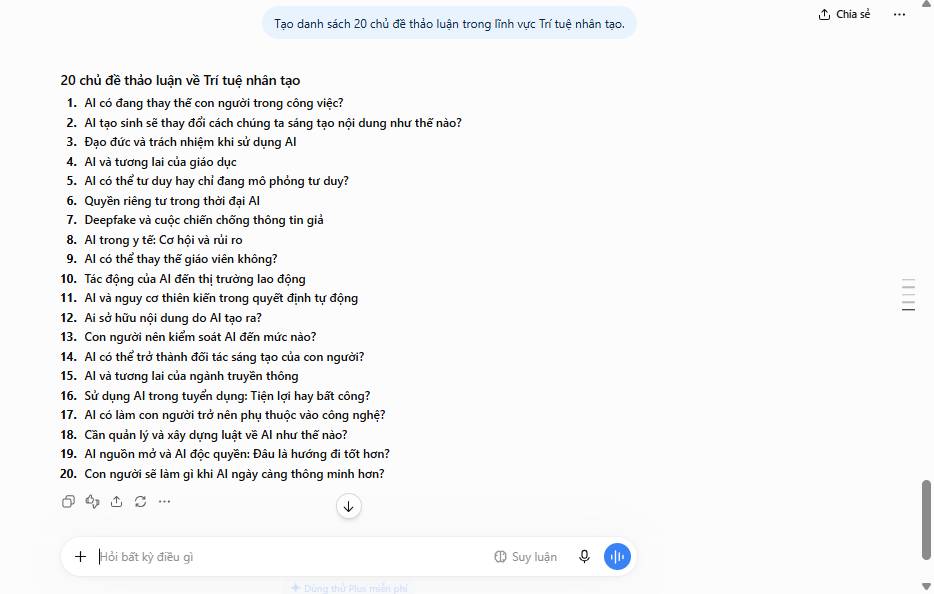
Want to go deeper? Ask for more controversial angles:
Create a list of 20 controversial discussion topics in [field].Treat these lists as starting points, not gospel. Validate actual interest using your Instagram Insights, real comments from followers, and current sources from your industry. What's interesting here is that ChatGPT gives you a foundation to build from—but your audience data is what ultimately matters.
4. Create Poll Ideas
Polls are engagement gold. ChatGPT can rapid-fire poll concepts tailored to your niche:
Give me 10 Instagram poll ideas about [topic] with 4 answer choices for each one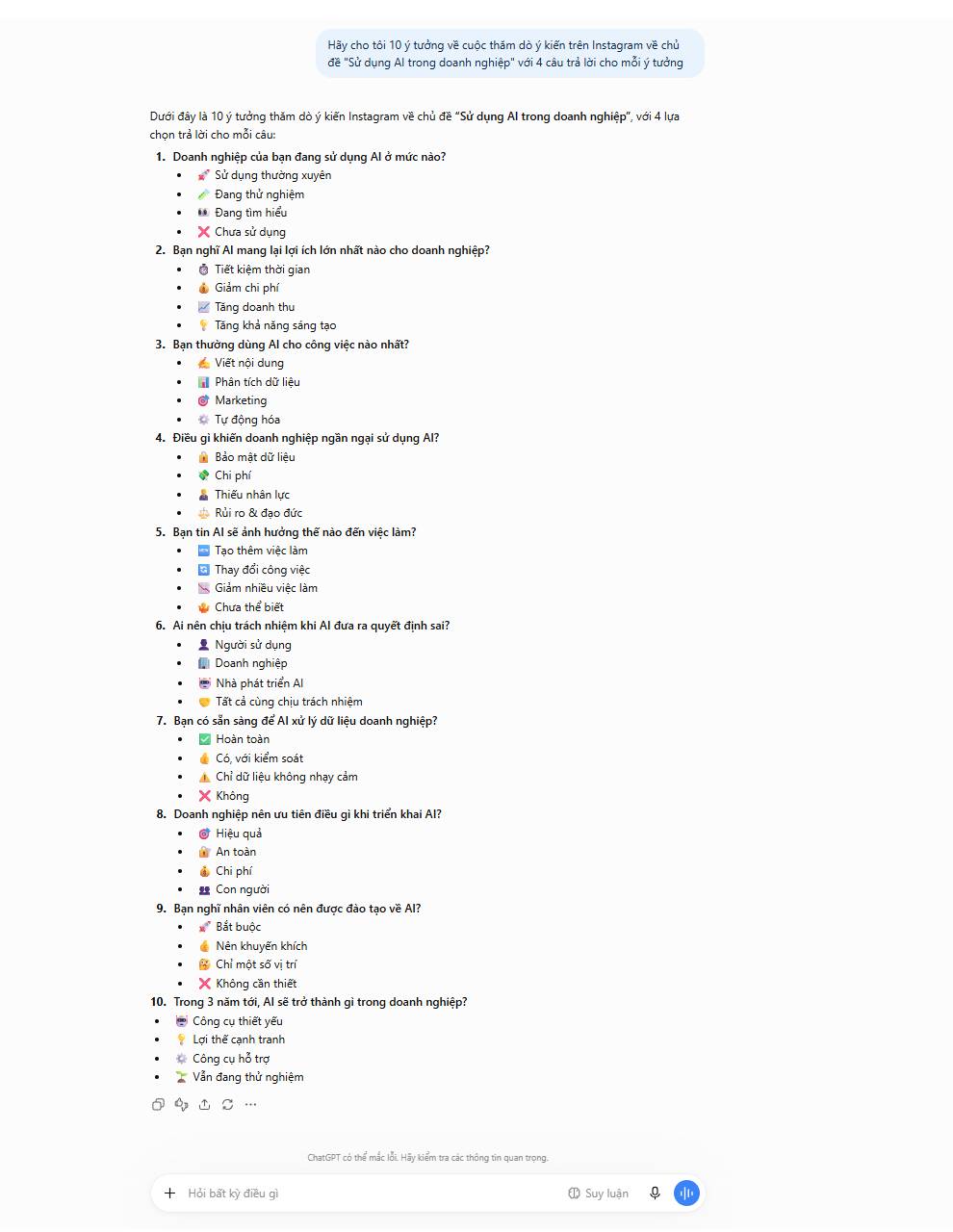
5. Draft Responses to Challenging Comments
Negative comments, passive-aggressive remarks, or just plain odd feedback—they happen to everyone. Responding professionally is critical for maintaining credibility. ChatGPT can help you craft thoughtful replies without sounding defensive or cold.
Critical note: Strip out names, usernames, contact info, and personal details before pasting comments into any AI tool. For complaints, legal threats, and sensitive cases, handle responses with direct human oversight.
Write a short, friendly response to the comment below. Keep it to 3 sentences max. Add relevant emojis.

If the comment is critical, respond with a growth mindset rather than defensiveness. Avoid making major concessions, big promises, or overly specific commitments:

[paste comment]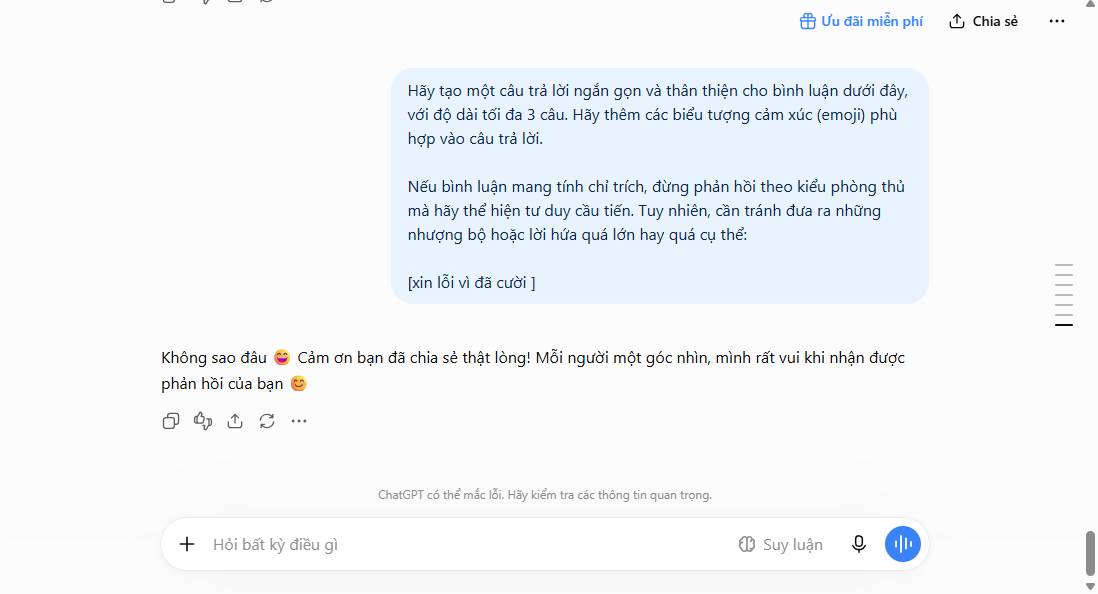
6. Brainstorm Post Ideas
Stuck on what to post next? With millions of Instagram users competing for attention, quality content is everything. ChatGPT accelerates the ideation process:
I manage an Instagram account about [topic]. My audience is [describe target audience]. Generate a list of 20 Instagram post ideas.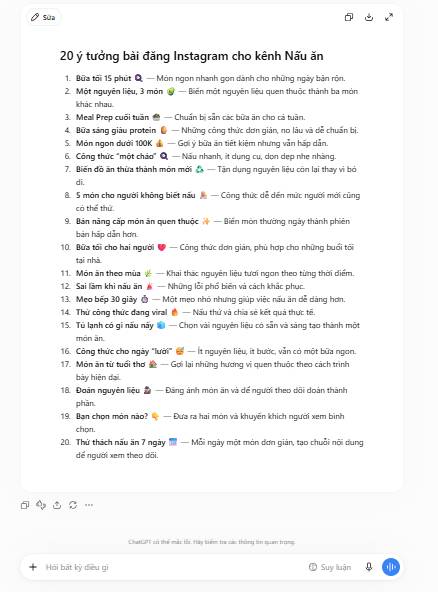
7. Generate Reel Concepts
The same formula works for Reels. Instagram's video format is where reach happens right now, so dedicated Reel ideas are worth their weight in engagement:
I manage an Instagram account about [topic]. My audience is [describe target audience]. Generate a list of 20 Instagram Reel ideas.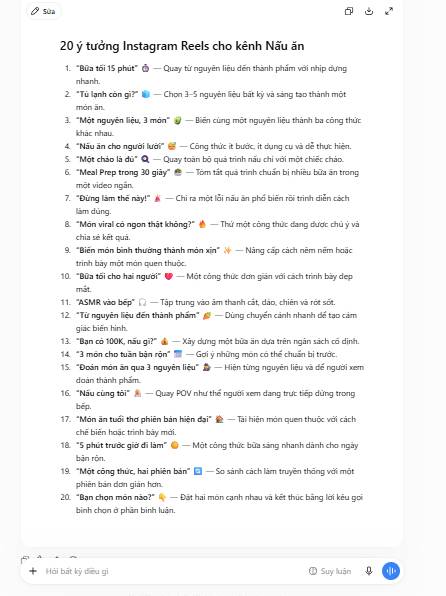
8. Build a Content Editorial Calendar
Beyond suggesting individual posts and Reels, ChatGPT can construct a full editorial calendar for you. This is where you start working strategically instead of reactively:
Create a table with 20 Instagram post ideas about [topic] targeting [audience]. Include these columns:

- Post Headline
- Post Type (Video, Reel, Carousel, Image)
- Post Concept Description

Find unique, interesting ideas that encourage viewers to take action [desired action, e.g., comment on the post]. Return only the table—no introduction or extra text.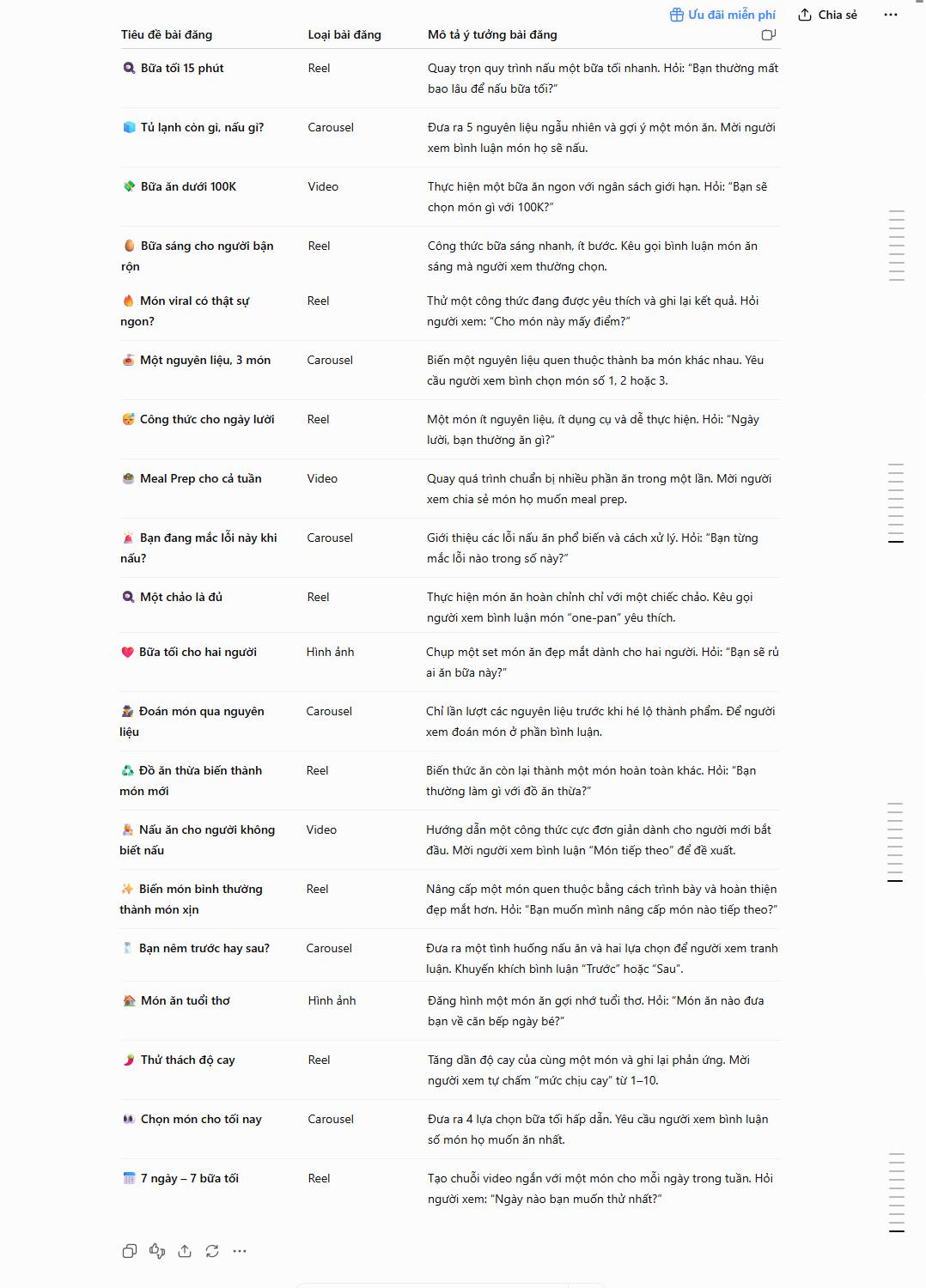
Remember: ChatGPT doesn't pull live data from your Instagram Insights or reflect real-time platform changes. Always verify statistics, trending topics, links, and feature names before hitting publish. The real concern is relying too heavily on AI without grounding it in your actual audience data.
Description: Discover practical ChatGPT techniques for Instagram content creation, from generating captions to building editorial calendars.
Related Articles
- Getting Gemma 4 Running in VS Code: A Complete Setup Guide
- We Tried Apple's DIY iPhone Battery Replacement Kit—Here's What Happened
- 11 Vibe Coding Examples to Spark Your Next Project
- What Makes Antigravity 2.0 Stand Out Against Claude in VS Code?
- Industrial AI: How Predictive Maintenance Is Reshaping Factory Operations

No Comment to " 8 Powerful Ways to Leverage ChatGPT for Your Instagram Strategy "