How to Seamlessly Transfer Conversations Between ChatGPT, Claude, and Gemini Using ThreadPort
ChatGPT, Claude, and Gemini are dominating the AI market—but here's the catch: each one excels at different things. Tech editors, SEO specialists, and developers have discovered that relying on a single platform rarely produces optimal results. The problem? Manually copying and pasting long conversation threads between different AI tools is tedious, time-consuming, and prone to losing context along the way.
Enter ThreadPort, a Chrome extension designed to solve this exact problem. This guide walks you through setting up a seamless workflow that lets you leverage the combined strengths of these three AI powerhouses without the friction.
1. Why You Actually Need All Three AI Models
Before diving into the technical setup, let's understand why transferring conversations between multiple AI systems matters for serious research work:
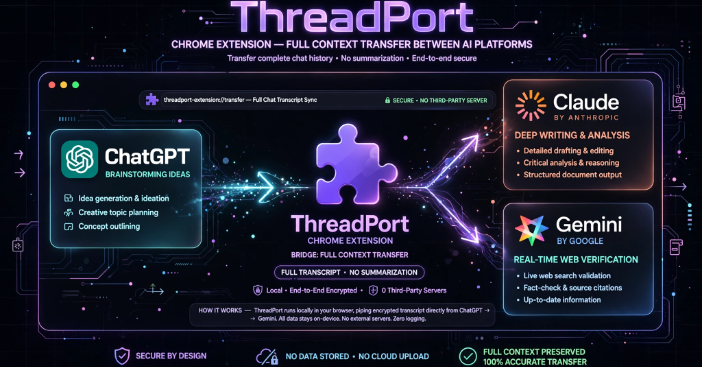
- ChatGPT (OpenAI): Lightning-fast responses and exceptional at brainstorming and basic logic processing. The downside? It has a tendency toward hallucination—sometimes confidently delivering incorrect information that needs verification.
- Claude (Anthropic): The star performer when analyzing lengthy documents and producing naturally-written, human-like content. The real constraint is its usage limits for free users, which can feel quite restrictive.
- Gemini (Google): Its superpower lies in real-time web research and pulling the most current information available, with seamless integration into Google Workspace. That said, it sometimes struggles with heavily layered or unusually complex prompts.
What's interesting here is how these weaknesses complement each other perfectly. The ideal workflow flows like this: Start research with ChatGPT → Hand off to Claude for in-depth writing and analysis → Finish with Gemini to fact-check and add current data.
2. What ThreadPort Actually Does
ThreadPort isn't just a summarization tool. It's a Chrome extension that transfers your entire conversation transcript—not a condensed version—from one chatbot to another.
Here's how it works: ThreadPort automatically injects a hidden instruction that tells the receiving AI to read the full conversation history and pick up exactly where the previous AI left off. It doesn't summarize. It doesn't paraphrase. It simply continues. The developer also confirms that your data stays local—nothing gets stored on third-party servers, which matters for sensitive projects.
3. Step-by-Step: Moving Conversations Between AI Models
Here's how to build an efficient workflow using ThreadPort:
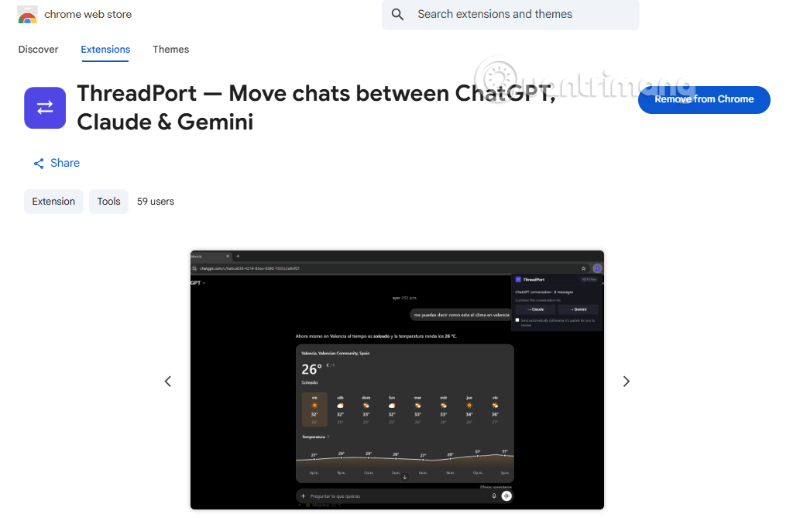
Step 1: Install ThreadPort on Chrome
Open Google Chrome (or any Chromium-based browser like Edge or Brave). Head to the Chrome Web Store, search for ThreadPort, and click "Add to Chrome." For faster access, click the puzzle piece icon in the top-right corner, find ThreadPort (purple icon), and pin it to your toolbar.
Step 2: Start Your Research with ChatGPT
Begin with a solid brainstorming tool—ChatGPT works great here. Enter your prompt. For example: "List the major tech trends that will shape the next generation of gaming consoles."
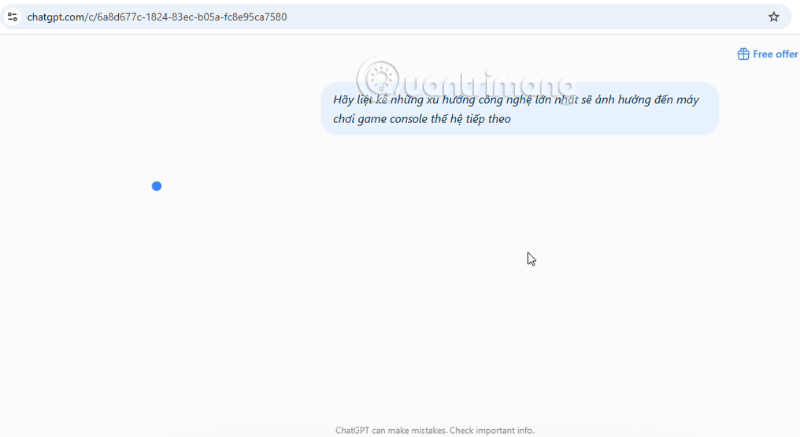
Let ChatGPT generate its analysis and trend breakdown (PS6 vs. Xbox vs. PC vs. handheld vs. cloud gaming, etc.).
Step 3: Transfer to Your Second AI
Here's where ThreadPort saves you massive amounts of time. Instead of selecting, copying, and pasting that entire response into Claude or Gemini, just click the purple ThreadPort icon in your Chrome toolbar.
Select your destination—let's say Gemini.
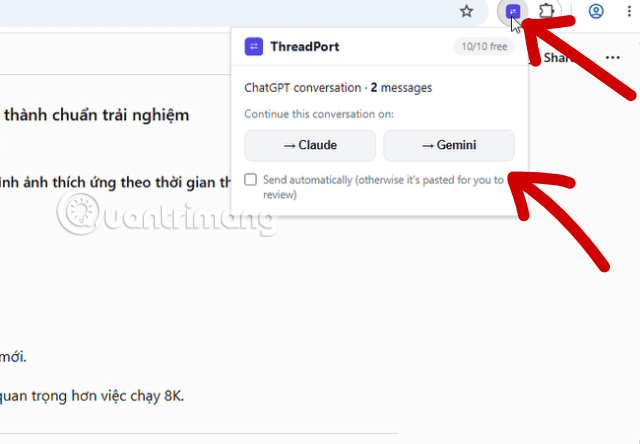
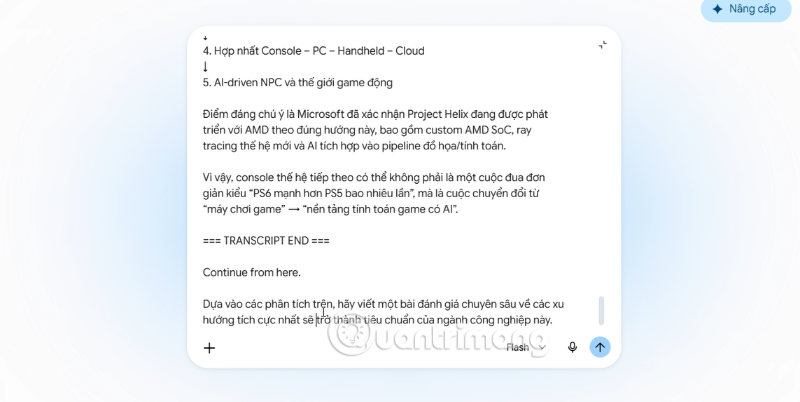
A new Gemini tab opens instantly. ThreadPort automatically pastes the entire conversation and adds a system instruction: "You're continuing a conversation started on ChatGPT. Below is the full conversation history. Use this as context and continue naturally—don't summarize it back to me, just pick up where it stopped."
Now you add your follow-up question: "Based on this analysis, write an in-depth review of the most positive trends that will become industry standards." Gemini reads and understands everything from ChatGPT and delivers polished, natural analysis.
Step 4: Add the Third Perspective with Claude
To meet Google's E-E-A-T standard, you need balanced analysis—positive, negative, and fact-checked angles.
While on Gemini, click ThreadPort again and select Claude as your destination.
ThreadPort transfers the complete context: the original ChatGPT analysis, Gemini's writing, everything.
Add your final request: "Based on all this information, identify the cracks in the business models and negative trends that might affect developers and consumers."
Claude receives everything and adds critical analysis, rounding out your research with depth and nuance.
The Bottom Line
ThreadPort transforms how tech writers, researchers, and developers work with multiple AI tools. You're no longer wasting hours on copy-paste. Instead, you're combining ChatGPT's reasoning power, Claude's writing finesse, and Gemini's access to real-world data—all in one fluid process.
This is a workflow technique that genuinely shifts how you can work. If ThreadPort adds support for tools like Perplexity or Kimi down the road, the optimization potential becomes even stronger. If you're working with AI daily, ThreadPort isn't optional—it's essential.
Description: Learn how ThreadPort lets you move full chat contexts between AI models without copy-paste headaches. A workflow game-changer for researchers and cont
Related Articles
- Getting Started with Google Flow Music: Complete Guide to Creating Music and Playlists
- The Upload Button Paradox: How AI Tools Became Your Company's Biggest Security Risk
- Which AI Should You Actually Use: ChatGPT, Claude, or Gemini?
- The Best AI Apps for iPhone in 2026
- The 5 Best AI Recruitment Tools to Transform Your Hiring Process

No Comment to " How to Seamlessly Transfer Conversations Between ChatGPT, Claude, and Gemini Using ThreadPort "