How to Stop Instagram From Using Your Posts and Reels to Train AI
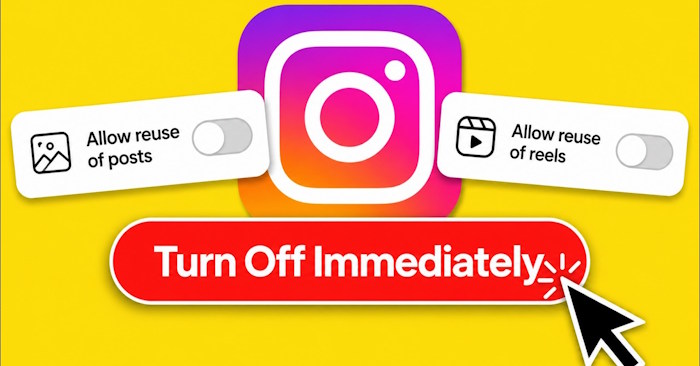
Meta has officially launched Muse Image—a fresh AI-powered tool that lets users generate entirely new images, edit existing photos, and even create custom ads directly within Meta apps. Here's the catch: Muse Image taps into photos from public Instagram accounts to create those AI-generated images. What's interesting here is that most users have no idea their public photos are being repurposed this way.
The real concern is that Instagram sends zero notifications when strangers use your public content for AI generation. If you'd rather keep your photos off Meta's AI training pipeline, you'll want to follow these steps to disable the feature.
How to Block Instagram Content From AI Use
Open the three-line menu icon and navigate to Settings. From there, select the Sharing and Reuse section.
In the new settings window, you'll need to toggle off the Posts and Reels option to prevent your content from powering Instagram's AI features.

Important things to know:
- This setting primarily affects public content.
- Private accounts and users under 18 are typically excluded from this AI feature by default.
- Disabling this option limits how Meta can use your content for AI purposes, but it doesn't override Instagram's other privacy settings.
Additional privacy protection tips:
- Switch to a private Instagram account if public sharing isn't essential for you.
- Avoid posting images that contain personal information or sensitive data.
- Check your privacy and sharing settings regularly after each Instagram update.
- Stay informed about Meta's AI policy changes to understand how your content might be used going forward.
Related Articles
- 8 Effective Methods to Monitor Your Hard Drive Health and Catch Problems Early
- How to Fix the Task Host Window Blocking Windows Shutdown
- How to Restore a Windows System Using UEFI-Compatible .tib Ghost Files
- Understanding Mesh WiFi: How Does a Mesh Network System Actually Work?
- The 22 Best Tools for Creating Bootable USB Drives

No Comment to " How to Stop Instagram From Using Your Posts and Reels to Train AI "