Managing AI Coding Agent Tasks Effectively: A Practical Workflow Guide

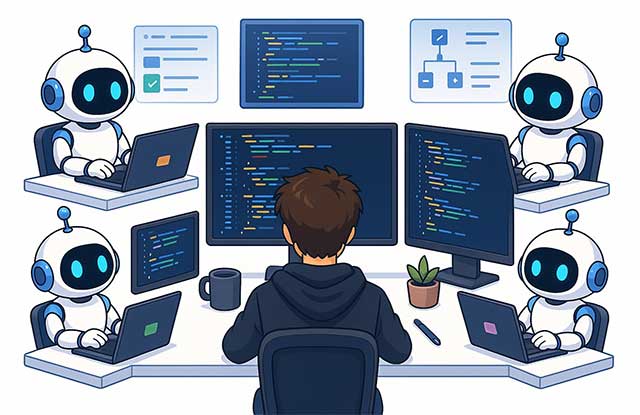
As AI Coding Agents take on increasingly complex programming work, a new challenge emerges: task management. The bottleneck isn't writing code anymore—it's tracking how many tasks are running simultaneously, which agent is handling what, and monitoring progress across all of them.
Honestly, this is a "good problem to have." It means developers can now tackle far more work in parallel than ever before. But like any bottleneck in software engineering, without proper management systems in place, this volume of work can quickly become a productivity killer instead of an asset.
In this guide, we'll walk through how to structure your entire workflow with Coding Agents—covering task organization, progress tracking, and selecting the right tools for the job.
Why Task Management Gets Harder With Coding Agents
In the pre-AI era, deploying a new UI feature, fixing a tricky bug, or building a new capability typically took days or even weeks. Today, with AI Coding Agents doing the heavy lifting, most of these tasks can run in parallel and finish within a single day. Only genuinely complex features still demand extended timelines.
The shift is particularly stark compared to before ChatGPT launched in late 2022. Back then, developers worked sequentially through tasks and burned countless hours on auxiliary work—learning new frameworks, squashing unexpected bugs, constantly rebasing when teammates pushed changes.
Now? Those friction points have largely vanished. Coding Agents make fewer careless mistakes and can independently research new frameworks through online documentation without you needing to study them first.
This means the real challenge today isn't code quality—it's managing dozens of parallel tasks simultaneously.
Building a Coding Agent Workflow
Start with a fundamental principle: stop managing tasks manually. Your task management system should connect directly to your Coding Agent via API or MCP (Model Context Protocol). Rather than you updating progress, adding comments, or changing statuses, the agent should handle all of this automatically.
Another critical rule: each task should run in its own Git Worktree.
Isolating work into separate worktrees lets multiple Coding Agents operate in parallel without overwriting each other's changes. Claude Code supports this natively, while platforms like Emdash manage worktrees automatically behind the scenes.
Give each worktree a crystal-clear name. One glance should tell you exactly what task the agent is handling—no need to dig through work history. Your workflow then becomes straightforward: receive a new task (from Slack, Linear, anywhere else), spin up a fresh workspace or worktree, attach the original task link so the agent has full context, then ask the AI to research and plan its execution.
Repeat this for multiple tasks in parallel. When the workload grows too large to track comfortably, pause accepting new tasks until you've cleared some in-progress items.
Not Every Feature Needs Local Testing
Not every feature requires testing on your local machine before merging to development. For straightforward features or minor bugs, let the Coding Agent finish the work and merge directly to dev. Run your tests there instead.
Typically, 70–80% of the time everything works correctly on the first attempt. If you spot an issue, just ask the agent to fix it and merge again. This saves enormous time compared to always running local tests before pushing to dev.
Use HTML Reports for Testing
Here's a clever technique: ask your Coding Agent to generate an HTML report upon completing each task.
This report functions as a testing checklist, containing:
- A brief summary of the work and the worktree name.
- A list of all subtasks completed.
- The original requirements verbatim (e.g., a copy of the Slack message).
- A summary of what the agent actually did.
- Step-by-step testing instructions.
- Two buttons—Verified and Not Fixed—plus a comment field.
Open the HTML report and work through the testing steps in order.
If everything works, click "Verified" and notify the agent that the task is done. Find bugs? Choose "Not Fixed," add your notes, and ask the agent to keep fixing.
This is one of the most efficient ways to both track progress and standardize your testing process.
Task Management Tools Worth Considering
No single tool fits everyone. The key is picking what works for your team's workflow and scale.
Linear
Linear is purpose-built for software development teams. Its biggest strength: Coding Agents can interact with nearly every part of the system.
When receiving a new task, a Coding Agent can:
- Read and analyze ticket content.
- Switch status to "In Progress."
- Auto-update progress via comments.
- Document assumptions and technical decisions as it works.
- Mark tasks complete once verified.
Linear also offers full activity logs, team collaboration features, and visibility across the entire feature lifecycle. It's the ideal choice for larger dev teams with structured workflows.
Slack
Slack can double as an effective task system, especially for startups. Product feedback and bug reports often land directly in Slack anyway, so Coding Agents can read messages, update progress, reply when done, or jump into conversations—all automatically.
But Slack isn't built for large-scale project management. Unlike Linear, it lacks ticket management, change history tracking, permissions, or multi-developer coordination.
If you use Slack, integrate your Coding Agent directly so it reads and responds to messages on its own rather than requiring manual handoffs.
Notion
Notion works well for personal task management. Its strengths include a clean interface, Markdown support, and accessibility across all devices.
Notion provides Kanban boards, multiple organizational layouts, and API access similar to Linear and Slack, so Coding Agents integrate smoothly.
It's solid for individuals or small teams. As headcount grows, Notion's limitations in software development project management become apparent—Linear pulls ahead.
The Bottom Line
Coding Agents let developers ship vastly more work than before. But that power creates a new problem: managing all of it.
To unlock the full potential of your Coding Agent, you need more than just intelligent code generation—you need a thoughtful management system. Let agents auto-update progress. Use separate worktrees for each task. Generate automated testing reports. Pick a tool scaled to your team's size.
Investing time now to optimize your Coding Agent workflow will pay dividends as your workload grows.
Description: Learn how to manage multiple parallel tasks with AI coding agents, from worktree organization to automated testing reports.

No Comment to " Managing AI Coding Agent Tasks Effectively: A Practical Workflow Guide "