AI-Powered Excel & Google Sheets Assistant: Generate Formulas, Functions, and Fix Errors Instantly

Excel and Google Sheets are indispensable for anyone working with data, but let's be honest—memorizing hundreds of functions, building multi-condition formulas, and troubleshooting cryptic errors like #N/A, #VALUE!, and #REF! can eat up enormous amounts of time. What's interesting here is that AI is now stepping in to eliminate this friction entirely.
The AI-powered Excel & Sheets Assistant streamlines the entire spreadsheet workflow. Instead of hunting through documentation or searching for syntax examples, you simply describe what you need to accomplish. The AI analyzes your request, generates the appropriate formula or function, explains how it works, and helps troubleshoot errors when they occur. Here's how to put it to work.
How to Use the Excel & Sheets AI Assistant
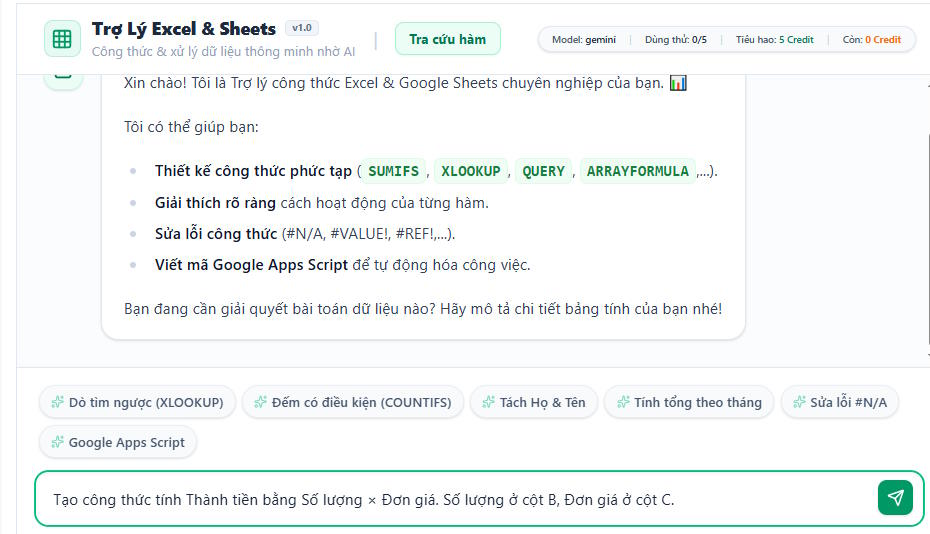
Open the assistant interface and describe what you need—whether it's calculating totals, processing data, or solving a specific problem using formulas or functions. Then submit your request to get started.
Here's a practical example: Create a formula to calculate total price by multiplying quantity (column B) by unit price (column C).
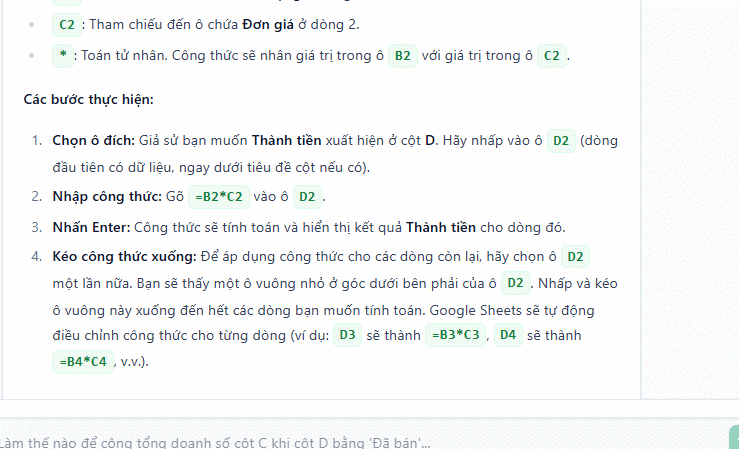
The assistant returns the formula and breaks down the implementation into crystal-clear steps.
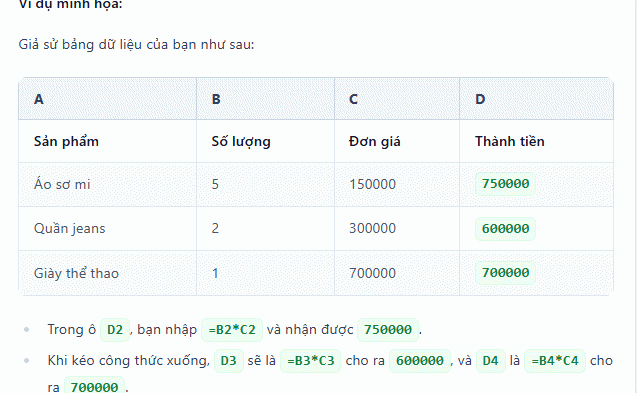
Here's where it gets really useful: the assistant includes visual examples showing exactly how to apply the formula or function to your actual data. No more guessing or trial-and-error.
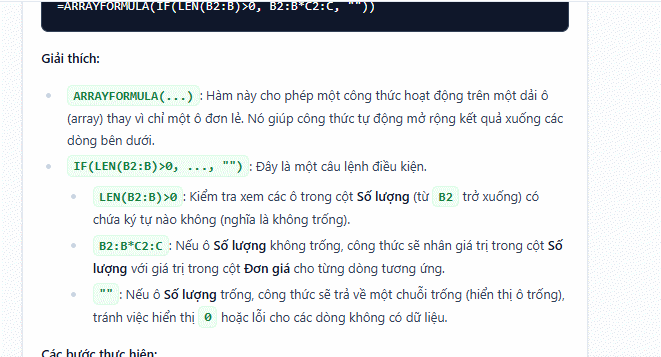
There's more. The Excel & Sheets Assistant goes beyond one-off solutions by generating auto-fill formulas for spreadsheets that get updated regularly. This means you set it once and forget it—no need to recreate the same formula repeatedly. Here's the detailed walkthrough with a real-world example.
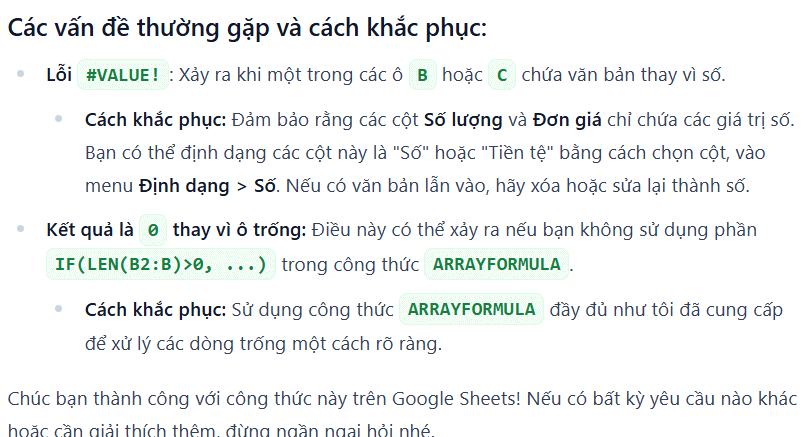
Another standout feature is the common errors and troubleshooting section. The AI identifies mistakes you're likely to encounter with this type of data and provides solutions upfront so you can avoid problems before they happen.
This comprehensive approach beats just solving your immediate problem—it equips you with knowledge to handle related issues down the road.
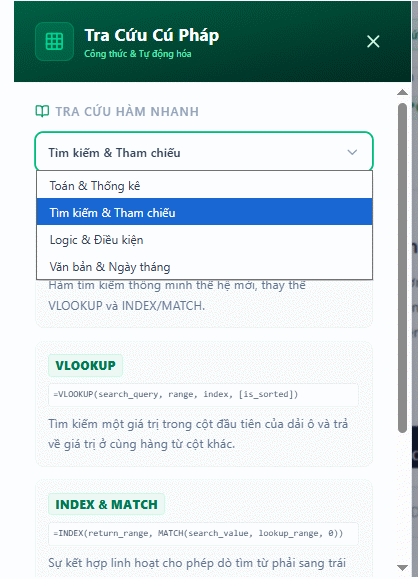
The assistant also maintains a complete function library organized by category. You can search for and reference any function you need.
Key Benefits of Using the AI Excel & Sheets Assistant
Integrating this AI tool into your Excel and Google Sheets workflow delivers real advantages:
- Dramatically reduces time spent building formulas from scratch.
- Minimizes errors during data processing and calculations.
- Makes learning functions easier through detailed explanations and examples.
- Boosts productivity when working with large, complex spreadsheets.
- Supports workflow automation using Google Apps Script.
- Works equally well for beginners learning the ropes and advanced users tackling sophisticated problems.
Description: Discover how AI assistants can streamline spreadsheet work by auto-generating formulas, fixing errors like #N/A and #REF!, and saving hours of manual
Related Articles
- The Best AI Programming Tools You Should Know About in 2024
- Are AI Companions Really Dangerous? We Might Be Asking the Wrong Question
- Running OpenAI Codex Directly in Google Chrome: Here's What You Need to Know
- How AI Is Transforming Content Marketing Success
- How to Find and Use AI Prompts for Image and Video Generation on PromptHero

No Comment to " AI-Powered Excel & Google Sheets Assistant: Generate Formulas, Functions, and Fix Errors Instantly "