How to Use Perplexity AI for Research: A Complete Guide

Perplexity AI stands out in the crowded AI landscape because it actually shows you where information comes from. Every answer includes numbered citations linked directly to the original sources, so you can verify facts yourself. What's interesting here is that for research work demanding accuracy and verifiable data, this approach is genuinely useful. This guide walks you through using Perplexity AI effectively for serious research projects.
What Makes Perplexity Different?
Perplexity conducts real-time web searches and cites sources for everything it uses. This delivers two critical advantages for research:
- Current information: Perplexity pulls the latest data from the internet, sidestepping the stale data problem that plagues traditional AI models.
- Verifiable information: Every claim comes with source references you can check directly. This matters tremendously when you're doing actual research.
6 Steps to Research Effectively With Perplexity AI
Step 1 – Ask Perplexity Direct, Specific Questions
To get relevant results, you need to ask clear, focused questions. Skip the vague keyword approach. Tell Perplexity exactly what you need. Consider these examples:
- What are the latest statistics on [topic]?
- What happened with [event] and what were the consequences?
- What is the scientific consensus on [topic] right now?
Perplexity searches the web, synthesizes findings, and delivers clear answers with numbered citations throughout.
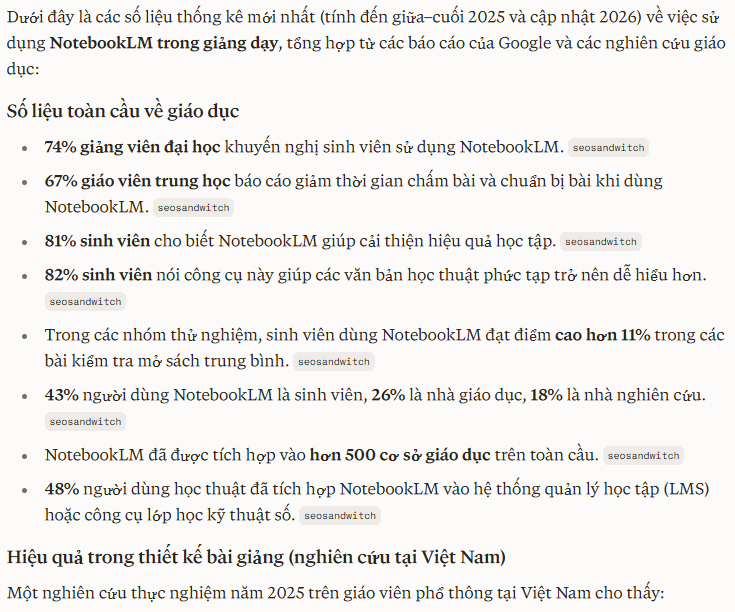
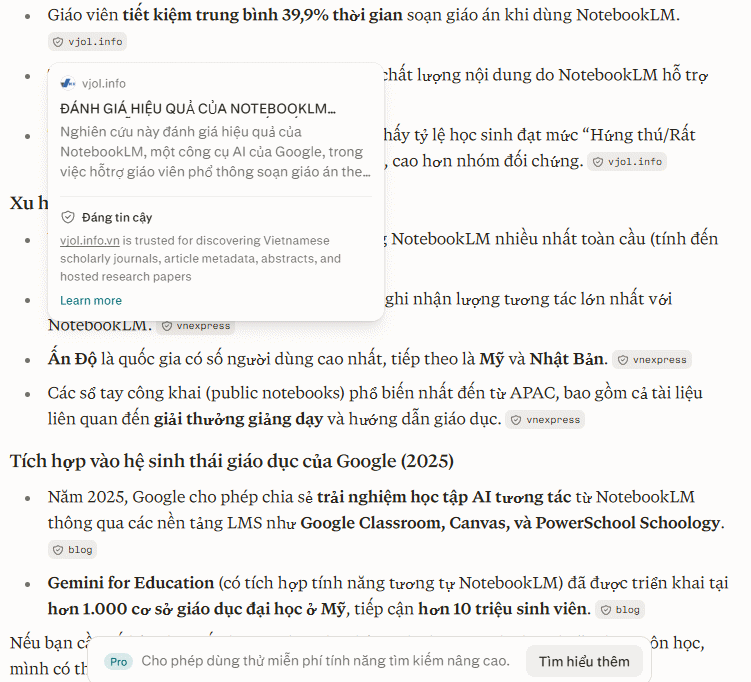
Step 2 – Choose the Right Search Mode
Perplexity lets you control where it searches. Pick the right mode for your needs:
- Academic: Searches scholarly papers, research studies, and academic publications. Use this when you need credible, expert-level sources.
- Web: General internet search. Best for everyday research needs and broad topic exploration.
- YouTube: Searches video content. Useful when you want lectures, tutorials, or expert commentary in video form.
- Reddit: Searches Reddit discussions. Valuable when you need real user experiences and unfiltered opinions.
Step 3 – Ask Follow-Up Questions to Dig Deeper
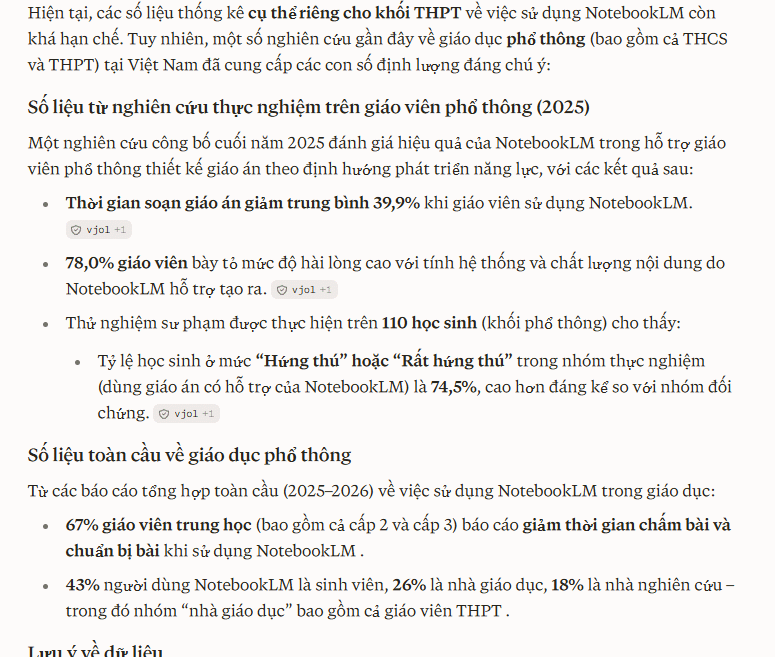
You don't need to write a marathon question upfront. Start broad, then follow up with targeted questions based on what you learn.
Here's an example:
- What are the latest statistics on NotebookLM usage in education?
- Next question: "Specific numbers for high school level"
- Next question: "Specific data for high school mathematics"
Step 4 – Turn Search Results Into Documents With Perplexity Pages
Information gathering is just the beginning. Sometimes you need to compile everything into a polished, structured document. That's where Perplexity Pages comes in.
After running your searches, use Pages to organize and structure your findings into a coherent document while preserving all citations. This is particularly valuable when writing research papers, preparing reports, or synthesizing information around a specific topic.
Step 5 – Combine Perplexity With Other AI Tools
The real concern is treating Perplexity as your only tool. Each AI excels at different things, so combining them multiplies effectiveness.
- Perplexity for searching and source verification: It finds information online, identifies suitable sources, and provides citations you can check.
- Claude for deep analysis and synthesis: Take Perplexity's results and feed them into Claude for deeper analysis, source comparison, or clarification of complex issues.
- ChatGPT for data analysis: If your research uncovered tables or datasets, ChatGPT can analyze them and extract meaningful insights.
- Grok for real-time discussions: When you need to know what people are currently discussing about a topic, combine Perplexity research with live conversations on X through Grok.
Perplexity handles search and sourcing, Claude handles analysis, ChatGPT handles data processing. Each tool in its lane means faster, more efficient research.
Step 6 – Always Verify and Cross-Check Information
For critical information—especially statistics, research conclusions, or heavily debated topics—verify using additional sources.
Ask Perplexity to find sources that confirm or challenge specific claims. Request different perspectives on the same issue. This cross-referencing approach gives you fuller understanding and keeps inaccurate information out of your finished research.
Description: Master Perplexity AI for research with our step-by-step guide. Learn to verify sources, explore search modes, and combine tools effectively.
Related Articles
- How to Generate AI Videos with Seedance 2.5 Using Dola AI
- Why Developers Are Ditching Claude Code for Codex
- The 5 Best AI Recruitment Tools to Transform Your Hiring Process
- Master Claude Projects: Build Your Personal AI Assistant Space
- Meet Muse Glimmer: Meta's Open-Source Agent AI That Runs Entirely on Your Device

No Comment to " How to Use Perplexity AI for Research: A Complete Guide "