Create a National Day Celebration Video: A Step-by-Step Guide
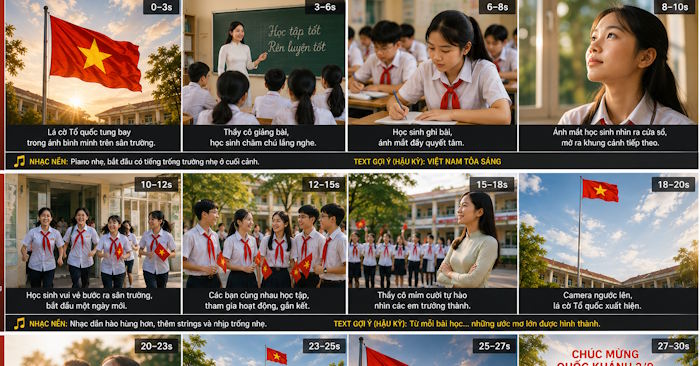
Planning to produce a National Day video for your school, business, or organization? You're in the right place. This guide walks you through a structured approach to conceptualize and execute a compelling celebration video that resonates with your audience. What's interesting here is how AI tools can dramatically speed up the creative process—from scriptwriting to visual generation—without sacrificing quality.
How to Create a National Day Celebration Video
Step 1: Build Your Script with ChatGPT
Start by feeding ChatGPT a detailed prompt to generate your video script. Here are two example prompts tailored to different contexts.
For Educational Institutions
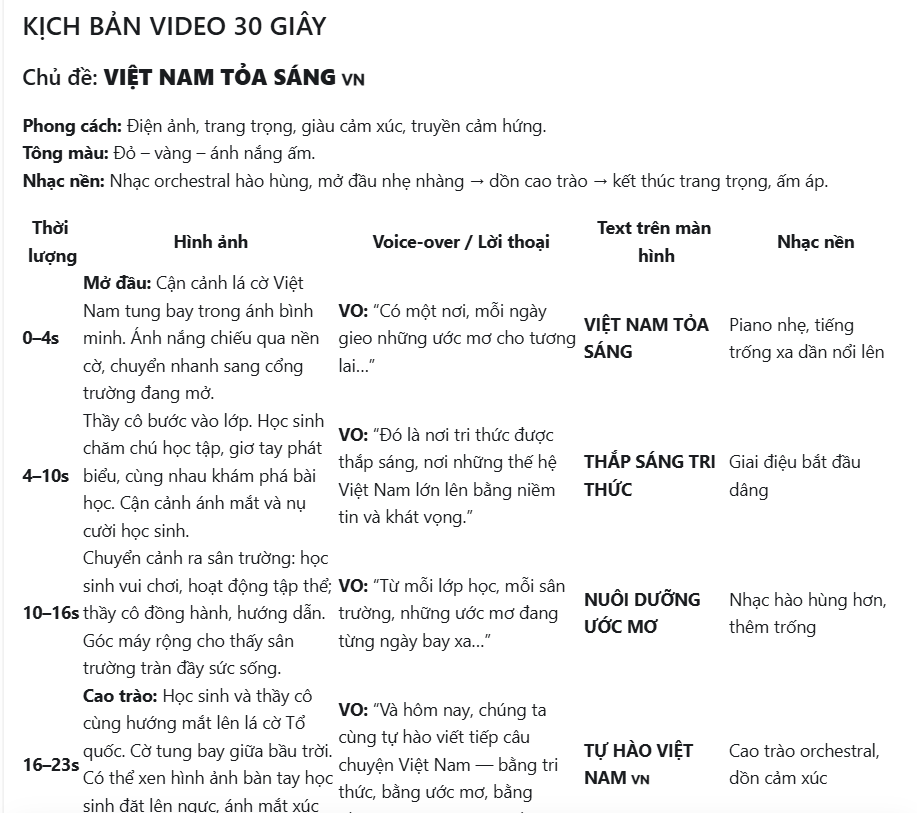
Write a 30-second video script for a school's National Day celebration with the theme "Vietnam Shines Bright." Tell a short story through visuals of teachers and students: from classrooms to the schoolyard to the national flag. The tone should be proud, emotional, inspiring, and showcase patriotism through education. Structure the script with clear scenes, duration, visual descriptions, voiceover or dialogue, on-screen text, and background music. End with the school's National Day congratulations message.For Corporate Settings
Create a 30-second National Day video script for a company with the theme "Vietnam Shines Bright." Feature office employees working, innovating, collaborating, and growing together. Use a modern, proud, and inspirational tone with Vietnam's flag and National Day atmosphere throughout. Include scene descriptions, voiceover or dialogue, on-screen text, background music, and conclude with the company's National Day wishes.Submit your prompt and wait a moment. ChatGPT will generate a fully structured video script for you.
Step 2: Generate Visual Assets
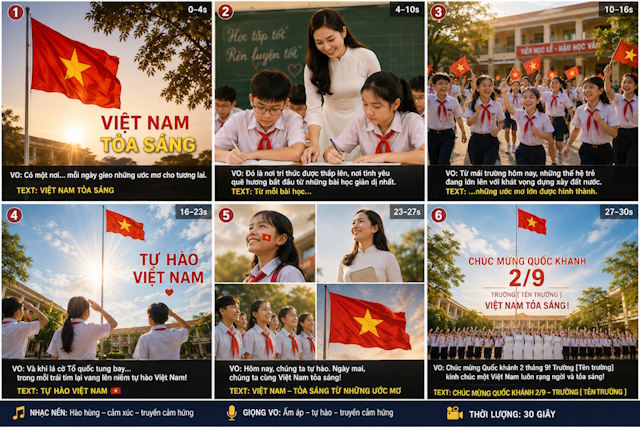
Next, enter a prompt requesting AI-generated illustrations for your video. This step produces high-quality visual assets you can use throughout your production.
Step 3: Break Down Your Script Into Video Segments
Now create separate prompts for each scene. Here's an example command that divides your script into manageable chunks.
Generate 3 prompts that break down the script into 3 separate videos, each 10 seconds long, suitable for Google Flow to create one seamless clip. Include image suggestions for each video segment.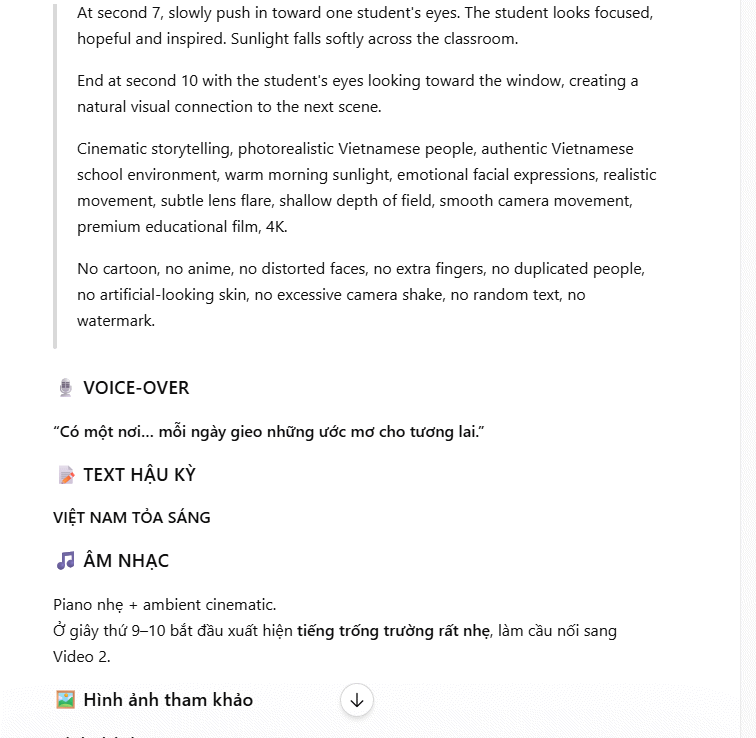
Step 4: Upload Assets and Generate Video Scenes in Google Flow
Head over to Google Flow and import the illustrations you created in ChatGPT into the platform's interface.
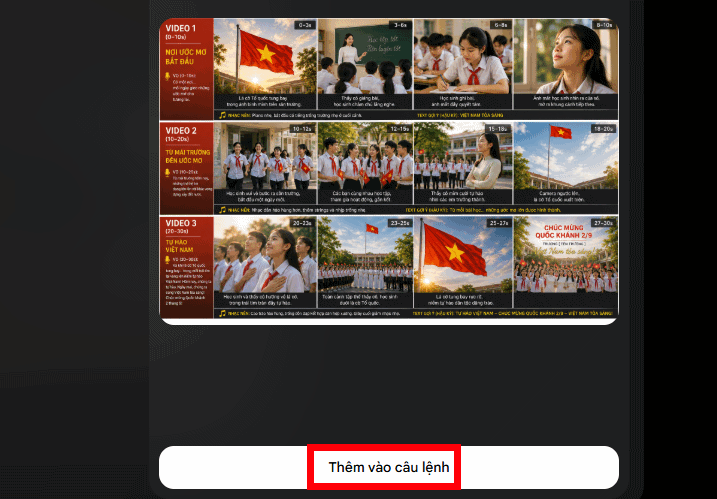
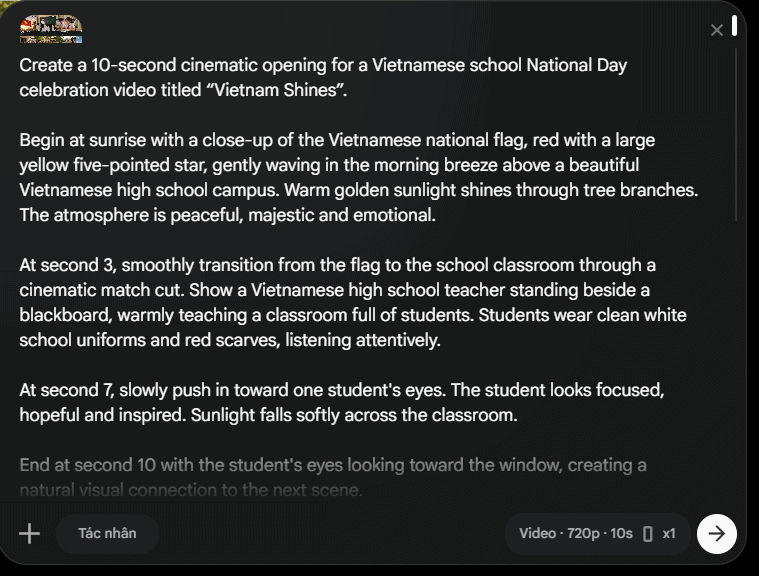
Enter each of your 3 video prompts into Flow sequentially to generate three distinct scenes. Here's a pro tip: use the same images of students, teachers, and school settings across all three video segments. This consistency ensures that characters and locations remain stable when you stitch everything together into a final 30-second clip.
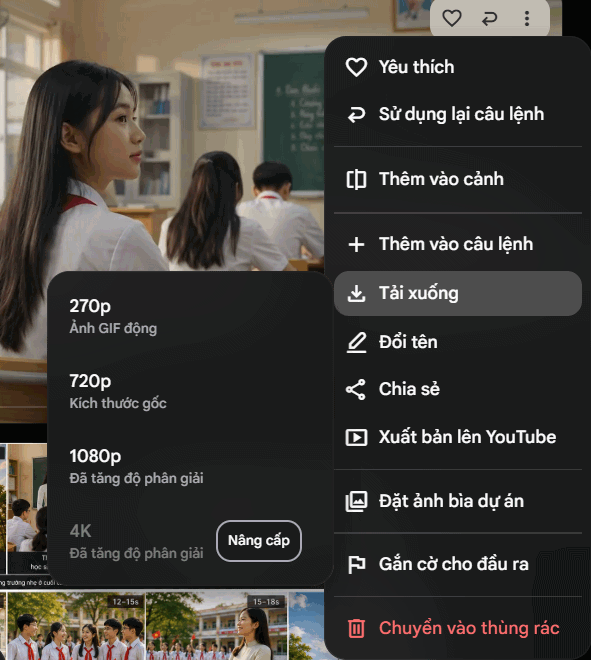
Once all three scenes are complete, download them. You can then bring these segments into CapCut for final polishing. From there, it's easy to add music, incorporate text overlays, and fine-tune your video to perfection.
Sample National Day Celebration Video
Description: Learn how to create engaging National Day videos for schools and companies using ChatGPT, Google Flow, and CapCut.

No Comment to " Create a National Day Celebration Video: A Step-by-Step Guide "