5 AI Prompts That Free Up 5 Hours of Office Work Every Week

Here's what nobody tells you when you start learning AI: the biggest wins don't come from flashy tech. They don't come from building complex applications or automating entire enterprise systems. The real, immediate payoff of AI lives in the tedious, repetitive stuff you slog through every single week—the tasks that silently drain 30 minutes here, an hour there, until you look up and half your workday has evaporated.
AI hits hardest right where it matters most: tackling those small, time-consuming tasks. This week alone, you could completely hand off five of your biggest time-killers to AI. Here's how.
5 Office Tasks to Delegate to AI—Starting Today
[ SUMMARIZE EMAILS/DOCUMENTS ] ➔ Save ~45 minutes/week
[ DRAFT FIRST VERSIONS ] ➔ Save ~1 hour/week
[ PREP FOR MEETINGS ] ➔ Save ~30 minutes/week
[ RESPOND TO REPETITIVE MESSAGES ] ➔ Save ~45 minutes/week
[ PROCESS MEETING NOTES ] ➔ Save ~30 minutes/week
Task 1: Summarize Long Emails or Documents
Time saved: ~45 minutes/week.
The reality: Most people read every single word of every email thread and report that lands in their inbox. You don't have to.
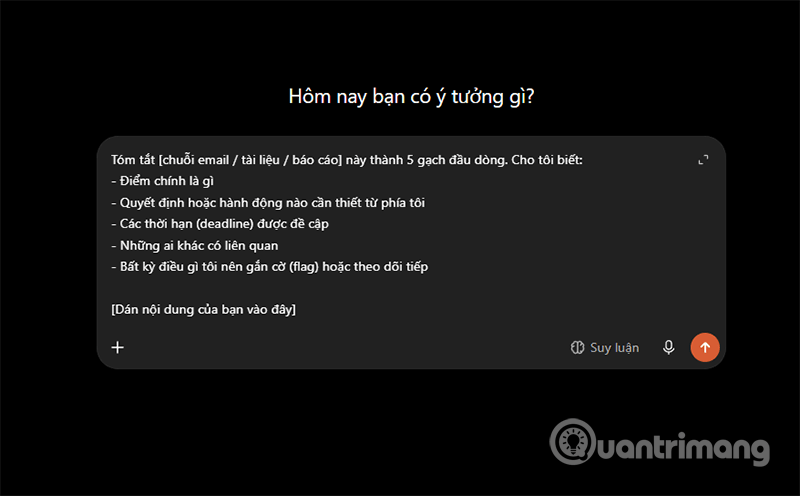
Sample prompt:
Summarize [this email thread / document / report] into 5 bullet points. Tell me:
- What's the main point
- What decision or action do I need to take
- Any deadlines mentioned
- Who else is involved
- Anything I should flag or follow up on

[Paste your content here]
Drop this into ChatGPT, Claude, or whatever AI you're using. You'll have your answer in 10 seconds.
Task 2: Generate First Drafts for Any Document
Time saved: ~1 hour/week.
The reality: When you need to write a report, status update, proposal, or summary, most people stare at a blank screen for 20 minutes before typing a single word.
Sample prompt:
Write a first draft of [what you need to write] for [target audience].
Context: [2-3 sentences about the situation]
Tone: [Professional / Friendly / Direct]
Length: [Short / Medium / One page]
Key points to include: [List your main ideas]
Don't be vague here—be specific and stay focused. The better your input, the better your output.
The goal isn't to have AI write 100% of it. The goal is to have a rough version you can edit. What's interesting here is that editing is always faster than writing from scratch.
Task 3: Prepare Content Before Meetings
Time saved: ~30 minutes/week.
The reality: Walking into a meeting unprepared is a time debt you pay twice—once in the meeting itself, and again trying to catch up on what you missed.
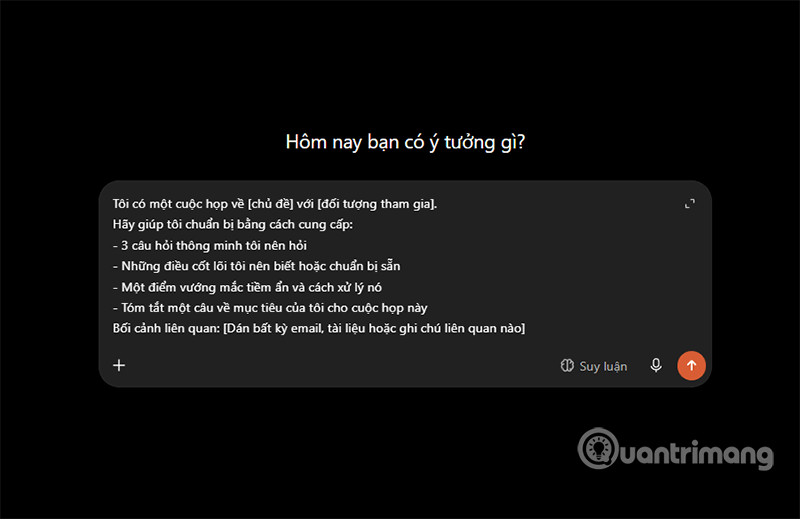
Sample prompt:
I have a meeting about [topic] with [attendees].
Help me prepare by providing:
- 3 smart questions I should ask
- Key things I should know or prepare
- One potential issue and how to handle it
- One-sentence summary of what I'm trying to achieve
Relevant context: [Paste any emails, documents, or notes]
Five minutes of prep with this prompt beats 30 minutes of improvising in the conference room.
Task 4: Answer Repetitive Messages and Emails
Time saved: ~45 minutes/week.
The reality: Every job has the same questions, requests, and reminders popping up constantly. AI never gets tired of drafting responses to them.
Sample prompt:
Write a [professional / friendly / direct] response to this message. My answer is: [Your main point in rough notes]
Keep it: [Brief / Detailed]
Make sure to: [Specific things to include or avoid]
Here's the message I received: [Paste it here]

Works great for email, Slack, Zalo, customer requests... Draft in 10 seconds, tweak in 30 seconds, send.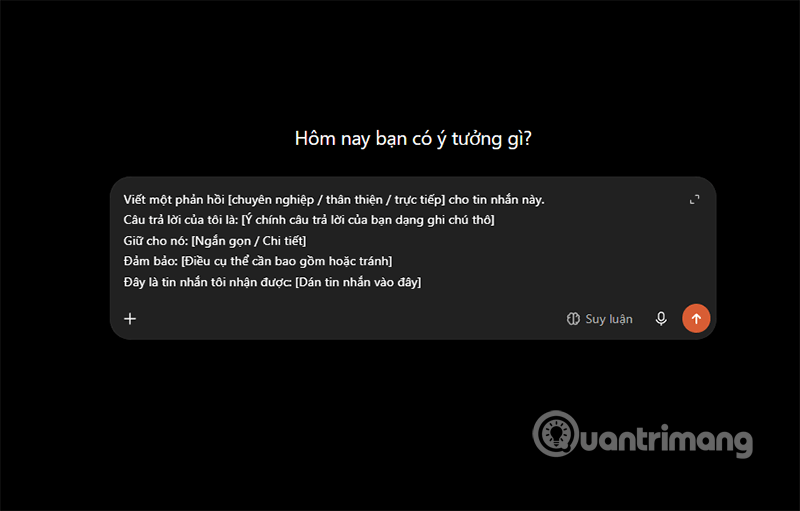
Task 5: Turn Meeting Notes Into Actionable Items
Time saved: ~30 minutes/week.
The real concern is that most meeting notes just sit in a document and never see the light of day again. This prompt transforms them into something you can actually use.
Sample prompt:
I just had a meeting. Here are my raw notes: [Paste them]
Please give me:
- A clean 3-bullet summary of what was decided
- A clear list of action items with owners (if mentioned)
- Follow-up questions that still need answers
- A short recap email I can send to attendees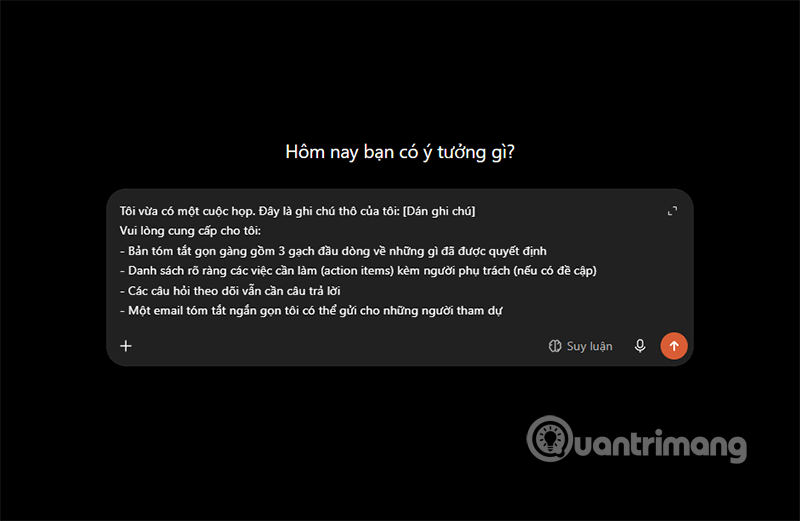
One prompt. Four outputs. Your notes go from chaos to completion.
| Task | The Old Way | With AI Prompts | The Win |
|---|---|---|---|
| Read emails/documents | Read line by line, lose focus | AI extracts 5 key points in 10 seconds | Grab what matters instantly |
| Write reports/proposals | Spend 20-30 minutes staring at blank screen | AI generates rough draft in 15 seconds | Kill procrastination, focus on editing |
| Prepare for meetings | Walk in with no direction | AI suggests questions and talking points | Control the room, hit your goals |
| Meeting notes | Messy notes, easy to forget tasks | AI creates action list and recap email | Stay on track, nothing slips through |
Get Started Right Now
Pick exactly one task from the list above—the one eating the most time right now. Apply the matching prompt before you finish work today. You'll be shocked at how many hours you suddenly have back each week.
Description: Discover practical AI prompts to automate repetitive office tasks. Save hours weekly on emails, meeting prep, drafting, and more.
Related Articles
- ChatGPT vs Meta AI: Which AI Chatbot Actually Wins?
- Create Professional Promotional Videos with AI: A Step-by-Step Guide
- The 5 Best AI Recruitment Tools to Transform Your Hiring Process
- Gemini Now Lets You Create Images by Speaking—No Typing Required
- How to Enable or Disable AI Watermarks in Windows Photos

No Comment to " 5 AI Prompts That Free Up 5 Hours of Office Work Every Week "