Create Professional Promotional Videos with AI: A Step-by-Step Guide
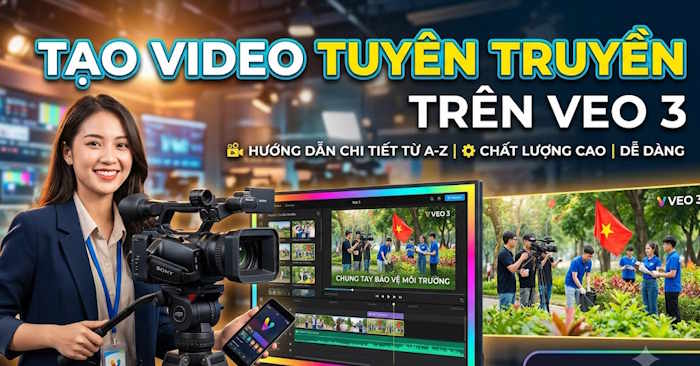
Promotional videos have become one of the most effective ways to communicate a message. They're easy to understand, memorable, and capable of reaching massive audiences. Here's what's interesting: with artificial intelligence now accessible to everyone, creating these videos has shifted from a specialized skill requiring expensive equipment to something virtually anyone can do in an afternoon.
Today's AI tools make producing promotional videos faster and more straightforward than ever before. You need three basic ingredients: a solid script, some visual references, and access to the right AI platforms. The result? Professional-quality videos with smooth animations, natural-sounding voiceovers, and polished effects—all without hiring a production crew. This approach saves tremendous time while delivering impressive multimedia content suitable for educational campaigns, public awareness initiatives, or information sharing.
How to Create a Promotional Video: A Complete Walkthrough
Step 1: Generate Your Script
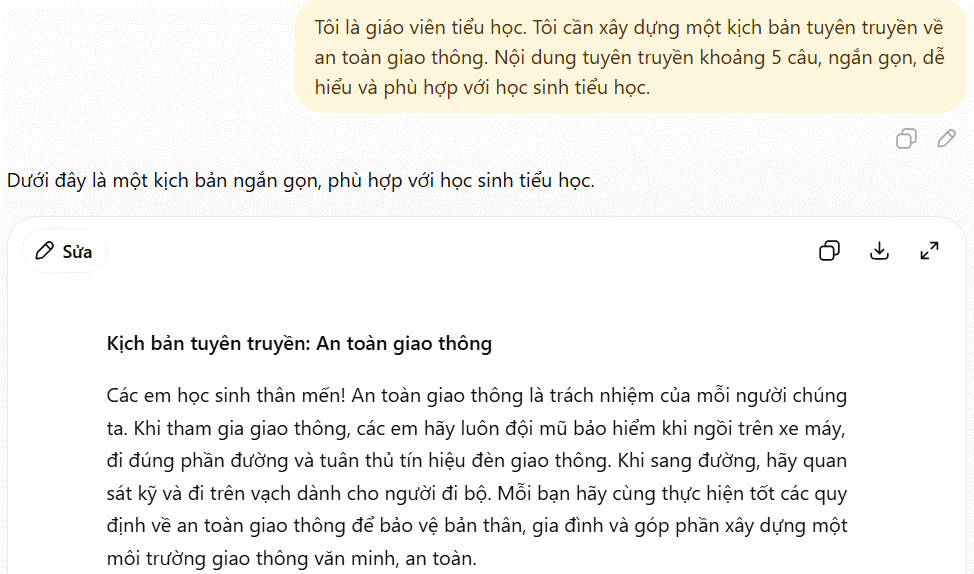
Start by crafting a promotional script about your topic. Try using this prompt template with ChatGPT:
I'm an elementary school teacher. I need to develop a promotional script about [your topic]. The content should be approximately 5 sentences—concise, easy to understand, and appropriate for elementary-age students.Wait for ChatGPT to generate a short, focused script. For example, if your topic is traffic safety, the AI will tailor the message to that theme.
Step 2: Create a Reference Poster
Next, generate a visual reference image using this detailed prompt:
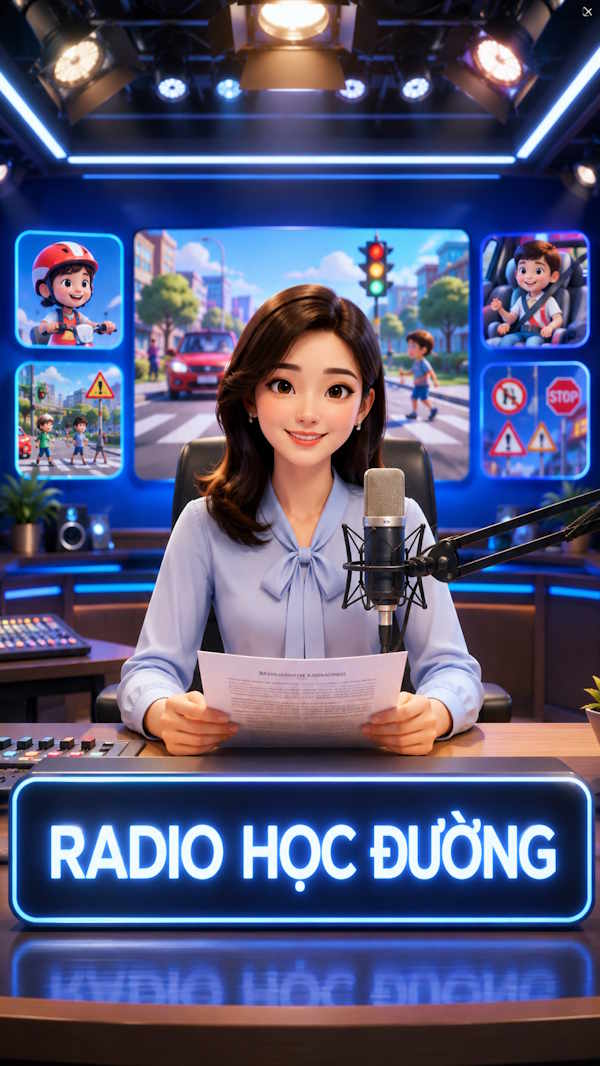
Create an educational promotional poster in premium 3D cinema animation style, 9:16 vertical aspect ratio, 4K Ultra HD quality.

Main character: A professional Vietnamese teacher, aged 25–45, with a friendly face, confident eyes, wearing business-appropriate clothing, holding promotional materials, seated in front of a professional microphone and looking directly at the camera.

Setting: A modern school broadcasting studio with premium studio lighting, blue LED screens, designed like a professional educational television studio.

Foreground display with illuminated signage reading:

"SCHOOL RADIO"

Background screens showing illustrations and icons related to [Traffic Safety].

Style: Premium 3D cinema animation, cinematic lighting, volumetric lighting, ultra-realistic texture, depth of field, high detail, harmonious color grading, 4K Ultra HD quality.

Maintain clear character identification for use as a reference image throughout the Veo 3 video.

No watermark.
No logos.
No subtitles.
9:16 aspect ratio.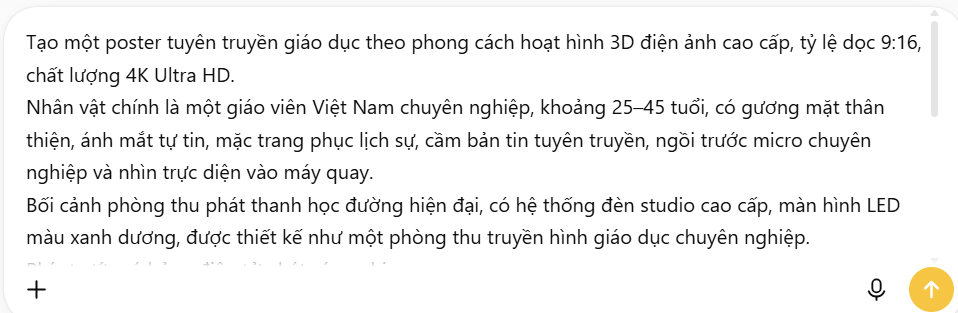
Give ChatGPT a moment to generate the poster according to your specifications.
Step 3: Break Down Your Script Into Video Scenes
Now you'll convert your script into individual scene prompts for video generation. Use this master prompt:
Use the image created above as a reference.

Analyze the Vietnamese script below and break it into multiple Veo 3 commands.

Mandatory Requirements:

• Each command generates exactly one scene lasting 8 seconds.

• Maintain 100% consistency with the Vietnamese teacher character from the reference image, including face, hairstyle, skin tone, clothing, posture, facial expressions, and voice.

• Keep the same modern school broadcasting studio with professional microphone, blue LED screen, cinematic lighting, and educational television aesthetic.

• Character looks directly at camera, natural hand gestures, smooth movements, realistic expressions, and perfect lip-sync with Vietnamese dialogue.

• Camera angle: frontal view, medium shot, subtle cinematic movement.

• Background screens display only icons and illustrations related to the topic.

• Style: Premium 3D cinema animation, cinematic lighting, ultra-realistic texture, volumetric lighting, depth of field, highly detailed, 4K Ultra HD.

• No Vietnamese text on screens.

• No subtitles.

• No logos.

• No watermark.

• 9:16 aspect ratio.

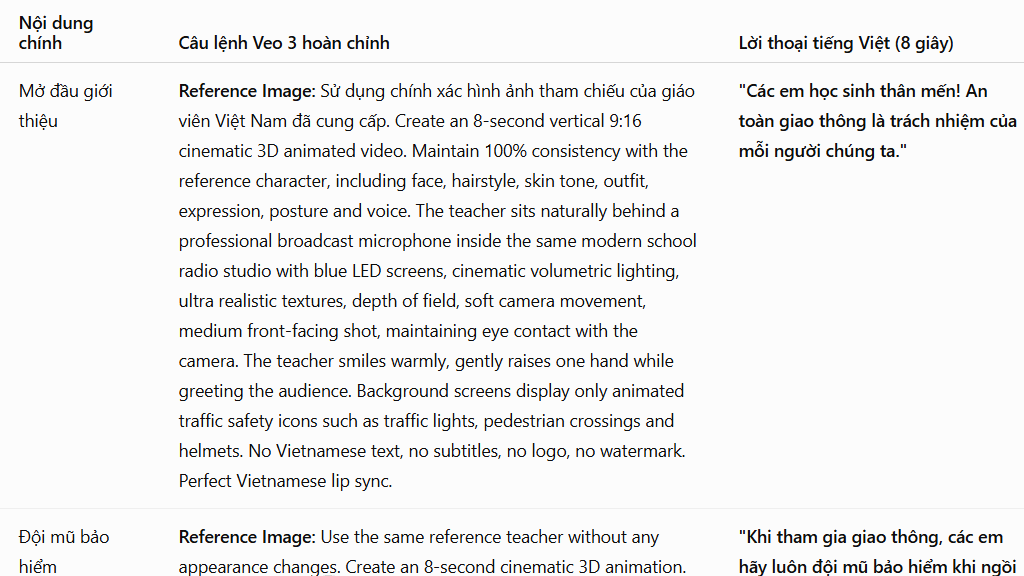
Formatted output table with columns:

1. Scene Number

2. Main Content

3. Complete Veo 3 Command

4. Vietnamese Dialogue (8 seconds)

5. Character Consistency Notes

Each Veo 3 prompt must meet these requirements:

• Ready to copy and use immediately.

• Complete description of character, setting, actions, camera angle, lighting, emotion, and dialogue.

• Faithful to the original script.

• Scenes transition logically so they assemble into a complete, cohesive educational promotional video.

VIETNAMESE SCRIPT:

[YOUR SCRIPT CONTENT]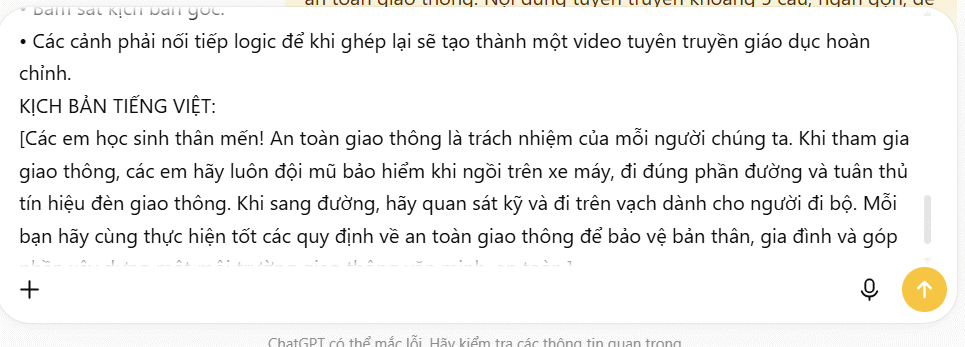
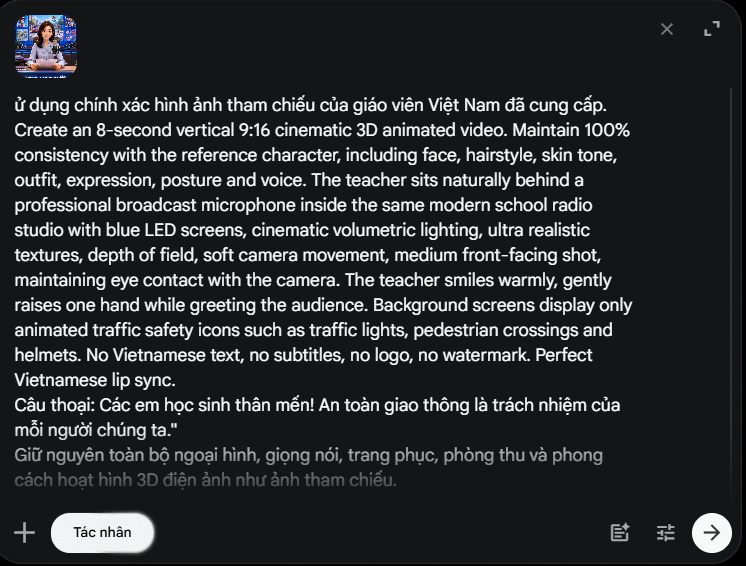
ChatGPT will now generate individual scene commands based on your script. Copy each scene prompt and paste it into Veo 3 or Google Vids to produce the actual video footage. Reference the poster image you created earlier for consistency across all scenes.
Log into Veo 3 or Google Vids, then input each scene command to generate video clips. Once you have all your scenes, stitch them together into a finished video.
Here's an example of a finished promotional video assembled from these scene-by-scene commands:
Description: Learn how to make engaging promotional videos using AI tools like ChatGPT and Veo 3. No filming required—just scripts and smart prompts.
Related Articles
- The Best AI Apps for iPhone in 2026
- Why You Should Downgrade from Copilot and Switch to Claude for Office Work
- Getting Started with Google Flow Music: Complete Guide to Creating Music and Playlists
- 8 Essential Privacy Tips for ChatGPT Users
- Getting Started with Gemini Live: Your Guide to Voice Conversations with Google's AI

No Comment to " Create Professional Promotional Videos with AI: A Step-by-Step Guide "