Subframe: The Hybrid Design-to-Code Tool Taking on Claude Design, Figma Make, and Replit
If you've been following design trends lately, you can't escape AI. Vibe coding has evolved into its own category, spawning specialized tools that launch regularly. Designers without deep coding backgrounds are eager to try them all — and when a new tool promises to replace the need for developers, they get genuinely excited.
Subframe is the latest entrant drawing attention from people hunting for alternatives. Some initially wanted to try Tempo Labs, but its manual editor kept failing to load. They switched to Subframe instead and discovered it does quite a bit more than your typical text-to-UI converter.
Subframe Works Like Two Tools in One
Design on top, code on the bottom
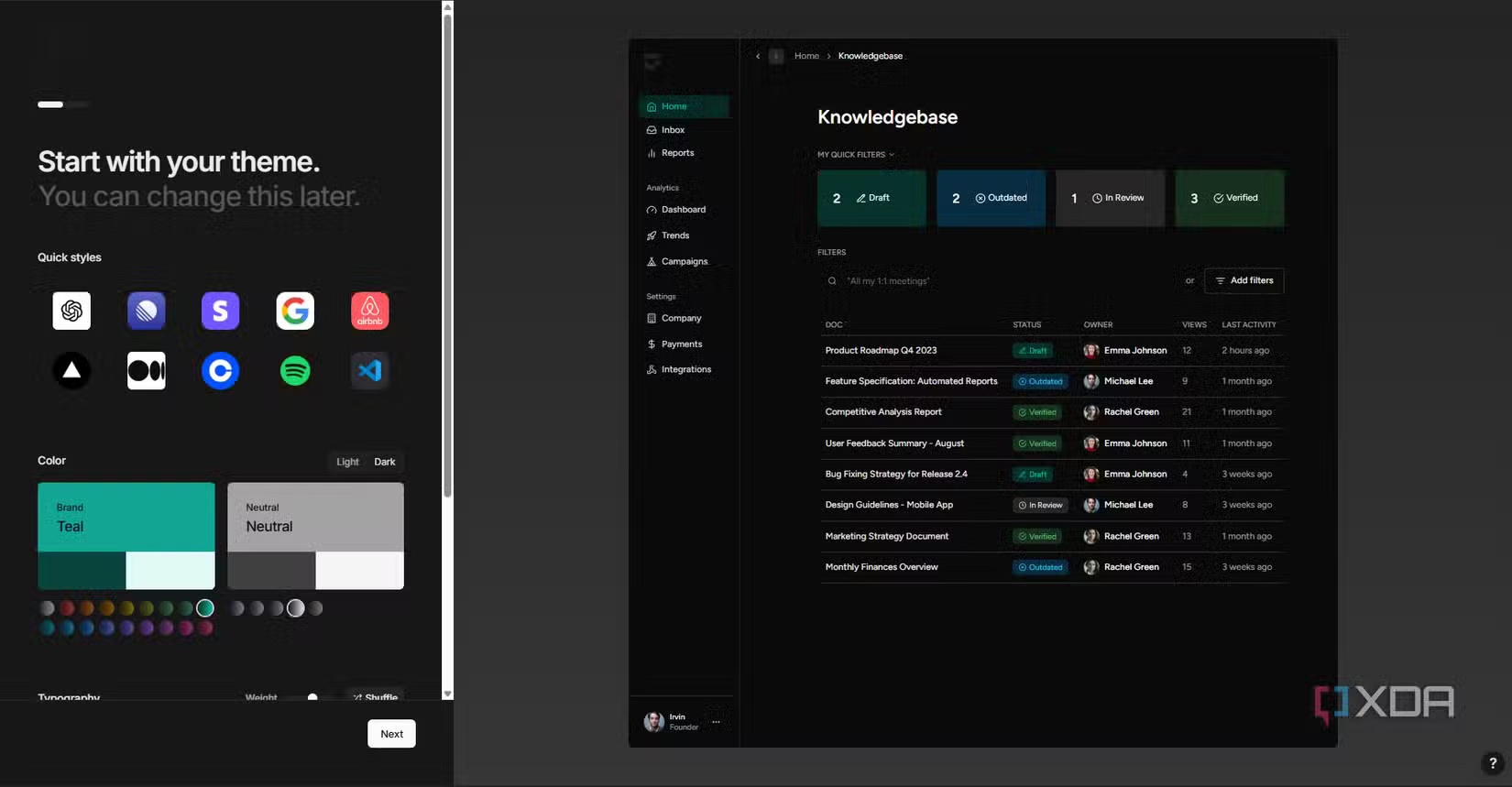
Subframe isn't just a design-to-mockup tool like Claude Design or Stitch, where you enter a prompt and get a prototype. It's also not primarily a full development environment like Replit or Bolt aimed at shipping complete applications. It sits somewhere in the middle. You design visually, but the output is actual production-grade React and Tailwind code that lives in your codebase if you sync it.
The philosophy behind this makes sense. Subframe's code output is deterministic, so an LLM won't misinterpret your design during export. Components stay in your codebase rather than getting locked into a proprietary format. The tool was built with a deep understanding of developer workflows — clearly designed to avoid the careless "AI sledgehammer" approach you see elsewhere.
It works best for people straddling the design-development line, or anyone wanting to rapidly prototype a visual design without opening Figma. You can accomplish plenty with the free tier: one project, five pages, and basic AI features. That's genuinely enough to test-drive the tool rather than just scrolling through marketing images. Paid plans unlock unlimited projects, unlimited AI generations, detailed version history, and custom fonts.
Multiple Paths to Create Your Design
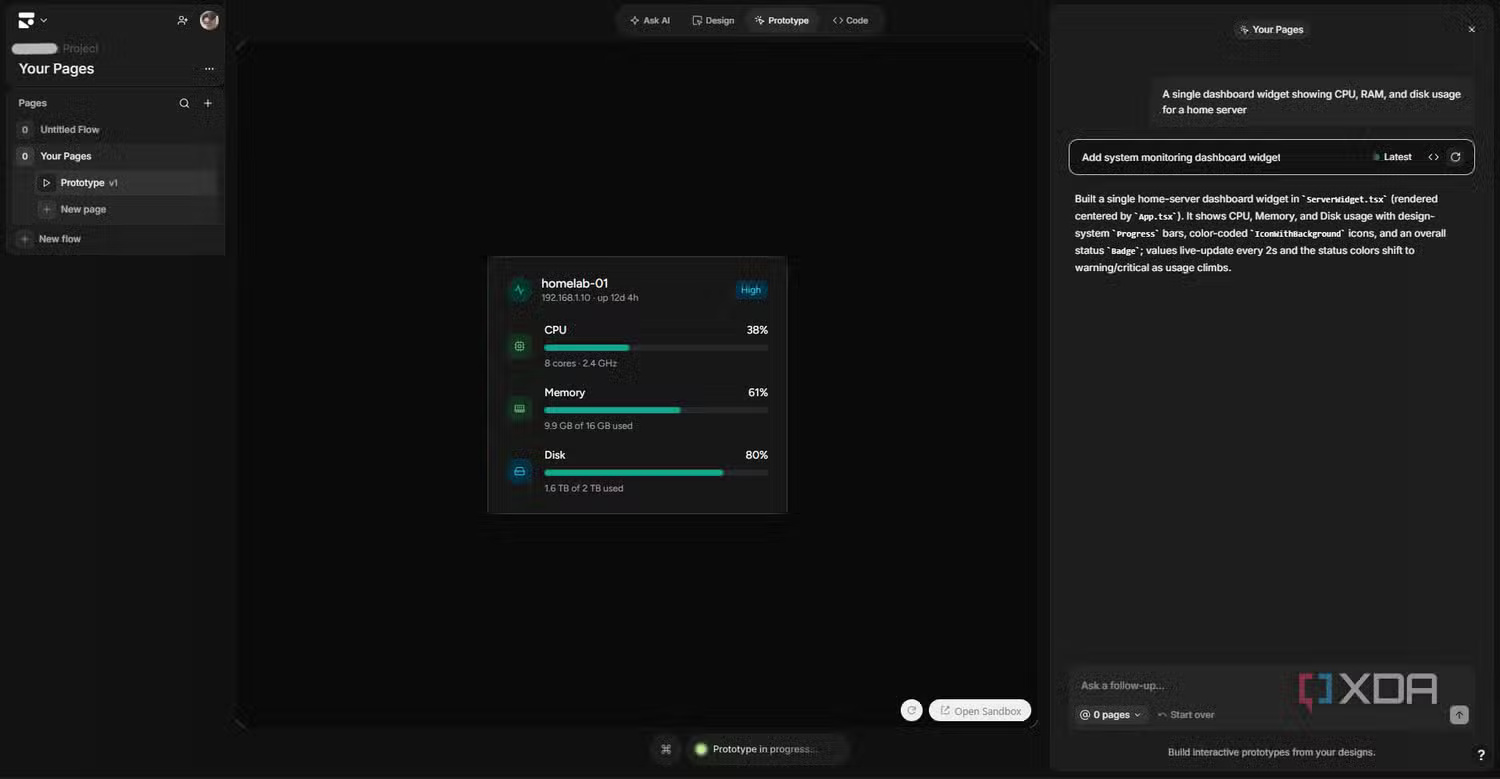
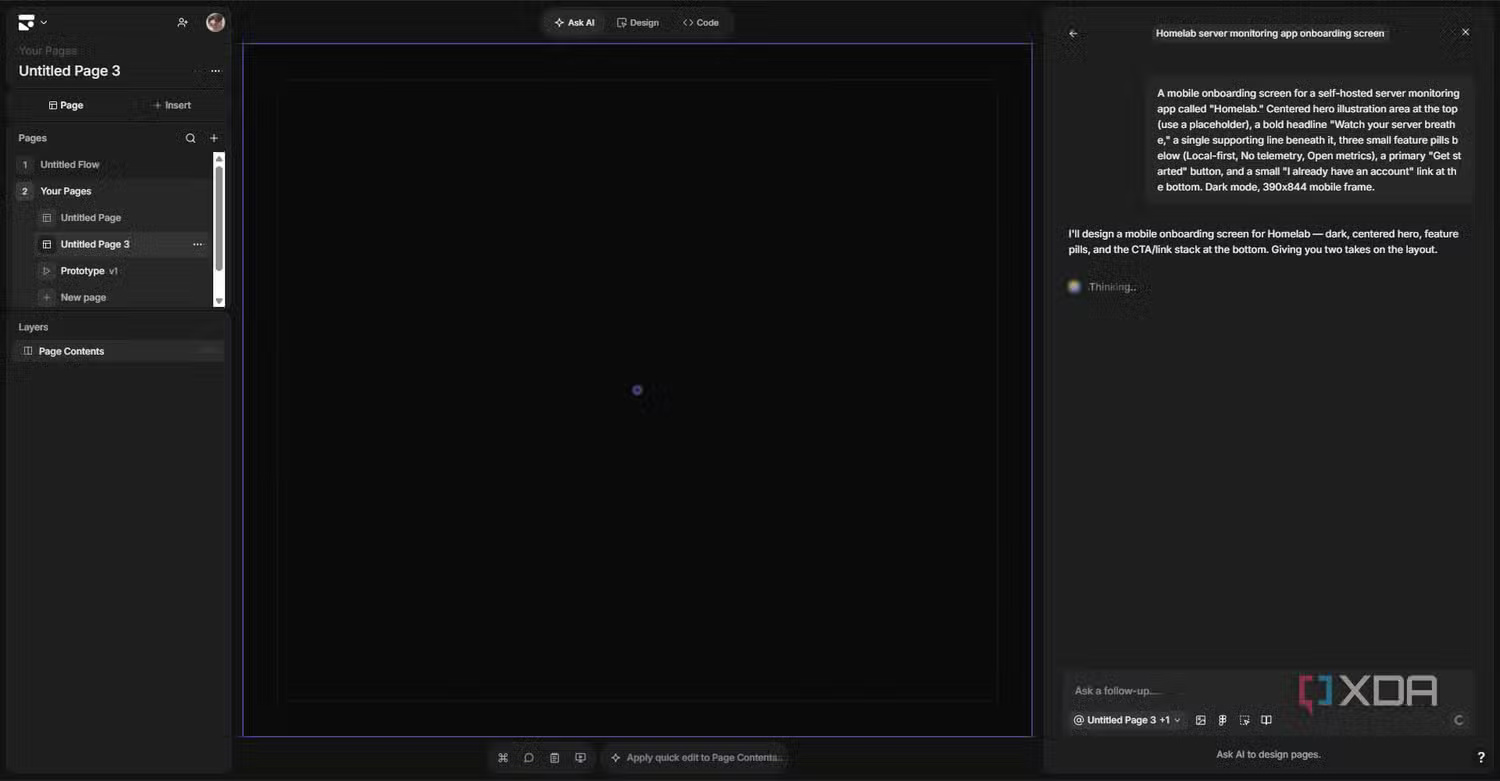
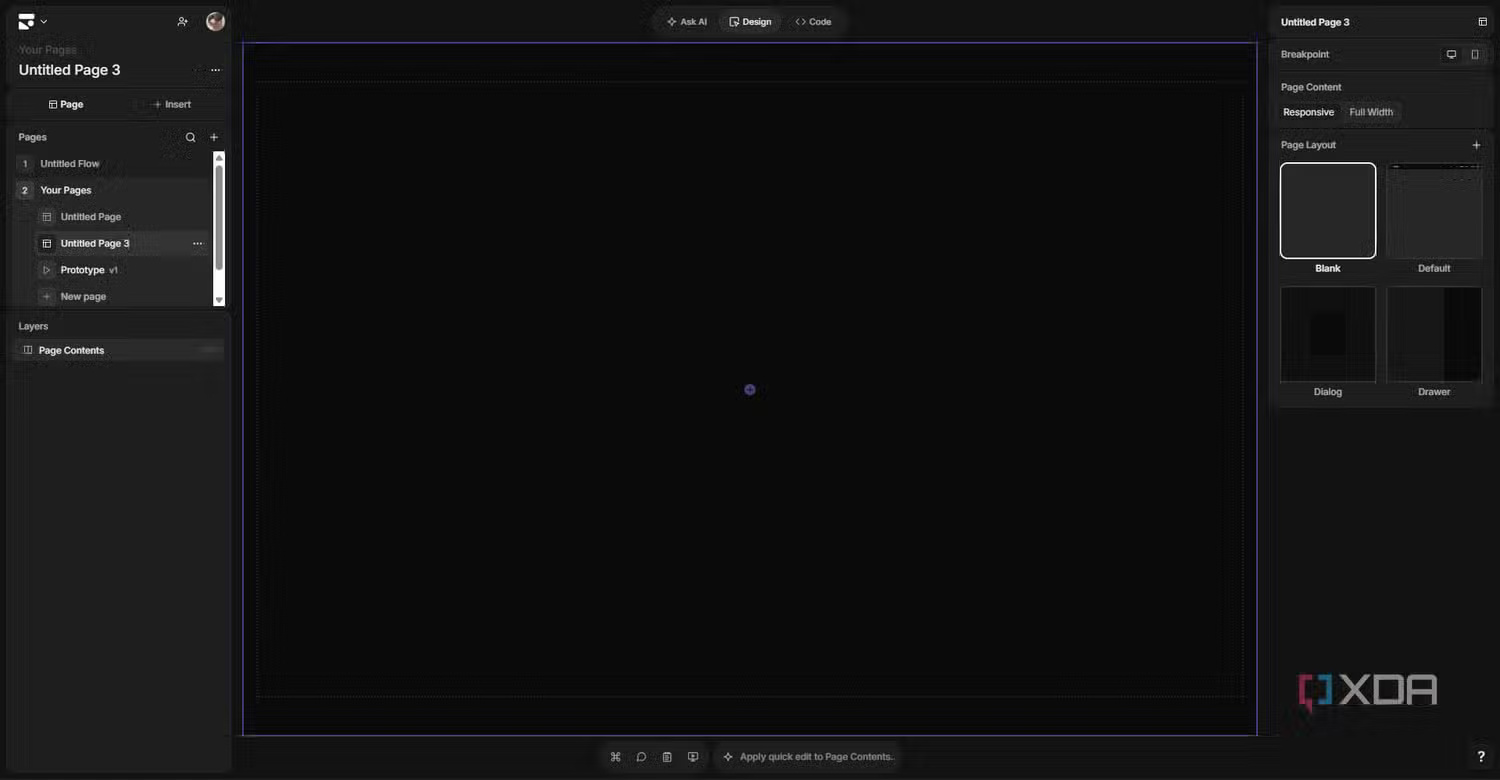
When you first launch Subframe, it feels a bit scattered. There are several different places to enter prompts, and they all work, but they connect to the rest of the app in different ways. Takes a minute to understand the logic. There's a main Ask AI button at the canvas top. A separate Prompt mode sits alongside Design mode at the top. Then there's an inline prompt that appears below when you select an element, letting you tweak just that piece. New projects start with a homepage template that includes its own input box.
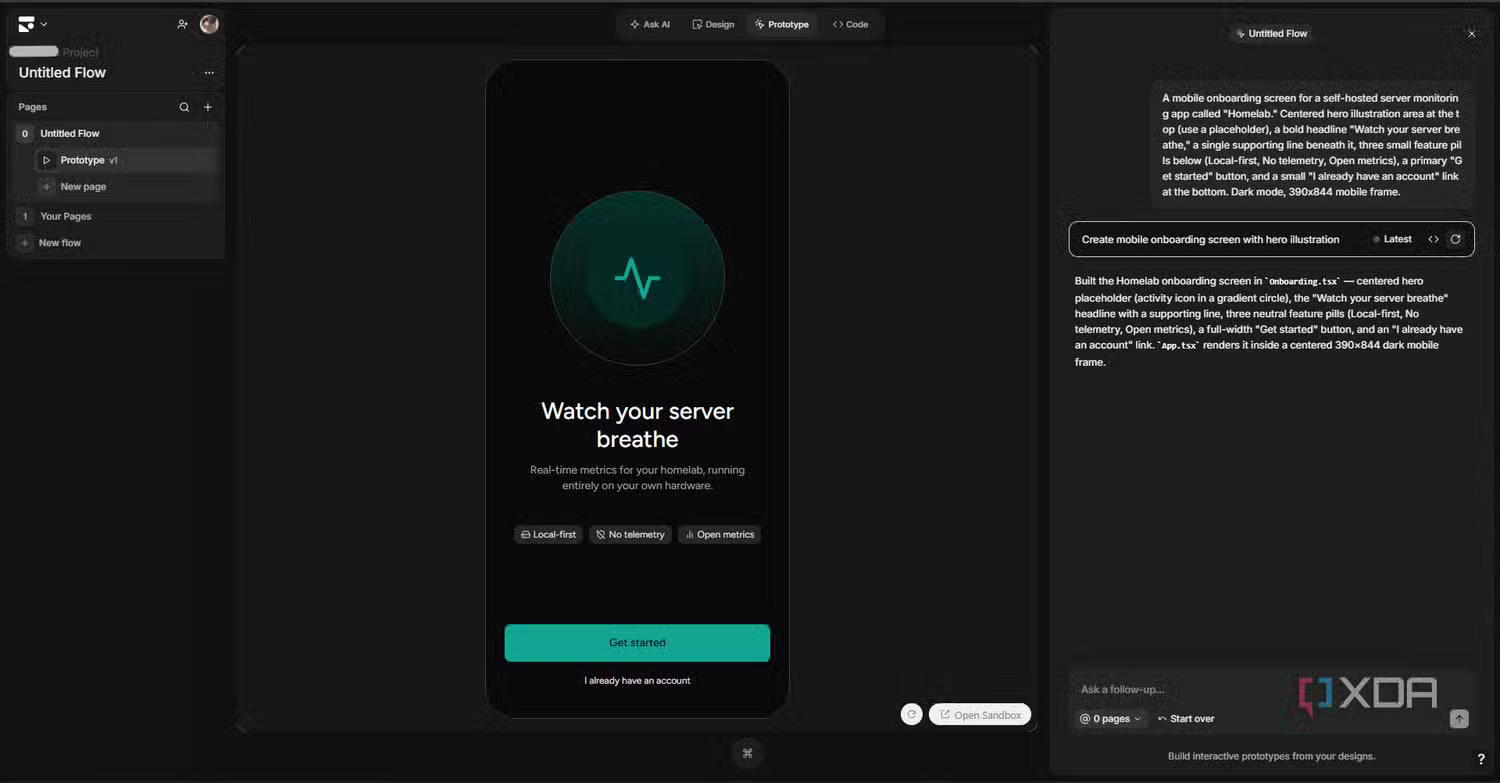
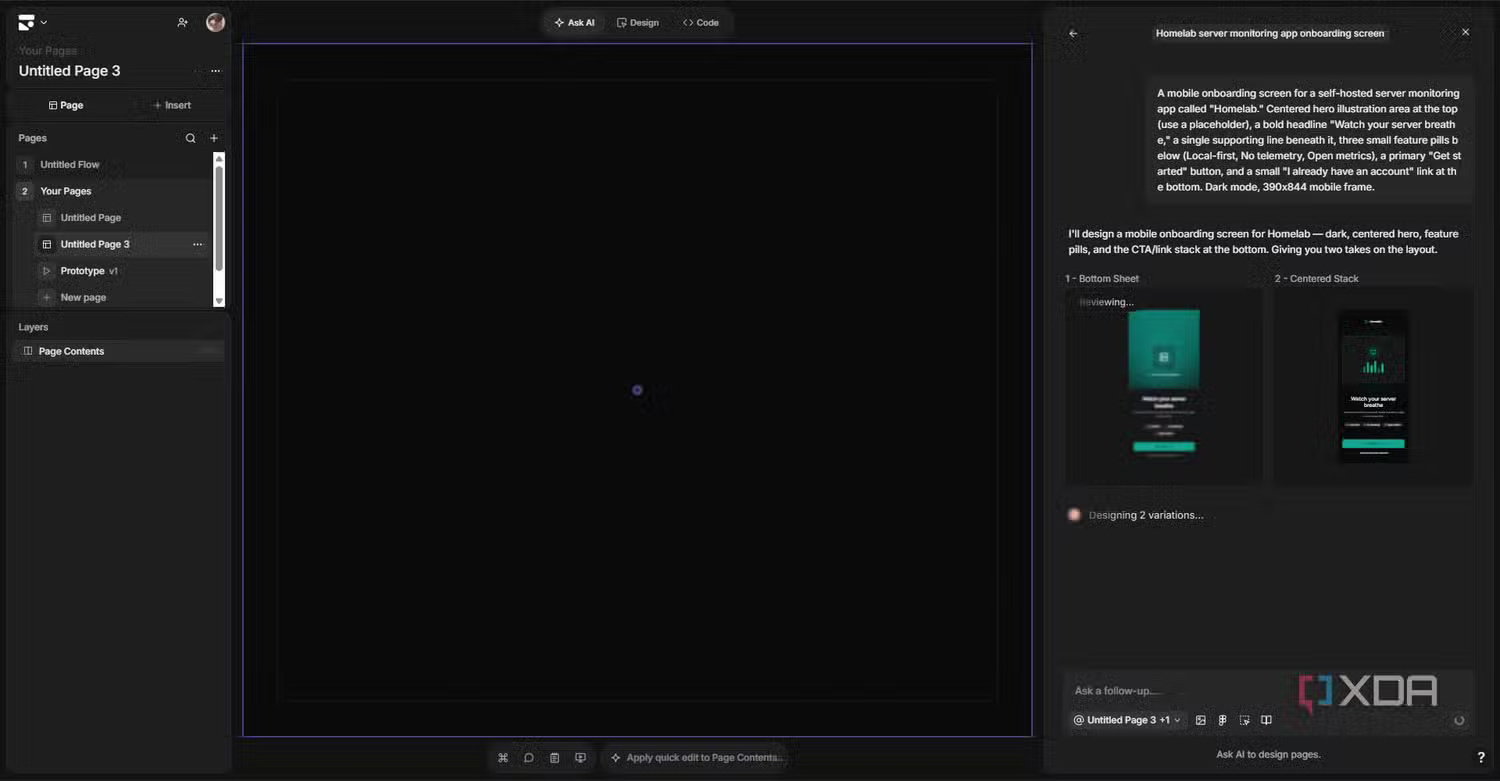
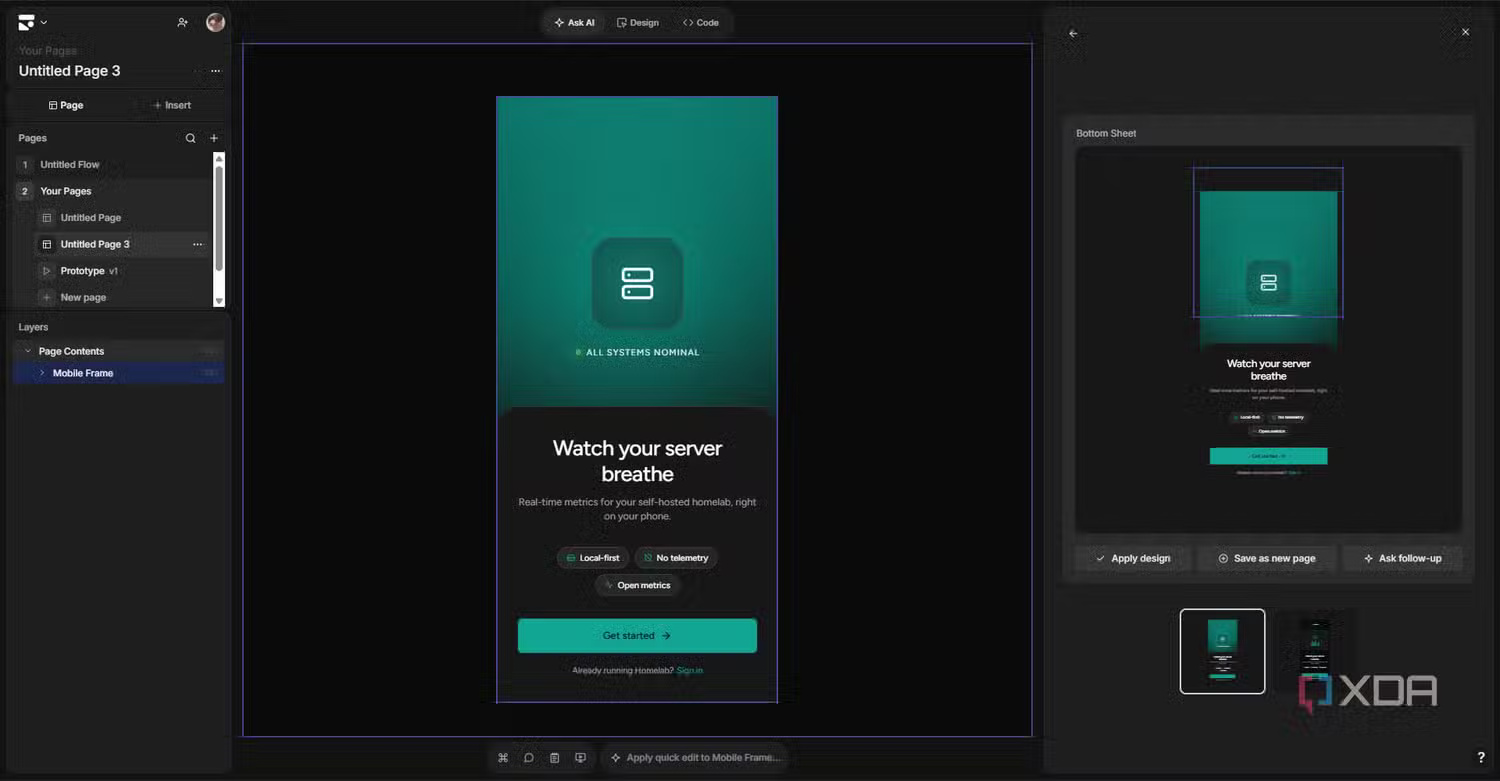
For testing, we designed an onboarding screen for a self-hosted server monitoring app called Homelab. The request: a centered hero illustration, the headline "Watch your server breathe," a subtitle, three small feature cards, a primary "Get started" button, and a login link at the bottom — all in dark mode. We picked this because it's small enough for the free tier but structured enough to test whether AI grasps hierarchy and design coherence. We also wanted to see if it would produce generic output or something actually themed for a homelab environment.
The results were genuinely impressive. It returned two variations — a Bottom Sheet version and a Centered Stack — and both reasonably interpreted the brief. The feature items rendered as actual components, not text disguised as pills. It even added a small "ALL SYSTEMS NOMINAL" status indicator that wasn't requested but fit perfectly for a homelab space. Generating multiple variations is core to how Subframe operates. Each prompt produces alternatives you can compare side-by-side. You can cherry-pick elements between them — something only Subframe does at this scale. The free tier gives you two variations per generation; paid users get four.
One thing we couldn't find documented anywhere: which AI model powers this. Subframe doesn't disclose their underlying technology and offers no option to bring your own API key or connect a local LLM. It's purely cloud-based with proprietary tech — worth noting if data residency or vendor lock-in concerns you.
AI Is Just the Start of What Subframe Can Do
Full design and development workflow, built in
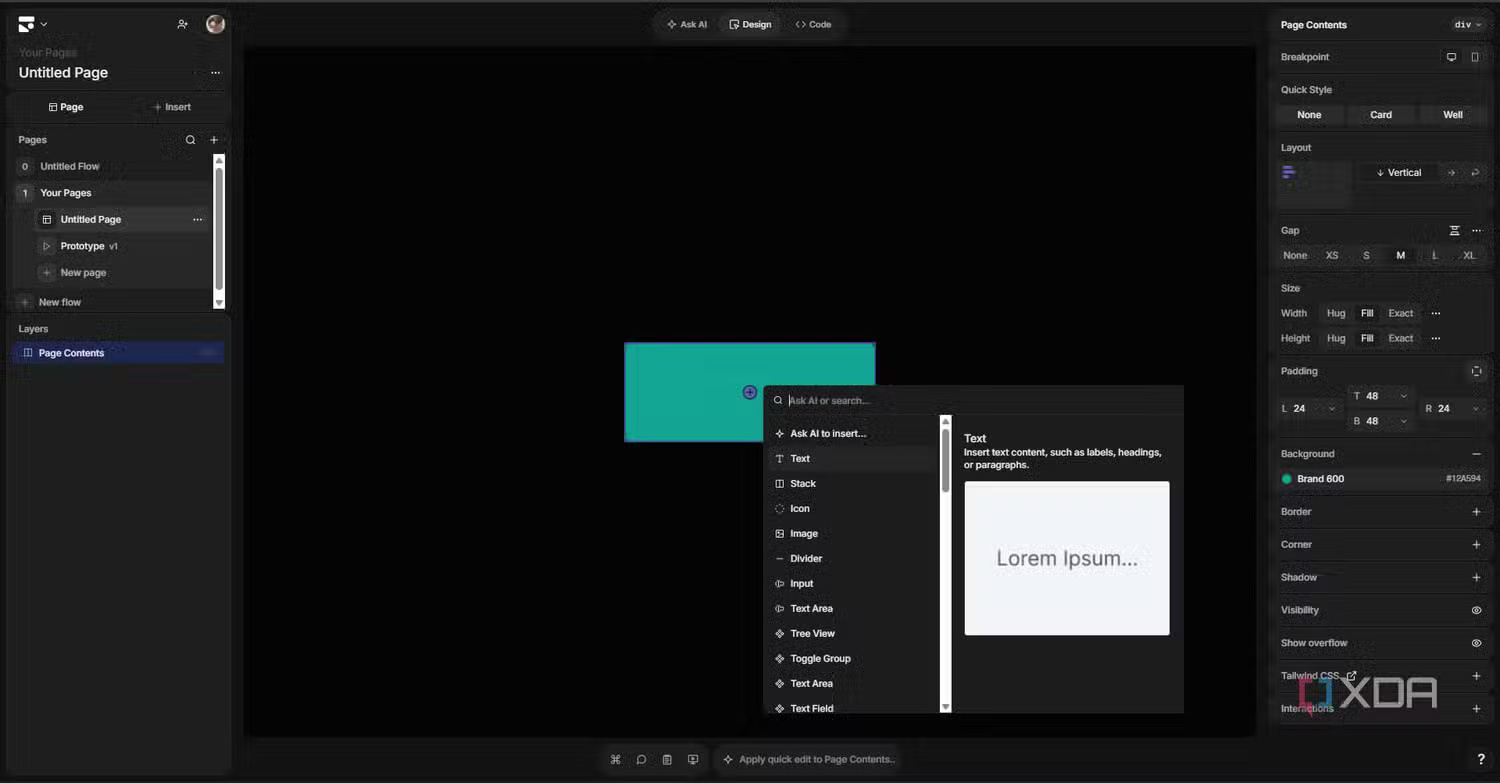
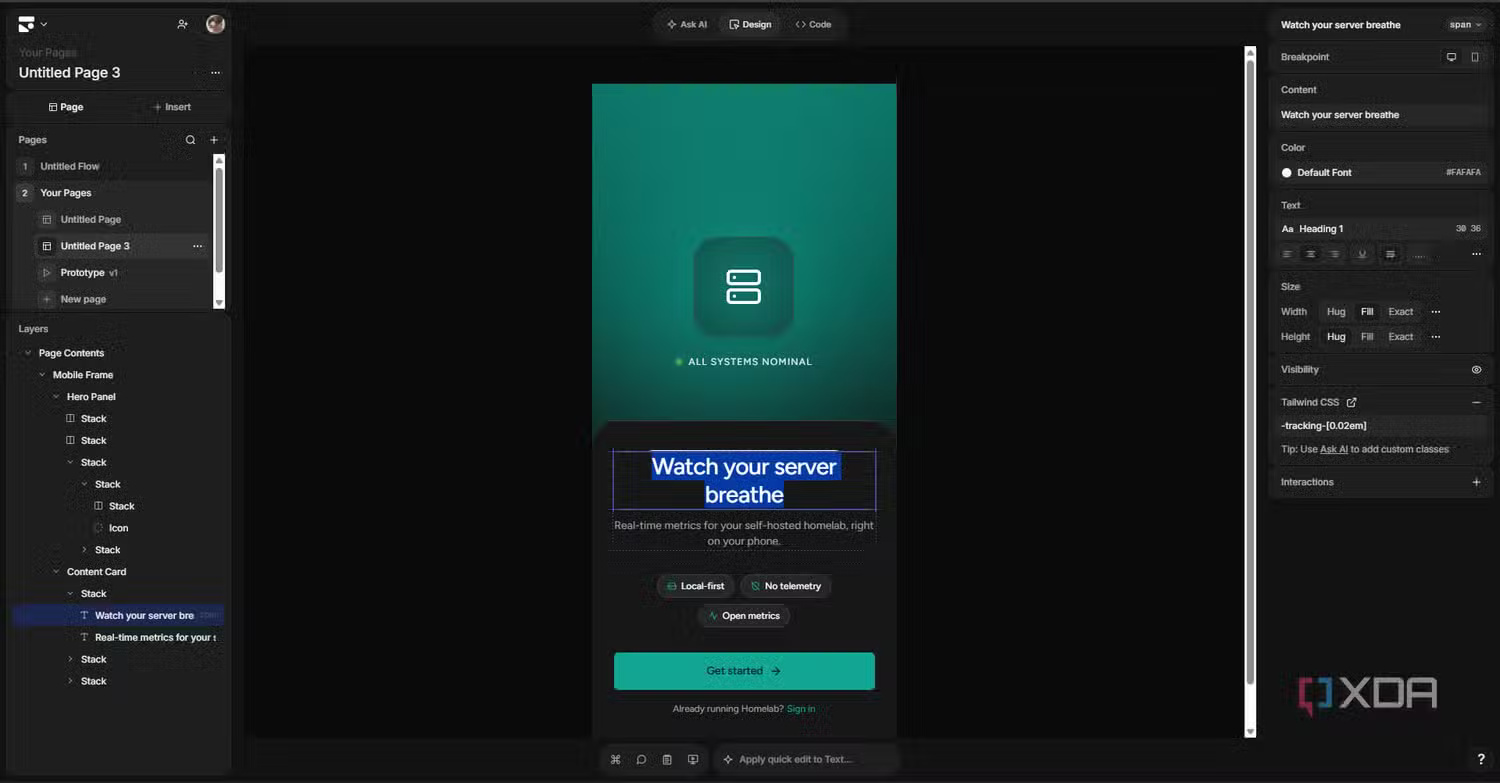
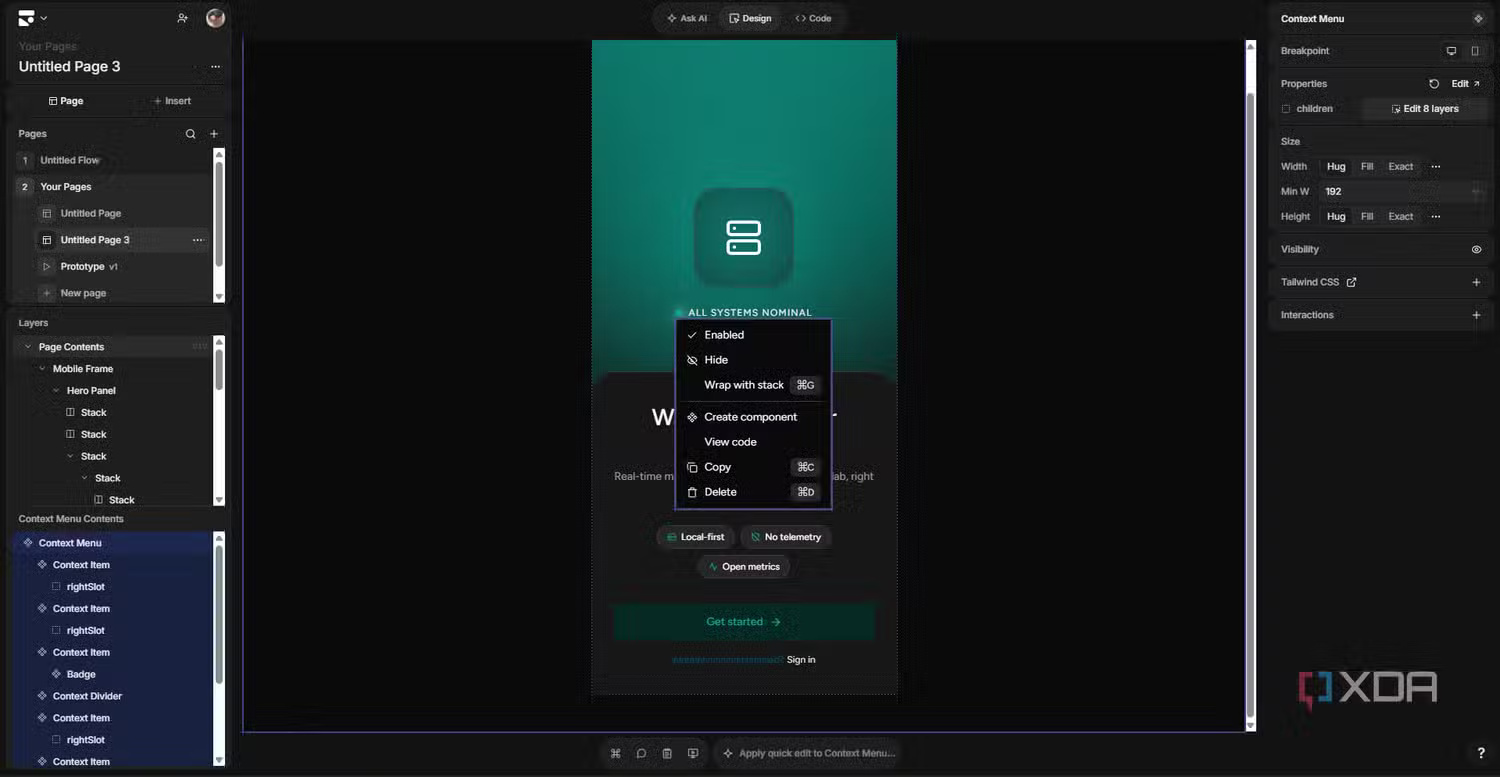
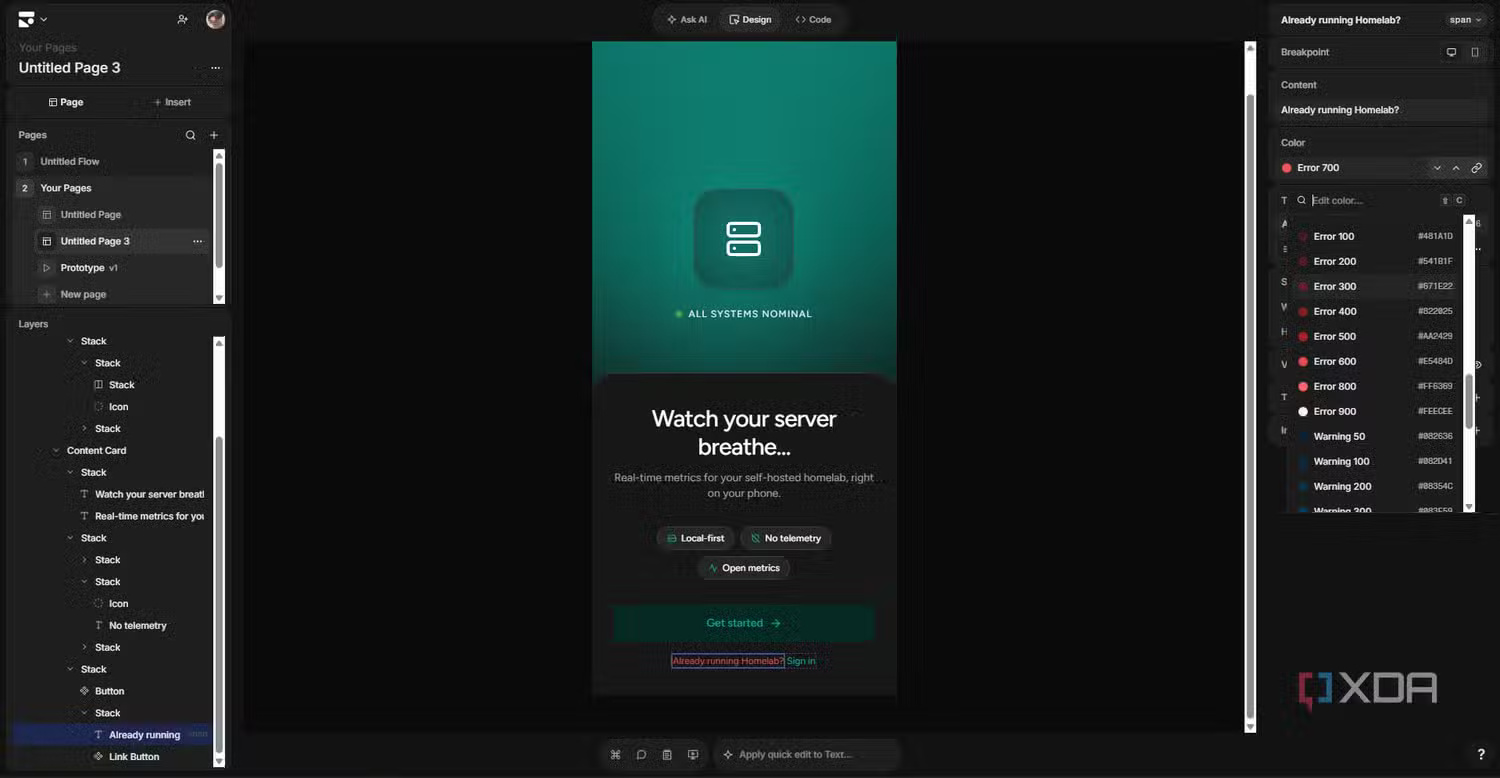
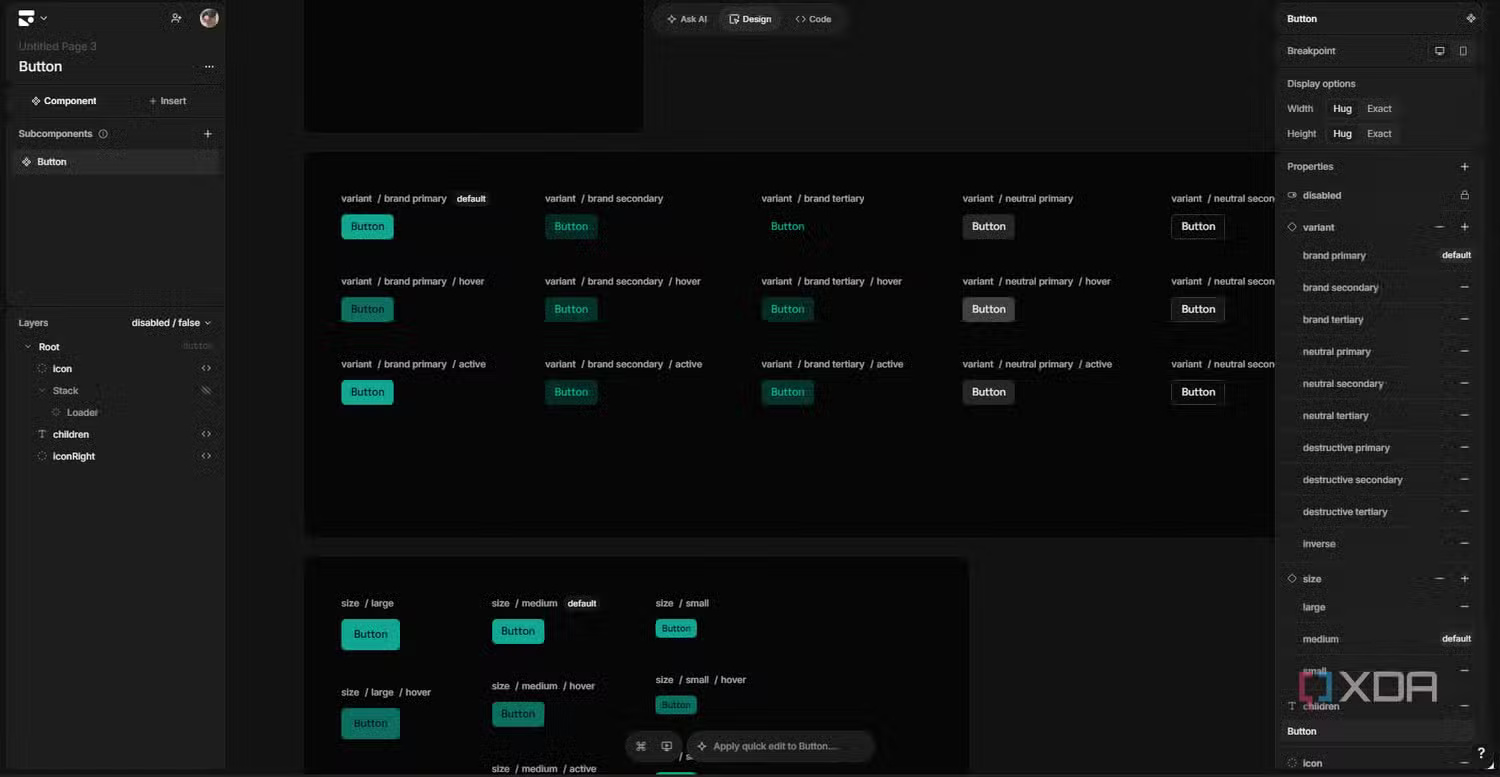
After AI finishes its work, you can actually click into designs and edit them manually — obvious in theory, but not true for most competing tools. Select any element and the right panel displays full design controls: sizing with Hug/Fill/Exact for both axes, margin spacing split by edge, layout direction, gap between children, background, borders, border radius, shadow, typography, and more. This is a real editor. You also get an Insert panel with frames, shapes, text, icons, inputs, dividers, and all the standard building blocks. A Layers panel on the left shows the complete nested structure.
Some small friction points exist — we couldn't find a way to zoom the canvas, and the layers panel lacks direct visibility toggles (you have to click a layer then hunt for the visibility option in the edit tools). These are minor UX rough edges, not showstoppers.
What's genuinely powerful is how AI and manual editing work together. After AI generates a design, you can select a single element and request changes to just that piece, rather than regenerating the entire screen. Wrong button color? Ask AI to fix only that button. That's the same thinking Stitch uses with Direct Edit, and it's the direction all these tools should move toward.
There's also a genuinely surprising feature: the design system. Click certain elements (like buttons) and you can jump into a component editor to see every variation. Primary colors, secondary colors, accent colors, neutral colors, warning colors for destructive actions — plus states like default, hover, and active, with size variants — all displayed as a neat matrix you can edit. Essentially, it's Figma components but auto-generated and directly connected to real React code. Really impressive stuff.
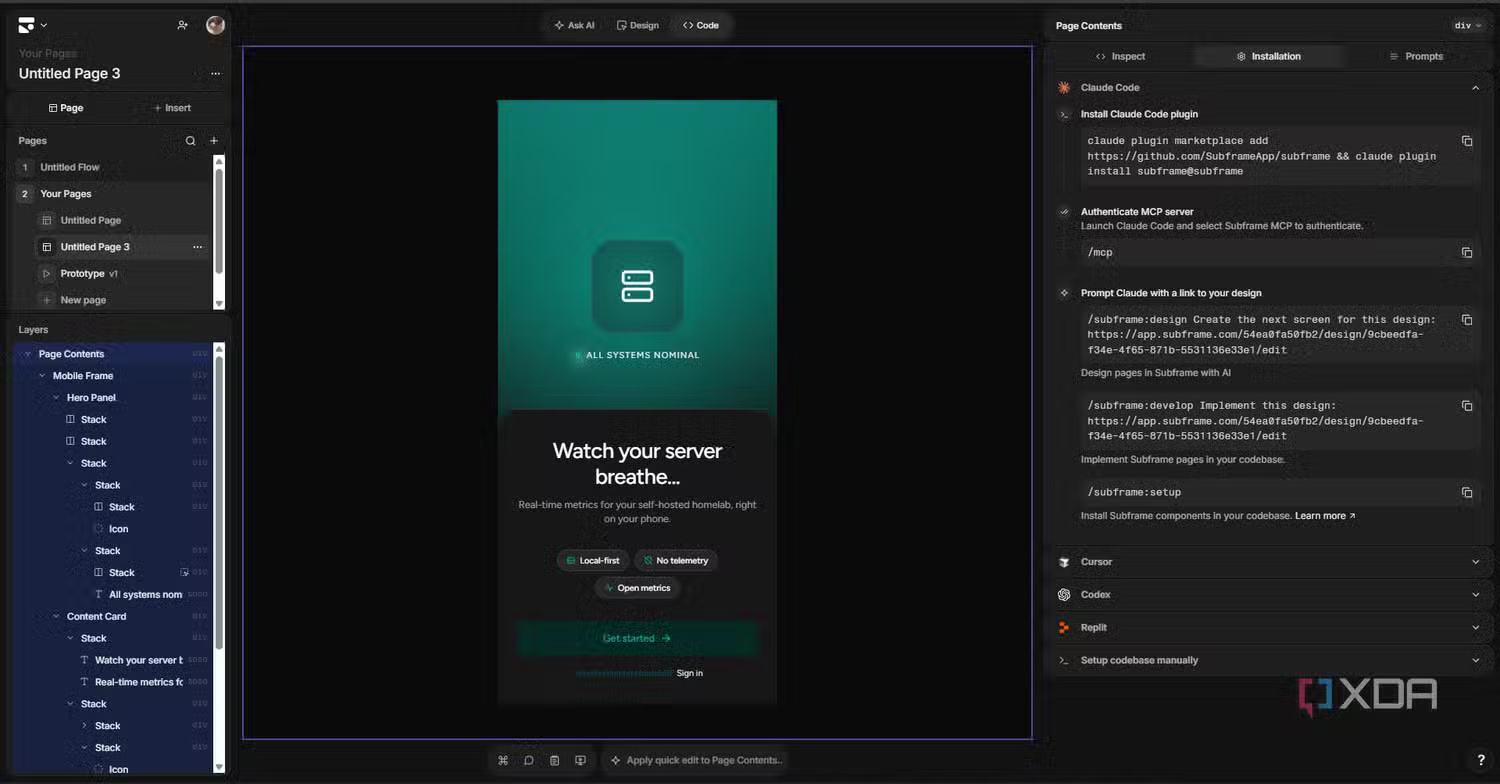
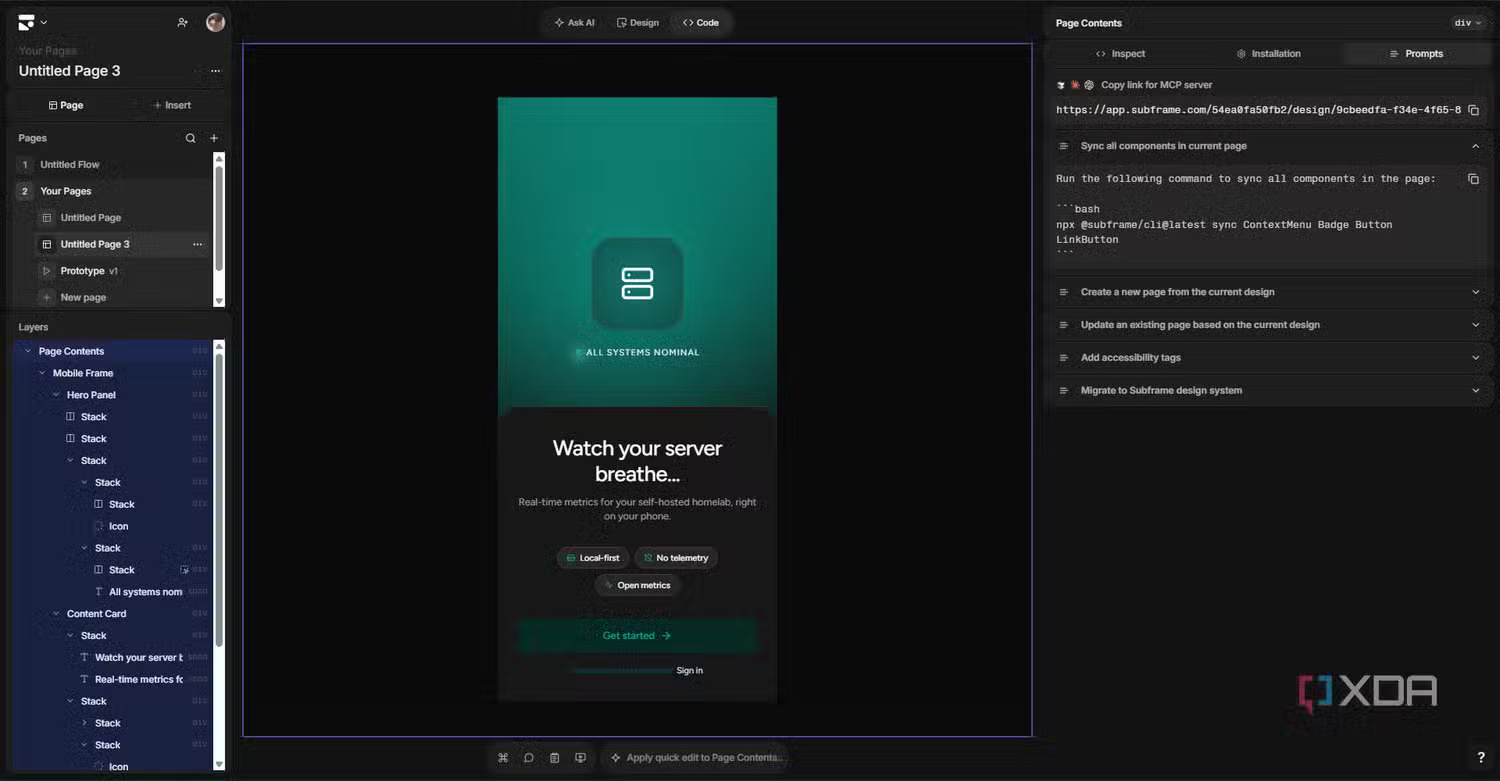
Developer workflow integration is another crucial layer. Subframe includes a CLI you can run with npx @subframe/cli sync to pull components directly into your project filesystem. It also has an MCP server, meaning you can connect AI coding tools like Cursor and Claude Code via MCP and Skills. Sync components, export code for pages, and generate new design suggestions straight from your IDE with full codebase context. There are agent skills named things like /subframe:design and /subframe:develop that let your coding agent grab designs and implement them in your codebase. If you work between design and development, this is probably the standout feature.
The Verdict
Compared to Claude Design, Subframe offers a far more robust manual editor, with proper layer management, design system components, and granular controls — everything you'd expect from professional design software. Claude's "Tweaks" panel is still excellent, but Subframe is the more powerful and versatile toolkit.
Against Figma Make, the difference lies in developer integration. The CLI and MCP server create seamless codebase connectivity that Figma Make hasn't really prioritized. Versus Replit, which is essentially a vibe-coding platform with a design mode bolted on, Subframe excels at both: better manual design control and more professional development workflows if you need them.
Overall, this is a solid tool. Just remember — since it requires a paid plan for anything beyond small projects, don't get too attached without testing it first.
Description: Subframe blends visual design with production-ready React code. We break down how this vibe-coding tool compares to Claude Design, Figma Make, and Rep
Related Articles
- How Claude Code Solves Claude's Biggest Problem With Just One Prompt
- Talk to ChatGPT Using Your Voice: A Complete Guide
- How to Make Money With AI in 2026: 8 Proven Methods for Beginners
- How to Edit Videos in Google Flow: A Complete Guide
- Create Professional Promotional Videos with AI: A Step-by-Step Guide

No Comment to " Subframe: The Hybrid Design-to-Code Tool Taking on Claude Design, Figma Make, and Replit "