Writing Effective Skills for Gemini Spark: A Complete Guide
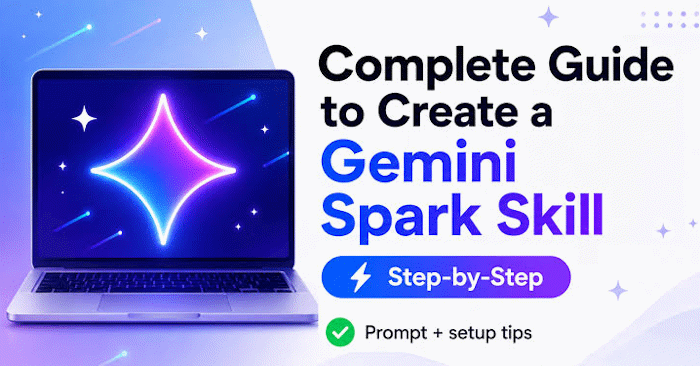
If you find yourself repeating the same requests to Gemini over and over, Skills can transform how you work. Instead of typing out lengthy prompts every time, you can build a Skill with specific instructions that Gemini learns to follow consistently. The real difference-maker isn't just listing commands—it's how you write the actual guidance.
Creating a Skill is about more than just giving a few orders. The way you structure your instructions determines whether your Skill actually works well or falls flat. The clearer, more organized, and more job-specific your content is, the better Gemini understands what you need and the more consistent results you'll get. Here's how to write Skills that actually deliver.
How to Write Effective Skills for Gemini Spark
Naming and Describing Your Skill Properly
Your Skill's name and description are critical. They tell Gemini whether this Skill fits the task at hand. If your description is too vague, Gemini might skip your Skill entirely, even when it's exactly what you need.
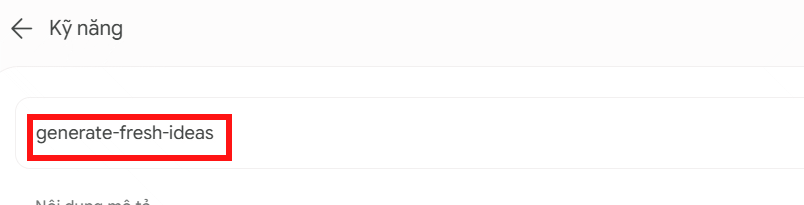
Naming Your Skill
When naming your Skill, follow these guidelines:
- Start with an action verb that shows what the Skill does, not just what it is.
- Avoid generic terms like helper, tools, or data.
- Be specific about the function. Instead of recipe-data, try plan-meal-from-recipe to make the purpose crystal clear.
- Use lowercase letters with hyphens between words, like my-new-skill.
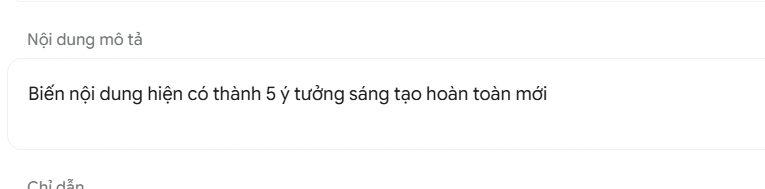
Writing the Description
Your description should tell Gemini what the Skill does and when to use it. Keep these points in mind:
- Specify concrete use cases rather than staying general. Google recommends starting this section with "Use when…"
- Write in the third person, focusing on what the Skill can accomplish. Don't write "I can help you…" or "You can use this tool to…"
- Keep it concise and focused on the core function.
Example:
Organizes recipes, adjusts ingredient portions, and generates shopping lists based on selected meals. Use when saving new recipes, scaling portion sizes for a dish, or creating shopping lists from a menu plan.
Optimizing Your Skill's Instructions
Don't Lock Instructions to One Specific Task
Write instructions that teach Gemini how to handle a whole category of similar work, not just one narrow scenario. This makes your Skill adaptable and useful across multiple situations.
Don't do this: Write instructions only for creating a shopping list for pasta on Tuesday.
Do this instead: Teach Gemini how to build menus and shopping lists based on user preferences.
Match Your Detail Level to the Task Type
Different jobs need different levels of guidance:
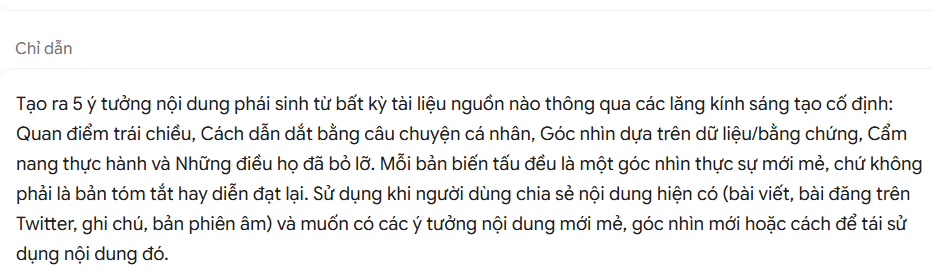
- For creative work: Give looser instructions. There are multiple ways to succeed, and Gemini benefits from room to develop ideas. Blog ideation or social media headlines fall into this category.
- For precision-heavy work: Provide step-by-step specifics, especially when format or data structure can't be changed. Financial data entry or meeting notes summarized as bullet points are good examples.
Include Format Templates and Examples
If you want output in a specific structure, include format samples or concrete examples in your instructions. This removes guesswork and ensures Gemini delivers what you actually want.
Example:
Client reports always include: Summary, Key Findings, Recommendations, Next Steps.
For social media posts, use this structure:
- Title: [Your title]
- Content: [Post body]
- Hashtags: #[Tag1] #[Tag2] #[Tag3]
Add a Common Mistakes Section
Dedicate space in your Skill to list errors Gemini should avoid. This is especially useful for tasks with strict rules or requirements.
Example:
Never include personal information: Don't add names, emails, phone numbers, or other personal details to reports unless specifically requested.
Use existing templates: If a disclaimer is needed, pull from the "Company Template" folder instead of writing new copy.
Use Checklists for Multi-Step Processes
For longer tasks with many moving parts, add a checklist to your Skill. This keeps Gemini on track and prevents missed steps.
Step 1: Analyze the uploaded bank statement.
Step 2: Extract the date, description, and amount for each transaction.
Step 3: Categorize all transactions.
Step 4: Present the information in table format.
Clarify What to Do With Missing Data
Be explicit about how Gemini should handle incomplete inputs. What's interesting here is that without guidance, Gemini might guess, skip important details, or invent information that wasn't provided.
Example:
If an email is missing the event date, ask for it rather than guessing or leaving it blank.
If a form field is empty, stop and ask the user to fill it in instead of making an assumption.
Description: Learn how to create powerful Gemini Skills with clear naming, descriptions, and instructions for repeatable tasks.

No Comment to " Writing Effective Skills for Gemini Spark: A Complete Guide "