Which AI Models Power Google Flow's Video and Image Generation?
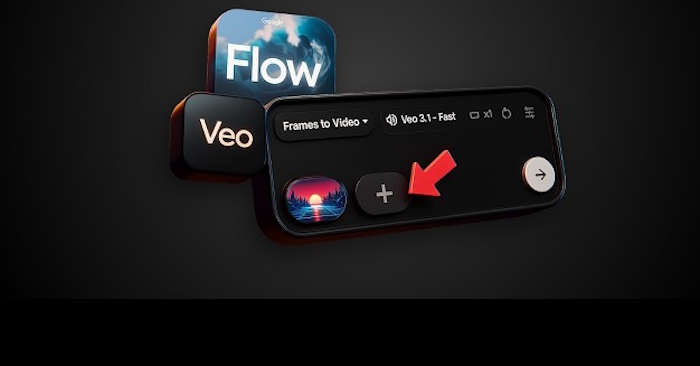
Google Flow taps into multiple AI models to handle video creation, video editing, and image generation. When you're working with video creation and editing in Flow, you'll choose between Veo 3.1 and Gemini Omni Flash. For images, the platform relies on the Nano Banana family of models. Each one comes with different capabilities and limitations—some excel at text-to-video generation, others work better with image-based creation, and some specialize in extending existing footage. Understanding what each model can do will significantly speed up your workflow.
Below is the complete breakdown of the video models available on Flow and their specific features.
What Video Models Does Google Flow Include?
The video generation models on Google Flow each support different capabilities.
| Feature | Veo 3.1 - Lite | Veo 3.1 - Fast | Veo 3.1 - Quality | Gemini Omni Flash |
|---|---|---|---|---|
| Text-to-video conversion |
Supports both 16:9 and 9:16 aspect ratios Video lengths: 4s, 6s, 8s |
Both aspect ratios Video lengths: 4s, 6s, 8s, 10s |
||
| Image-to-video: Opening frame |
Both aspect ratios Video lengths: 4s, 6s, 8s |
Both aspect ratios Video lengths: 4s, 6s, 8s, 10s |
||
| Image-to-video: Opening frame + closing frame |
Both aspect ratios Video lengths: 4s, 6s, 8s |
Coming soon | ||
| Style/Reference video |
Both aspect ratios 8-second videos only |
Not supported | Both aspect ratios Video lengths: 4s, 6s, 8s, 10s Supports character/avatar reference and advanced audio |
|
| Video extension | Both aspect ratios 8-second videos only Veo 3.1 Lite, Fast, and Quality versions supported |
Not supported | Not supported | Coming soon |
Note: All 8-second Veo 3.1 videos can be extended, but you'll need to use Veo 3.1 Lite to do the extending.
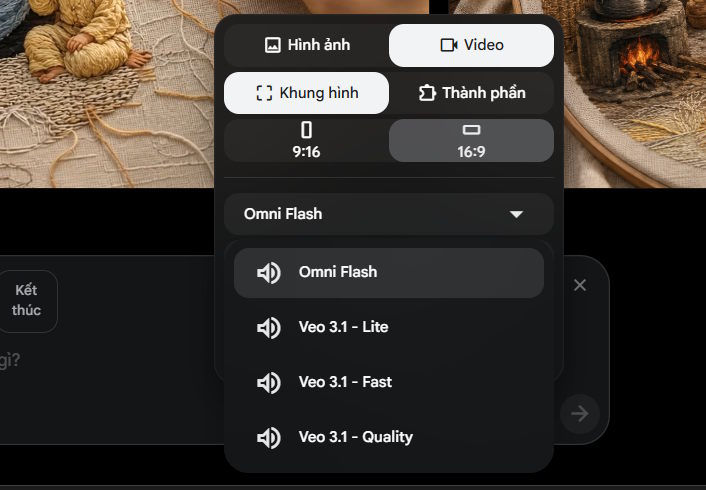
2. Gemini Omni Flash Video Model
Gemini Omni Flash is now available to all users. What's interesting here is the expanded feature set compared to earlier generations. Here's what stands out:
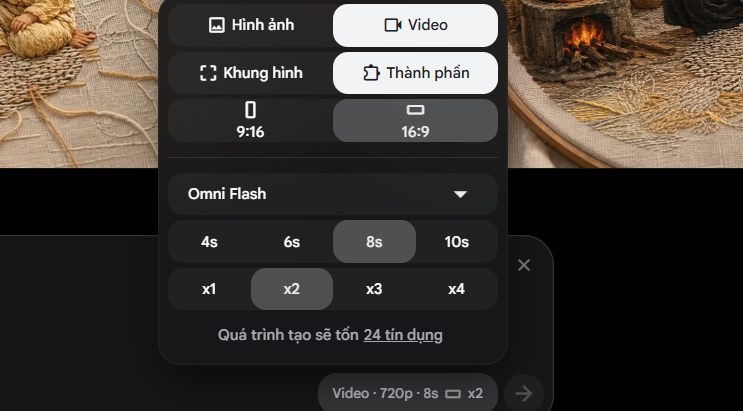
Generate 10-second video clips
Gemini Omni Flash lets you create videos in multiple duration options:
- 4 seconds
- 6 seconds
- 8 seconds
- 10 seconds
The 10-second option gives you significantly more breathing room to showcase longer scenes or deliver a complete narrative beat within a single take.
Edit uploaded or Flow-generated videos
You can apply new prompts and input elements to modify videos:
- Videos you upload yourself
- Videos previously created with Gemini
- Specific content, styles, or elements within your video
This means you can iterate and expand on existing footage instead of starting from scratch every time.
Create custom voice profiles
Gemini Omni Flash lets you generate personalized voiceovers on demand. The basic workflow is straightforward:
- Select a base voice
- Write a prompt describing how you want to modify or style the voice
- Gemini applies your specifications to generate a customized version
You can specify preferences for:
- Tone and style
- Emotional undertones
- Delivery and pacing
- Voice characteristics
3. Image Generation Models on Google Flow
When you need to generate frames or image components for your projects, Flow offers three different image creation and editing models to pick from:
Nano Banana Pro
Nano Banana Pro is the premium image model built for professional-grade work. It excels with:
- Complex design requirements
- High-precision image output
- Intricate details that demand accuracy
- Professional-level control over image generation
This model comes as the default for Google AI Ultra subscribers.
Nano Banana 2 Lite
Nano Banana 2 Lite prioritizes speed and efficiency while maintaining quality. It's optimized for:
- Fast image generation
- Quick edits
- High-quality output despite the speed
- Resource efficiency
This is the free default model and works well for standard image creation and editing tasks.
Nano Banana 2
Nano Banana 2 strikes a middle ground—fast image generation paired with solid quality output.
- Best when you need:
- Good-quality image creation
- Existing image edits
- Quick processing speeds
- A balance between speed and fidelity
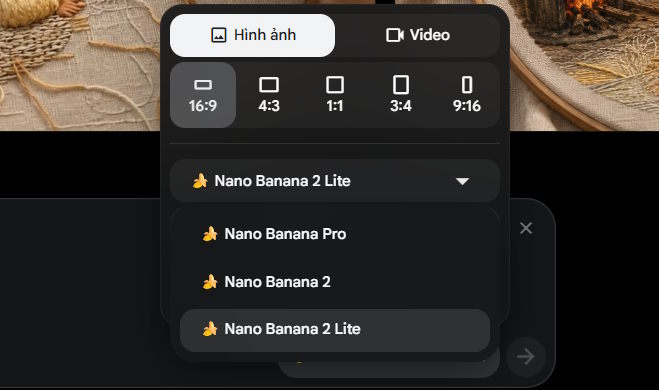
Image Generation Models Comparison Table
| Model | Core Function | Best For |
|---|---|---|
| Nano Banana Pro | Complex image creation/editing, high precision, professional control | Google AI Ultra users |
| Nano Banana 2 Lite | Fast image creation/editing with high quality | Free users |
| Nano Banana 2 | Quick, high-quality image creation and editing | Standard use cases |
Quick Summary: AI Image Models on Flow
- Nano Banana Pro → Premium choice for complex designs and professional workflows
- Nano Banana 2 Lite → Fast and free, perfect for basic image creation and editing needs
- Nano Banana 2 → Standard option that balances speed with quality for routine image work
Description: Explore the AI models behind Google Flow: Veo 3.1, Gemini Omni Flash for video, and Nano Banana for images.
Related Articles
- Meta's New AI Can Generate Deepfakes From Your Instagram Photos—Here's How to Protect Yourself
- Getting Started with Gemini Live: Your Guide to Voice Conversations with Google's AI
- The Best AI Programming Tools You Should Know About in 2024
- Claude vs ChatGPT: Which AI Chatbot Should You Actually Use?
- Why You Should Run AI Agents Inside Windows Sandbox

No Comment to " Which AI Models Power Google Flow's Video and Image Generation? "