Google Pics: AI-Powered Image Creation and Editing Built Into Google Workspace
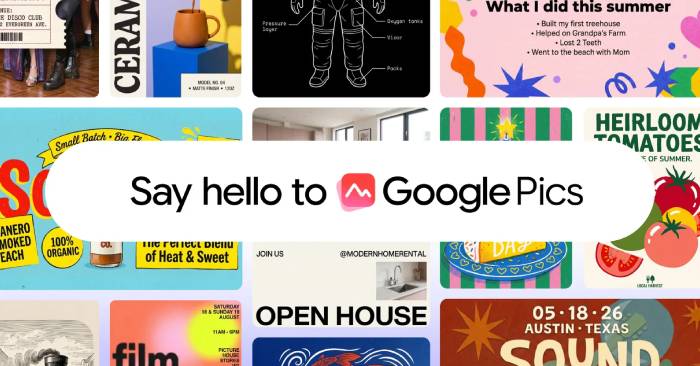
Google just launched a tool that could reshape how millions of people create and edit images at work. Google Pics lets you generate, refine, and collaborate on graphics with precision—and the best part? It's built directly into the apps you already use. Coming soon to Slides, Docs, and Drive, this integration means you can design without constantly switching tabs or exporting files.
What Is Google Pics?
Google Pics is arriving over the next few weeks for Google AI Pro and Ultra subscribers, plus most Workspace business customers. Built on Google's Nano Banana image generation and editing model, Pics gives you the control you need to turn ideas into reality—whether that's designing posters, creating social media posts, or editing digital illustrations.
The tool works as both a standalone product and as an embedded feature within Workspace apps. This dual approach means you get the flexibility to work independently when needed, while also having the convenience of staying in your familiar work environment—Slides, Docs, and Drive—when creating or modifying images.
See Google Pics in action within Google Workspace:
Precision Control Meets Ease of Use
What makes Pics interesting is how it balances power with simplicity. You get professional-grade editing tools that let you refine images without starting from scratch. Here's what stands out:
Watch how quickly you can generate and fine-tune custom graphics using Pics' robust editing toolkit:
Overview of creating images in Google Pics
Creating graphics and social media posts with Google Pics
Design and refine eye-catching social content and digital announcements effortlessly using Pics' intuitive interface:
Collaborating on image edits in Google Pics
- Object isolation: Extract any subject and transform it independently without affecting the rest of your image. Add text notes to specific areas to request focused changes, and make multiple edits simultaneously.
- Text editing and translation: Modify or translate text directly on images while preserving layout and typography—no need to rebuild your design.
- Real-time collaboration: Share your Pics creations with teammates and edit together on the same image in real time.
- Multiple variations: Generate several design options from a single prompt, making it easy to pick your favorite direction from different possibilities.
Seamless Integration With Workspace
Billions of images move through Workspace products every month. Google's goal is obvious: eliminate friction. You shouldn't have to toggle between apps or browser tabs to create and share visuals. With Pics embedded directly into Slides, Docs, and Drive, you can now generate and refine images where you're already working—no copying, pasting, or tab-switching required.
Editing images in Pics directly within Slides, Docs, and Drive
Edit images and create product mockups seamlessly inside Workspace apps—Slides, Docs, and coming soon to Drive—without leaving your workspace:
Creating creative assets with Google Pics
Speed up your workflow by dragging files directly from Google Drive into Pics to develop brand design concepts:
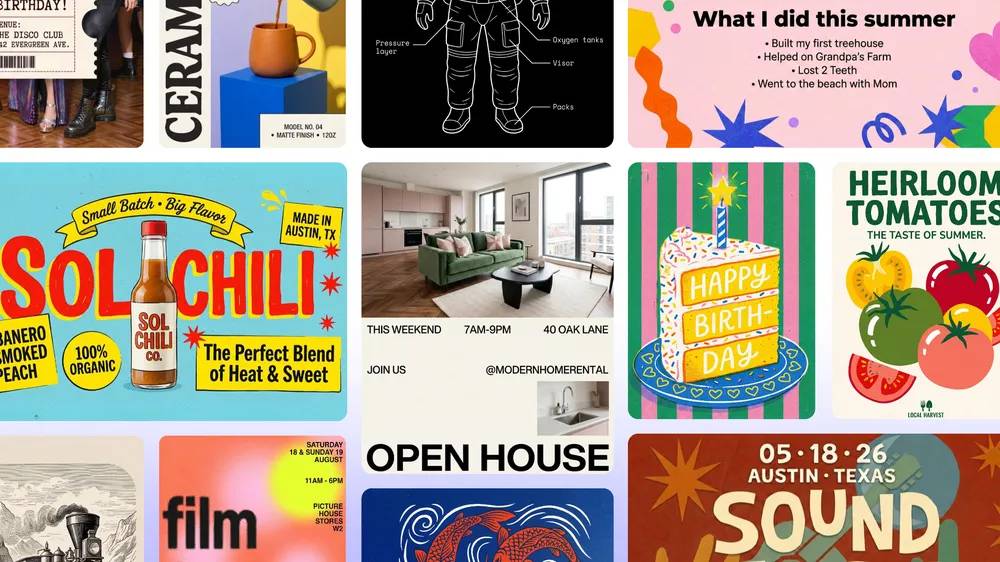
Create anything you can imagine with Pics. The integration launches today for Docs and Slides, with Drive support rolling out over the coming weeks.
Pics Is Powerful—But It's Not the Feature Users Have Actually Been Waiting For
Let's be honest: when people heard "Google Pics," many hoped for something else entirely. They were waiting for Google Photos privacy improvements—specifically, end-to-end encryption for regular albums and real control over who sees your memories. A feature that actually answered the question: Why can't I share photos without Google having access to them?
As of September 1, 2026, Google Photos still hasn't delivered comprehensive end-to-end encryption for standard albums. Google holds the decryption keys for stored images (server-side encryption). The "Locked Folder" offers stronger local protection but doesn't match full E2EE at the account level for regular albums. The real concern is that this gap remains unaddressed despite years of user requests.
But no—Pics, while creative and capable, isn't that solution. Not yet anyway. The quest for a truly secure, privacy-first Google Photos experience that still lets you share freely continues.
So What Can Pics Actually Do?
Pics handles core image editing needs and layers on AI-powered enhancements. With object isolation, you can select specific image elements—a logo, a person, whatever—and adjust them without touching the rest of the photo. You add text notes directly on images for targeted edits and can make multiple changes simultaneously. Text editing and translation work within images while keeping original design and fonts intact.
On collaboration, you can share projects and work on images together in real time. Undecided about direction? Pics generates multiple design variations from one prompt, letting you pick your preferred style. And because Pics lives inside Workspace, you stay in your flow. Open Slides, Docs, or Drive, and you have AI-powered creative tools ready to go.
Docs and Slides integration launches today (September 1, 2026); Drive integration rolls out in the coming weeks. Head to pics.new to try it yourself.
Description: Meet Google Pics, Google's new AI image generator and editor integrated directly into Workspace. Create, refine, and collaborate on graphics without l
Related Articles
- How to Find and Use AI Prompts for Image and Video Generation on PromptHero
- Protect Your ChatGPT Account with Lockdown Mode: A New Security Feature
- Best Tools for Running LLM Models on Your Personal Computer
- How to Use Google Sheets AI Summarize to Condense Your Data
- The Upload Button Paradox: How AI Tools Became Your Company's Biggest Security Risk

No Comment to " Google Pics: AI-Powered Image Creation and Editing Built Into Google Workspace "