6 AI-Powered Transcription Tools That Save You Hours of Manual Work
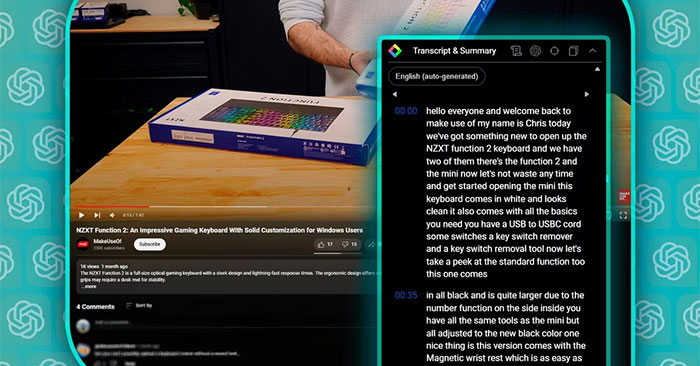
How many times have you burned hours transcribing interviews, podcasts, or video calls by hand? The real concern is that time you could've spent on something actually important just disappears into tedious typing and playback loops. And let's be honest—hiring expensive transcription services or freelancers isn't exactly budget-friendly either.
The good news? AI-powered transcription tools have gotten seriously impressive. These platforms automatically convert your audio and video files into clean, readable text with minimal post-production work required. The transcription software market is exploding right now, and the technology keeps improving at a rapid pace.
This guide breaks down six of the best AI transcription tools available today—and they're all free to try.
6 Top AI Transcription Tools to Consider
1. ElevenLabs

ElevenLabs built its reputation on producing natural-sounding AI voices. Recently, they've expanded to include speech-to-text and text-to-speech capabilities on a single platform.
And honestly? The results are outstanding:
It's not just affordable—it's also genuinely accurate and has beaten every other transcription tool in testing (yes, even Sonix, which held the top spot for years). What's interesting here is that ElevenLabs combines audio and text processing in one workflow, which is perfect for content creators juggling multiple formats.
The platform supports 29 languages and offers a free trial so you can test the quality yourself.
2. Sonix.ai

Sonix.ai impressed during testing with high accuracy, fast transcription speeds, and an intuitive interface. It supports transcription in 38+ languages.
Skeptical? Try the free version first. The design is clean and user-friendly. One minor limitation: the UI only comes in English.
The interactive editor really shines here. You'll pick it up quickly and work smoothly within it. Plus, if you have a Google account, signing up is lightning-fast.
Another win: Sonix gives you a quality preview of your transcript immediately after uploading your file, so you know what to expect.
3. Otter.ai

Otter.ai is worth considering if you need an English-focused transcription solution. It converts audio and video files into clean, readable text using AI—ideal when you need to quickly capture meetings or conversations in written form.
Upload files directly from your computer or connect Otter to platforms like Zoom and Microsoft Teams to transcribe live meetings in real-time.
Otter identifies different speakers and automatically formats the text. A useful tip: add custom vocabulary so specific names and technical terms get captured accurately.
Once your transcript is generated, you can customize everything right in the app. Play audio at different speeds, add images, insert comments—you've got full control. Otter also integrates well with popular calendar and meeting tools.
Pricing starts at $16.99/month for the Pro plan (1,200 recording minutes monthly), while the free tier includes 300 minutes per month. And yes, Google account sign-up is included.
4. Amberscript

Amberscript offers both automatic AI transcription and manual transcription by human professionals. This dual approach gives you options depending on your accuracy needs.
Simply upload your audio or video files, or link them from Google Drive or YouTube. You'll get your transcript almost instantly. The whole system works with 39 different languages.
Several features make the workflow smoother: an interactive editor lets you refine and share your transcript, while text highlighting helps you mark important sections.
The built-in spell-check ensures accuracy (you can toggle it on and off if you work in specialized fields where the tool might not recognize certain terminology).
What stands out is how fast and accurate the automatic speech-to-text conversion is. The interface feels intuitive, the trial period is solid, and signing up with Google is straightforward.
5. Descript

Descript gives you two paths: quick automatic speech-to-text processing where you simply upload and get results fast, or the manual option for maximum precision.
With the manual route, actual professionals edit your files and deliver polished results within 24 hours (though at that point, you're leaving the AI realm).
What's genuinely cool about Descript is the interactive editor. You can edit recordings, share them, add timestamps, convert to subtitles, and explore creative features like effects, background music, and voice modification.
6. Speak

Speak advertises some genuinely unique features:
It converts your audio, video, and text files into engaging, shareable content. Think auto-generated summaries and bar charts. Want to publish transcripts online? Speak integrates directly with WordPress to optimize your transcripts for SEO.
Voice customization options are surprisingly robust here. You can adjust voice gender and age to match your content's tone—something you won't find in other tools on this list.
Quick Comparison of AI Transcription Tools
| No. | Tool | Transcript Quality | Accuracy | Price | Free Trial | Languages |
| 1 | ElevenLabs | Excellent (minimal structural errors) | 98.11% | From $6/month | ✓ Free trial available | 29 |
| 2 | Sonix.ai | Good (minor errors with longer words) | 94.43% | $10.00/hour | ✓ 30 minutes | 38 |
| 3 | Otter.ai | English only | - | $8.33/20 hours | ✓ 300 min/month | English only |
| 4 | Amberscript | Fair (some spelling errors) | 90.31% | $20/hour (cheaper with subscription) | ✓ 10 minutes | 39 |
| 5 | Descript | Fair (some words omitted) | 91.47% | $12/10 hours monthly | ✓ 60 min/month | 26 |
| 6 | Speak | Poor (disjointed text) | 89.46% | $14/hour | ✓ 30 minutes | 70 |
Frequently Asked Questions
Which AI transcription software performs best in this comparison?
ElevenLabs ranks first based on the comparison metrics, followed by Sonix.ai. The deciding factors—transcript quality, language support, and your workflow—determine which tool is the best fit for your needs.
What advantages do AI tools offer over manual transcription?
AI tools generate text drafts much faster than humans can type. Whether this actually saves money or time depends on recording length, your service tier, and how much editing you'll need:
- Draft quality: Software creates text you can review and refine against the original recording.
- Cost: Pricing varies by provider and plan. Poor audio quality means more editing time, which reduces cost savings.
- Batch processing: Some providers process multiple files automatically. Check your plan's file limits and size restrictions.
- Language performance: AI accuracy with dialects and regional accents differs by provider and model.
How accurate are AI video transcription tools?
Accuracy depends on recording quality, language, and the AI model used. In this comparison, tests used a German audiobook excerpt recorded in a room with limited soundproofing using a MacBook Pro's built-in microphone (2015 model). Results showed ElevenLabs at 98.11% character accuracy and 90.26% word accuracy, while Sonix achieved 94.43% and 83.44% respectively. Test with a sample from your own recordings and verify proper nouns, numbers, and technical terms against the original audio.
Can AI tools distinguish multiple speakers?
Some services offer speaker diarization. For example, ElevenLabs' Scribe v2 can identify up to 32 different speakers and label who's speaking when. However, it doesn't guarantee perfect accuracy for each speaker. Always double-check sections with multiple overlapping voices or speaker labels.
Can these tools handle poor audio quality?
Software can still generate drafts from low-quality audio, but noise, distortion, unclear speech, or overlapping voices increase error risk. Try to improve recording quality if possible, and always cross-check text against the original audio—especially for proper nouns, technical terms, and speaker transitions.
What file formats do these tools support?
There's no universal standard, but examples from these providers include:
- Amberscript: MP3, MP4, WAV, AAC, WMA, and M4A
- Sonix: MP3, WAV, M4A, AAC, FLAC, OGG, WMA (audio) and MP4, MOV, AVI, MKV, WEBM, WMV (video)
Check each provider's file format limitations, size restrictions, and duration caps before uploading.
Description: Discover the best AI transcription software to convert audio and video into text automatically. Compare features, accuracy, pricing, and language supp

No Comment to " 6 AI-Powered Transcription Tools That Save You Hours of Manual Work "