Google Ask Maps: How AI is Changing Location Search
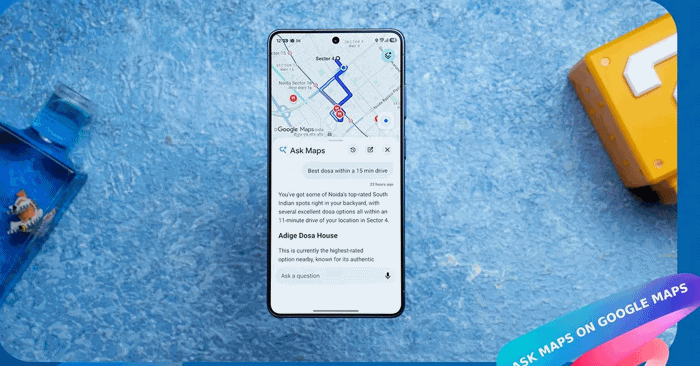
Google Maps is rolling out a smarter way to search for places. The new Ask Maps feature lets you describe what you're looking for in plain English—no keyword matching required. What's interesting here is how different this feels from traditional search. Instead of typing "coffee near me," you can ask something like "where can I get a good cappuccino that's quiet for working?" The AI doesn't just find locations—it synthesizes reviews, evaluates results, and explains why each recommendation fits your needs. That's a meaningful upgrade to how we discover places.
How to Use Google Ask Maps
Step 1:
Open Google Maps on your phone or desktop. If the feature has rolled out to your account, you'll see the Ask Maps tool right on the main interface. Haven't spotted it yet? Google is still gradually releasing this feature, so you might need to wait a bit longer.
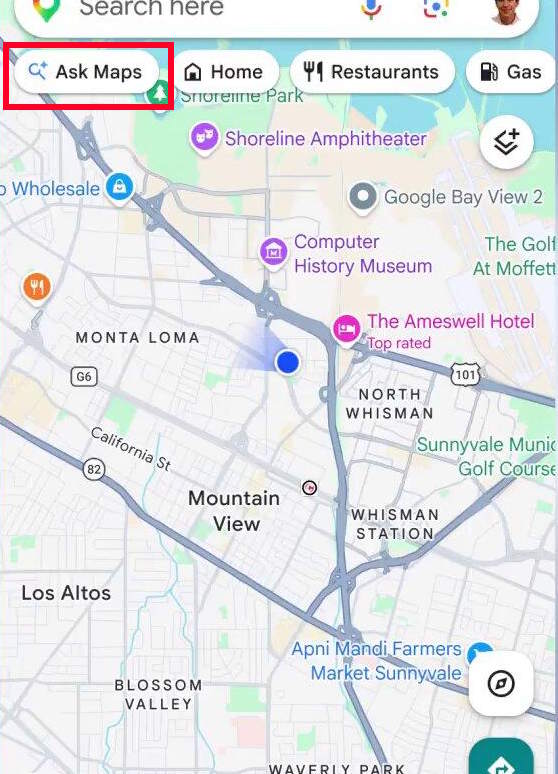
Step 2:
Type out your question about a specific location or describe the type of place you're hunting for. Be as specific as you want—the more details you provide about what matters to you, the better the results. It works much like asking a question in a conversational AI tool.
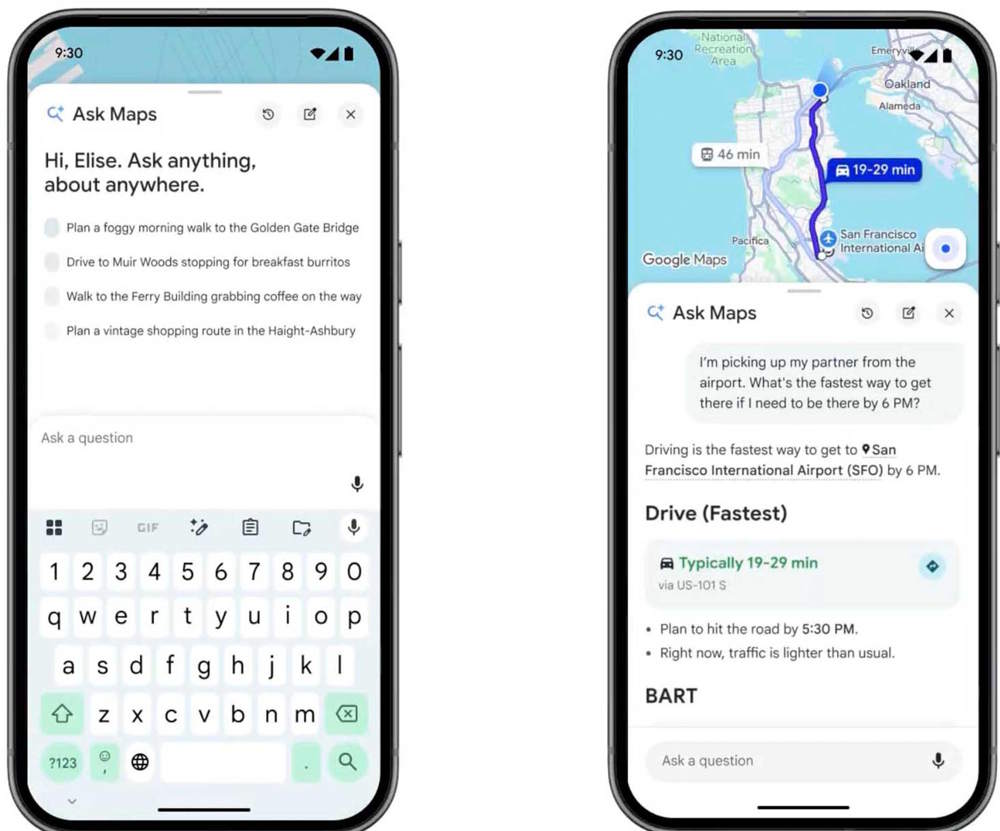
Step 3:
Wait for the AI to process your request and generate results. Google Ask Maps will pull up matching locations on the map, explain why each recommendation makes sense for your query, and include insights from user reviews. You get context, not just a list of pins.
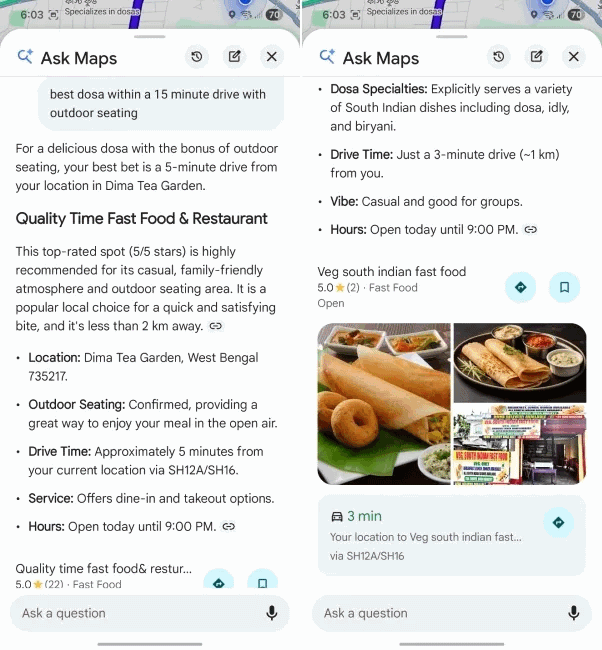
The beauty of Ask Maps is that you don't need to memorize any special syntax or follow rigid formatting rules. Just explain what you're after in natural language, and the AI will get it right. That's the whole point—search should work the way you think, not the other way around.
Description: Google's new Ask Maps tool uses AI to understand natural language queries. Here's how to find exactly what you're looking for.

No Comment to " Google Ask Maps: How AI is Changing Location Search "