How to Link Spotify with Google Gemini: A Complete Setup Guide
Integrating connected apps into Gemini unlocks a significantly better user experience. Once you pair Spotify with Gemini on your phone, the AI assistant becomes your personal music curator. You can search for and play songs, albums, playlists, or podcasts using simple natural language commands—just ask Gemini to "play that Taylor Swift song" or "find me a podcast about technology."
What's interesting here is that you don't need to open Spotify separately to hunt through your library. Gemini handles the heavy lifting for you. Here's everything you need to know about connecting these two platforms.
What Can Gemini Do with Spotify?
Once Spotify is linked to Gemini, you can use voice commands to trigger several actions.
Playing Music
You can ask Gemini to play:
- A specific album.
- A song by a particular artist.
- A Spotify playlist.
- Music that matches a mood, activity, or genre.
Example commands:
- Play the album [album name] on Spotify.
- Play [song name] by [artist name] on Spotify.
- Play my Spotify playlist called [playlist name].
- Play music for [activity] on Spotify.
Searching for Music
You can request searches for an artist's discography, find songs by lyrics, or discover playlists based on genre, mood, or activity type.
Example commands:
- Find songs by [artist name].
- Find the song with the lyrics "[lyrics snippet]".
- Find me a chill Spotify playlist for relaxing.
Finding and Playing Podcasts
Gemini also lets you search for and play podcasts directly through Spotify.
Example commands:
- Play the podcast [podcast name] on Spotify.
- Play the latest episode of [podcast name] on Spotify.
- Find me a podcast about [topic] on Spotify.
How to Connect Spotify to Gemini
Step 1:
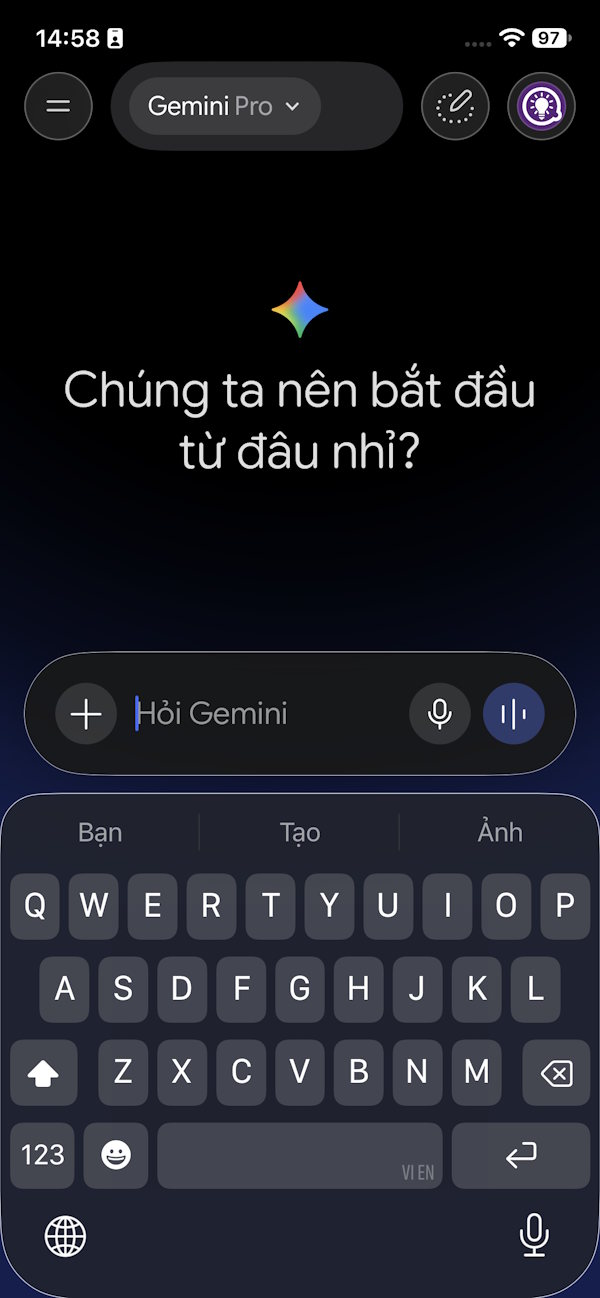
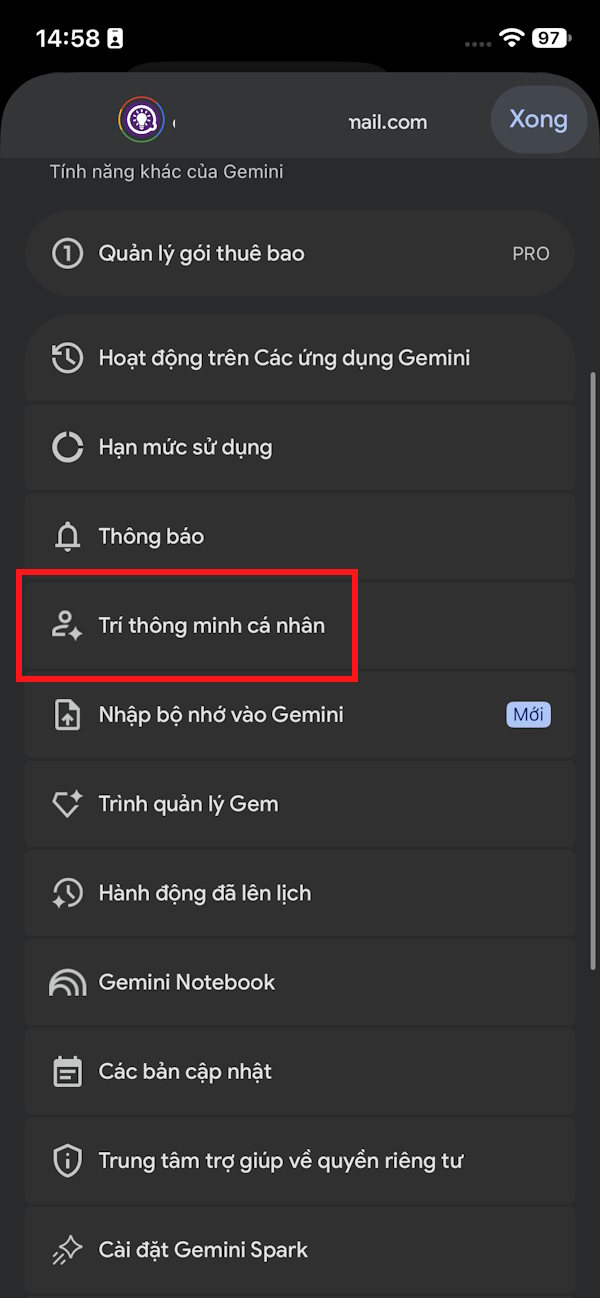
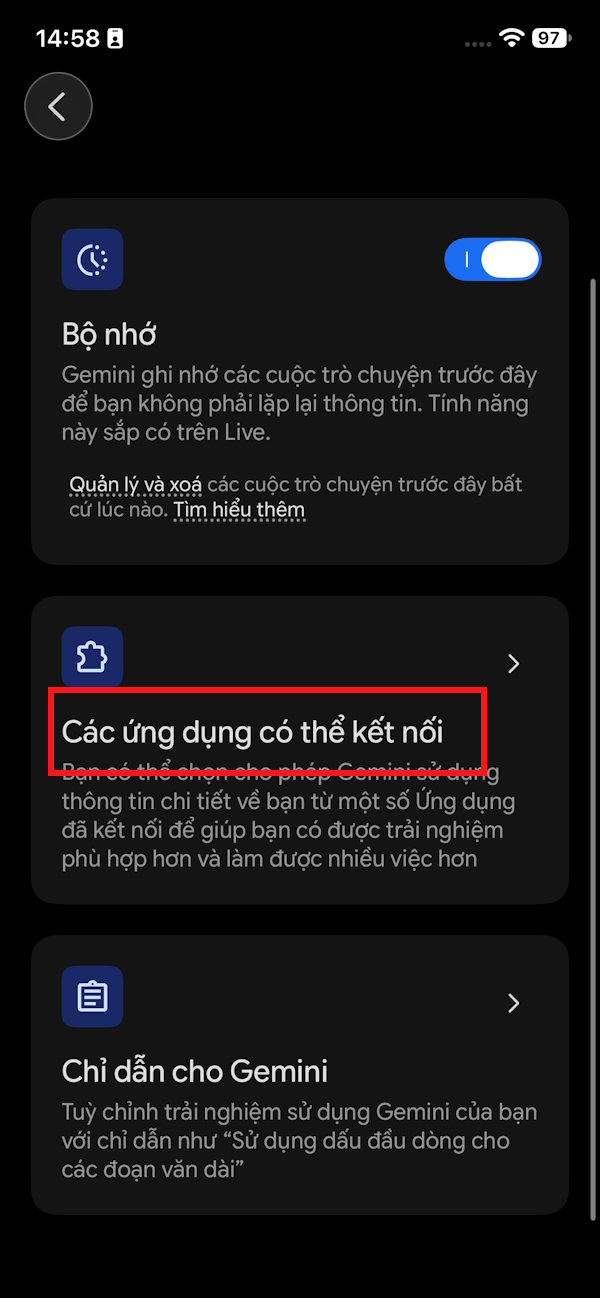
Open Gemini and tap on Your AI Personalizations. Next, select Connected apps.
Step 2:
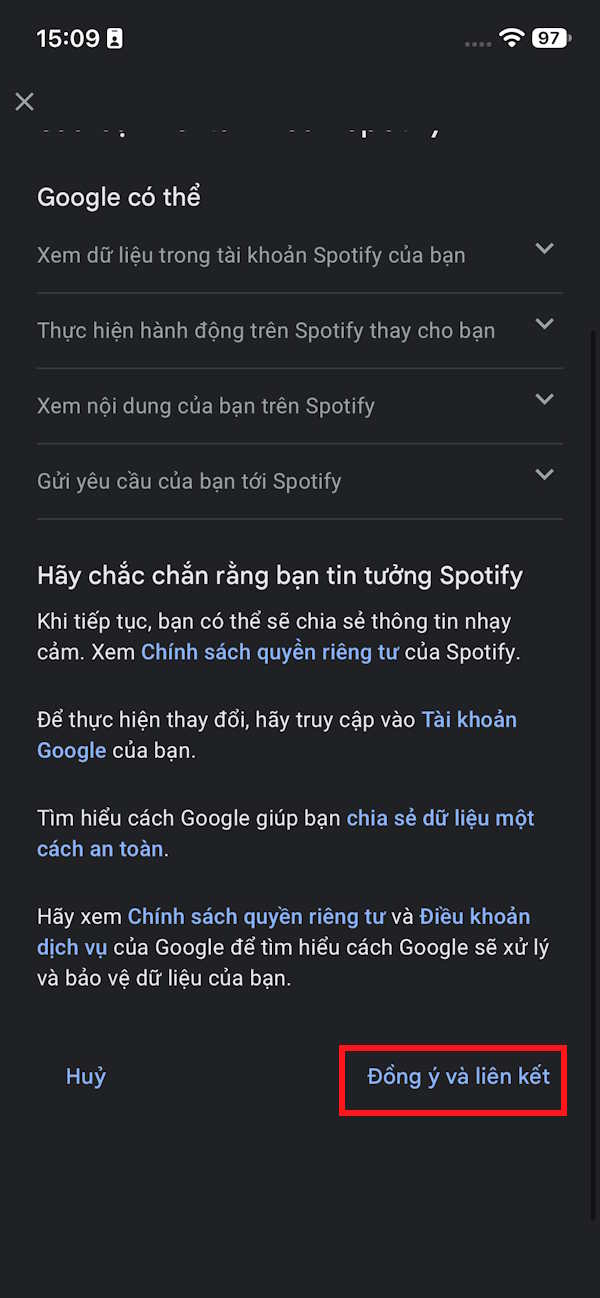
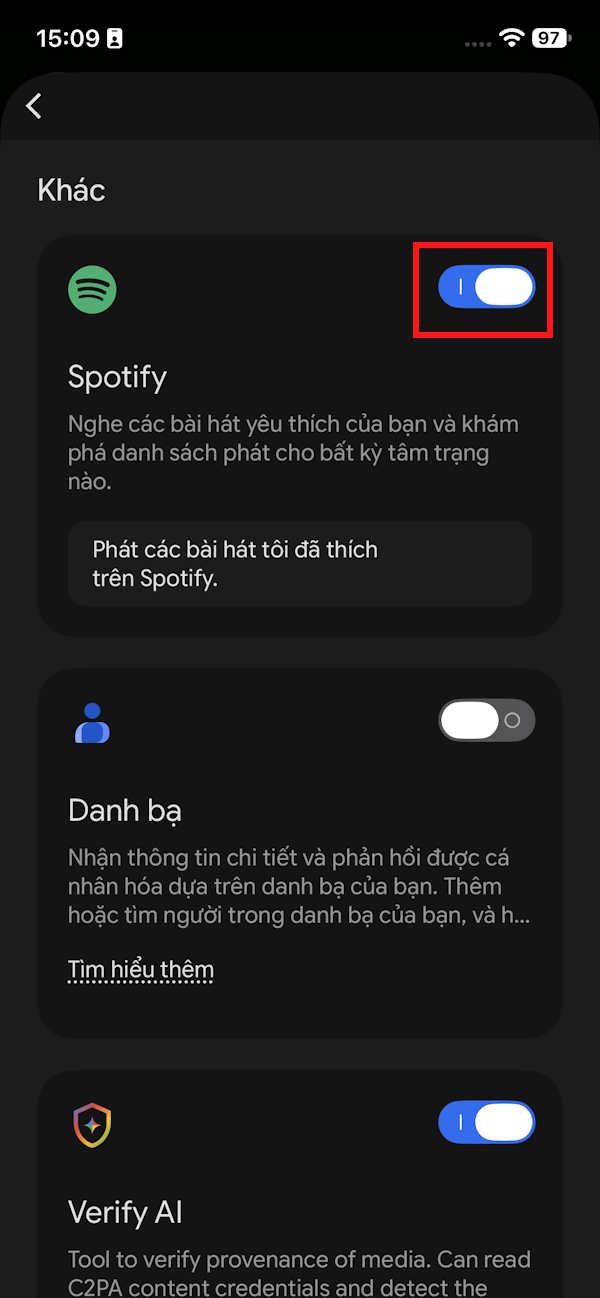
In the apps list, find Spotify and then enable it. You'll see a connection interface appear where you need to complete the linking process.
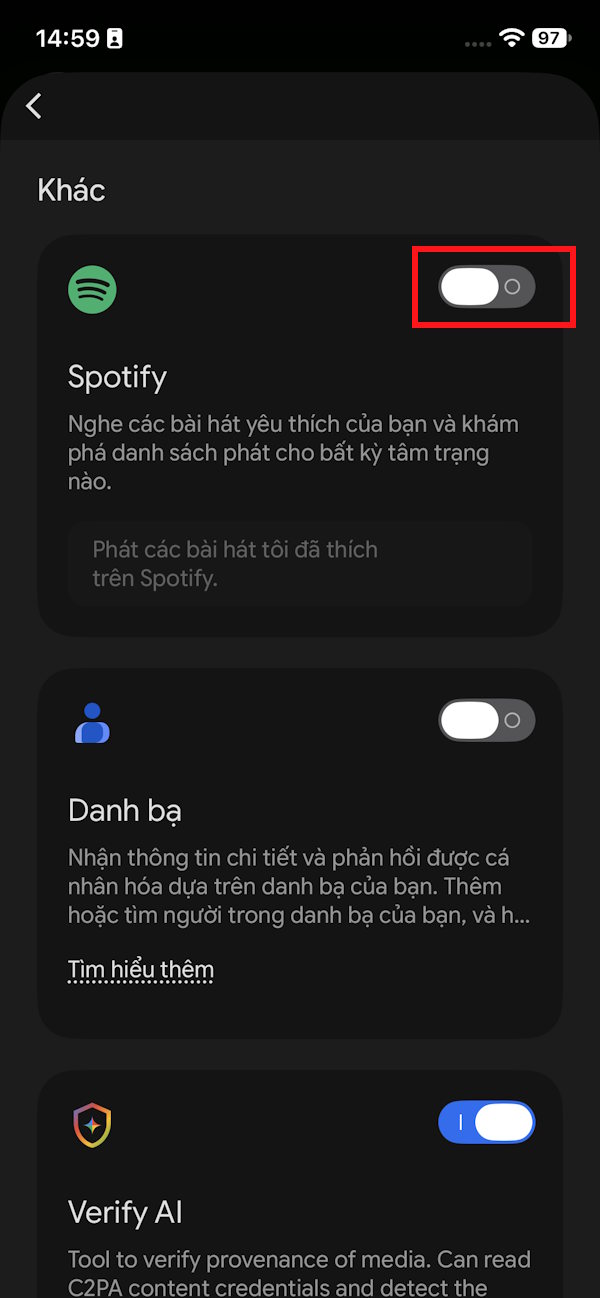
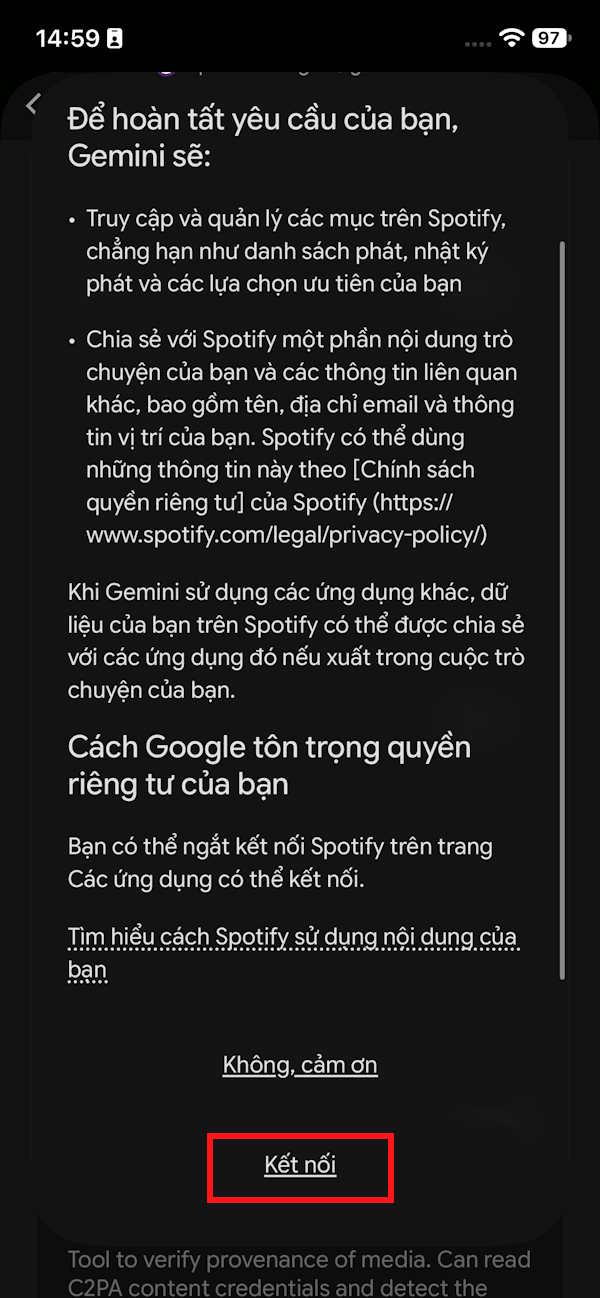
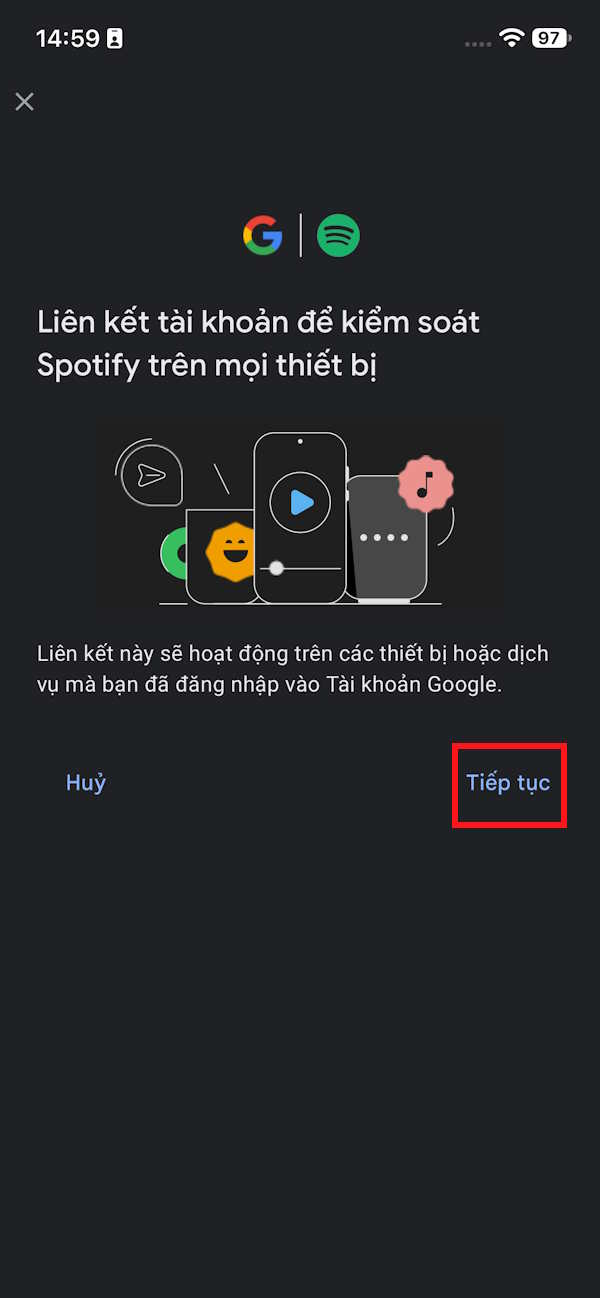
After successful linking, you'll see Spotify marked as active and ready to use.
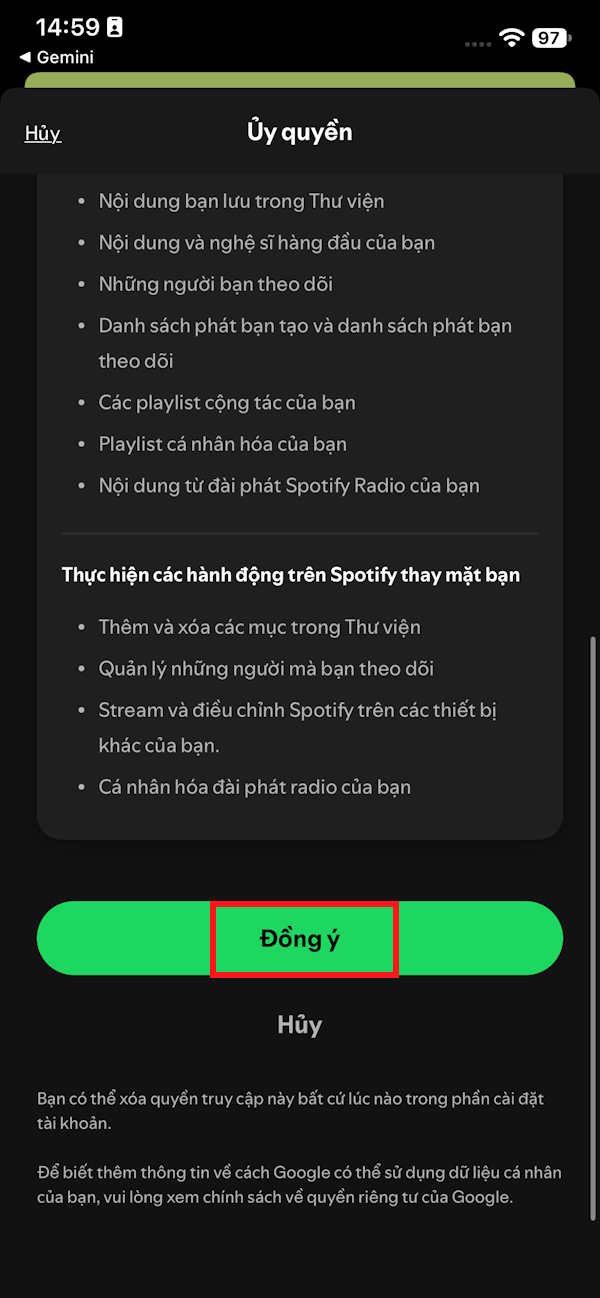
How to Use Spotify on Gemini
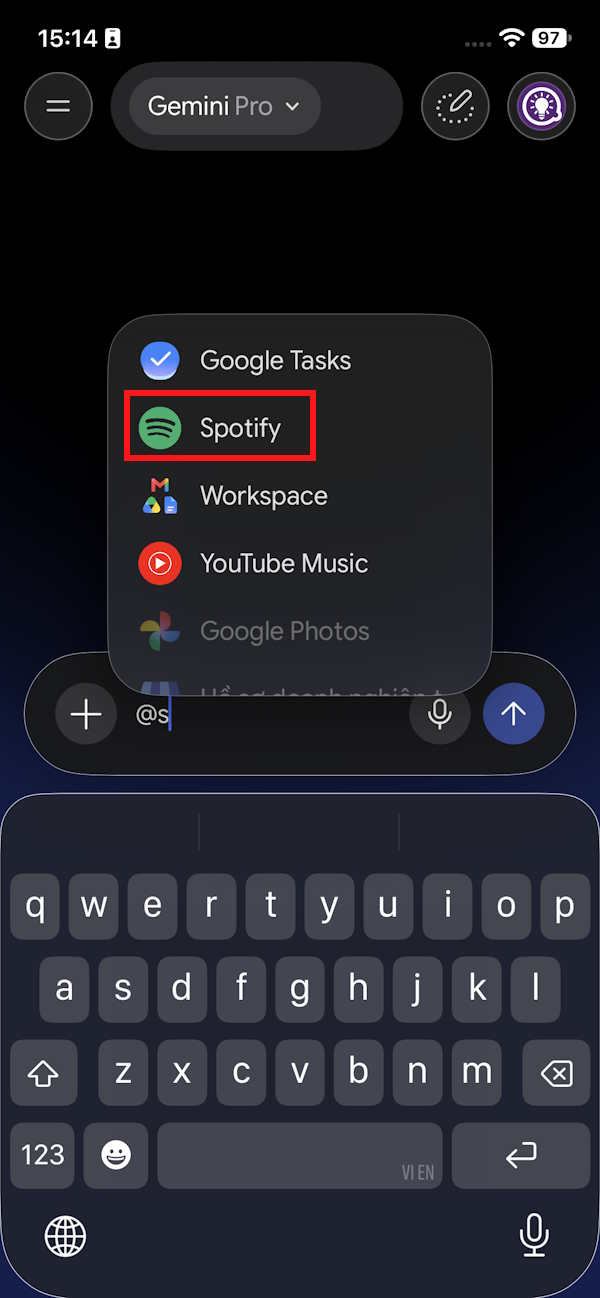
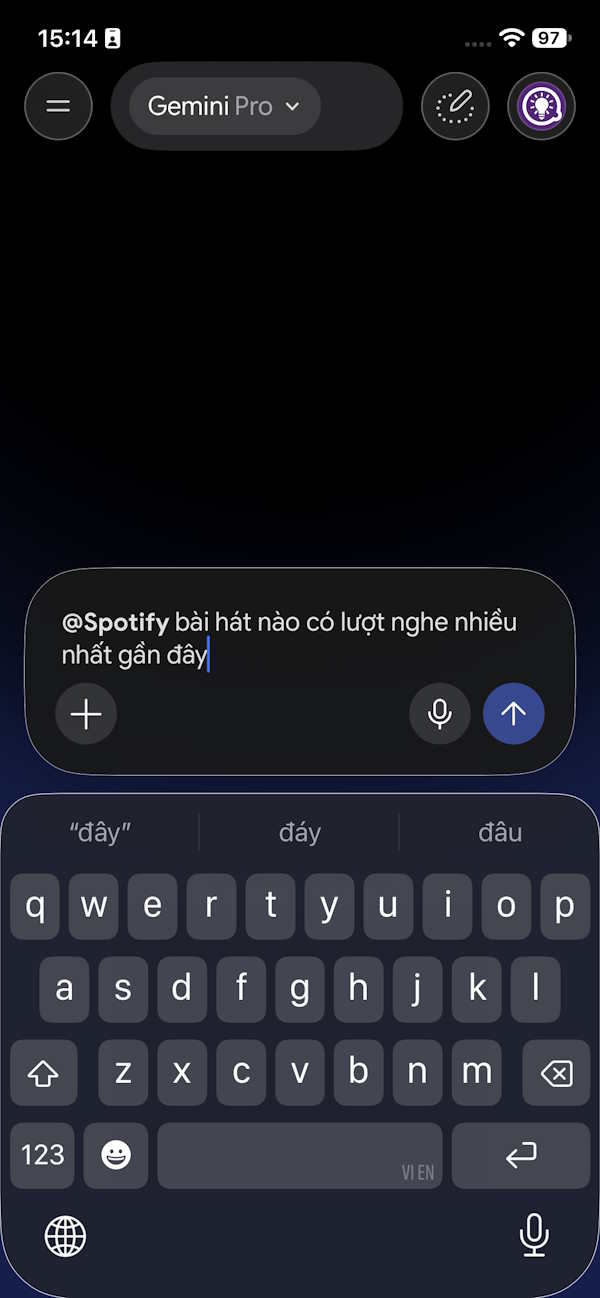
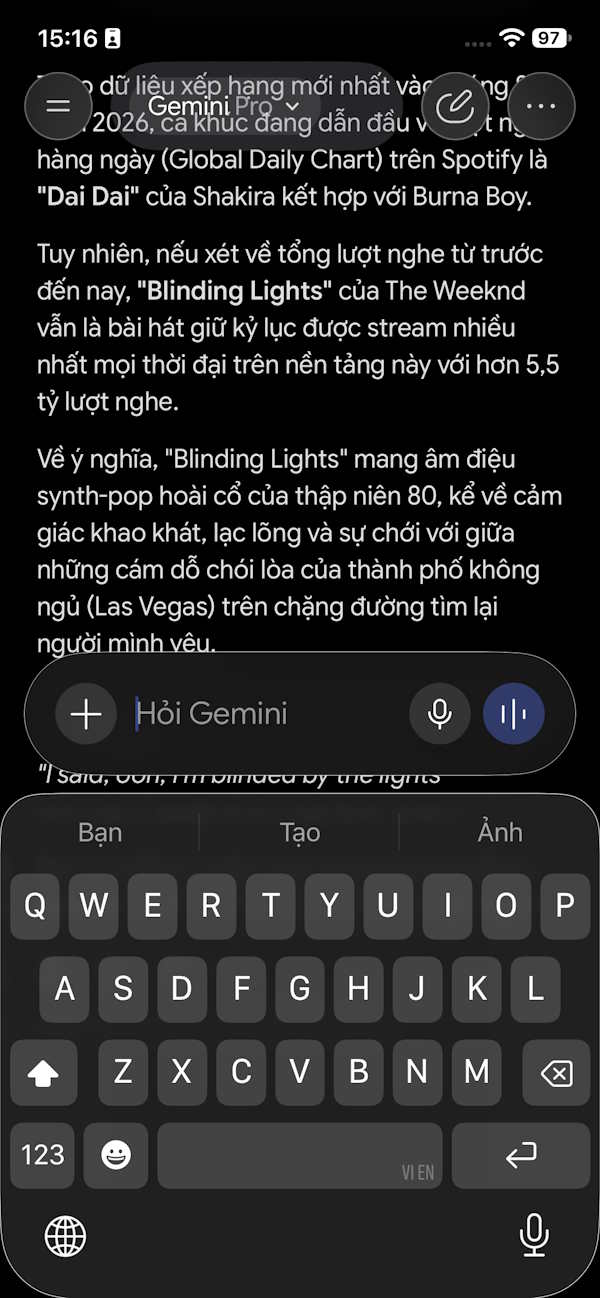
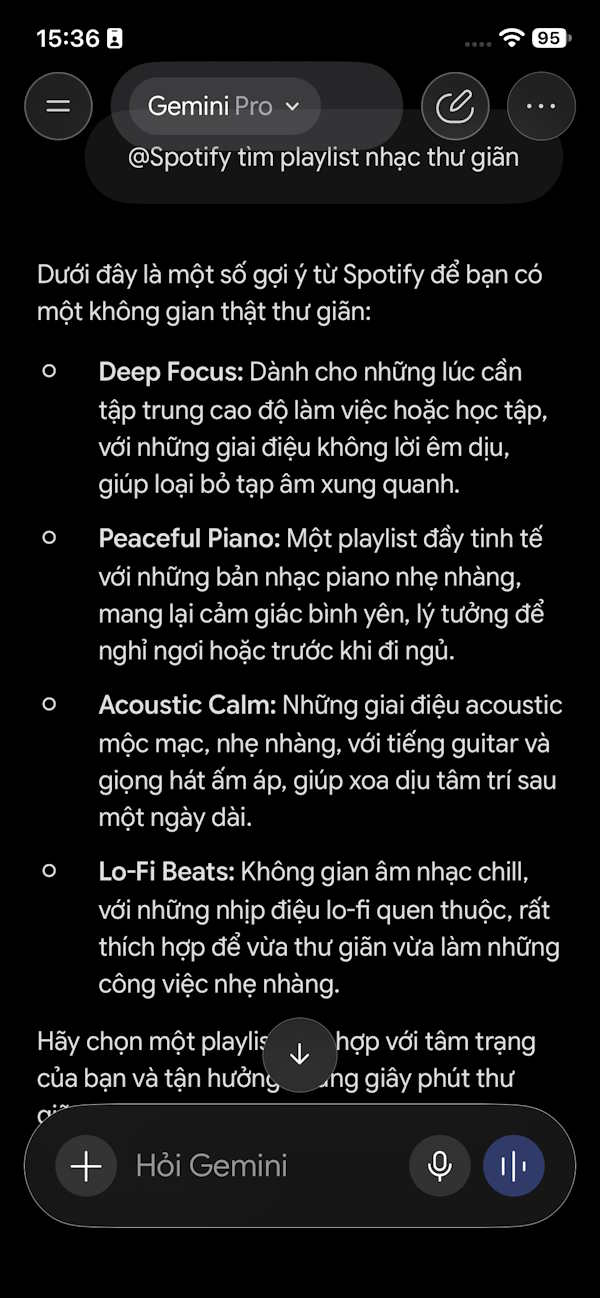
Back in the main Gemini chat, type @ in the message box, then tap Spotify to activate it. Now enter your request and wait for Gemini to respond with results.
Keep in mind that Gemini cannot yet perform certain Spotify actions directly through this connection:
- Create new Spotify playlists.
- Create Spotify radio stations.
- Control playback with commands like pause, resume, skip, or go back to the previous track through the Spotify Connected App.
Here's something crucial: Spotify will only play specific songs or podcasts you request if you have a Premium subscription. This means connecting Spotify to Gemini doesn't guarantee that all playback features work the same way on a free account. The real concern is that free users get limited functionality here.
Free account holders can only search for general information through Gemini.
What Can Spotify Free Users Do with Gemini?
There's a significant gap between what Spotify Free and Premium users can accomplish with Gemini.
- Spotify Free: Search for songs, artists, playlists, and podcasts only.
- Spotify Premium: Search capabilities plus the ability to actually play the exact songs or podcasts you request.
1. Find Songs by a Specific Artist
Example: Find all Taylor Swift songs on Spotify.
2. Find Songs Using Lyrics
Example: Find the song with the lyrics "..." on Spotify.
3. Search for Playlists by Genre, Mood, or Activity
Examples:
- Find relaxation music playlists on Spotify.
- Find workout music playlists on Spotify.
- Find jazz music playlists on Spotify.
4. Search for Podcasts by Topic
Examples:
- Find me a podcast about artificial intelligence on Spotify.
- Find podcasts about personal finance on Spotify.
Description: Connect Spotify to Gemini and control your music with natural voice commands. Full step-by-step guide included.
Related Articles
- Bkav Unveils BkavGPT: A Vietnamese AI Assistant Tackling Problems OpenAI and Google Haven't Solved
- Microsoft Unveils Windows 11 LTSC 2024 Minimum System Requirements and Supported CPU List
- Getting Started with Artflo AI: Create Images and Videos in One Unified Workspace
- What's That Line Under Your iPhone Battery Icon? Here's Why It Matters
- A Solar Storm Could Cripple the Global Internet

No Comment to " How to Link Spotify with Google Gemini: A Complete Setup Guide "