How to Message Meta AI on Threads: Complete Guide
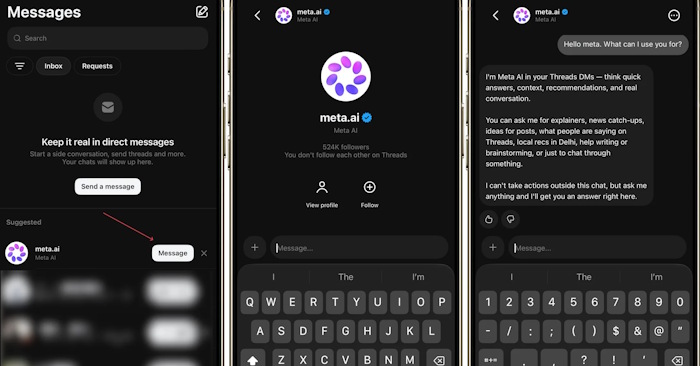
Meta AI is now available in your Threads direct messages, and it's actually a game-changer if you want quick answers about any post without broadcasting your questions publicly. Simply open a DM with Meta AI and ask anything about a post's content—no need to leave Threads or jump between apps.
By integrating Meta AI into Threads messaging, Meta is keeping users engaged within the platform instead of pushing them toward competing AI chatbots. The bot delivers accurate, contextual answers about post content directly in your Threads interface. Here's how to get started.
How to Message Meta AI on Threads
Step 1:
Find the post you want to learn more about on Threads. Tap the DM message icon on that post. You'll see a list of messaging accounts available on Threads—select the Meta AI account from the list.

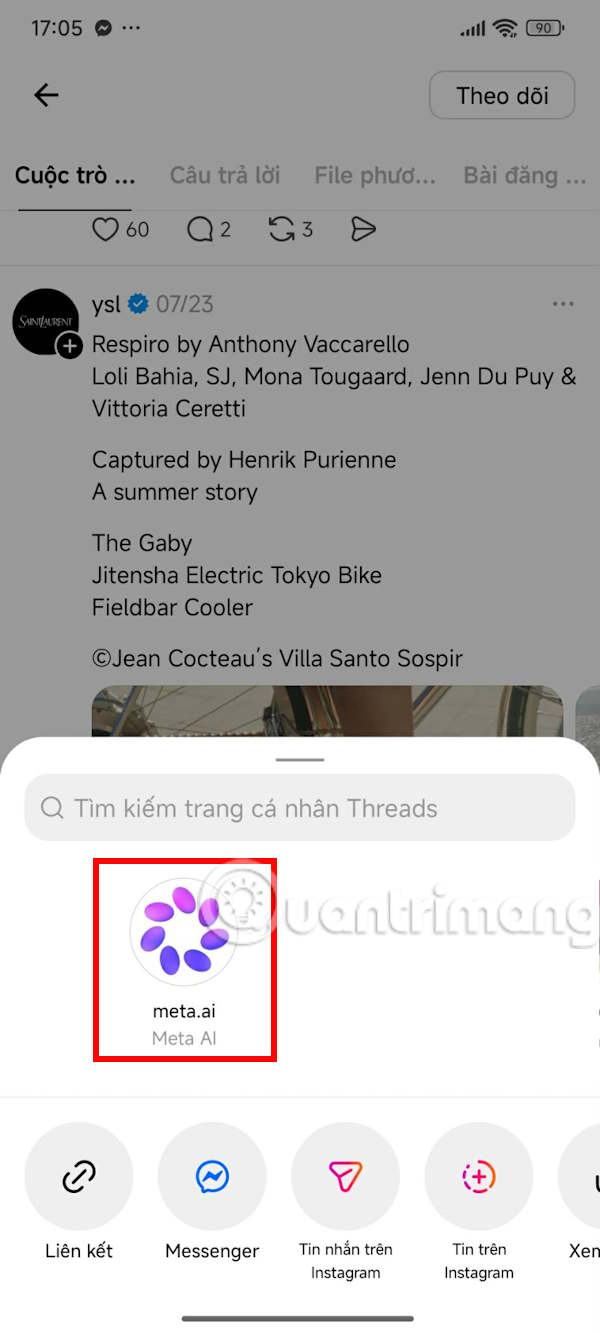
Type your question or request about the post content into the message field.
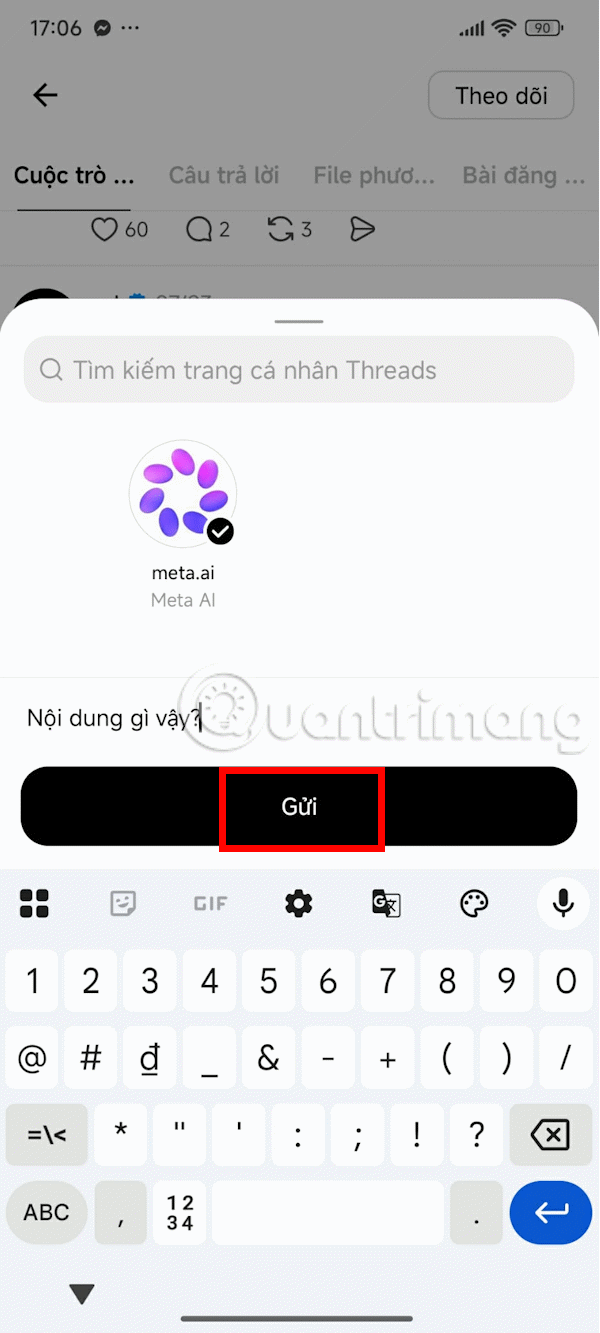
Step 2:
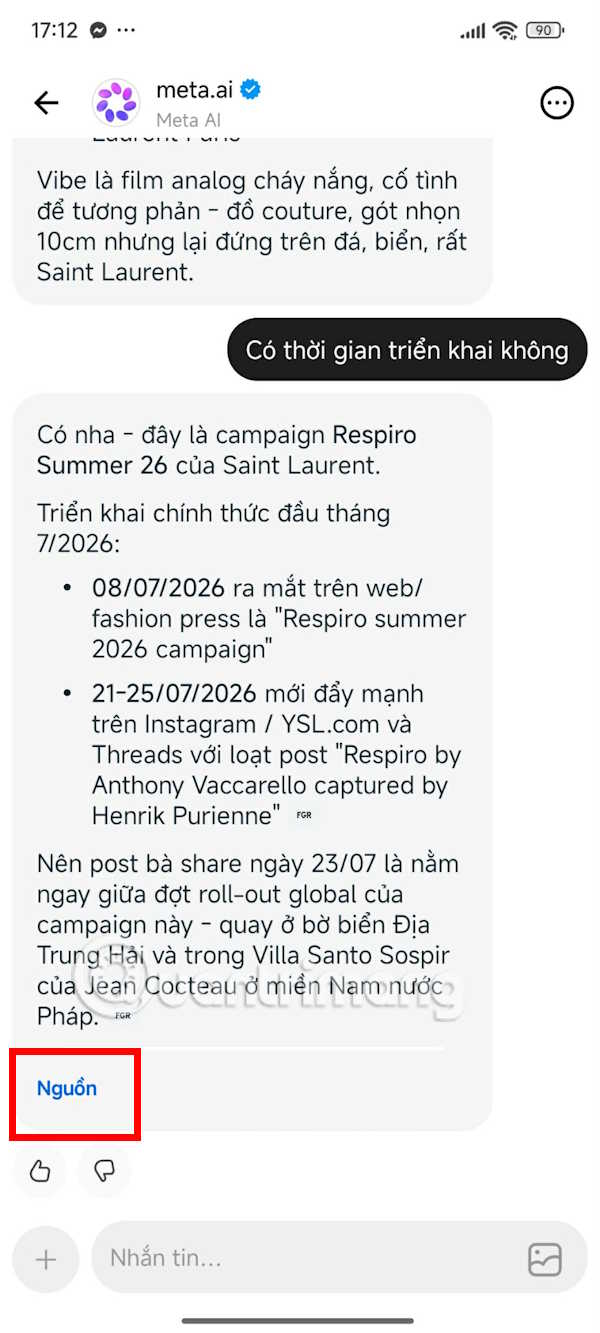
The Meta AI chat interface opens within Threads, ready for direct conversation. Meta AI responds with clear, concise information tailored to your question about the post.

You can follow up with additional questions about the original post or ask for clarification on the information Meta AI provides. Want to dig deeper? Just keep the conversation going without leaving Threads.
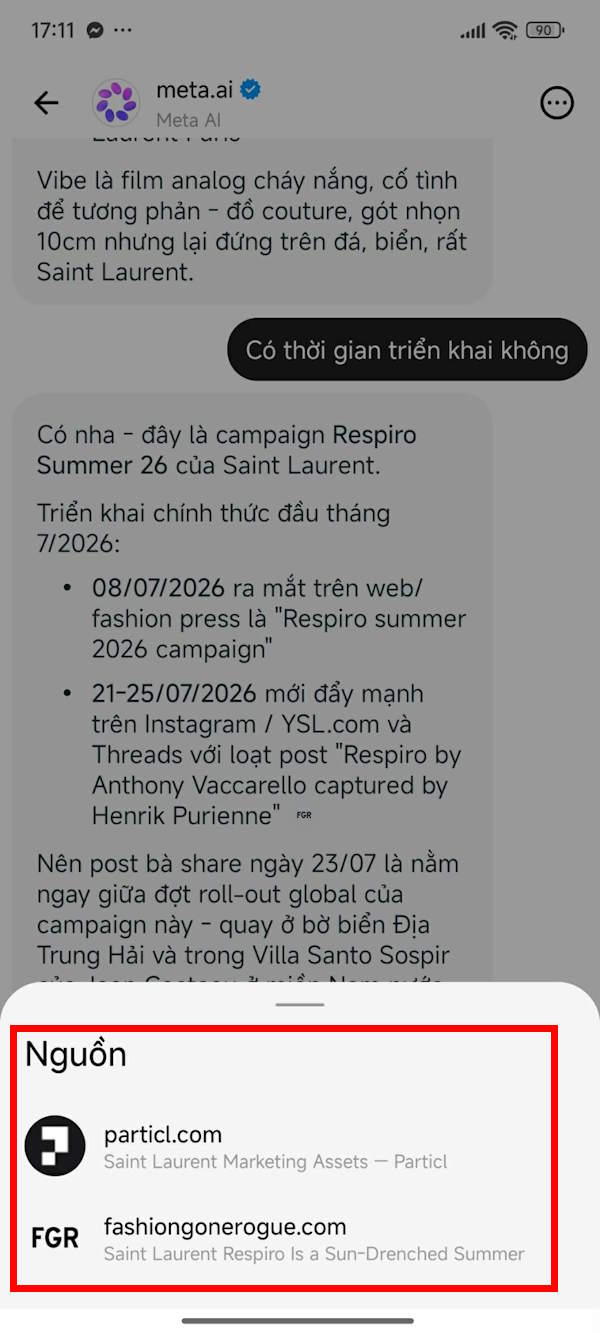
Every response includes source citations, so you can verify the accuracy of the information Meta AI shares with you. What's interesting here is that the bot shows you exactly where it's pulling from.
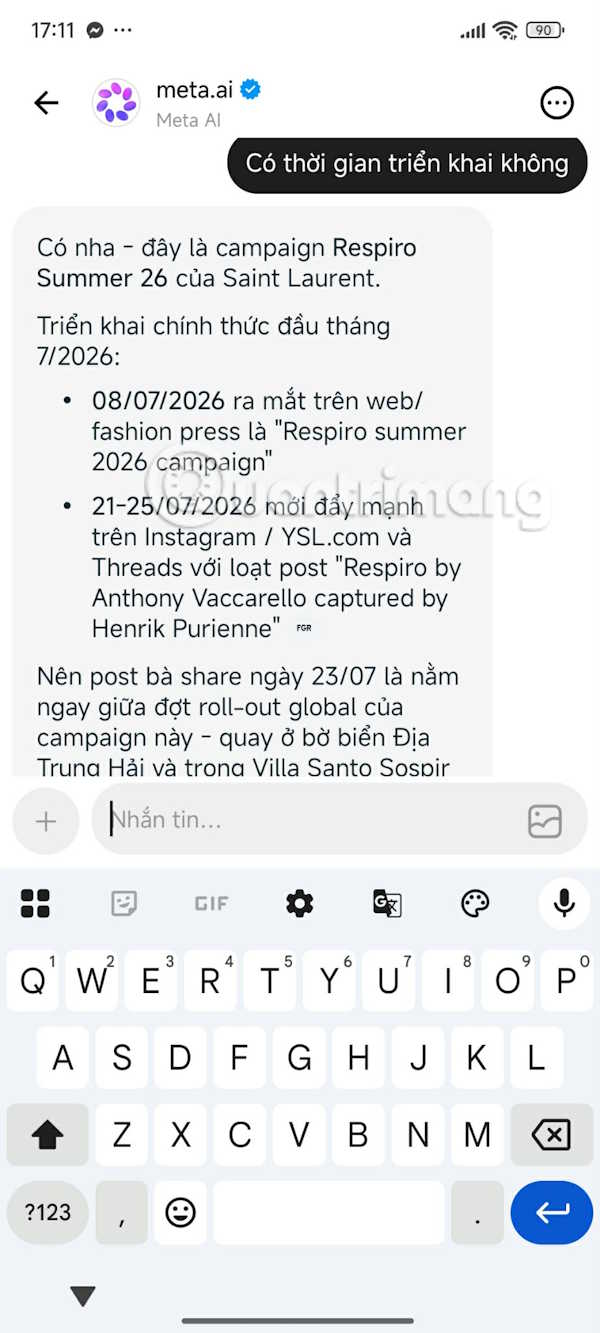
The sources displayed at the bottom are verified, authoritative websites that Meta AI has identified as credible references.
What Can Meta AI Do on Threads?
Once you've opened a conversation with Meta AI in your DMs, you can ask it to:
- Explain the content of a Threads post.
- Summarize articles or shared links.
- Answer questions about images or videos you upload.
- Suggest ways to write comments, posts, or replies.
- Translate content into different languages.
- Have conversations and search for information without ever leaving Threads.
Description: Learn how to chat with Meta AI directly on Threads to get instant answers about posts without leaving the app.
Related Articles
- Can Qwen 3.8 Really Compete with Claude Opus? We Tested It on a Gaming GPU
- How to Clear Storage Space on ChatGPT
- How to Generate Automatic Document Summaries in Google Docs
- 8 Practical AI Agent Use Cases That Actually Work in Your Business
- How to Verify AI Search Results: A 4-Step Fact-Checking Guide

No Comment to " How to Message Meta AI on Threads: Complete Guide "