Schedule Events in iCloud Calendar Directly from ChatGPT

Building on the ability to integrate iCloud Mail into ChatGPT, you can now handle calendar scheduling the same way. The best part? You'll never need to switch between apps. Creating events, checking appointments, and managing your schedule all happen right in the ChatGPT chat window. Here's how to set it up and start using it.
Connecting iCloud Calendar to ChatGPT
Step 1:
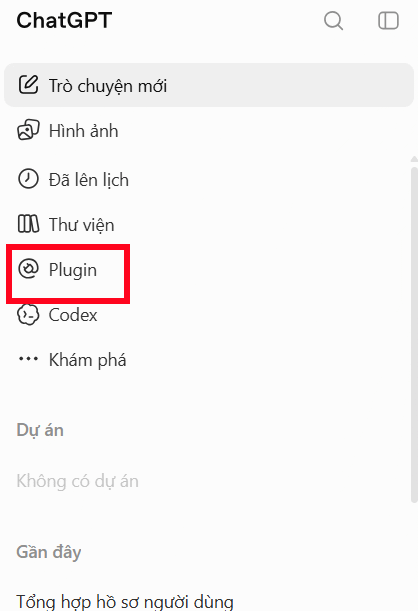
Open ChatGPT and click the Plugins section.
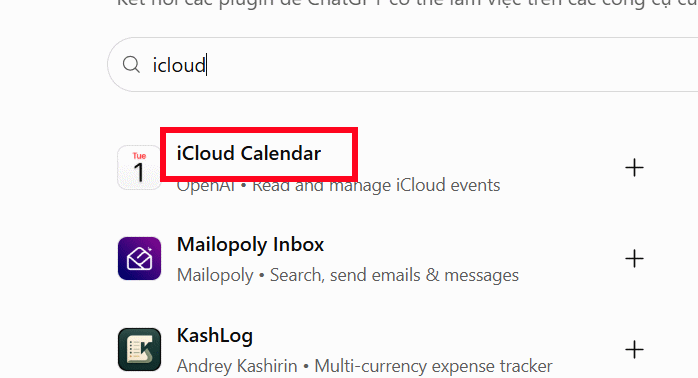
In the search box, type "icloud" and select iCloud Calendar from the results.
Step 2:
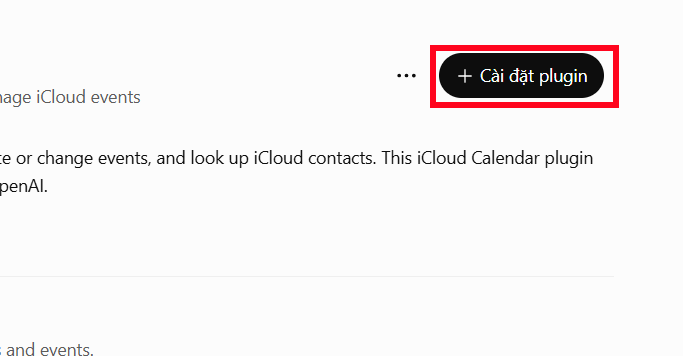
On the app information page, click Install plugin.
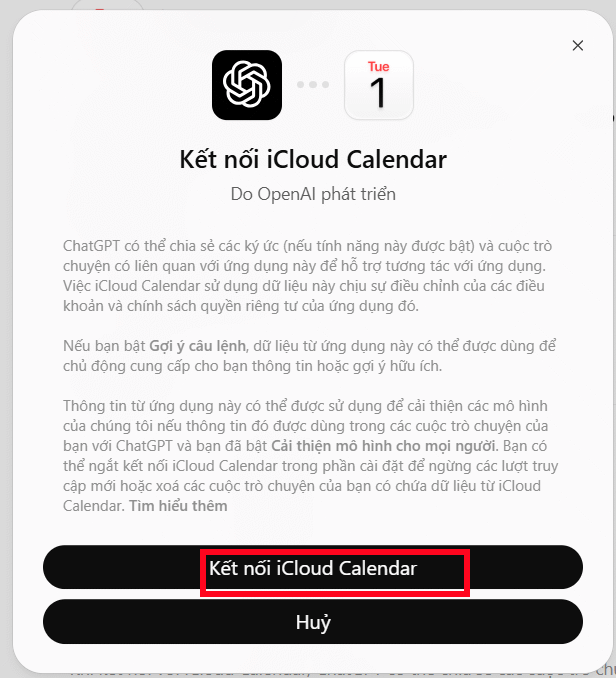
Next, tap Connect iCloud Calendar.
Step 3:
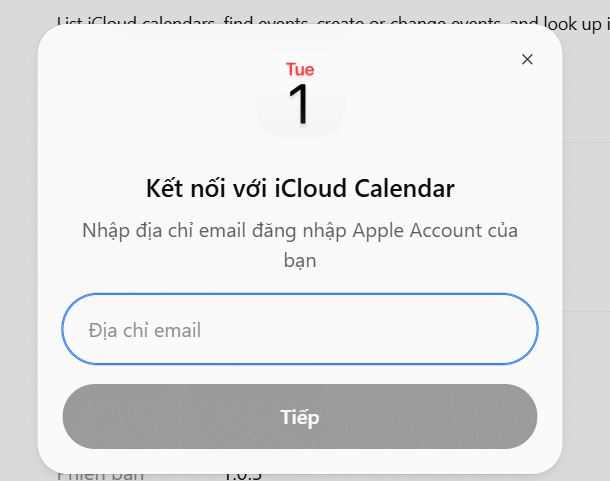
Enter your email address in the ChatGPT interface and click Continue.
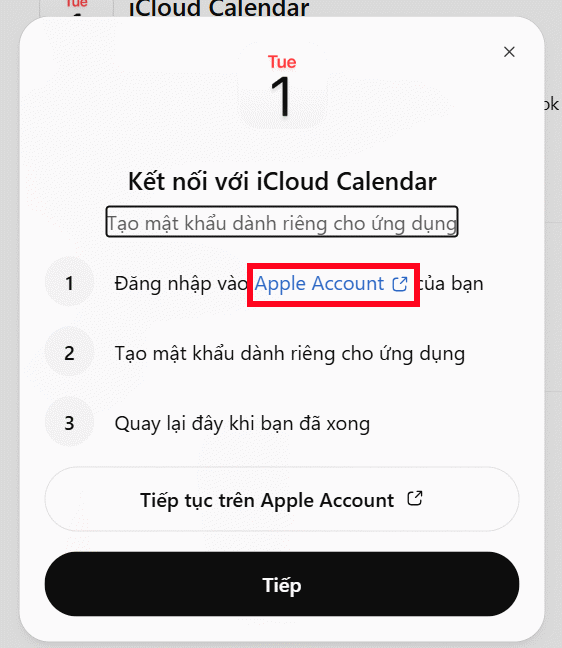
You'll see instructions on the next screen. Visit the Apple website and sign in with your Apple ID.
Step 4:
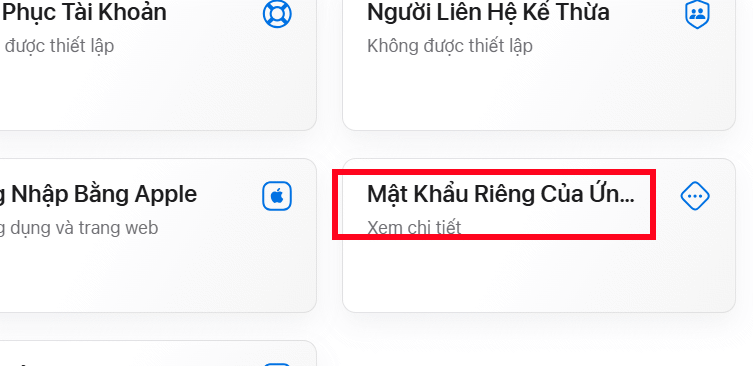
Look for App-Specific Passwords in your Apple account settings.
Enter a name for the app—something like "ChatGPT Calendar"—to keep track of your connected services.
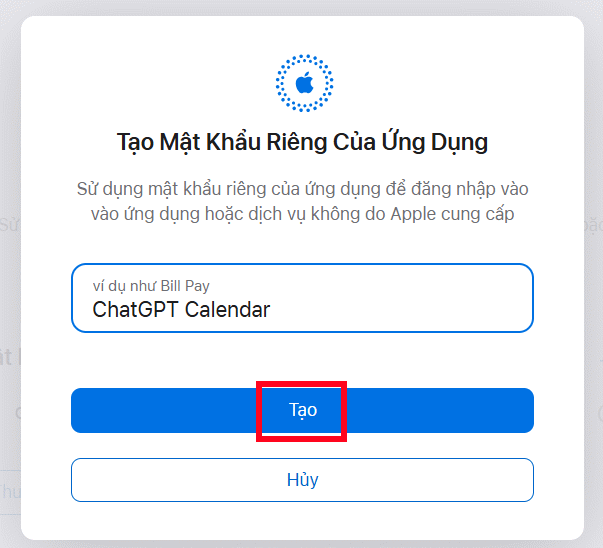
Copy the password Apple generates for you. You'll need it in a moment.
Return to ChatGPT, click Continue, and paste the password you just copied. That's it—you're connected.
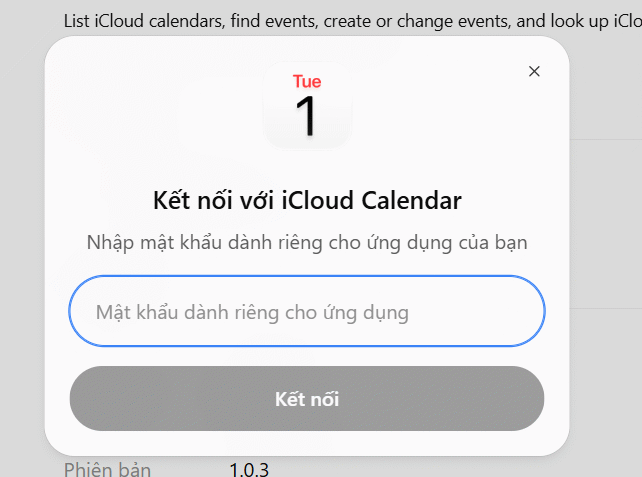
Once iCloud Calendar is linked, you can:
- View all your upcoming appointments.
- Search for specific scheduled events.
- Create new events and meetings.
- Edit the time or details of existing events.
- Look up contacts from iCloud.
Creating and Managing Your Schedule in ChatGPT
In the chat window, type @icloud and select iCloud Calendar from the dropdown menu.
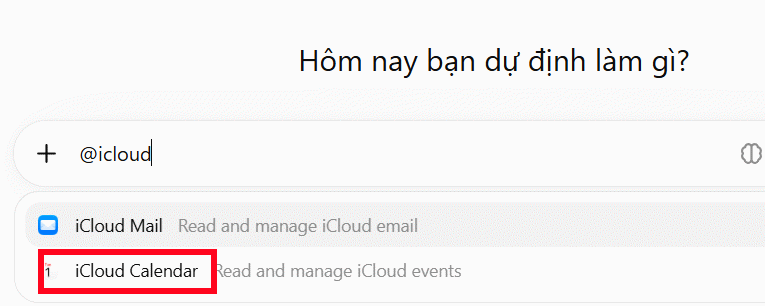
Now type your command. ChatGPT will process your request and let you know if it found matching events or if your command needs adjustment.
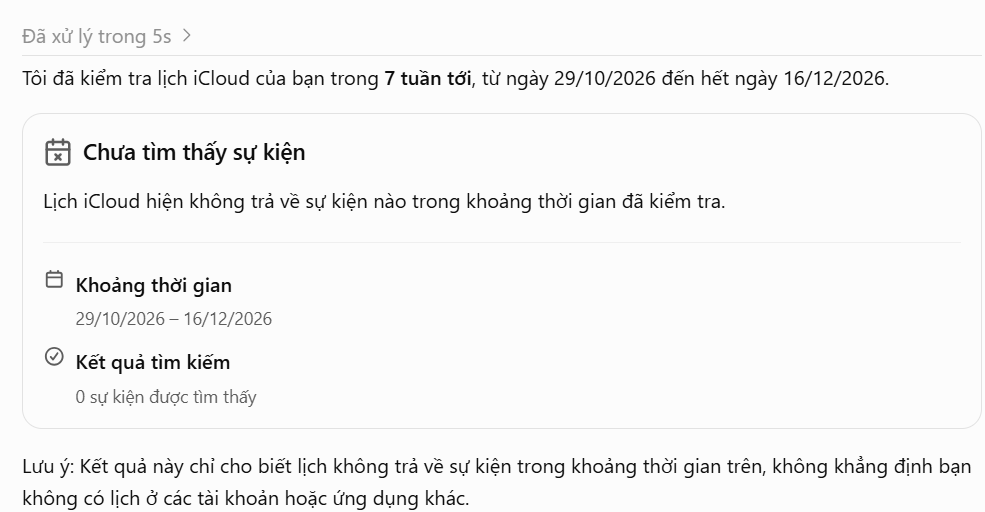
Here are some useful commands to get started:
Check Your Schedule:
Show me all my iCloud Calendar events for the next 7 days and give me a summaryFind a Specific Event:
Find any events this month that mention client meetingsCreate a New Event:
Create an event called "Project Report" for 60 minutes on Monday, November 11thEdit an Appointment:
Find my "Project Report" event and change it to Tuesday, November 12thPro tip: Always double-check the dates, times, and event details before confirming any changes to your calendar.
Description: Manage your iCloud Calendar without leaving ChatGPT. Connect your account and create, edit, and view events seamlessly in the chat interface.
Related Articles
- Copilot Studio Now Lets You Connect Bing Custom Search as an Agent Knowledge Source
- 10 Free Generative AI Tools You Can Use Every Day
- Create a Brand Context Folder to Make Every AI Output Feel Authentically Yours
- 80+ ChatGPT Image Prompts: Transform Any Photo Into Any Style
- Running Qwen 3.5 Locally on a Single GPU: Complete Setup Guide

No Comment to " Schedule Events in iCloud Calendar Directly from ChatGPT "