Turn Any Image into an Animated GIF Right Inside Gemini
Gemini just rolled out a fresh capability: transforming static images into animated GIFs directly within the platform. This opens up exciting possibilities for creating livelier content that works perfectly for ad posters, illustrations, wallpapers, and social media posts. What's interesting here is how seamlessly the tool integrates into your existing creative workflow.
There are multiple ways to generate GIFs on Gemini. You can animate images you've already created during your chat session, or craft custom prompts that specify exactly how you want the motion to flow. We'll walk you through both approaches below.
Converting Images to GIFs Directly in Gemini
Once you've generated AI images using Gemini, you can instantly bring them to life. Look for the Animated image option that appears alongside your generated image results.
In your image generation chat, simply click the GIF option to add motion effects to your image.
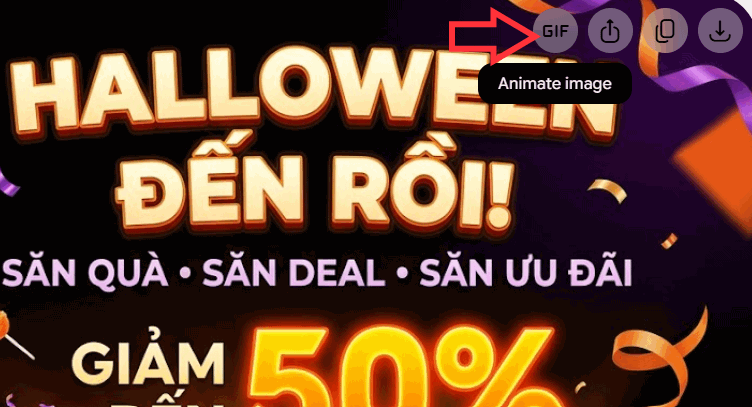
Gemini then processes your request and generates the animated version. The system intelligently resizes the frame while preserving the core content of your original image, then applies smooth motion effects that complement the subject matter.
Once your GIF is ready, hit the save icon to download it to your device.
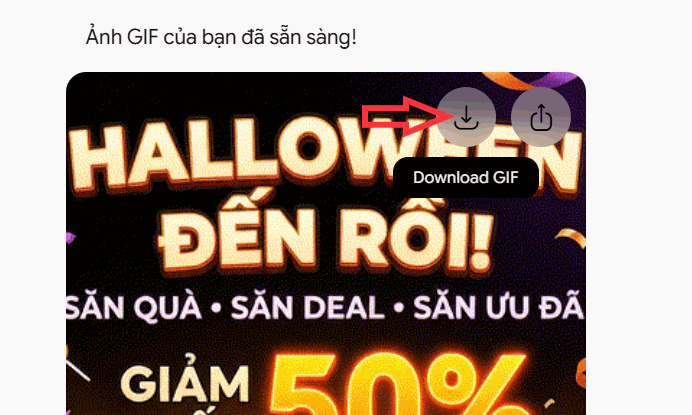
Here's an example of an animated GIF created by Gemini.

Creating Animated GIFs Using Custom Prompts
If you have an existing image you'd like to upload to Gemini and convert, use a detailed prompt like this one.
Transform this image into an animated GIF. Keep the original layout, characters, colors, text, and design style intact. Create smooth, natural motion for appropriate elements within the image. The animation should be fluid, loop seamlessly, and avoid distorting the main subject. If possible, export the result as an animated GIF file.This prompt clearly defines your goal, specifies which elements must remain unchanged, and describes your preferred motion style. The result is a professional-looking GIF generated from your image.
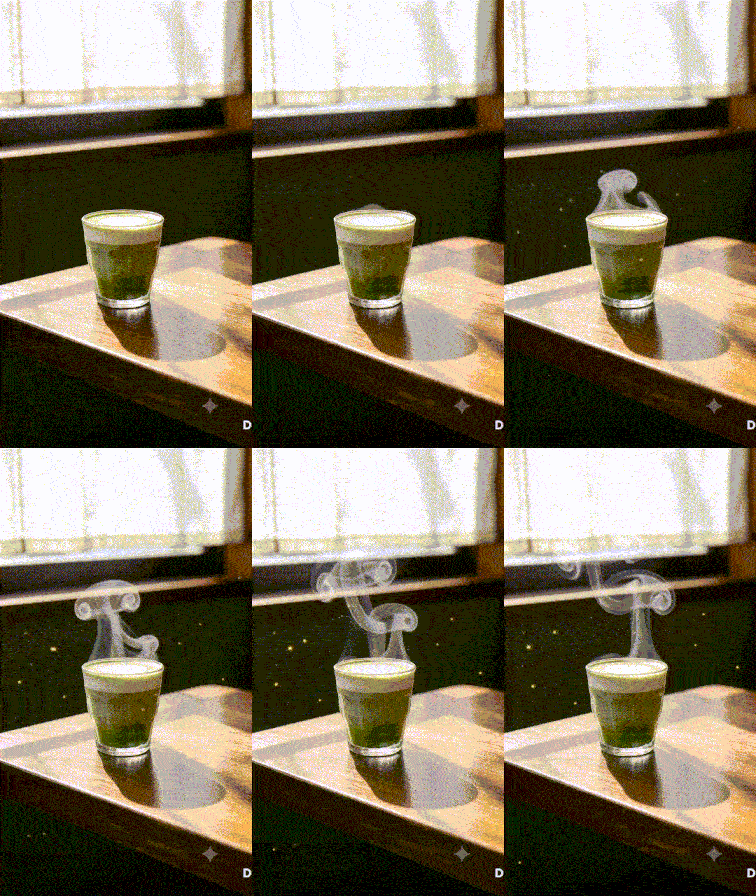
Here are specialized prompts tailored to different image types.
For urban or cyberpunk-style posters:
Create an animated GIF from this poster. Make neon lights flicker subtly, with reflections on the street moving naturally. Keep all text, characters, and composition elements unchanged. Ensure the animation is smooth and doesn't alter the original design.For landscape photography:
Turn this landscape image into an animated GIF. Add gentle motion to clouds, mist, and water surfaces. Preserve the original perspective, colors, and key details. Create a natural, calming feeling with seamless looping.For character or portrait posters:
Animate this image with subtle cinematic motion. Create natural movement in hair, clothing, and surrounding light effects. Keep the face, distinguishing features, text, and poster layout exactly as they are. Avoid aggressive movement or any distortion of the image.Description: Learn how to convert static images into animated GIFs using Gemini's new feature. Perfect for social media content and marketing materials.
Related Articles
- How to Use Copilot in PowerPoint: A Complete Guide
- Perplexity vs ChatGPT: Which AI Assistant Should You Actually Use?
- Transform Rough Sketches Into Polished Images With ChatGPT's New Sketch Tool
- How to Change Gemini Live's Voice to Your Preferred Option
- The Best AI Programming Tools You Should Know About in 2024

No Comment to " Turn Any Image into an Animated GIF Right Inside Gemini "