Turn Textbooks Into Your Personal Study Assistant With NotebookLM
NotebookLM just rolled out a textbook feature in its source options — and it's a game-changer for students and lifelong learners. The platform now lets you pull textbook content directly into your study workflow, then transform that material into flashcards, practice tests, audio summaries, and more. What's interesting here is how this expands NotebookLM beyond document uploads — textbooks bring structured, curated educational content that the AI can work with more intelligently.
Adding textbooks as a source option gives you another way to load study materials into NotebookLM. Whether you're studying for exams or researching a topic, here's how to use this new feature effectively.
How to Use Textbooks as a Study Tool in NotebookLM
Step 1: Add a Textbook Source
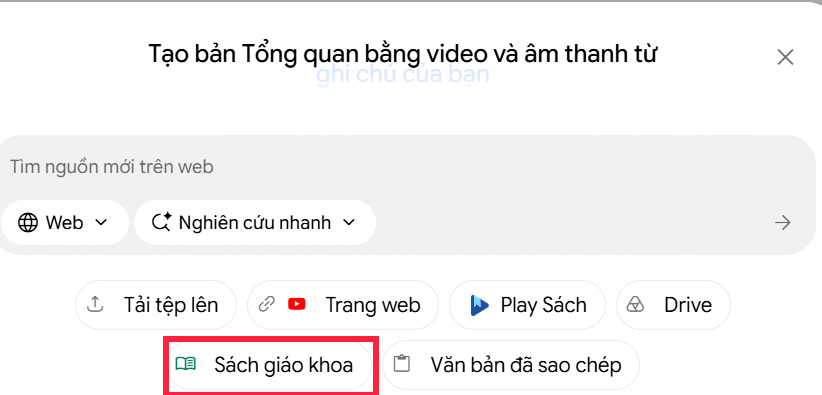
Create a new notebook in NotebookLM the way you normally would. Then click Add source on the left side of the interface. In the source menu, select Textbook.
Step 2: Search and Filter Textbooks
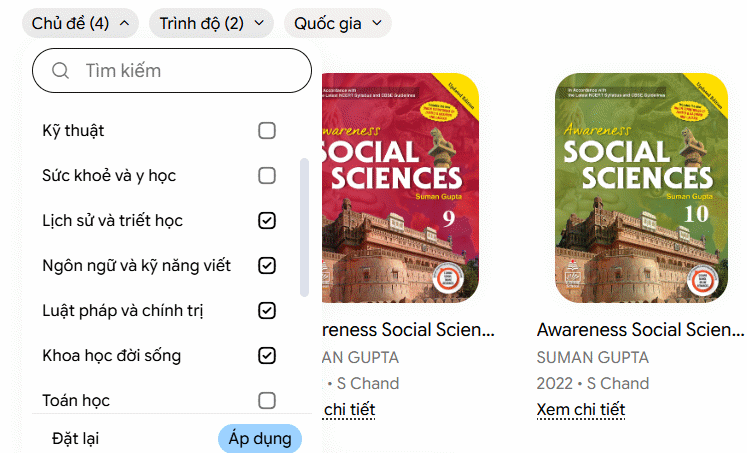
You'll see a search interface with filtering options. NotebookLM provides several search tags to help you narrow down results. Keep in mind — right now the library focuses on English-language textbooks, and the selection varies by subject and country.
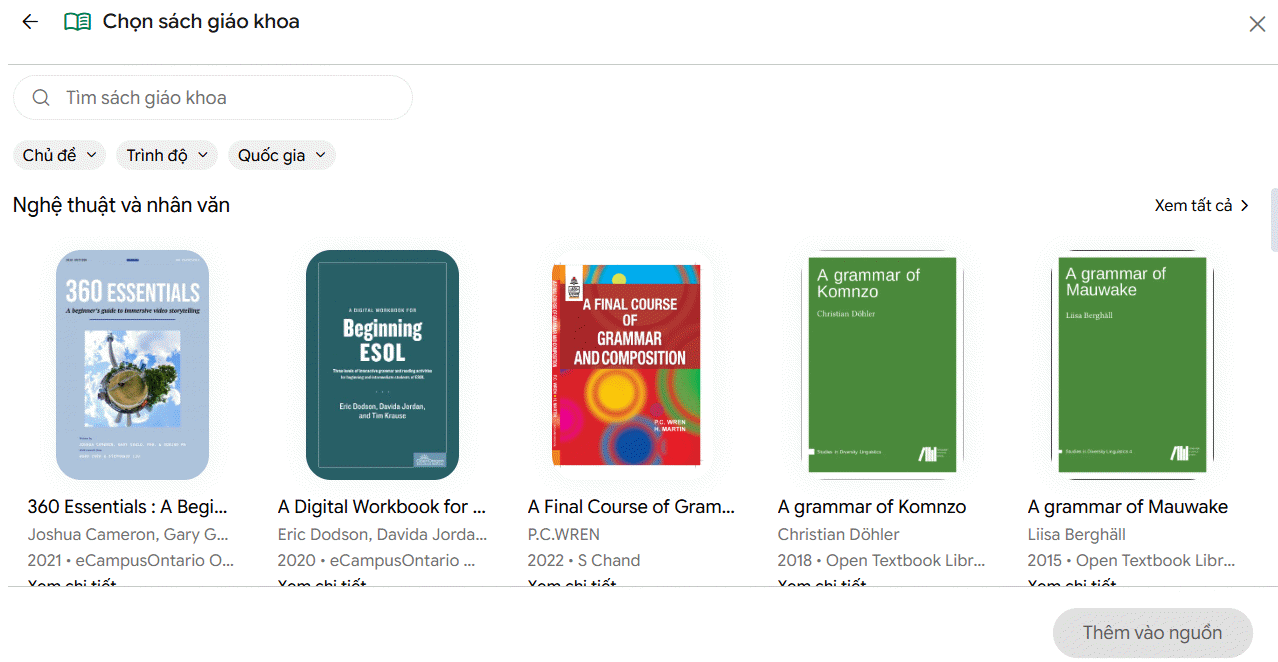
You can narrow your search by Subject, Grade Level, and Country to find exactly what you need.
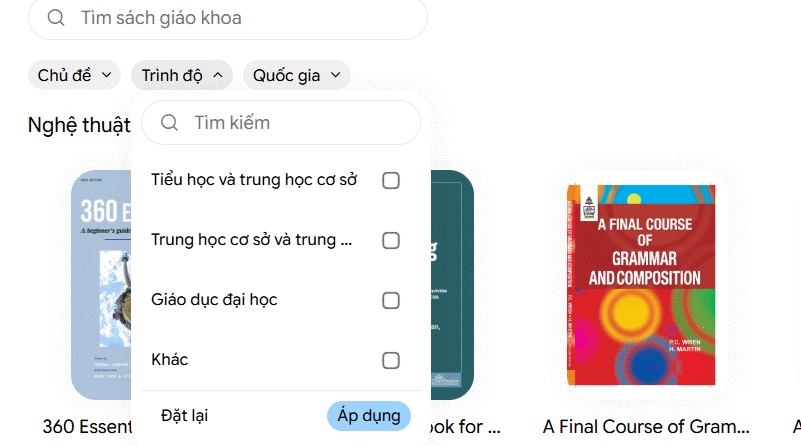
You can combine multiple filters within a single category to refine your results. Hit Reset if you want to clear all your selected filters and start fresh.
Step 3: Add to Your Notebook
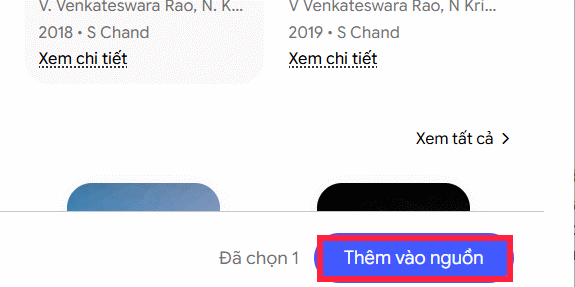
Once you've picked your textbook, click Add to sources at the bottom. You can continue loading additional materials if needed.
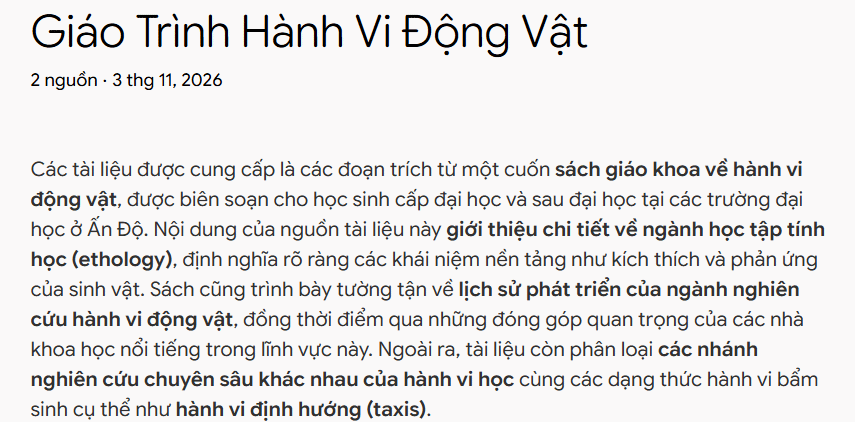
After the textbook uploads successfully, NotebookLM displays basic information about the curriculum.
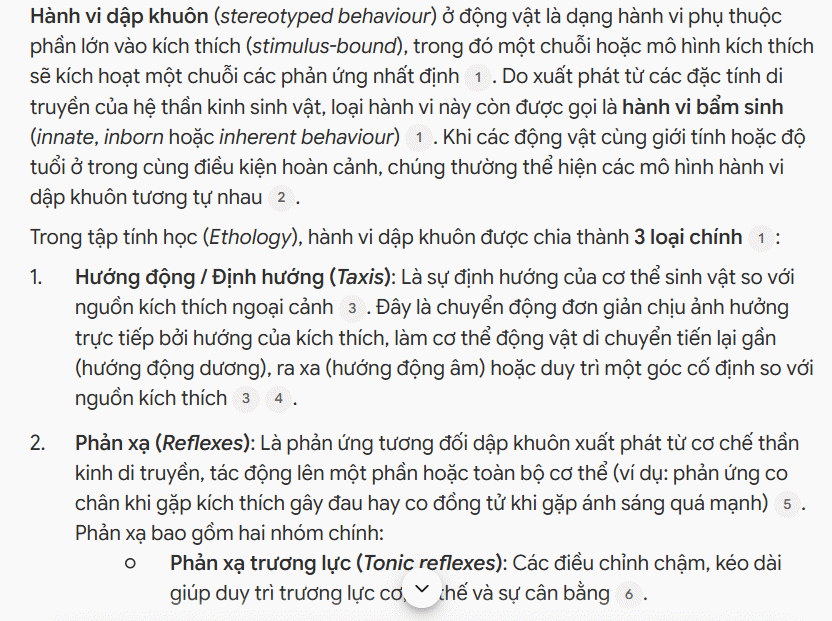
From here, you can generate several types of study materials:
- Answer questions about the content: Ask the AI anything related to the textbook material.
- Create study guides: Turn chapters into organized learning documents.
- Generate flashcards: Build memory cards for key concepts.
- Build practice tests: Quiz yourself on what you've learned.
- Topic-based review: Deep-dive into specific sections or themes.
5 Ways to Leverage Textbooks in NotebookLM
Your study strategy determines which approach works best for your goals.
Ask Questions Directly About Textbook Content
Type a question into NotebookLM's chat window and the AI will analyze your textbook source to provide answers. This turns your textbook into an interactive reference rather than just static pages.
Organize Knowledge Into Study Guides
Take content from each chapter and convert it into structured study material. Use a prompt like this:
Create a study guide for Chapter 1 based on this textbook. Include: core concepts, important definitions, easy-to-understand explanations, and real-world examples. Keep it concise, scientifically accurate, memorable, and cite the textbook.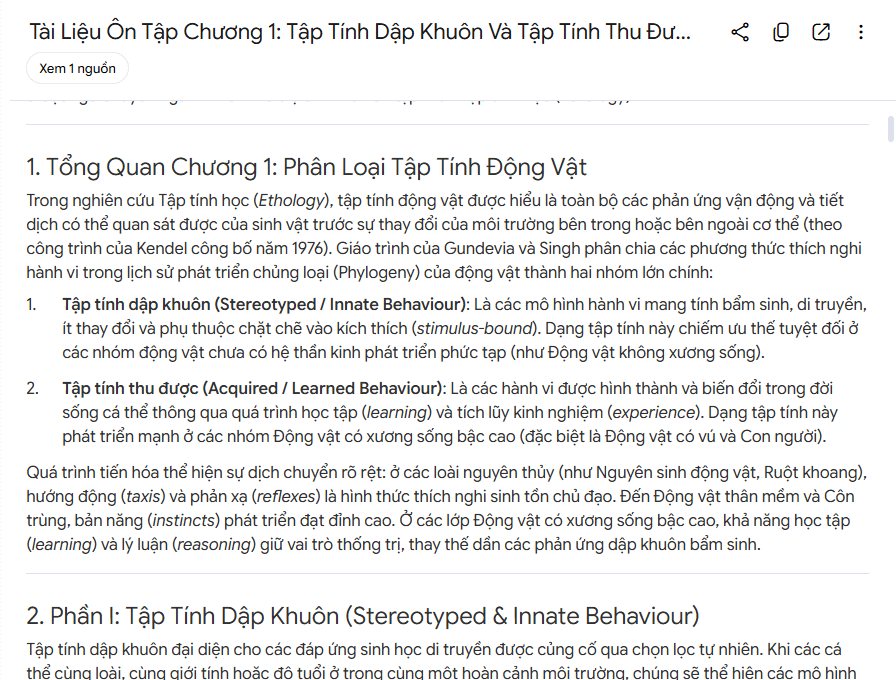
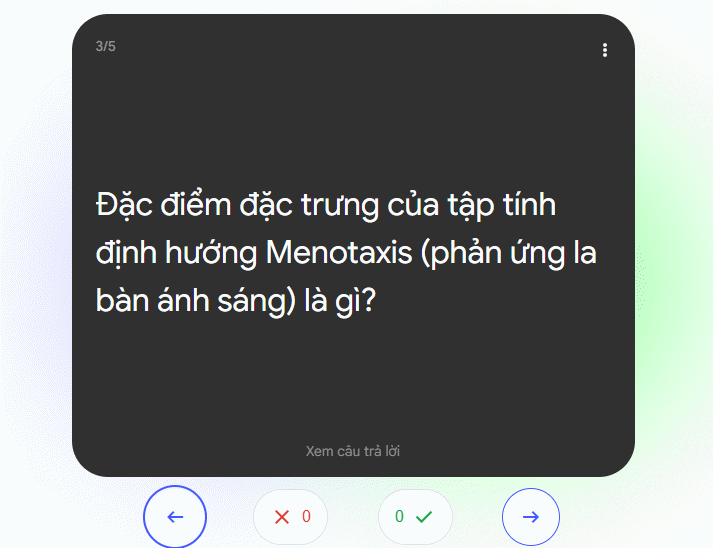
Use Flashcards to Retain Key Ideas
Flashcards make learning faster and more efficient than passive reading.
Create Practice Tests to Assess Your Knowledge
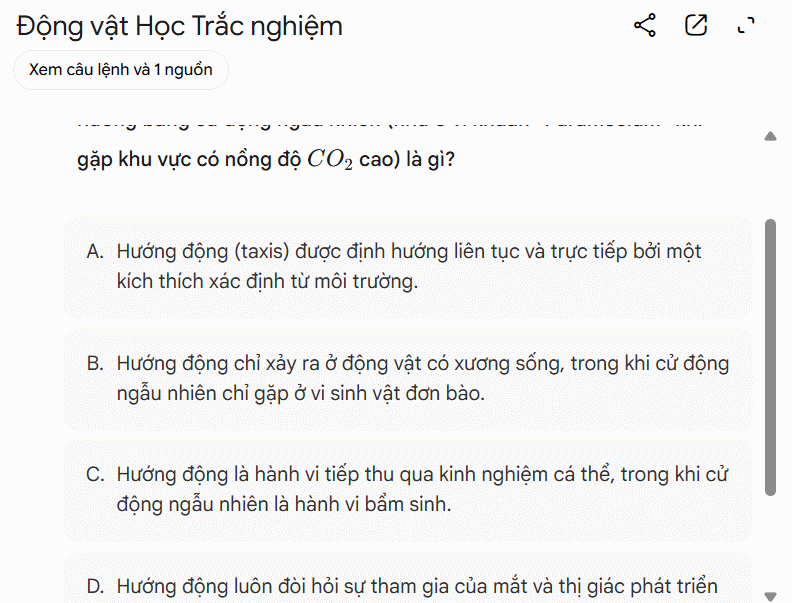
After you've worked through NotebookLM's study materials based on your textbook, test yourself with auto-generated multiple-choice questions. The real concern is whether you can apply what you've learned — practice tests help you find the gaps.
Review by Chapter or Topic
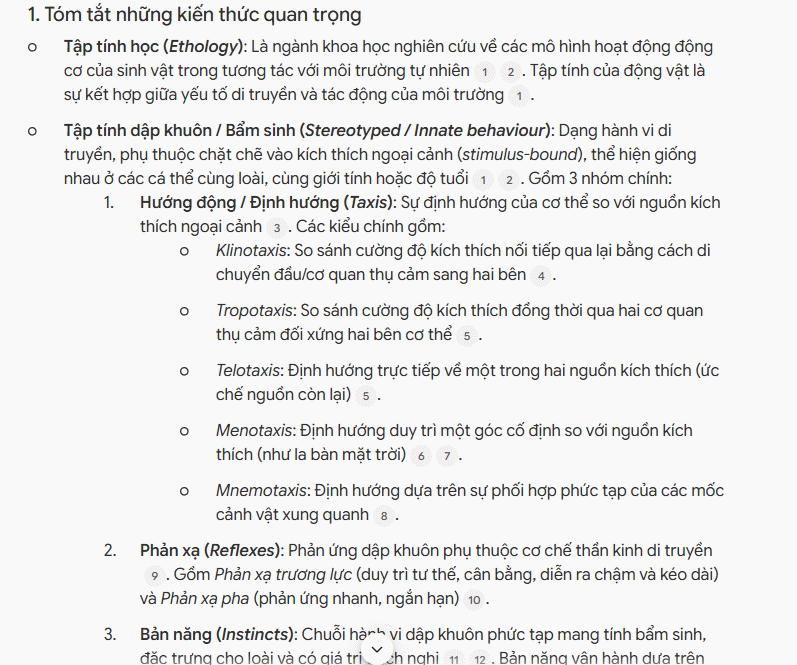
For deeper mastery, study one chapter or topic at a time. Try a prompt like this:
Help me study Chapter 1 using this structure:

Summarize the most important concepts.

Explain difficult ideas with real-world examples.

Give me 5 questions to check my understanding.

Suggest sections I should re-read if I get answers wrong.
This builds knowledge systematically, section by section, making material easier to absorb and retain.
Description: NotebookLM now lets you upload textbooks as source material. Learn how to leverage this feature for flashcards, quizzes, and AI-powered study aids.

No Comment to " Turn Textbooks Into Your Personal Study Assistant With NotebookLM "