Using AI to Create Lesson Plans Integrated with Digital Literacy Skills

Schools everywhere are pushing teachers to integrate digital literacy skills (NLS) into their lesson planning—and it's becoming non-negotiable. The good news? AI tools are making this much easier. Instead of manually weaving technology competencies into every lesson from scratch, teachers can now generate complete lesson frameworks in minutes. What's interesting here is how these tools handle the heavy lifting: you provide basic lesson details, select which digital skills you want to emphasize, and the AI designs relevant activities and learning objectives instantly.
All you need to do is enter your lesson information, pick the digital competencies you want to integrate, and let the tool handle the rest. This guide walks you through using AI to build lesson plans that actually incorporate digital literacy—no tedious manual integration required.
Creating Digital Literacy-Integrated Lesson Plans with Integrated Lesson Plan Pro
Step 1:
First, access the Integrated Lesson Plan Pro tool using the link below.
Sign in with an existing account or create a new one to get started.
Step 2:
In the main interface, enter your lesson title. Then select the subject area and grade level you're teaching.
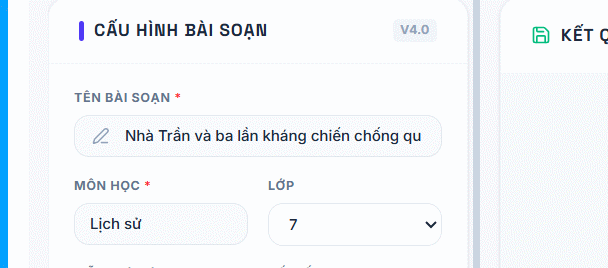
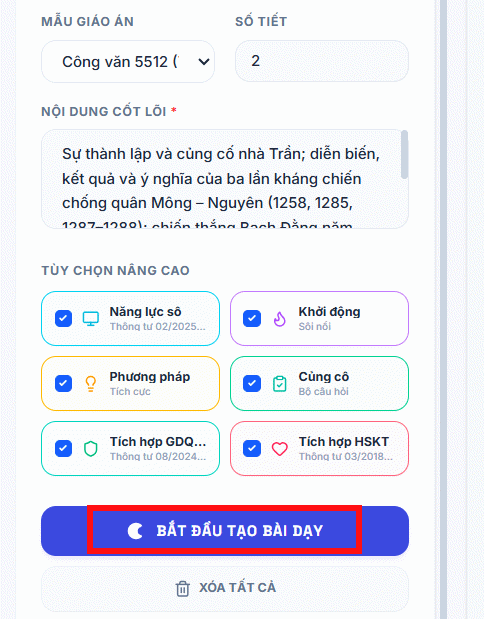
Next, choose your lesson format template (traditional or competency-based), then specify the number of class periods. Enter the core content for your lesson in the provided field.
The Advanced Options section lets you check or uncheck specific digital literacy components you want integrated. Once you've configured everything, click Start Creating to generate your digital literacy-integrated lesson plan.
Step 3:
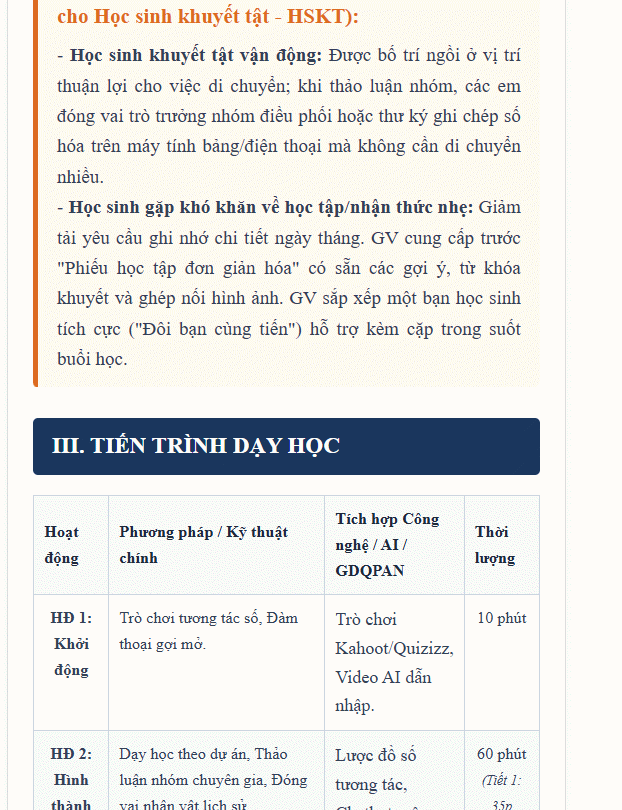
Wait while the tool generates your detailed lesson plan, structured according to your subject and the digital competencies you selected.
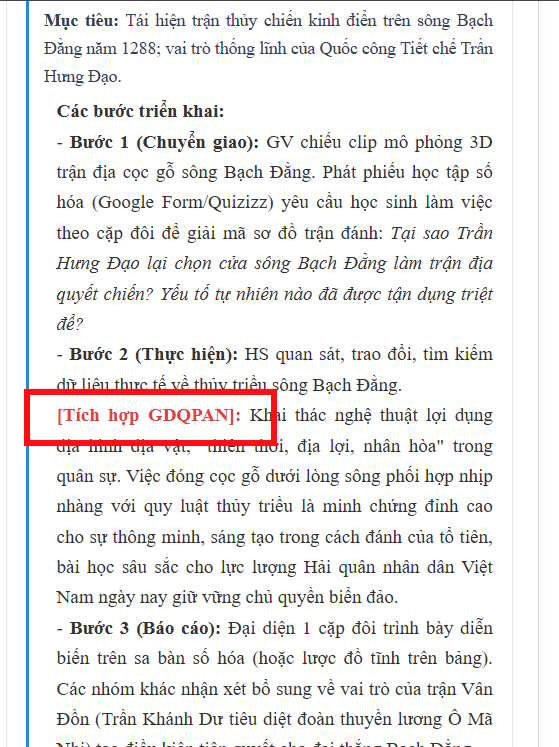
Integrated digital literacy components are highlighted in red, making them easy to spot.
Once your lesson plan is complete, review the content and click Export to Word to download your digital literacy-integrated lesson plan.
Step 4:
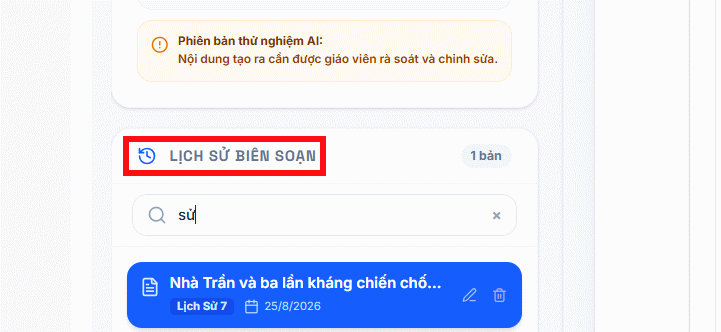
With a registered account, you'll also have access to a history section where you can search for previously created lesson plans using keywords.
Building Digital Literacy Lesson Plans with AI
Step 1:
Start by visiting the Innovative Teachers website and creating your account.
https://giaoviendoimoi.com/Step 2:
Once you're logged in, navigate to the AI Tools section.
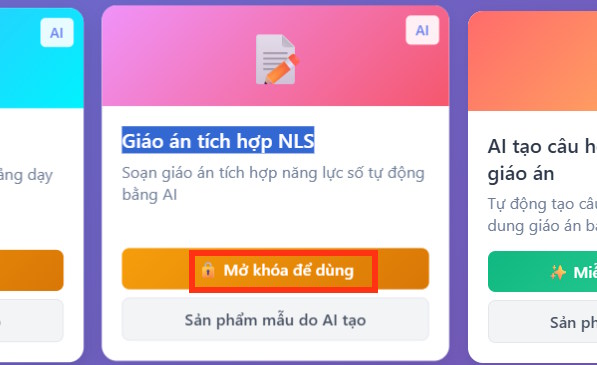
Select Digital Literacy-Integrated Lesson Plans. Note that this feature requires a premium account. Click Continue to the app to proceed.
Step 3:
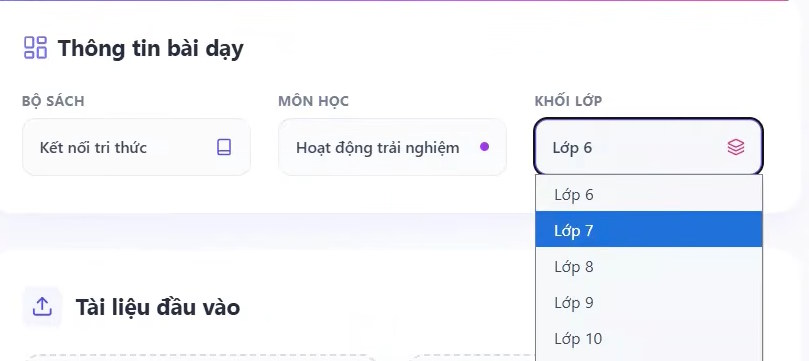
On the main dashboard, select your textbook series, then pick your subject and grade level.
Step 4:
In the Input Documents section, upload your existing lesson plan (one that doesn't yet include digital literacy integration). The AI will analyze your current lesson structure.
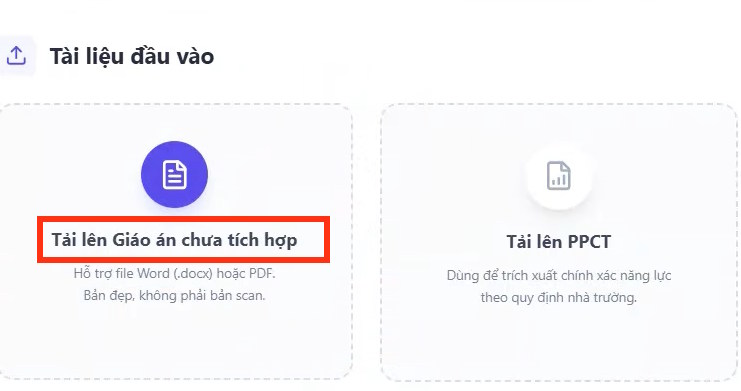
Leave any other fields unchanged—the AI will auto-adjust as needed. Then click Activate AI Processing to generate your enhanced, digital literacy-integrated lesson plan.

Wait for the tool to complete processing, then download your finished digital literacy-integrated lesson plan.

The Real Benefits of AI-Powered Lesson Planning
AI tools for digital literacy-integrated lesson planning deliver serious practical advantages, especially as schools push harder toward digital transformation.
It saves enormous amounts of time:
Instead of building every lesson from scratch, AI generates frameworks, suggests learning objectives, proposes activities, and recommends assessment strategies. Teachers spend hours instead of days on preparation.
It ensures proper integration of digital competencies:
These tools suggest meaningful ways to embed tech skills—finding information online, using digital resources, interacting with learning platforms—directly into subject-specific lessons rather than treating digital literacy as separate.
Learning activities become more varied and engaging:
AI helps brainstorm ideas, generate questions, design interactive exercises, and recommend relevant videos, images, and educational platforms. Classes feel dynamic rather than repetitive.
You can adapt lessons to your actual students:
Teachers can ask AI to adjust content based on specific student abilities, language proficiency, or real equipment and connectivity available in their classroom.
It modernizes teaching methods systematically:
Using AI in lesson planning helps teachers gradually adopt new methodologies, leverage technology more effectively, and build their own digital teaching competencies step by step.
That said, AI is a tool, not a replacement. The real concern is that teachers must review, edit, and select appropriate content to ensure lesson plans actually meet learning objectives and work in their specific classroom context.
Important Considerations When Using AI for Lesson Planning
While AI brings real advantages to building digital literacy-integrated lessons, smart use requires active judgment and quality control from educators.
Don't accept AI output as final:
AI can generate structure and ideas, but teachers make the final calls on what actually fits the learning objectives and serves their students well. Your professional judgment matters more than the tool's suggestions.
Verify accuracy and appropriateness:
Some AI-generated content may be technically inaccurate or misaligned with current educational standards. Teachers must review all knowledge, resources, and activities before using them in class.
Adapt to real classroom conditions:
Digital literacy activities only work if students actually have access to necessary technology and internet connectivity. Don't blindly implement AI suggestions if your school lacks resources.
Choose trustworthy, secure AI tools:
Use platforms from known sources with solid data security practices, especially when handling student information or school documents.
Combine AI with teacher expertise:
AI assists in drafting lessons, but actual effectiveness depends on teacher skill, experience, and creativity in running the activities. Your pedagogical knowledge is irreplaceable.
Used responsibly, AI streamlines lesson prep work and helps teachers create genuinely effective, digital literacy-integrated lessons that meet today's educational transformation demands—without cutting corners on quality or appropriateness.
Description: Learn how to use AI tools to quickly generate lesson plans that incorporate digital literacy competencies. Step-by-step guides for two popular platfor
Related Articles
- Meta Is Building Its Own AI Chips to Break Free From Nvidia's Grip
- Arc Browser Now Available on Windows 10, ARM Version Coming Soon
- Getting Started with Civitai: How to Download AI Image Generation Models
- ChromeLoader Malware Spreads Globally, Targeting Both Windows and Mac Users
- Over 11 Million Android Devices Infected with Malware Distributed Through Google Play

No Comment to " Using AI to Create Lesson Plans Integrated with Digital Literacy Skills "