Create 3D Infographic Posters That Summarize Content Using Gemini
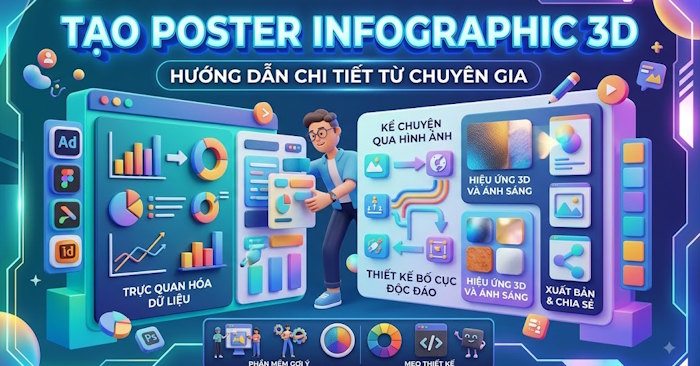
3D infographic posters are one of the most effective ways to present information visually. They blend concise content with imagery and spatial effects, allowing viewers to absorb key points faster than reading dense blocks of text. Instead of forcing people through lengthy paragraphs, you can extract the essential ideas and convert them into visual elements—headlines, icons, geometric shapes, characters, and organized information clusters arranged in a cohesive layout.
This guide walks you through using Gemini to condense content into poster form and develop a strategic approach to layout, imagery, and 3D styling. With the right prompts, Gemini transforms your requirements into a highly visual infographic poster where every element features dimensional effects, clear depth perception, and distinct information hierarchy.
How to Create a 3D Infographic Poster Summarizing Content on Gemini
Step 1:
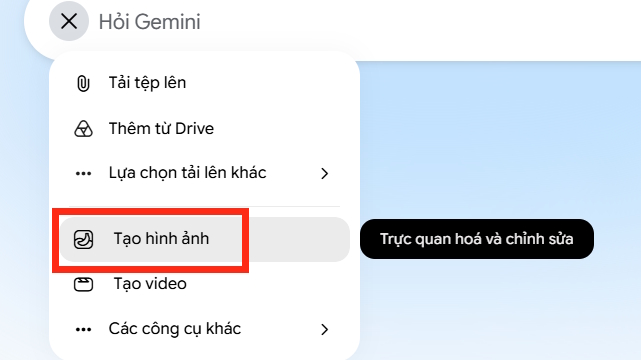
First, open Gemini and navigate to the image generation mode.
Step 2:
Next, input a command prompt to generate your infographic poster. Keep in mind—you can swap in any topic you want to visualize as a poster. Here's a sample prompt to follow:
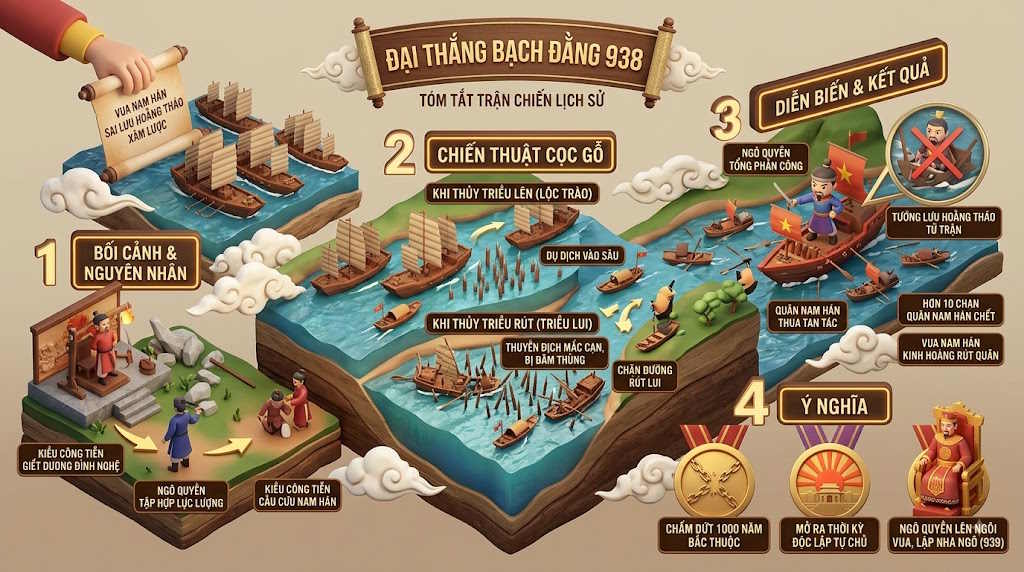
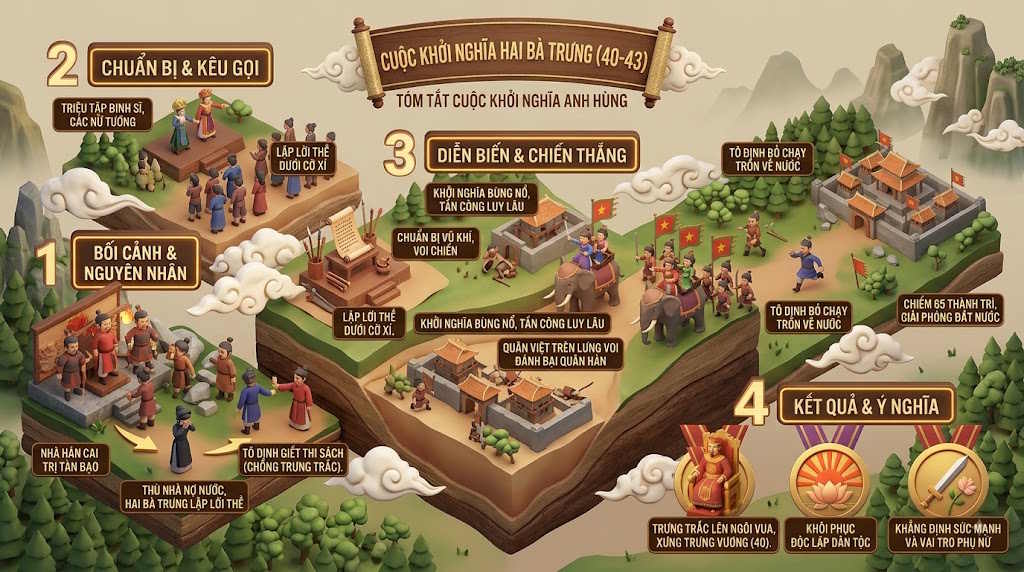
Create a 3D-style infographic poster summarizing the Battle of Bach Dang in 938, using a 16:9 aspect ratio with correct spelling and professional polish.Let Gemini process your request for a few moments while it generates the 3D infographic. Below are some examples of posters created from similar prompts.
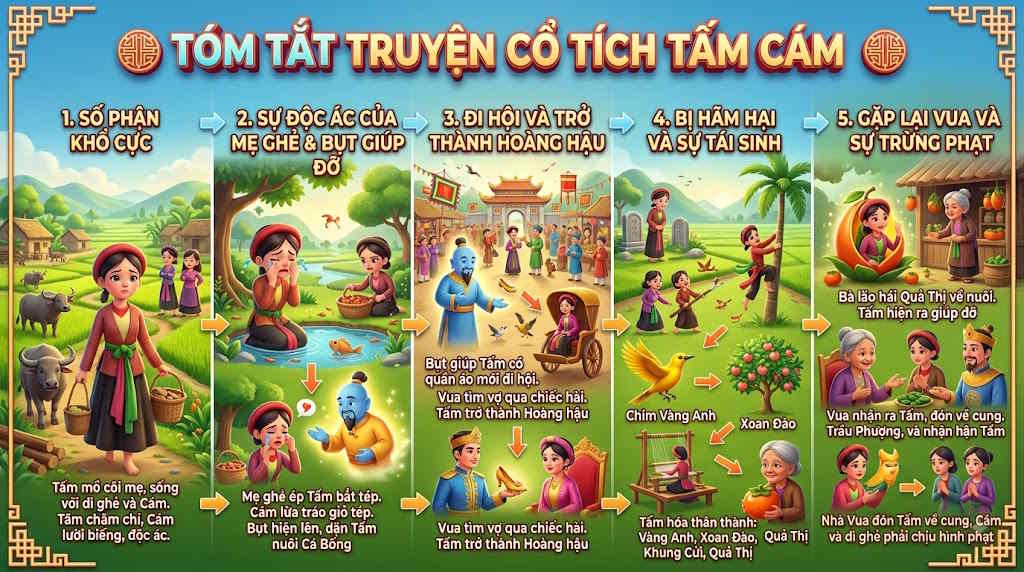
Writing Effective Prompts for 3D Infographic Posters in Gemini
Crafting the right prompt is absolutely critical if you want a 3D infographic that captures your vision with clarity and accuracy. A weak prompt that simply names a topic won't cut it—you need to provide Gemini with enough detail about the content to display, visual style, layout structure, and the poster's purpose.
Define Your Poster's Core Topic
Start by telling Gemini exactly what your poster is about. This is the foundation. It determines how content flows and which images make sense. A clear topic description helps Gemini understand the scope of information and prevents it from generating vague posters stuffed with irrelevant details.
Specify the Content You Want Summarized
Since the whole point of a poster is to summarize information, your prompt must clarify which points deserve to stay. Don't dump an entire article into the prompt. Instead, identify the main ideas and ask Gemini to distill them.
Breaking content into logical groups ensures your poster maintains clear information structure while avoiding text overload that destroys visual impact.
Choose Your 3D Style
This is what separates a 3D infographic poster from a flat, ordinary one. Your prompt should describe the visual aesthetic you're after.
For example: "Use a modern 3D infographic style with raised, dimensional components, pronounced depth, soft lighting, subtle shadows, sharp imagery, and professional polish."
If you want something more youthful and energetic, add: "Modern, vibrant style with bright colors, intuitive 3D icons, and an approach that appeals to students."
These details guide Gemini toward dimensional rendering instead of flat, basic icons.
Describe Your Layout Structure
Content and style matter, but layout matters too. A visually stunning poster with poor structure fails to communicate effectively.
Try something like: "Arrange vertically with a large headline at the top, a central 3D image, information clusters stacked around it in distinct blocks, with clear visual hierarchy between primary titles, main content, and supporting details."
When you describe where each element goes, you get a poster with logical reading flow instead of randomly placed content.
Specify Color Palette and Visual Elements
Color choices should match your topic and target audience. Have Gemini use a consistent palette rather than a chaotic mix of every color available.
Beyond color, describe which visuals you want—AI symbols, computers, data graphs, cloud icons, chatbots, or 3D characters depending on your subject matter.
Lock In Aspect Ratio and Readability
If your poster goes in an educational setting or online platform, specify the aspect ratio upfront. You might request a landscape format while emphasizing that all text must remain scannable.
This matters because infographics only succeed when they look great and actually communicate information quickly and clearly.
Description: Learn how to use Gemini to transform any topic into a visually compelling 3D infographic poster with clear hierarchy and modern design.
Related Articles
- How to Generate AI Videos with Seedance 2.5 Using Dola AI
- How to Generate and Edit AI Images in Google Vids
- Four Hidden Token Drains Quietly Eating Your Claude Code Budget
- Turn Long Documents Into Stunning Presentations: NotebookLM + Canva Guide
- Five Hidden Perks of Google AI Pro You're Probably Missing

No Comment to " Create 3D Infographic Posters That Summarize Content Using Gemini "