Four Hidden Token Drains Quietly Eating Your Claude Code Budget
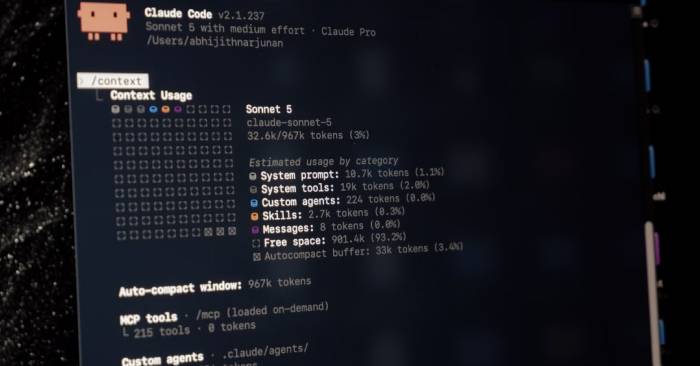
Most people love Claude Code—except for one maddening thing: watching your usage quota evaporate at lightning speed. Here's the kicker: most assume only your prompts burn through tokens, but that's only part of the story. What's interesting here is that numerous default settings and background features are silently draining your budget without you realizing it. The real concern is that some of these token thieves start working before you've even typed your first command into the terminal.
Below are four settings that quietly devour your Claude Code token allowance.
In this article
The CLAUDE.md file loads before you type anything
Every session starts with an unwanted token "tax"
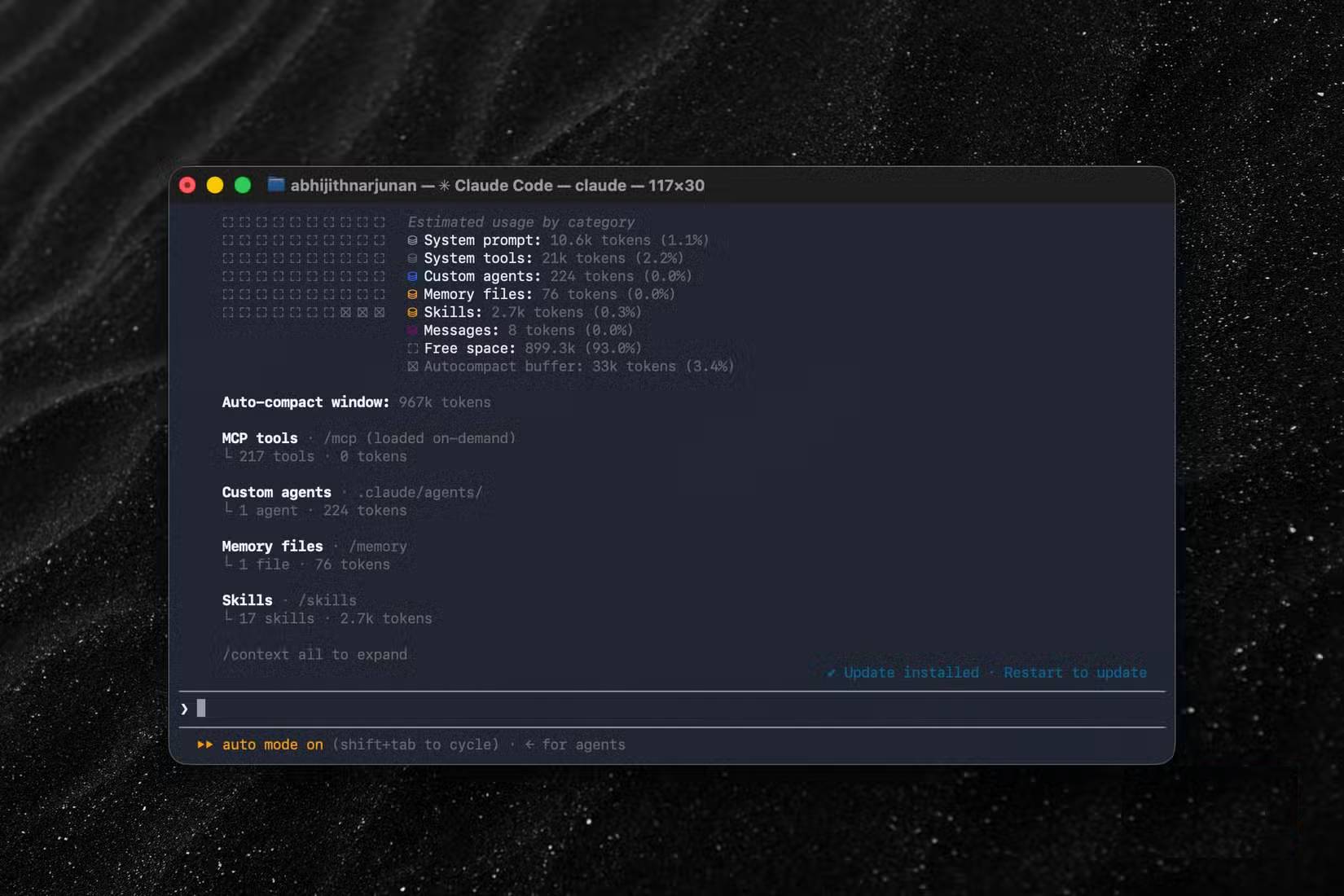
The CLAUDE.md file is where you store your custom instructions, and Claude Code is designed to load everything from this file into context the moment your session starts. Here's the problem: Claude doesn't care whether your current prompt actually needs those instructions. Say you've added deployment guidelines to CLAUDE.md, but your session only asks Claude to scrape data from a website. Those instructions still load anyway.
Want to see how many tokens are being consumed? Run the `/context` command in Claude Code. This shows you everything loaded into your session context. Run it before entering any prompt, and you'll see these hidden token drains clearly. The fix is straightforward. First, review your CLAUDE.md file. If it contains project-specific tasks or instructions, convert those into "skills" instead. This gives you better control over when they're actually loaded.
MCP connectors activate on startup
Six servers listening before you even say hello
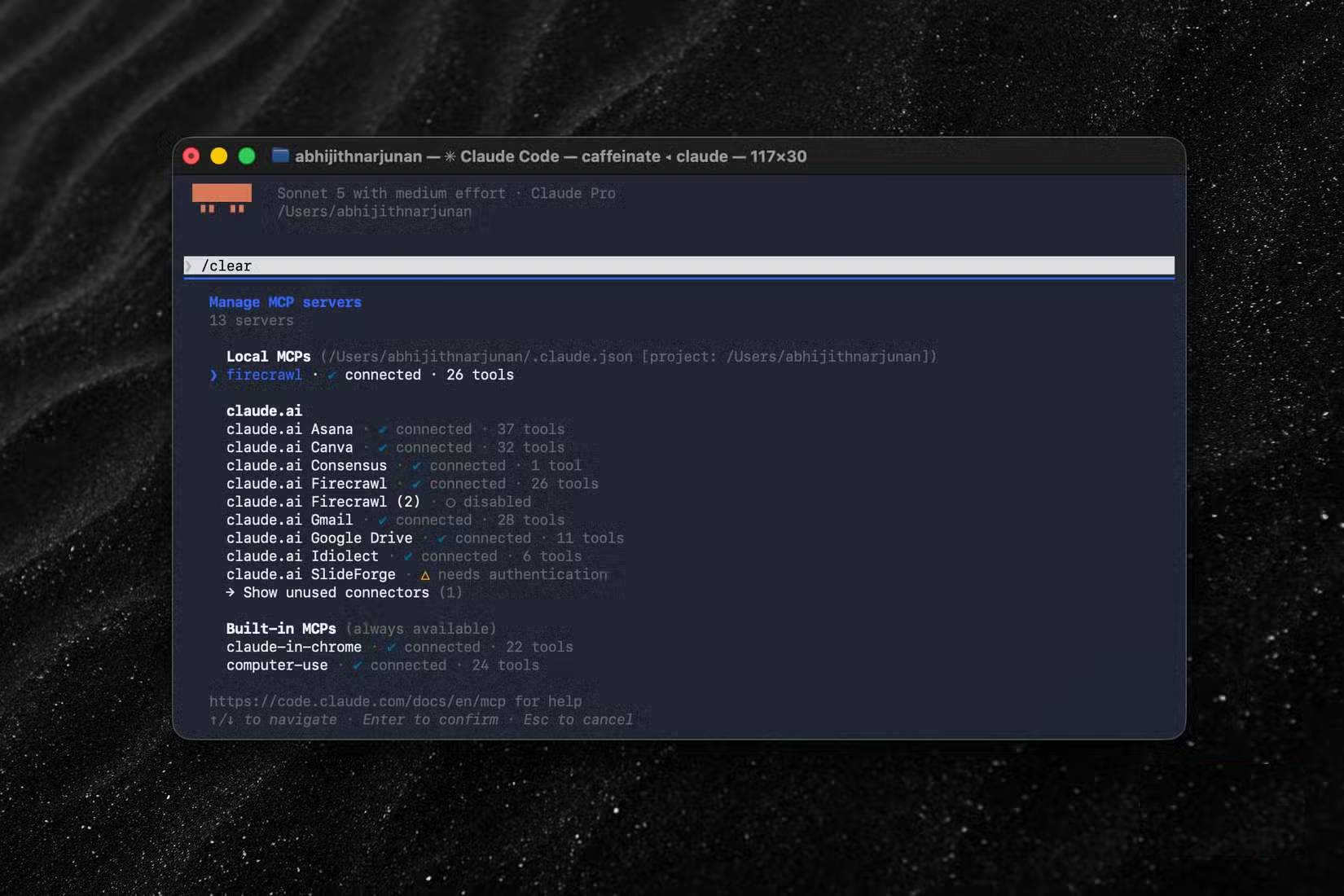
MCP servers are brilliant for extending Claude Code's capabilities, but they also start running before you send a single prompt. You might install an MCP server when you need it, then forget to disable it afterward. Result? A collection of MCP servers automatically connecting and chewing through your token budget. Fortunately, turning off their auto-connect is easier than you'd expect.
Run the `/mcp` command and Claude Code lists every connected MCP server. Your job is to disable the ones you're not actually using. To identify which servers consume the most resources, use the `/usage` command—it shows token consumption per server. If Claude AI connectors feel like they're burning tokens unnecessarily, set disableClaudeAiConnectors to true in your settings.json file.
Scheduled tasks run whether you're present or not
Your budget drains over time, not just per prompt
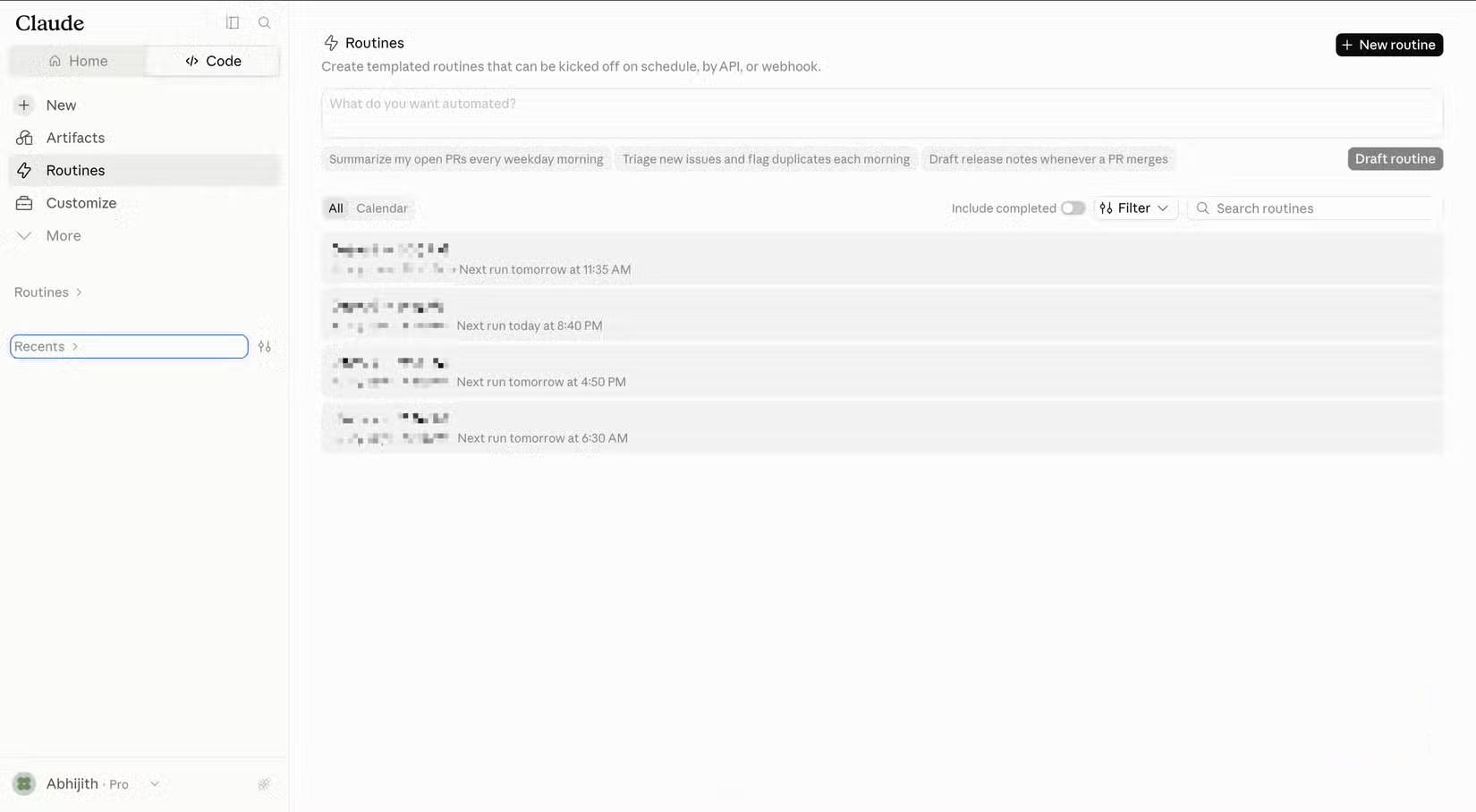
Claude Code lets you set up scheduled tasks that run automatically without any prompt from you. These tasks contribute to token consumption over time. What makes this worse is that every scheduled run pulls in all those other context elements we mentioned earlier. Depending on how many tasks you've set up and how often they run, you could hemorrhage tokens even when you're not typing anything.
The solution is just as simple. Ask Claude Code to show all your scheduled tasks. Check their expected run times carefully and see if the instructions behind each task require additional tool calls. For a visual interface, open Claude Code Web and go to the Routines tab. There you can control when and how each task executes.
Your skill list appears in the first message
Including skills you haven't touched in months
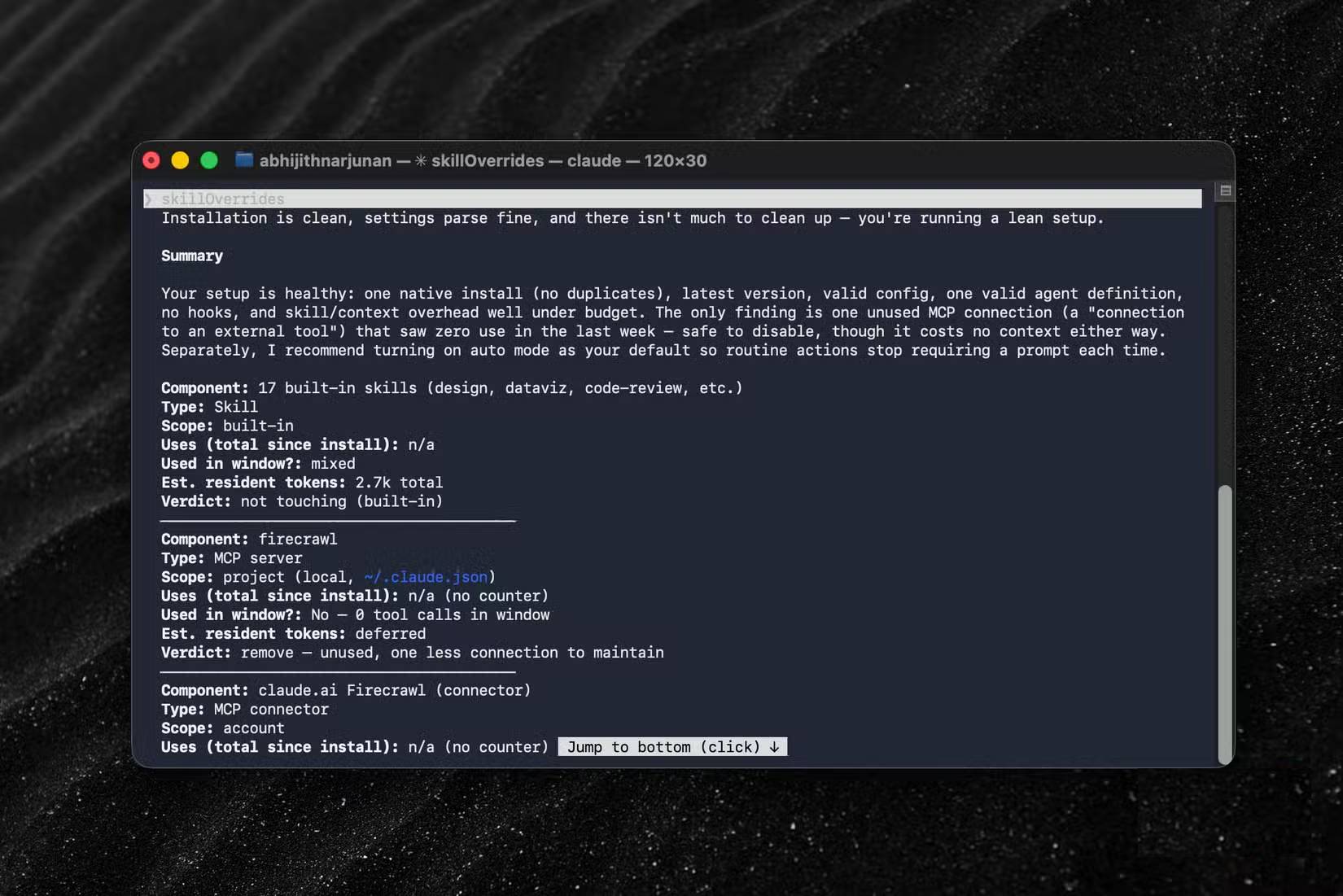
Skills are another popular Claude Code feature that also consume tokens before your first prompt. This happens regardless of whether you'll actually use any skill in that session. By default, Claude Code sends a list of available skills with brief descriptions to Claude every time you start a session. It's not a massive drain, but the cost scales with how many skills you've installed.
The fix is simple again. Run the `/doctor` command in Claude Code to see how often each skill gets used. If you notice installed skills you're unfamiliar with, disable or uninstall them. Keep in mind that your skill list doesn't represent a huge portion of total token consumption. But if you want to squeeze every drop of value from your Pro plan, it's worth checking. Even saving a few thousand tokens adds up over time.
There's no one-size-fits-all solution
While all these settings affect your token consumption, there's no universal fix that works for everyone. Instead, you need to understand how important each setting is to your specific workflow and projects. If you rely on multiple MCPs to help Claude Code with web browsing and data gathering, you absolutely need those MCPs enabled. Similarly, disabling many skills might not make economic sense for your use case. The real value comes from running commands like `/context`, `/usage`, and `/doctor` to find your personal optimization sweet spot. Even if you only save a few thousand tokens, those savings compound over months and years.
Description: Discover the sneaky settings and features silently consuming your Claude Code tokens before you even type a command.
Related Articles
- Google Photos Ask Photos AI vs. Classic Search: Which Photo Finding Tool Works Better?
- Perplexity vs ChatGPT: Which AI Assistant Should You Actually Use?
- The Best AI Tools for Teachers in 2026: A Practical Guide
- Where Did the Copilot Button Go? Here's Why It Disappeared from Your Office Apps
- Claude Pro vs API: Which Option Actually Makes Sense for You?

No Comment to " Four Hidden Token Drains Quietly Eating Your Claude Code Budget "