Let AI Extract the Key Questions From Your Long Documents

Long documents packed with information make it surprisingly hard to figure out what actually matters for studying. Instead of rereading everything multiple times, try uploading your material to an AI tool and let it pull out the critical questions you need to master. What's interesting here is that this approach forces your brain to organize knowledge differently—you're learning through key questions rather than passive reading. It also helps you spot gaps in your understanding and self-test your knowledge way faster. Here's how to generate essential study questions using AI.
How to Study Documents Through Key Questions
Step 1:
Start by uploading your document to Gemini Notebook (NotebookLM), ChatGPT, or Gemini.
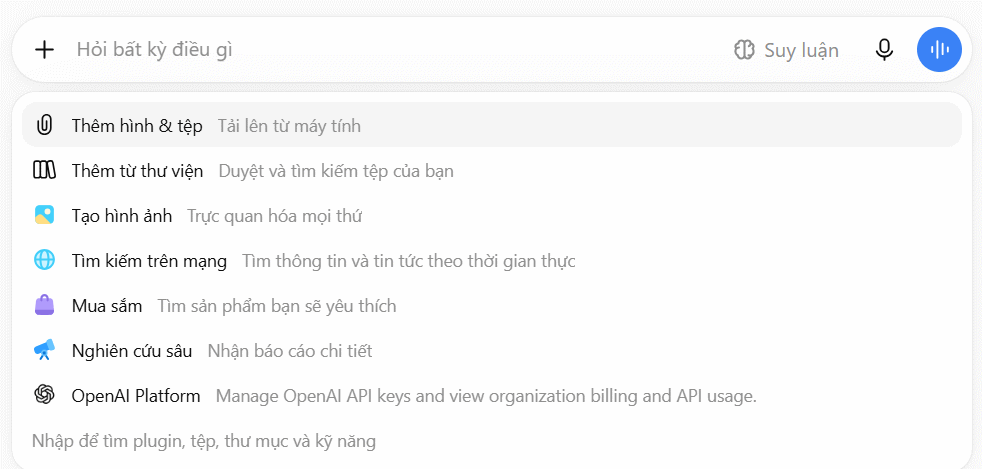
Then paste the prompt below to generate key questions. This extracts core content and helps you grasp material faster by summarizing main ideas through AI-generated questions.
You are an expert in content analysis and question design.

Read through my entire document carefully and identify [NUMBER] of the most critical questions that readers must answer to fully understand and grasp the core content of this material.

Input information:

Topic: [TOPIC]
Target audience: [AUDIENCE]
Purpose: [LEARNING / REVIEW / RESEARCH / APPLICATION / SUMMARY]
Areas to explore deeper: [IF ANY]

Required principles:

Use only information from the provided document.
Do not add external assumptions or information beyond the source.
Avoid creating duplicate questions.
If the document lacks sufficient information to answer a question, state this clearly.

Question categories to prioritize:

Core concepts, key information, or foundational principles.
Major content points, arguments, or important details.
Connections and relationships between different concepts.
How to apply, implement, or use the information.
Analysis, explanation, and deep understanding of the material.

Distribute questions based on actual content and purpose—each category doesn't need equal representation.

For each question, provide:

The question itself
Why this question matters
Content needed to answer it
Brief answer based on the document
Relevant section, chapter, page, or reference

Finally:

Rank questions from most to least important.
Flag questions requiring deepest analysis.
Prioritize questions with practical value that help readers truly understand the material.
Note for Educators
If you're using this prompt for teaching purposes, adjust the Role, Target Audience, and Purpose fields to match your specific class level and learning objectives. You can also add cognitive level requirements to ensure questions align with your students' abilities.
1. AI's Role
You are an expert educator and assessment question designer focused on evaluating student comprehension.
2. Target Audience Section
Student level: [CLASS/LEVEL]
Example: Student level: Grade 7
3. Purpose Section
For educators, use:
Purpose: [REVIEW / ASSESSMENT / KNOWLEDGE REINFORCEMENT / CLASS DISCUSSION]
4. Question Criteria Section
You can add:
Student ability to apply knowledge to exercises or real-world scenarios appropriate for their level.
And include:
Ensure questions match student cognitive level and lesson objectives.
Step 2:
You'll then receive generated questions. For example, if your source document is a software manual, the AI will generate questions that help you understand the content and extract key information efficiently.
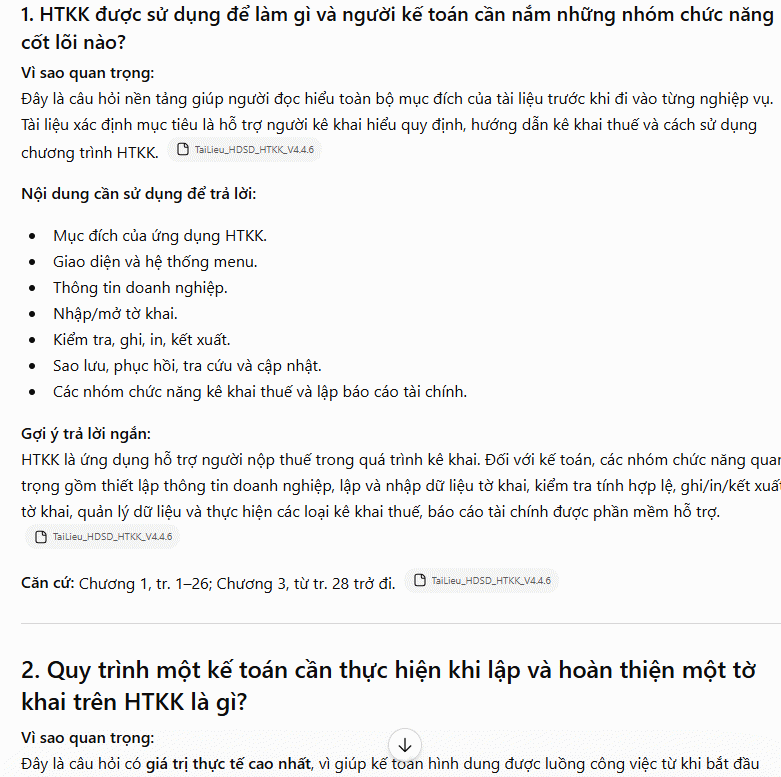
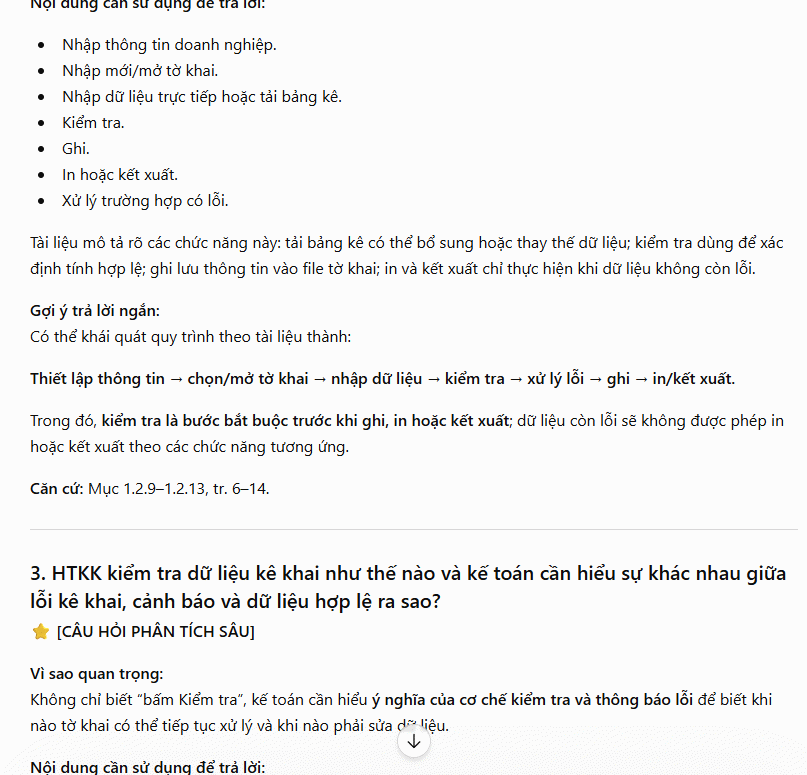
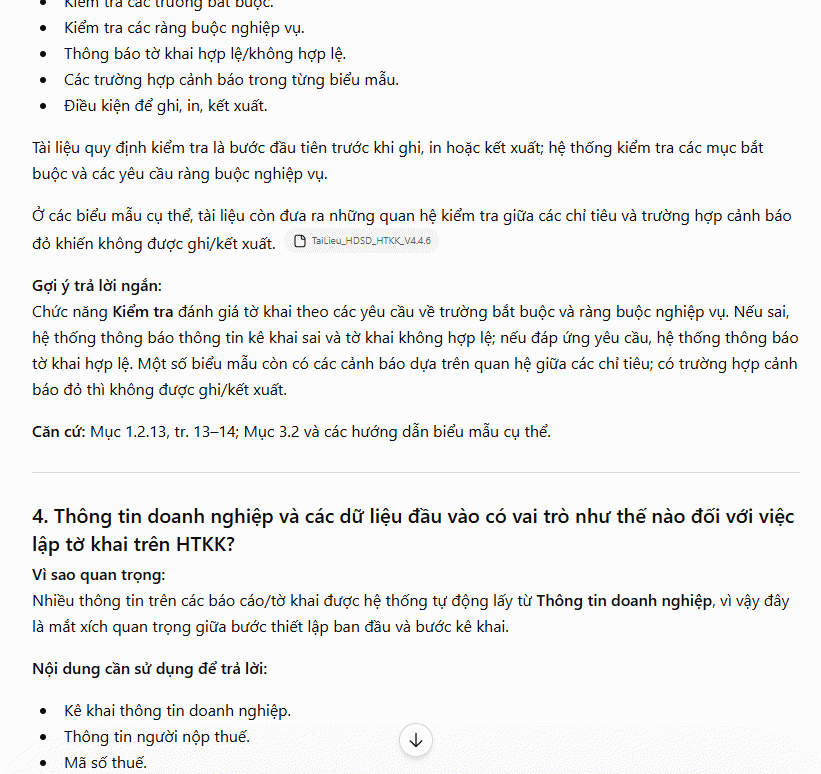
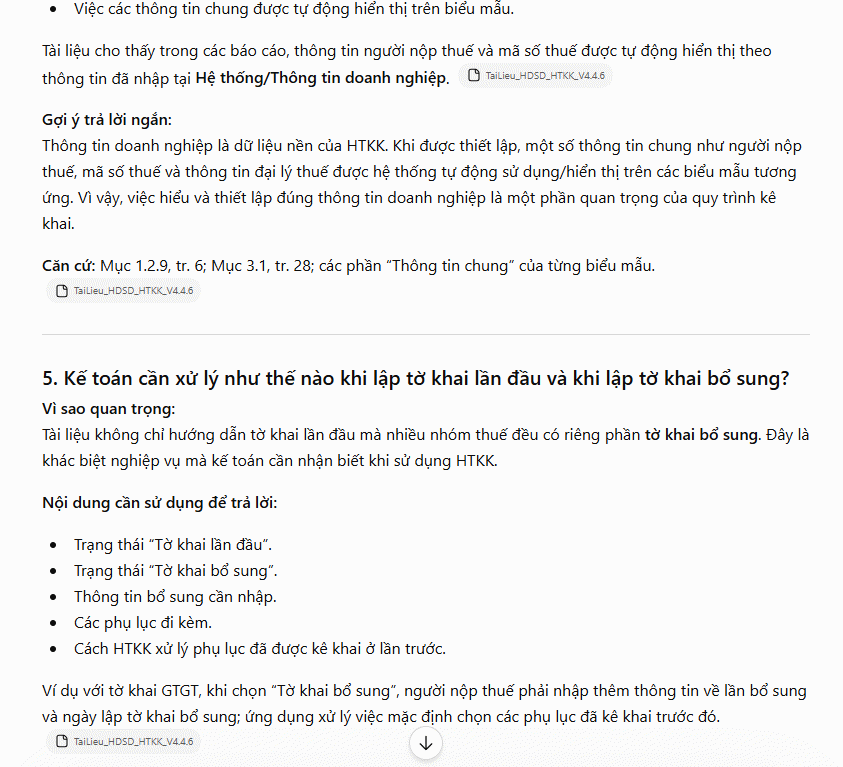
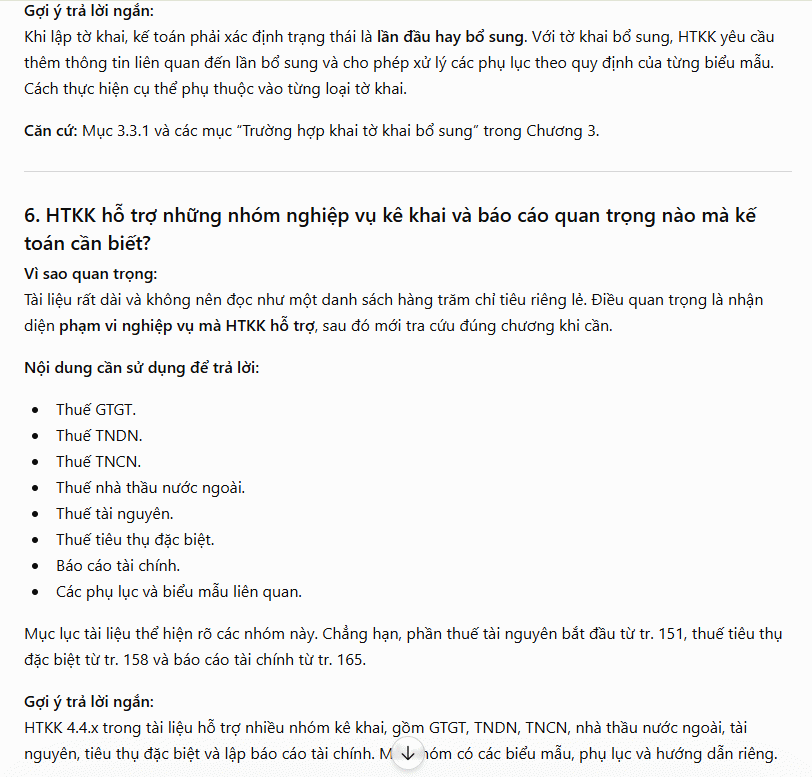
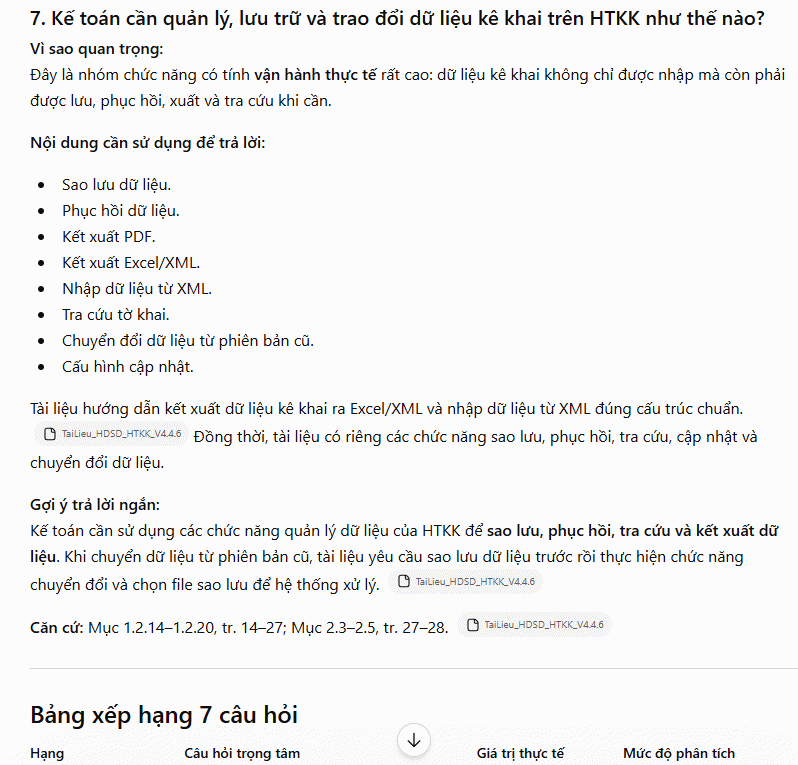
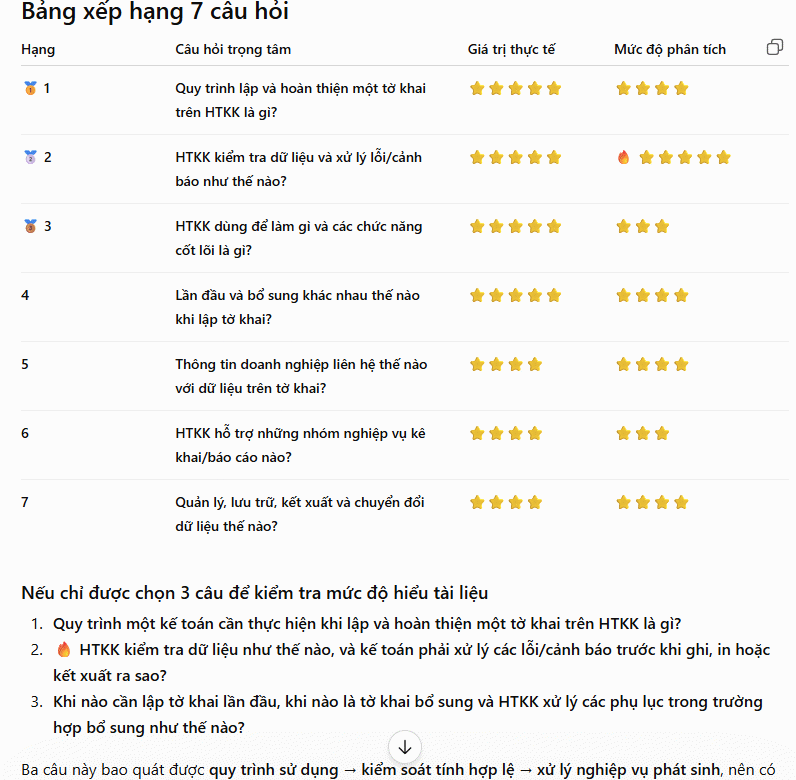
Description: Use AI to automatically generate essential study questions from lengthy documents. Save time and learn faster with smart content analysis.
Related Articles
- Why You Can't Recall AI Like a Defective Drug: The Global Governance Challenge
- Meta Is Building Its Own AI Chips to Break Free From Nvidia's Grip
- Experience the Dinosaur Game in Stunning 3D: Play Google's Classic Offline Game Reimagined
- Samsung Officially Kills the Galaxy Z TriFold
- This Android Gaming Phone Just Shattered Smartphone Battery Life Records

No Comment to " Let AI Extract the Key Questions From Your Long Documents "