What Is Ideogram? Complete Guide to AI-Powered Image Generation with Text
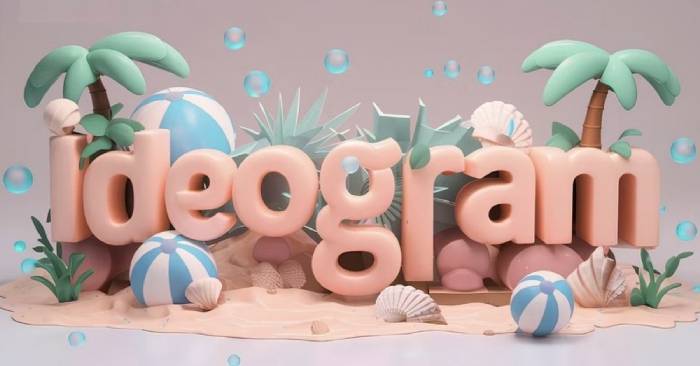
Most AI image generators struggle with one critical task: rendering readable text. Ideogram solves this problem with remarkable precision. If you're creating marketing materials, designing logos, or building branded content, this tool deserves your attention.
What Is Ideogram AI?
Ideogram is an AI-powered image generation platform built specifically for creating visuals containing text. While competing tools typically manage only 30% accuracy with readable typography, Ideogram achieves approximately 90% accuracy—a game-changer for designers and marketers.
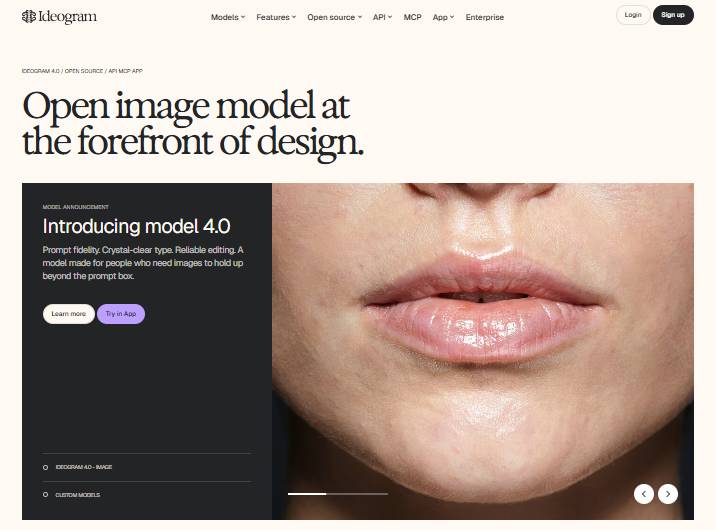
The platform was founded in 2022 by four Google Brain researchers: Mohammad Norouzi, William Chan, Chitwan Saharia, and Jonathan Ho. It launched publicly in August 2023, with the current version (3.0) released in March 2025.
Unlike generic text-to-image tools, Ideogram specializes in integrating typography, logos, and multi-text designs seamlessly into your images. This makes it invaluable for marketing collateral, social media graphics, posters, and brand-building projects. What's interesting here is how it handles text rendering contextually—understanding letterforms, word spacing, and display styles across different scenarios.
Key Features of Ideogram
Text Rendering
This is Ideogram's defining strength. The AI understands letter shapes, spacing between words, and how text should display in different contexts. You can generate images featuring:
- Professional, legible typography
- Text curved on 3D surfaces
- Labeled product packaging
- Logos and brand elements
- Handwritten, 3D, or graffiti-style text
To prioritize text in your prompt, enclose your desired text in quotation marks. For example: "Create a poster with bold text reading 'Summer Sale'."
Style Control
Version 3.0 introduced advanced style customization options:
- Style references: Upload up to 3 reference images to guide the aesthetic
- Random styles: Access over 4.3 billion style combinations
- Style codes: Save and reuse exact styles for consistent branding
- Color palette control: Define specific color schemes
Multiple Generation Modes
Ideogram offers several style modes:
- Realistic
- Anime
- 3D
- Watercolor
- Typography (optimized for text-focused designs)
Canvas Editor
The Canvas tool allows direct editing of generated images. You can expand images beyond their original boundaries, fill in missing sections, or modify specific areas without regenerating the entire image. This saves time and maintains consistency when making refinements.
Magic Prompt
This feature automatically enhances basic prompts by adding detail and context. Enter "café" and Magic Prompt expands it to something like "cozy café interior with warm lighting, vintage furniture, and customers reading books." It's particularly useful for beginners uncertain how to write detailed prompts.
Batch Generation
Create multiple variations of a single image simultaneously. This is handy when you need several options to choose from or want to experiment with different style approaches.
Resolution Upscaling
Increase image resolution up to 8K. The upscaler works in 2x increments, so reaching maximum resolution requires three separate clicks (2x → 4x → 8x). You control two parameters:
- Similarity: How closely the upscaled version matches the original image (1-100)
- Detail: How much detail the AI adds during upscaling
How to Use Ideogram
Getting Started
Visit ideogram.ai and create an account using email, Google, or Apple. Your username becomes permanent and forms part of your public profile URL (ideogram.ai/@username).
The free plan gives you 10 image generations per week. Each generation consumes one generation slot.
Creating Your First Image
Find the prompt box at the top of the homepage. Type your image description—be specific about what you want to see. The real concern is vagueness; detailed prompts yield better results.
Instead of "a logo," write "a minimalist tech company logo with 'DataFlow' in blue and gray lettering."
Instead of "a poster," write "a music festival poster with 'Rock Festival 2026' in bold red text, grunge-style background."
Below the prompt box, adjust these settings:
- Model: Choose version 2.0 or 3.0 (3.0 is superior for most use cases)
- Style: Select Realistic, Anime, 3D, etc.
- Aspect Ratio: Choose from 16 options (1:1, 16:9, 9:16, and others)
- Magic Prompt: Enable automatic prompt enhancement
- Color Palette: Specify colors if needed
Click Generate. The AI produces 4 variations. Review them and download your preferred option.
Advanced Techniques
Use style references: Upload images showing your desired aesthetic. The AI matches their colors, textures, and overall feel. This excels at maintaining brand consistency across multiple images.
Remix public images: Take any public image on Ideogram, click it in the community feed, then press Remix. The AI generates a new version based on that style.
Edit in Canvas: After generating an image, open it in Canvas for adjustments. Expand it for a wider scene, fill gaps, or modify specific areas.
Writing Better Prompts
Strong prompts include:
- Subject (what you want to see)
- Style or mood (realistic, abstract, colorful, dark)
- Text in quotation marks (if including typography)
- Specific details (lighting, perspective, materials)
Example:
Professional book cover design with title 'The Future' in metallic gold lettering, deep blue background with stars, sci-fi aesthetic, centered compositionCommon Use Cases
Marketing and Advertising
Generate social media images, ad banners, and promotional materials featuring branded text. Marketers use Ideogram to rapidly prototype multiple design variations without hiring a designer for each revision.
Logo Design
Create logo concepts with the company name already integrated. While you may need to refine the final logo using dedicated design software, Ideogram provides an efficient starting point.
Product Mockups
Present products with labels, packaging, or brand identity elements. This is particularly valuable for presentations before official packaging goes into production.
Content Creation
Bloggers and content creators use Ideogram for profile images, social posts, and article illustrations—all with integrated text passages.
Event Materials
Design posters, flyers, and invitations for events. Thanks to superior text rendering, you can embed event names, dates, and details directly into the design.
Pricing and Plans
Ideogram uses a credit-based system. Different models and settings consume varying amounts of credits.
Free Plan
- 30 slow-speed credits per week (requires Google/Apple/Microsoft login)
- Approximately 10 images per week
- All images displayed publicly
- JPEG downloads only (70% quality)
Basic Plan (discontinued for new purchases)
- 960 priority credits
- Up to 1,600 images per month
- Priority generation (faster speed)
- Images remain publicly visible
- JPEG and PNG downloads (100% quality)
Plus Plan ($20/month)
- 2,400 priority credits
- Private mode (images stay hidden from public)
- Style saving and reuse functionality
- PNG download support
Pro Plan ($60/month)
- 7,500 priority credits
- Batch image generation
- Private mode
- All premium features included
For professional or commercial use, opt for at least the Plus plan to keep images private. The free and Basic plans publish all generated work publicly on Ideogram's platform.
Conclusion
Ideogram fills a specific gap in AI image generation. If your work involves creating graphics with text, logos, or typography, it's worth exploring. The text rendering capability alone sets it apart from competitors.
The free plan provides enough credits to experiment. For regular image creation, the $20/month Plus plan offers solid value with privacy and sufficient credits for most users.
Teams looking to integrate image generation into larger workflows can combine Ideogram's capabilities with automation tools to build efficient systems. You'll move from concept to finished product faster when intermediate steps are automated.
The tool has limitations, particularly with photorealistic portraits and complex scenes. But for its intended use case—text-laden images and design elements—it outperforms alternatives consistently.
Description: Learn how to use Ideogram AI to generate images with perfect text rendering. Master text-to-image creation, design logos, and create branded graphics.
Related Articles
- Building a Brand Context Library for Claude Code: A 30-Minute Setup
- Build a Free Portfolio Website Using ChatGPT
- Claude Fable 5 vs GPT-5.5: Which AI Model Should You Actually Use?
- GLM 5.2: The Open-Weight Model That's Outperforming GPT-4.5 on Code and Design Tasks
- How to Edit Videos on Google Vids Using AI Commands

No Comment to " What Is Ideogram? Complete Guide to AI-Powered Image Generation with Text "