How to Create Product Unboxing Videos with Veo 3
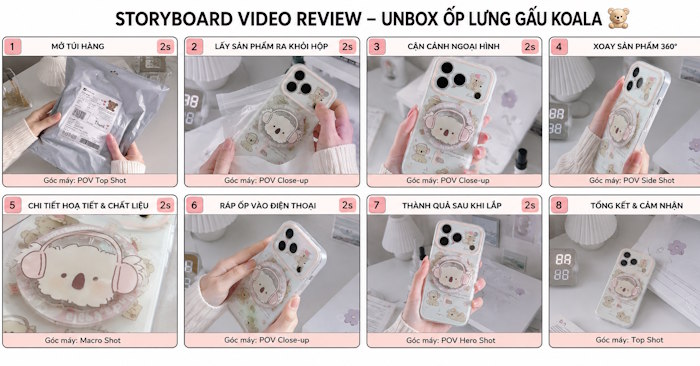
Creating product unboxing videos on Veo 3 is emerging as an innovative way to transform static product images into polished, professional video presentations—without needing a heavy investment in camera gear and editing software. What's interesting here is how AI-powered video generation is democratizing content creation for e-commerce and product reviews.
Veo 3's AI video generation capabilities let you produce unboxing sequences, product close-ups, and realistic motion directly from text prompts or visual references. This guide walks you through the entire workflow: preparing your product images, crafting effective prompts, and fine-tuning the final video to create content that genuinely captivates viewers.
Creating Product Unboxing Videos on Veo 3: A Step-by-Step Process
Step 1: Prepare Your Product Holding Image
Start by gathering reference photos—typically a hand holding your product and background elements. Upload these images to ChatGPT.
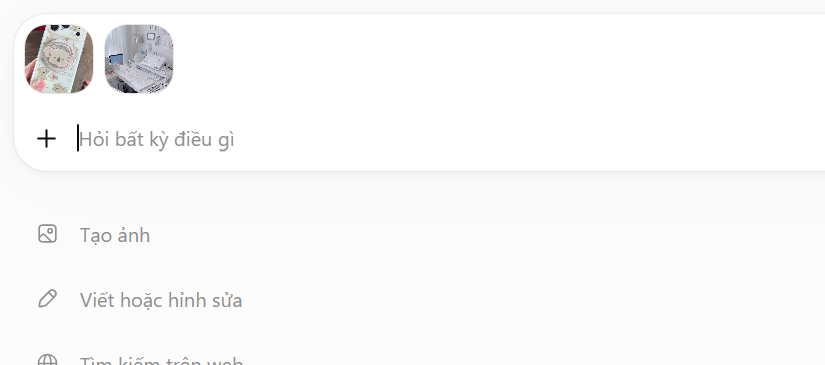
Next, enter a prompt to generate a more polished holding shot. Here's an example:
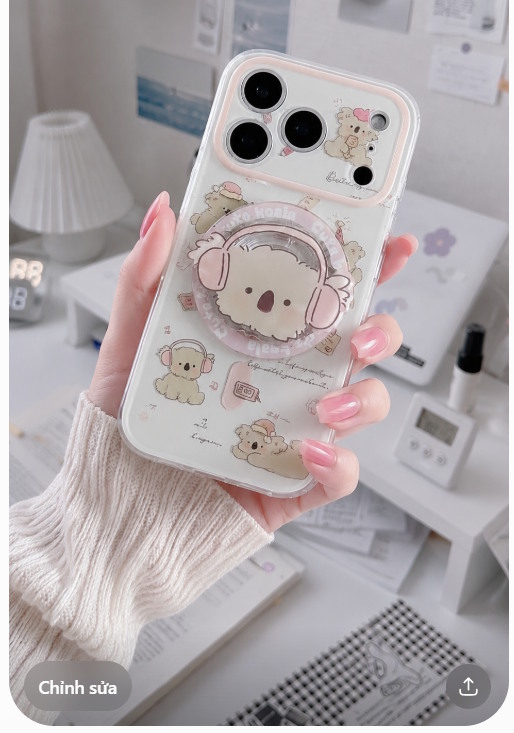
Create an image of a woman's hand with long, slender fingers and soft pastel pink nail polish, neatly manicured, holding a phone case from the uploaded reference image. Use the attached background image as the setting, with professional lighting that highlights the product beautifully. Shoot in a close-up angle with 9:16 vertical framing.After a few moments, you'll have your product holding image ready for video production. Download this image for the next stage.
Step 2: Generate Your Storyboard
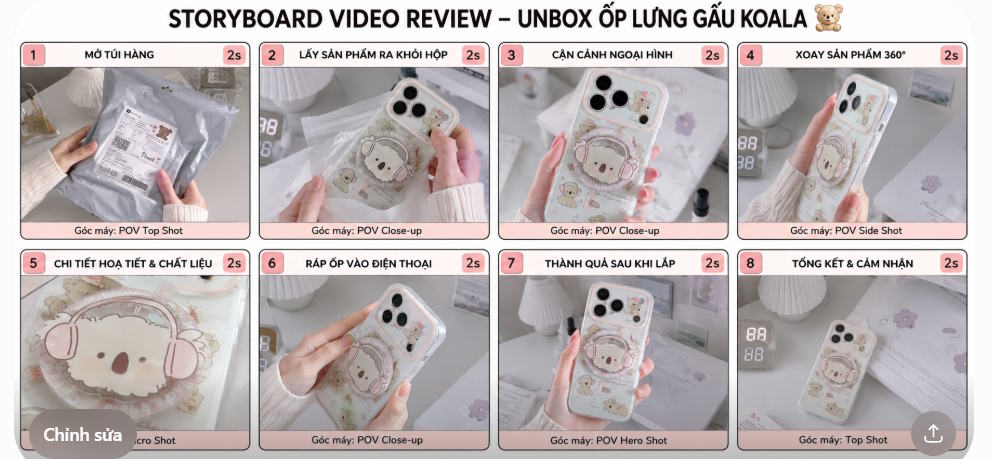
Now you'll create a detailed storyboard that maps out your unboxing sequence, frame by frame, based on the holding image you just generated.
Generate a storyboard image for a product review and unboxing video of the product I'm providing. The content should be shot from a POV perspective, showing a hand opening a product box, holding and reviewing a phone case, and installing it onto a phone. Requirements: Divide into 8 equal frames (2 rows × 4 columns). Each frame represents exactly 2 seconds of video. Number them clearly at the top with a large storyboard title. Within each frame include: an illustration of the shot, a brief scene title, and a small caption describing the camera angle (e.g., "25 Hero Shot"). The entire storyboard must have a coherent narrative flow with no repeated shots and varied camera angles. Have AI determine the most appropriate shots for each moment.What you'll get is a comprehensive, step-by-step storyboard tailored to your specific product. The exact scenes will depend on the product category you're showcasing.
Step 3: Generate Your Video on Veo 3
Head over to Veo 3 and upload both your product holding image and your storyboard.
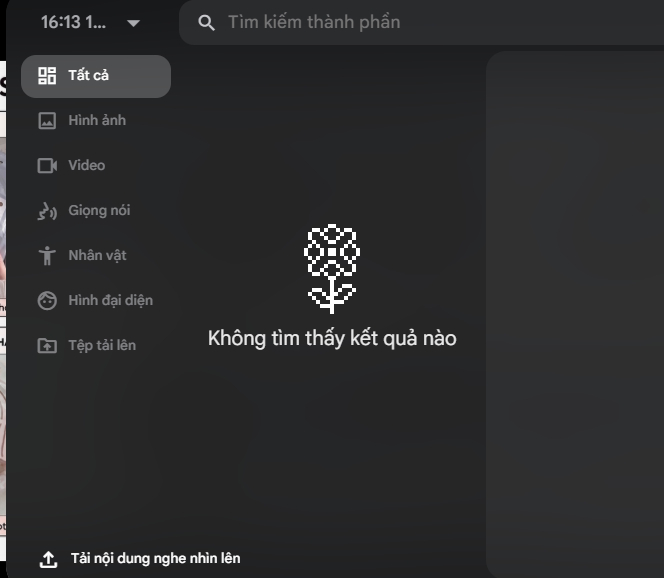
Select Video from Elements as your creation mode, then choose your preferred vertical dimensions and video length. Enter the prompt below to guide the video generation, then hit submit to create your unboxing video.
Create a vertical video that strictly adheres to the storyboard in terms of scene sequence, actions, composition, and camera angles.

Film a POV-style unboxing and review of a phone case in a cute, youthful, and natural style. Maintain consistency throughout: one slender woman's hand with soft pastel pink nail polish and a consistent background setting.

Preserve 100% of the phone case design from the reference image: shape, color, patterns, camera cutout, ring holder, and all decorative details. Do not add, remove, modify, distort, or replace any product elements.

Hand and camera movements should be smooth, natural, and realistic. Scene transitions maintain continuity—no abrupt changes to the product, hand, or background.

No dialogue. Background music should be upbeat, catchy, and youthful, complemented by subtle sound effects from unboxing and installation.

Use soft, clean lighting that emphasizes the product. Prioritize product accuracy, consistency, and storyboard adherence over visual effects. Do not introduce any characters, objects, or actions that aren't shown in the storyboard.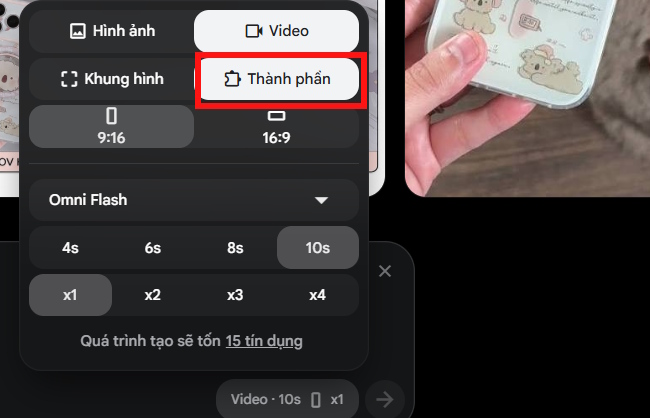
The result? A polished unboxing video that follows your storyboard precisely, with natural camera work and fluid motion.
Description: Learn to generate professional product unboxing videos using AI. Step-by-step guide to create engaging product content without expensive equipment.
Related Articles
- Getting Started with Gemini Live: Your Guide to Voice Conversations with Google's AI
- Automating Complex Workflows with Claude Code's /goal Command
- Open Google Docs Directly in ChatGPT: A Complete Guide
- How to Continuously Improve Your AI Agent's Performance
- What Is Google's Nano Banana 2? Complete Guide & Usage Tips

No Comment to " How to Create Product Unboxing Videos with Veo 3 "