Seedance 2.5 vs 2.0: What Actually Changed (Spoiler: Not What You Think)
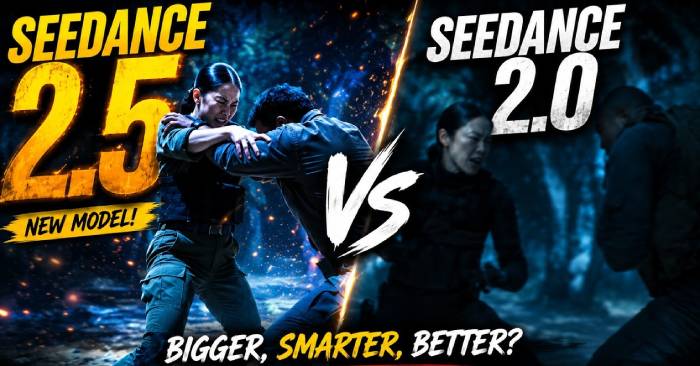
Almost every article claiming Seedance 2.5's biggest upgrade is native 4K support gets it completely wrong. Version 2.0 already had that. If you're thinking about upgrading hoping for sharper visuals, you're about to waste money on nothing new.
There are actually four real improvements—and all of them matter far more than resolution specs. Below, we've broken down the specific capabilities, pricing details, and situations where sticking with 2.0 still makes sense.
The 4K Misconception
This is where the confusion starts. ByteDance's own documentation mentions 4K exactly once in the technical specifications—and only when describing what you can upload: "Reference videos accepted from 480p to 4K." That's talking about input, not output.
Meanwhile, Seedance 2.0 has been able to export native 4K video since long before version 2.5 launched. When articles claim that 4K is "a massive leap forward from the 1080p output of previous versions," they're describing something two generations old.
Resolution is just a setting you pick when you create a video. It always has been. That's not a reason to upgrade.
The real reasons lie in four improvements ByteDance is actually pushing.
The Four Actual Improvements Between Seedance 2.5 and 2.0
1. 30-Second Continuous Shots (No Stitching Required)
Seedance 2.0 maxes out at 15 seconds. Version 2.5 generates 30-second videos in one uninterrupted pass—no splicing clips together.
This is bigger than it sounds. Fifteen seconds is barely enough for a moment. Thirty seconds lets you tell an actual story with setup, middle, and resolution. Think a character walking from indoors into a landscape. A product ad transitioning from studio to living room. A science explainer that actually explains something.
You're no longer forced to edit around the model's limitations. You can actually direct. There's also a new feature that extends clips with high fidelity—turn a short snippet into a full piece while keeping characters, backgrounds, and camera angles consistent.
2. Up to 50 Reference Files (Including Audio-Only)
Seedance 2.0 accepts 9 images and 3 audio/video clips. Version 2.5 handles up to 50 total: 30 images, 10 videos, and 10 audio files.
The real novelty here is audio-only references. You can now generate video from just sound. The model syncs rhythm, beats, and lip-sync to match your audio. This isn't just more inputs—it's genuinely new functionality.
3. Precision In-Video Editing
This is the most underrated upgrade, yet hardly anyone talks about it.
Seedance 2.5 can edit finished videos without regenerating them: swap products, change actor wardrobe, remove equipment or passersby, adjust lighting across an entire scene, alter an actor's apparent age. All while preserving original framing, camera movement, and pacing. One shoot. Multiple outputs.
4. Multilingual Output Direct from the Model
Support for over 10 languages built-in: Mandarin, English, Spanish, Indonesian, Malay, Thai, Arabic, Portuguese, Vietnamese, Japanese, and Korean. Write your prompt in your language, and dialogue renders in your target language with perfectly matched lip-sync.
For businesses distributing across multiple markets, this eliminates voice-over work entirely. One master and one prompt. Multiple language versions generated.
One 30-second shot with a large cast—something the old 15-second cap made impossible.
Full Technical Comparison
| Seedance 2.0 | Seedance 2.5 | |
|---|---|---|
| Single shot duration | 15 seconds | 30 seconds |
| Reference images | 9 | 30 |
| Video/audio references | 3 | 10 video + 10 audio |
| Total reference files | 12 | 50 |
| Audio/video reference duration | 15 seconds total | 30 sec video + 30 sec audio (counted separately) |
| Audio-only references | ✗ | ✓ |
| Video editing | ✗ | ✓ |
| Extend footage (forward/backward/splice) | ✗ | ✓ |
| Language support | Limited | 10+ |
| Native 4K output | ✓ | ✓ (no change) |
Reference file limits broken down in detail:
| Total | File Size | Format | Duration | |
|---|---|---|---|---|
| Images | 0–30 | ≤30MB, up to 4K | jpeg, png, webp, bmp, tiff, gif, heic, heif | — |
| Video | 0–10 | ≤200MB, 480p–4K | mp4, mov | Each: 2–30 sec, total ≤30 sec |
| Audio | 0–10 | ≤15MB | mp3, wav | Each: 2–30 sec, total ≤30 sec |
One detail everyone misunderstands: video and audio duration limits are separate. That's 30 seconds for video and 30 seconds for audio—not 30 total across both.
You can combine input methods seven different ways: images only, video only, audio only, or any two-part or three-part mix. When using all three, you can designate an image as the opening or closing frame.
Pricing and Availability
The facts, to clear up speculation:
- Public API access and lab testing open: August 7, 2026
- Seedance 2.5 has no free tier. Zero free credits.
- Access requirements mirror 2.0: account balance over ¥200, or an active Seedance 2.0 resource package
- Volcengine pricing: ¥42 per million tokens for video inputs, ¥70 without video. BytePlus equivalent: $6.40 and $10.70 USD
Since billing runs on tokens rather than fixed per-second rates, actual cost depends on resolution and input type. Third-party estimates for a 30-second clip range from under $1 at lower settings to double-digit pricing at 4K. Treat these as rough numbers until the API actually launches.
When Seedance 2.0 Still Makes Sense

Not everything needs 2.5. And version 2.5 charges from frame one.
Stick with 2.0 if:
- Your clips run under 15 seconds. That's the norm for social media content anyway.
- You're working with one subject and a handful of reference images. The new 50-image limit doesn't benefit you.
- You're testing ideas and want cheap rerolls. You'll need it now—2.5 access opens August 7.
Switch to 2.5 if:
- You need seamless footage longer than 15 seconds.
- You want consistent casting, product lines, or brand identity across shots.
- You want to edit or extend footage instead of regenerating from scratch. This is the crucial one.
- You're releasing the same content across multiple language markets.
Here's the simplest way to think about it: 2.0 makes clips. 2.5 makes finished products.
Description: The real upgrades between Seedance 2.5 and 2.0 have nothing to do with 4K. Here's what actually matters.
Related Articles
- The Best AI Programming Tools You Should Know About in 2024
- How to Seamlessly Transfer Conversations Between ChatGPT, Claude, and Gemini Using ThreadPort
- Where Did the Copilot Button Go? Here's Why It Disappeared from Your Office Apps
- Google Pics: AI-Powered Image Creation and Editing Built Into Google Workspace
- Create Professional Promotional Videos with AI: A Step-by-Step Guide

No Comment to " Seedance 2.5 vs 2.0: What Actually Changed (Spoiler: Not What You Think) "