How to Leverage AI for Professional Social Media Content Creation

Creating social media content is one of the most time-consuming tasks when building a personal brand or business. You're juggling brainstorming sessions, writing captions, tailoring posts for different platforms, and maintaining a consistent posting schedule. Each step demands creativity and effort. Here's what's interesting: AI can handle most of this heavy lifting. Modern AI tools can simplify nearly every part of the process—from generating caption ideas to optimizing content for specific platforms. Below, we'll walk through how to use AI to create professional social media content that actually works.
Today's AI tools each bring unique strengths to the table. Some excel at brainstorming and writing, others create multiple content variations, and a few can even help with visual design and tone optimization. The key is knowing which tool to use for which task.
AI Tools for Social Media Content Creation
Each AI tool has its own advantages—whether it's generating multiple post variations, optimizing tone, or creating accompanying visuals.
ChatGPT: Best for producing high volumes of content quickly. It excels at crafting headlines, opening lines, short captions, and brainstorming post concepts.
Canva AI: Generates images from text descriptions, writes content directly within designs using Magic Write, and automatically resizes layouts for different platforms with Magic Resize.
Google Gemini: Perfect for researching trending topics and discovering what's capturing audience attention in your industry right now.
Grok: Ideal for tracking what's trending on X and adapting your content to current conversations and trends.
8-Step Process for Creating AI-Powered Social Posts
Step 1. Develop Your Content Strategy
Don't post randomly. Start by defining a clear content strategy. Here's a prompt to use with Claude:
Help me build a content strategy for my account/business in [industry].

My target audience is: [describe audience].

My goals are: [grow followers/increase sales/build personal brand...].

Please suggest:

- Appropriate positioning for my content.

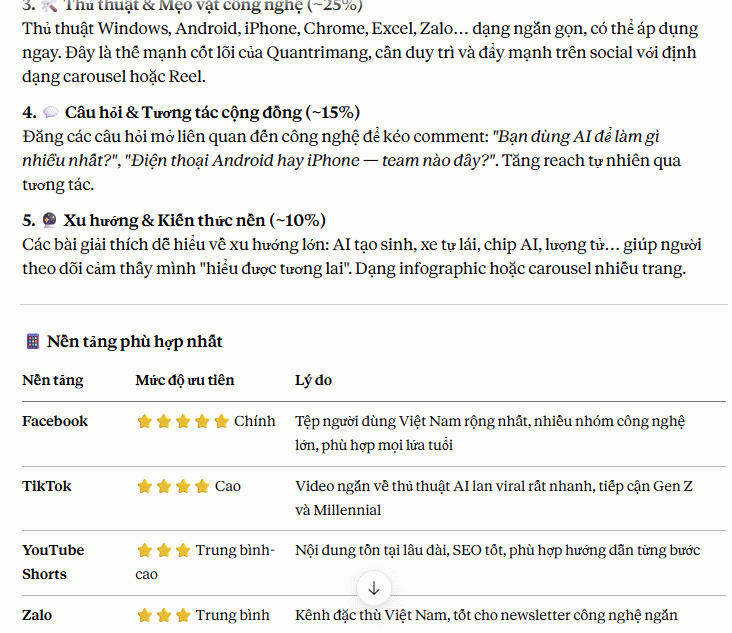
- 5 main content pillars I should post regularly.

- The best social platforms for my audience.

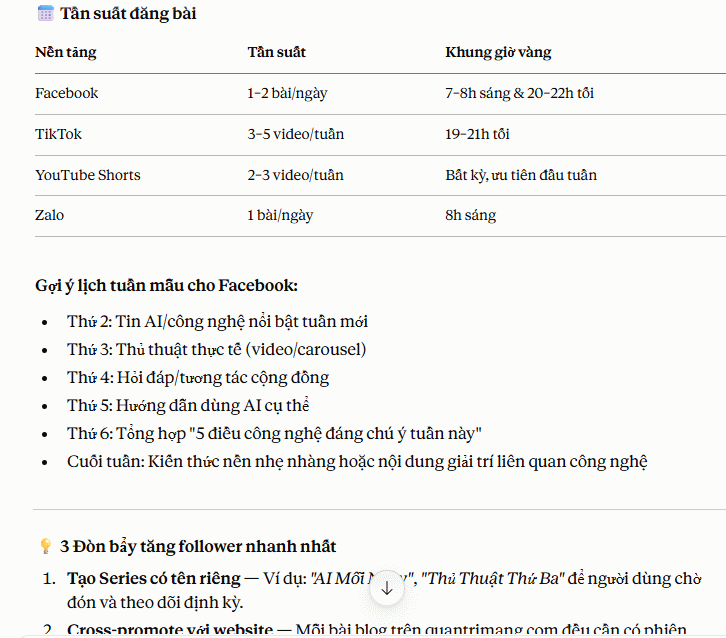
- A realistic posting frequency.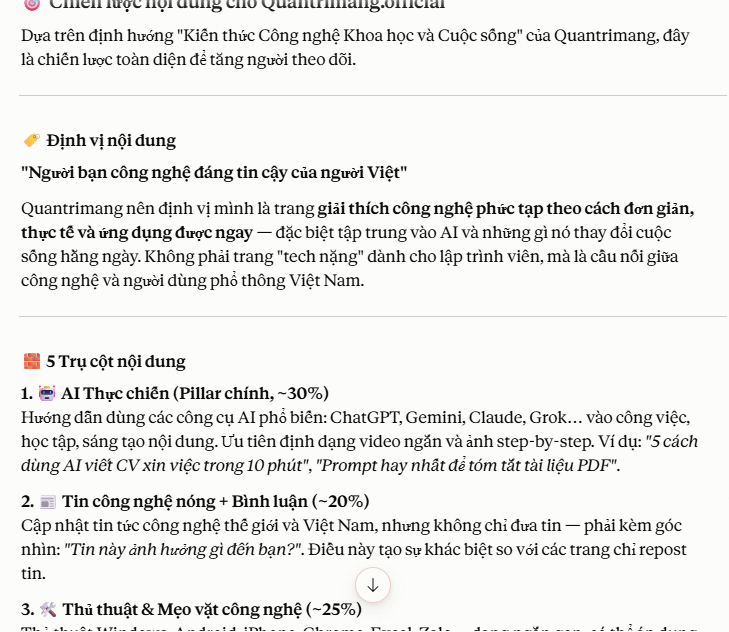
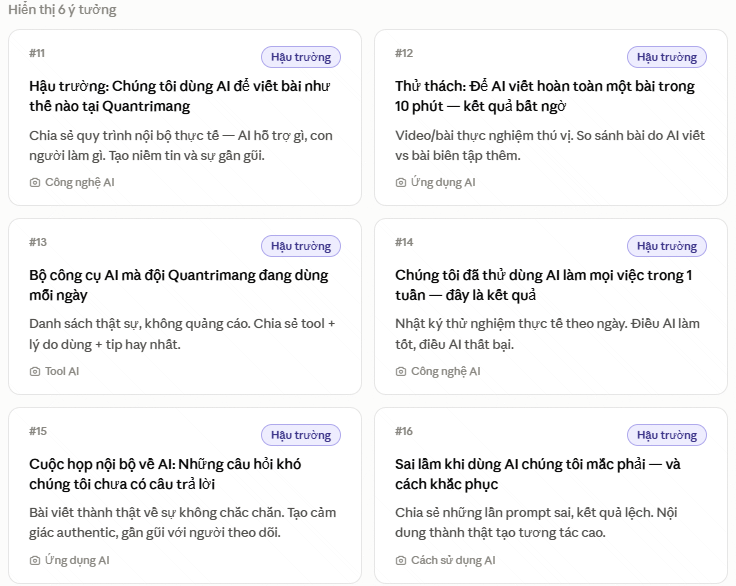
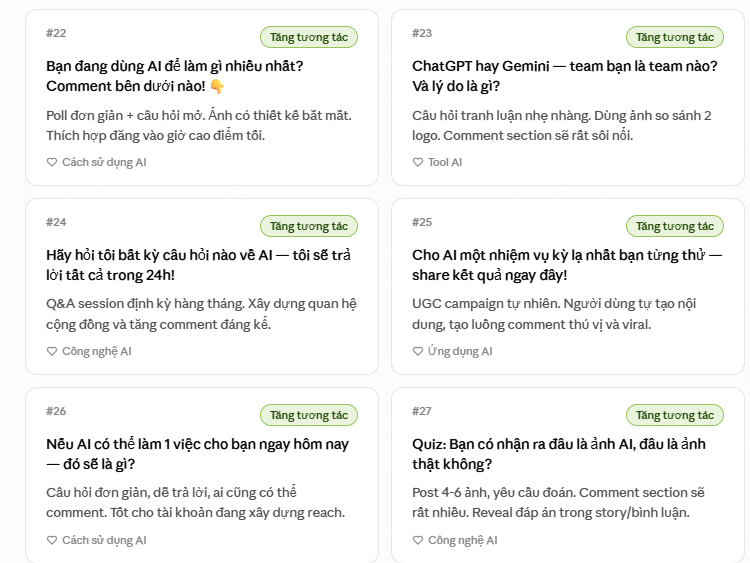
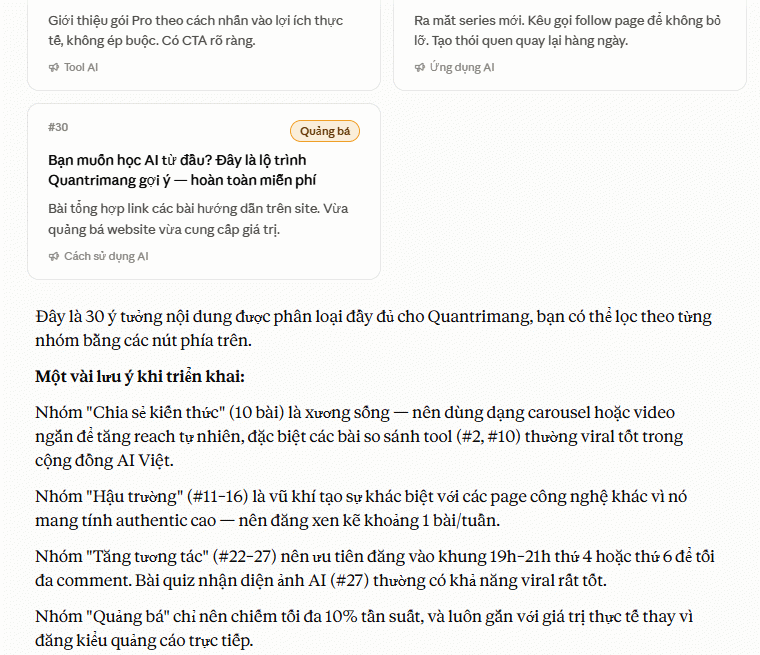
Step 2. Brainstorm 30 Days of Content Ideas
Generate 30 social media content ideas for [account type or business].

Mix different content types:

- Educational insights.

- Behind-the-scenes looks.

- Personal perspectives.

- Interactive questions.

- Product or service promotions.

My target audience is: [describe audience].

My content pillars are:

[List your pillars].

Pick the ideas you like best and remove the ones that don't fit. This gives you a month's worth of content.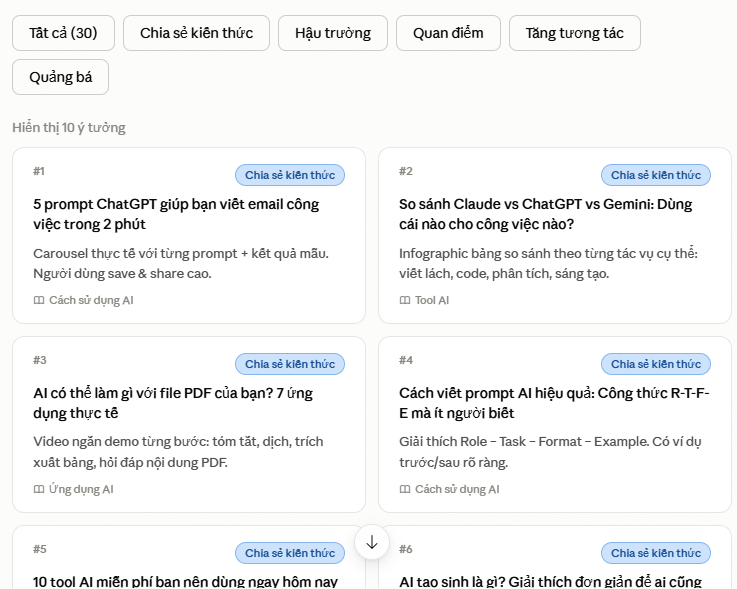
Step 3. Write Posts for Each Platform
Different platforms demand different approaches. Use Claude or ChatGPT to tailor your content for each channel:
Write an Instagram caption about [topic].

Use a warm, engaging tone.

End with a question to encourage comments.

Keep it under 150 words.

Finish with 5 relevant hashtags.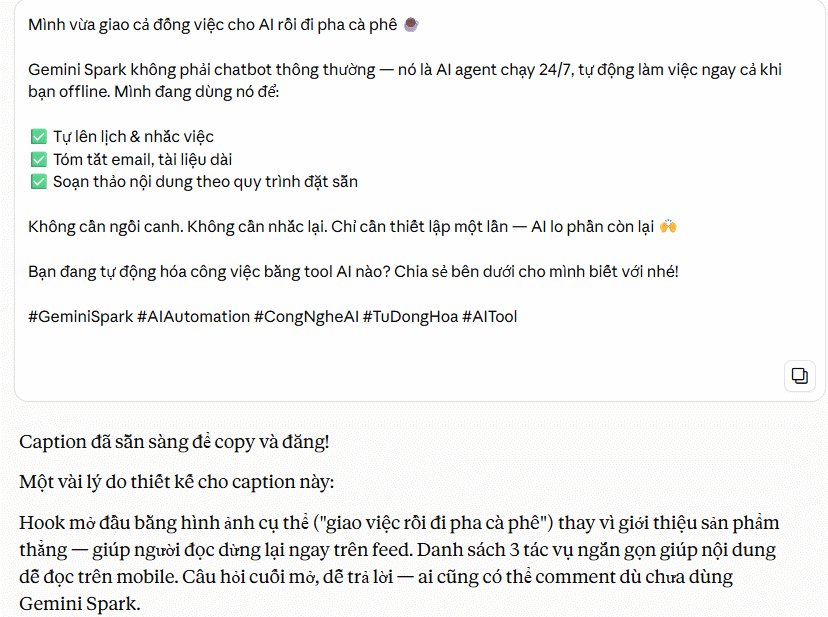
Write a LinkedIn post about [topic].

Use professional but approachable language.

Start with a compelling hook.

Share a real insight or experience.

Keep it under 200 words.
X (Twitter)
Create 5 different posts about [topic].

Each should be under 280 characters.

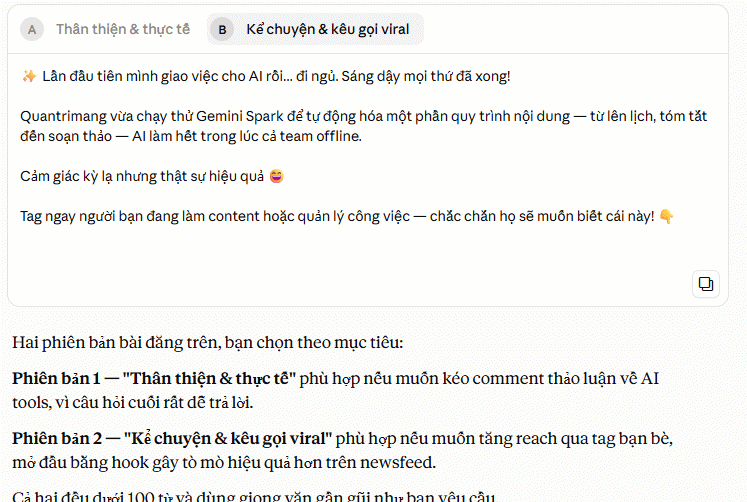
Mix up the style: information-sharing, perspective-sharing, and engagement questions.Write a Facebook post about [topic] for [business type].
Use a friendly tone.
Encourage comments or shares.
Keep it under 100 words.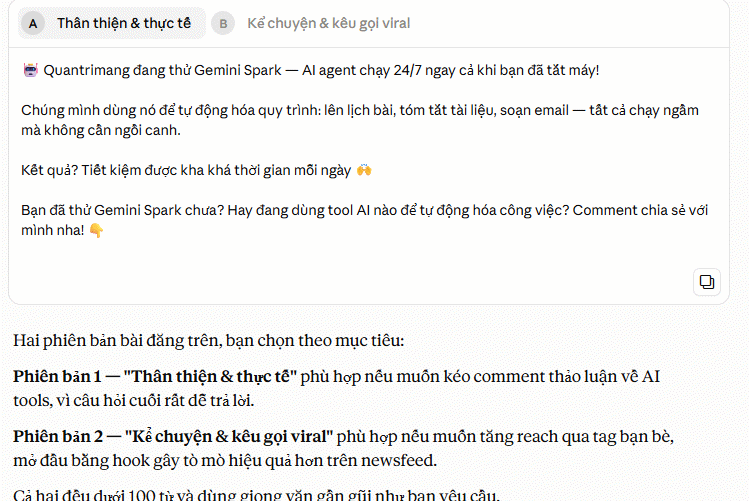
Step 4. Craft Attention-Grabbing Opening Lines
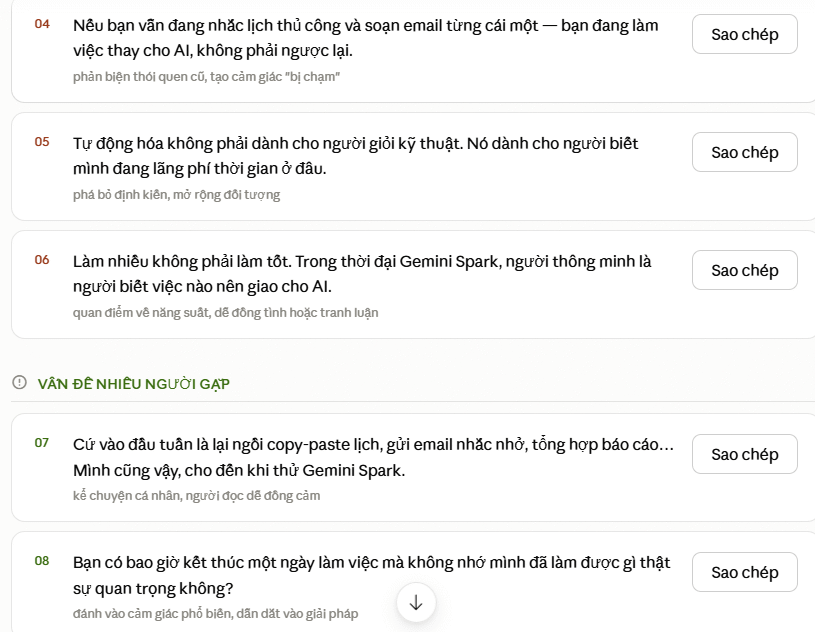
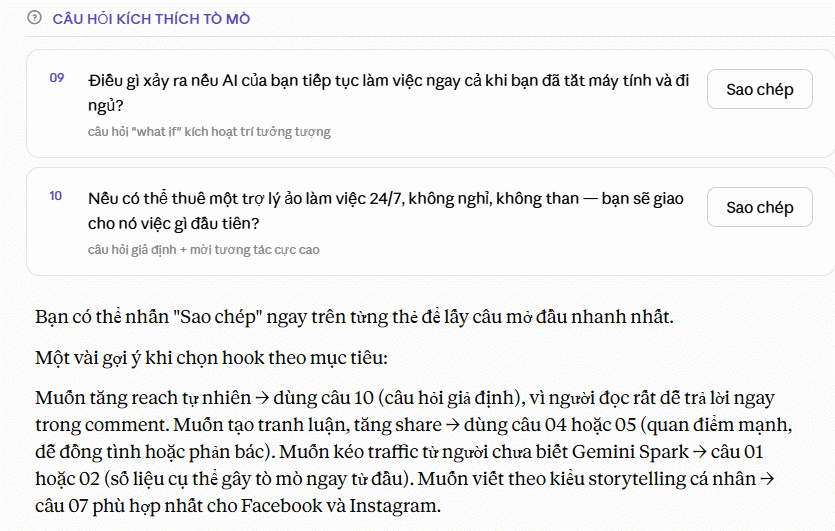
Your opening line determines whether someone stops scrolling or keeps going. Ask AI to generate multiple versions so you can pick the strongest one.
Create 10 different opening lines for a post about [topic].

Each should be compelling enough to stop someone from scrolling.

Use different approaches:

- Surprising statistics.

- Bold opinions.

- Common problems people face.

- Curiosity-sparking questions.

Then select the best opener and develop the rest of the post around it.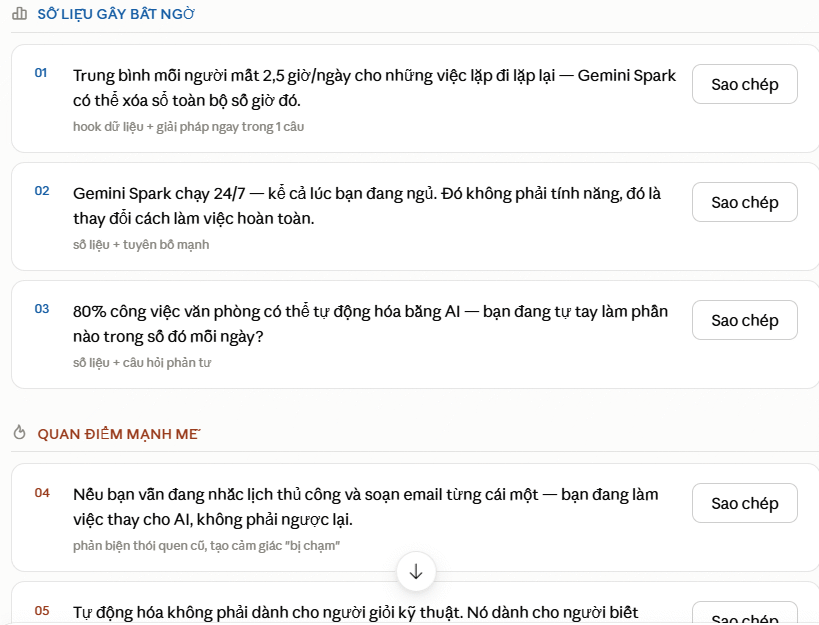
Step 5. Design Visuals with Canva AI
Your posts need eye-catching visuals to grab attention. Canva AI can generate images from text descriptions, which is perfect for turning your ideas into actual designs.
Step 6. Set Up Your Posting Calendar
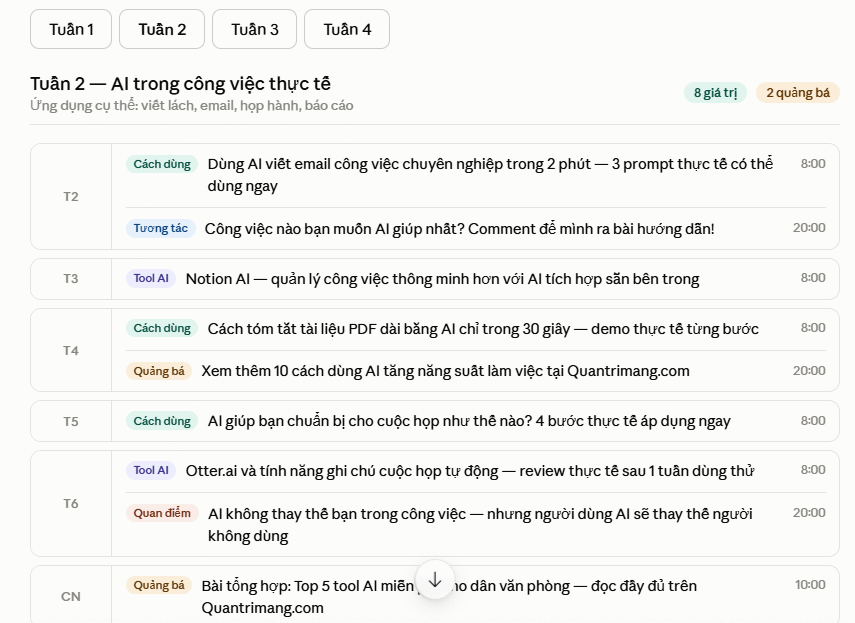
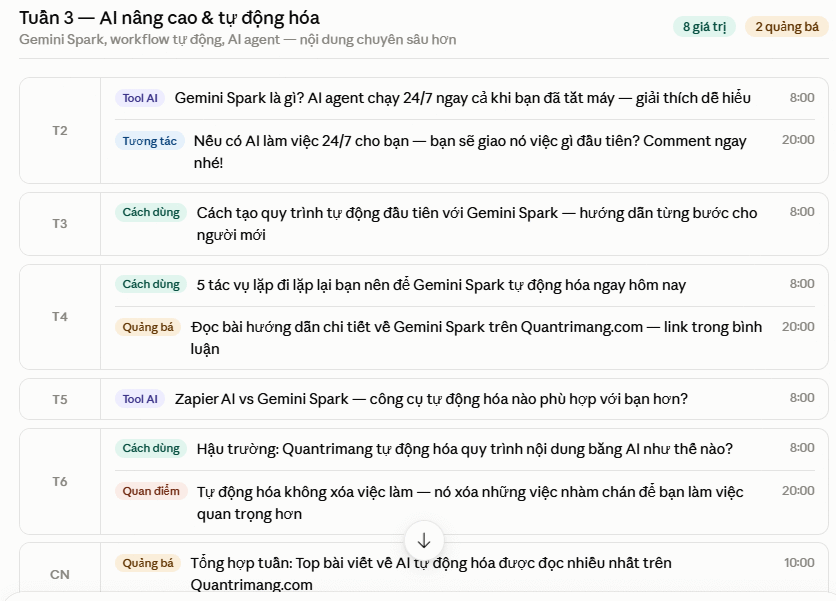
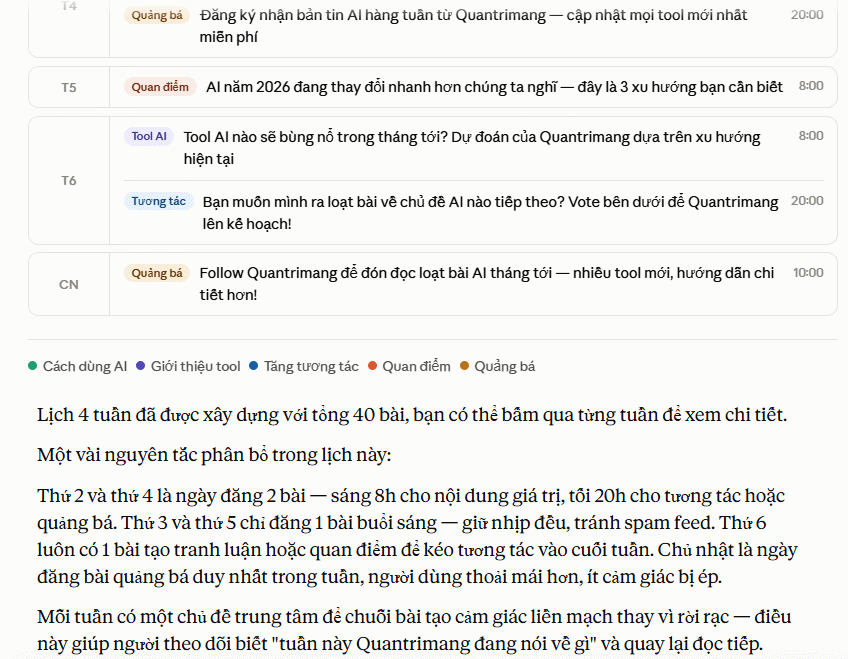
Consistency matters. Let AI help you build a posting schedule that fits your availability.
Build a content calendar for 4 weeks across [platforms].

I can post [X] times per week.

My content pillars are: [List them].

Please distribute roughly 80% valuable content and 20% promotional content.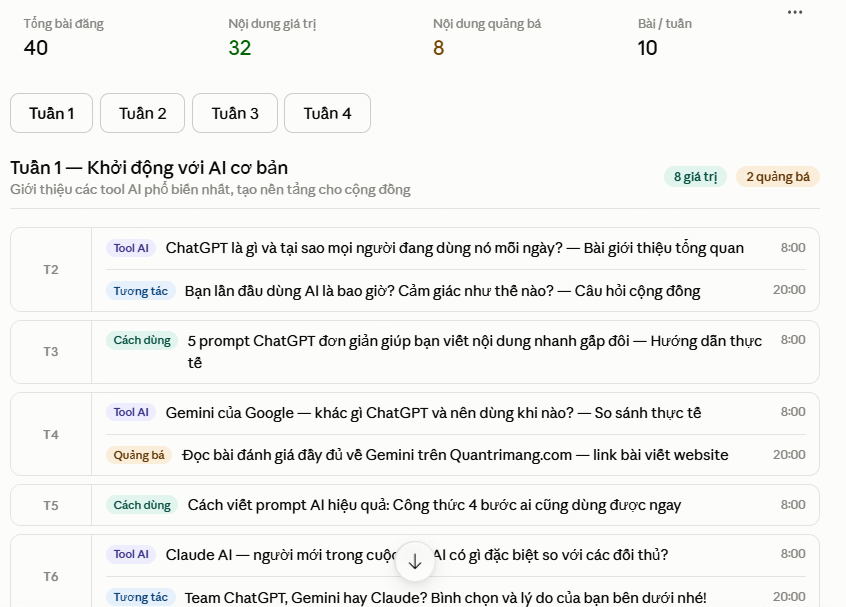
Step 7. Draft Comment Responses
Responding to comments boosts engagement and keeps the conversation alive. If you're getting swamped with comments, let AI draft responses first.
Here are comments from my recent posts: [Paste comments]

Write friendly, natural responses for each one.

Keep each response under 30 words and encourage further discussion.

Before posting, read through and edit to add more of your personal voice.
Step 8. Track Content Trends
After publishing, stay aware of what's trending. The real concern is staying relevant. Grok can help you spot trending topics on X and adjust your strategy.
What [topic]-related content is getting the most engagement on X right now?

What trends, angles, and formats are users paying attention to?

Based on this, I can adjust my topics, approach, and post formats to match what's actually resonating.
Tips for Keeping Your Posts Authentic
Always inject your own voice
AI gives you structure, but you need to personalize the content before posting. That's what makes it come alive.
Don't publish everything AI writes
Be selective. Choose the best options and edit ruthlessly. Quality beats quantity every time.
Stay consistent with your tone
Tell AI what your voice sounds like so the generated content matches your style every time.
Description: Master AI tools to streamline social media content creation. Learn ChatGPT, Canva AI, and more to build a professional content strategy in 8 steps.
Related Articles
- Perplexity vs ChatGPT: Which AI Assistant Should You Actually Use?
- Using AI to Write Product Descriptions: A Proven Strategy to Boost Customer Engagement and Sales
- 5 AI Prompts That Free Up 5 Hours of Office Work Every Week
- How to Create AI News Anchor Videos: A Complete Step-by-Step Guide
- Creating AI-Powered Flashcards with NoteGPT: A Complete Guide

No Comment to " How to Leverage AI for Professional Social Media Content Creation "