ASUS Lets AI Agents Take Control of Display Settings
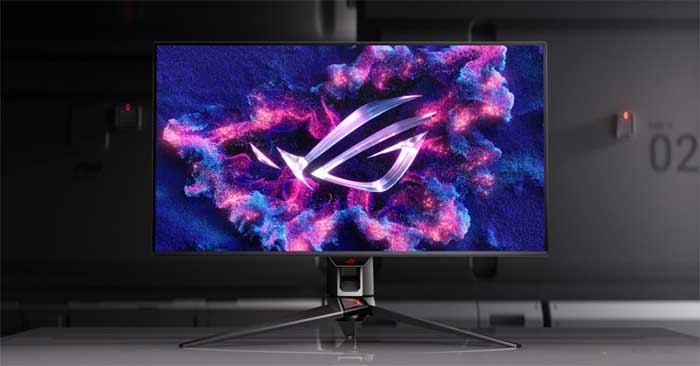
AI agents are moving beyond software automation—they're now reaching into hardware control. ASUS has just rolled out a feature that lets AI agents manage display settings directly through a new command-line tool called Display Control CLI.
The AI agent ecosystem keeps expanding, and we're seeing increasingly creative use cases pop up everywhere. Microsoft is deploying AI agents to beef up security across its services. Developers are building agents that check daily schedules and send Telegram notifications. Now ASUS wants in on the action with something pretty unique: letting AI agents control and tweak your monitor settings.
ASUS just announced a major update to DisplayWidget Center, its free display management software for Windows 11 and macOS. The headline feature? Compatible AI agents can now adjust display settings using simple natural language requests—no clicking menus required.
Here's the thing: this feature is really aimed at developers and AI agent builders, since ASUS is rolling it out as a command-line interface (CLI). The company created a new tool called Display Control CLI, bundled with an Agent Skill file that teaches AI agents how to use it. What's interesting here is the flexibility—if you're running an AI agent and own a compatible ASUS monitor, you can grant the agent permission to adjust brightness, color modes, color temperature, OLED anti-flicker technology, and plenty of other settings.
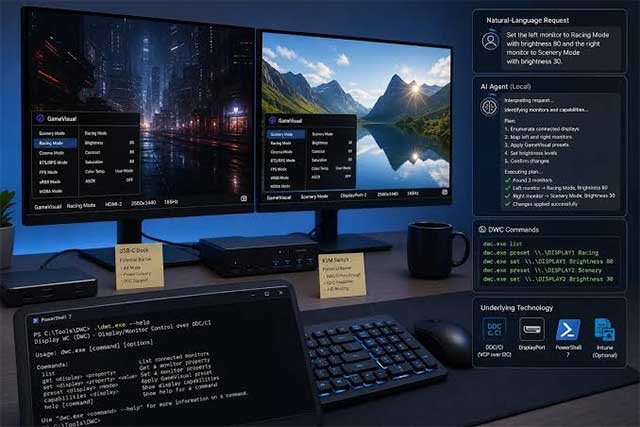
According to ASUS, all of this control happens locally on your device. No data gets shipped off to the cloud—Display Control CLI acts as a local automation layer that your AI agent can interact with. That said, the real concern is this: if your AI agent relies on a cloud-based model through an API, whether it sends data outside your machine depends entirely on that AI service's own privacy practices.
Still wondering why you'd want an AI agent fiddling with your monitor? ASUS has some genuinely compelling use cases. Your agent could read your work schedule and automatically switch monitor profiles based on what time of day it is or what you're doing. For gamers, an AI agent could analyze your past usage patterns and suggest refresh rate, FPS, and anti-flicker settings to optimize your gaming experience.
The update also brings two other AI features to the table. AI Visual, available on select compatible ROG and TUF monitors, analyzes on-screen content in real-time to automatically pick the best picture mode for what you're viewing. Meanwhile, AI Assistant gets an upgrade that lets you request setting changes using text or voice commands, or ask common questions about your monitor.
Beyond the AI bells and whistles, DisplayWidget Center got some solid practical improvements too. ASUS added OLED Care to help protect your panel, included App Tweaker to customize display settings per application, rolled out ColorSync for consistent colors across multiple identical monitors, and threw in a few other refinements.
Giving AI agents direct hardware control might sound niche right now. But it's a fascinating glimpse into where this technology is heading—AI agents are breaking free from the software-only sandbox and becoming a real control layer that interacts directly with the everyday devices we use.
Description: ASUS rolls out Display Control CLI, enabling AI agents to automatically adjust monitor settings through natural language commands.
Related Articles
- The Best AI Tools for Teachers in 2026: A Practical Guide
- Generate Cinematic Drone-Style Videos from Still Images Using Google Flow
- Generate Images Directly in Google Sheets Using Gemini
- How to Clear Storage Space on ChatGPT
- Google Flow Music: Generate Professional Music Videos with Just a Text Prompt

No Comment to " ASUS Lets AI Agents Take Control of Display Settings "