Master Gemini Spark: Complete Guide to Automating Google Workspace with AI Agents
Drowning in daily email floods, calendar conflicts, and project files scattered across multiple locations? You're wasting valuable hours on repetitive admin work that could be automated. Gemini Spark empowers organizations of all sizes to break free from manual task management by supercharging Google Workspace with intelligent AI agents that work around the clock.
What Exactly Is Gemini Spark?
Gemini Spark represents Google's latest generation of agentic AI—part of a broader push toward autonomous AI systems rolling out through 2024-2025. Here's what sets it apart: unlike the standard Gemini chatbot that waits passively for your input, Spark runs continuously in the background, learning your patterns and taking action without explicit instructions.
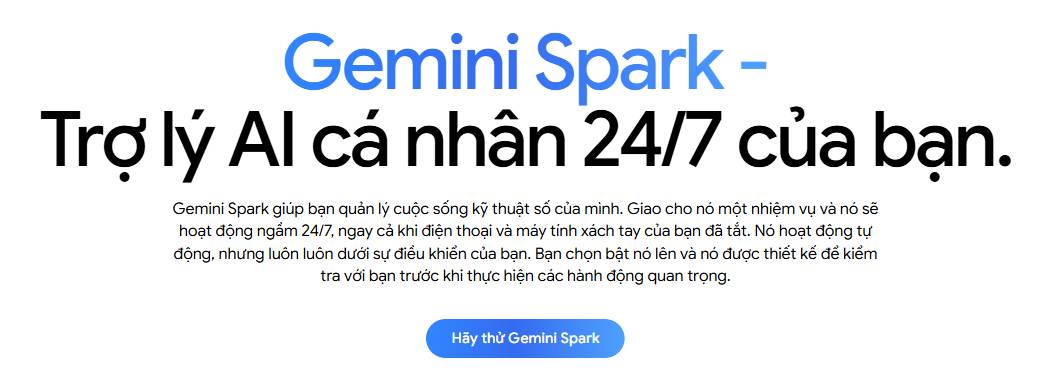
Most AI assistants follow a reactive model—you ask a question, receive an answer, and the conversation ends. Spark flips that script entirely. It maintains a persistent presence across your digital workspace, gradually understanding how you work, and automatically executes tasks on your behalf without you asking. What's interesting here is the shift from assistant (answers questions) to agent (takes action).
In simpler terms, Spark isn't a chatbot. Think of it as an intelligent background process that reasons through problems and acts autonomously.
The Always-On Architecture
The key architectural difference is that Spark doesn't require you to initiate new sessions or manually trigger every task. It can:
- Monitor your calendar, email, and documents to identify work patterns
- Trigger actions based on specific conditions—not just direct voice commands
- Surface useful information before you even realize you need it
- Handle tasks in the background while you focus on other work
This continuous operation and event-driven responsiveness is precisely what separates agents from assistants. Assistants provide answers. Agents execute on your behalf.
Where Spark Fits in Google's Agent Ecosystem
Google is currently developing or has already launched several agent-like products:
- Project Astra — A multimodal agent operating in real time, designed for continuous conversation and environmental awareness
- Project Mariner — A browser-based agent capable of navigating websites and automating tasks autonomously
- Gemini Advanced — A premium Gemini tier with expanded context handling and deeper integrations
- Gemini Spark — A continuously operating agent with proactive behavior capabilities, positioned as the most autonomous option in this lineup
Each product targets different use cases, but Spark stands out for its focus on learning your habits and automatically acting without waiting for requests.
Setting Up Personal Intelligence and Connecting Workspace Applications
Gemini Spark fundamentally rewires how you interact with AI. Instead of passive chatbot responses, you get active task execution. Unlike traditional bots that wait for instructions, Spark functions as an autonomous agent orchestrating multi-step workflows across your business apps. To unlock its full potential, you'll need to complete a quick setup process in your Gemini dashboard.
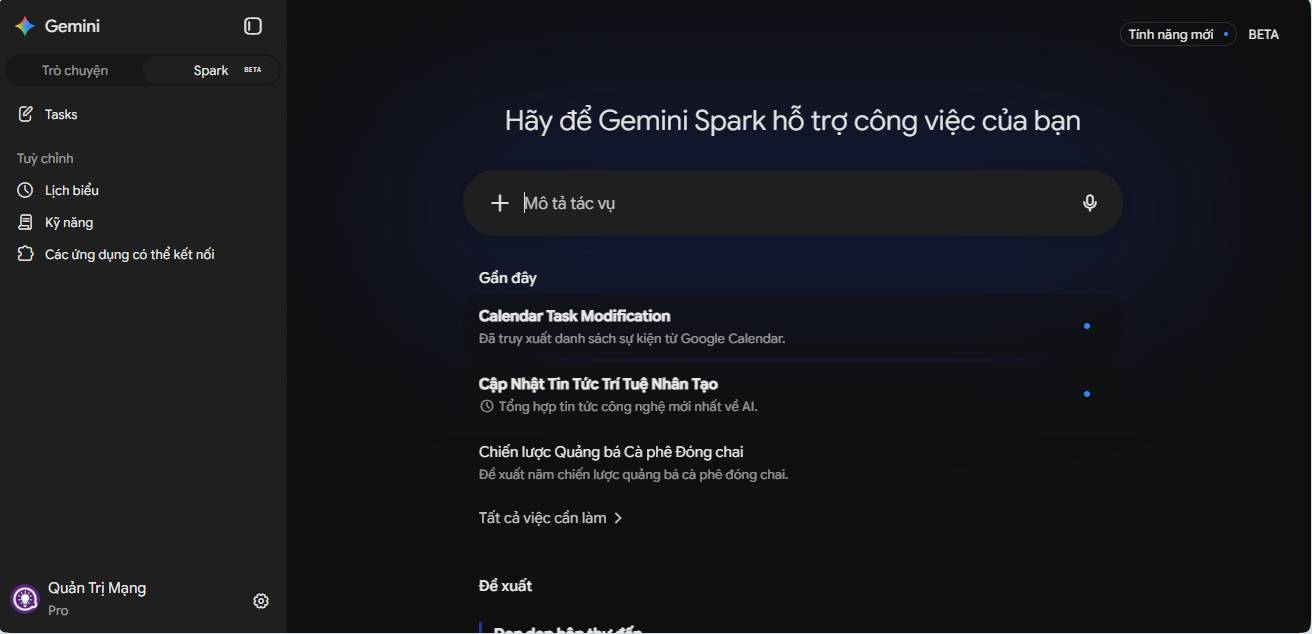
Essential Setup Steps
- Switch to Spark Mode: Click the Spark icon in Gemini to shift from regular chat to autonomous task execution mode.
- Enable Memory: Go to Settings > Personal Intelligence and turn on Memory. This lets Spark continuously learn from your previous interactions, organizational preferences, and contextual details.
- Connect Workspace Apps: Make sure Google Workspace is enabled under Connectable Applications. This directly integrates Spark with Gmail, Google Calendar, Google Docs, Drive, and Slides. Working with a business expert like Cloud Sultans ensures your organization deploys these AI integrations securely and effectively.

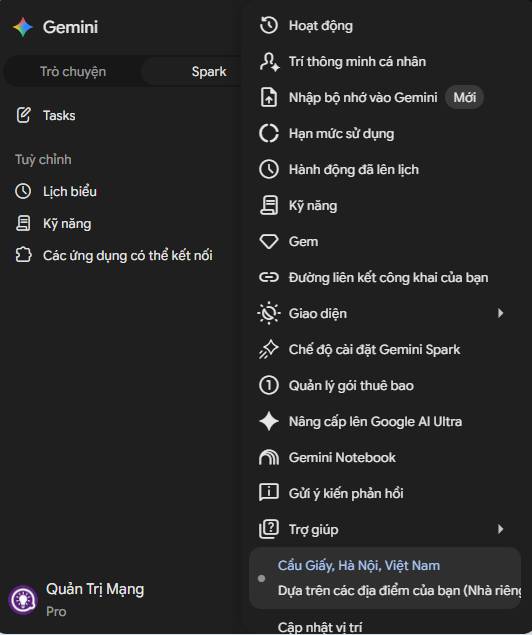
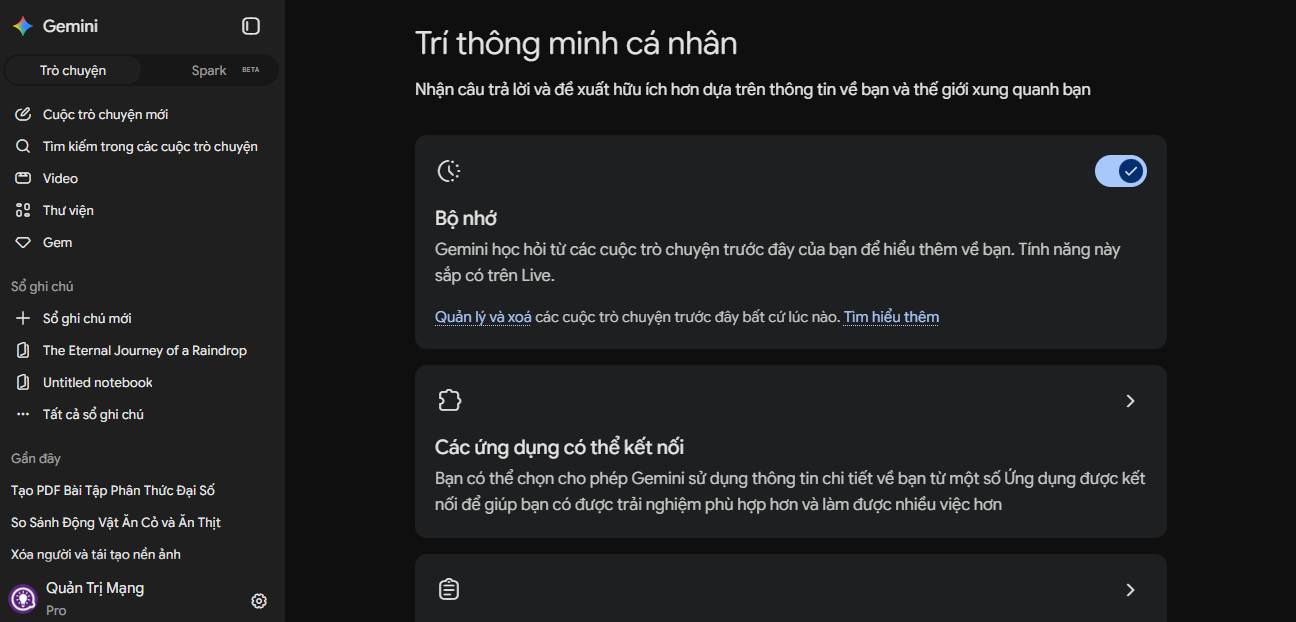
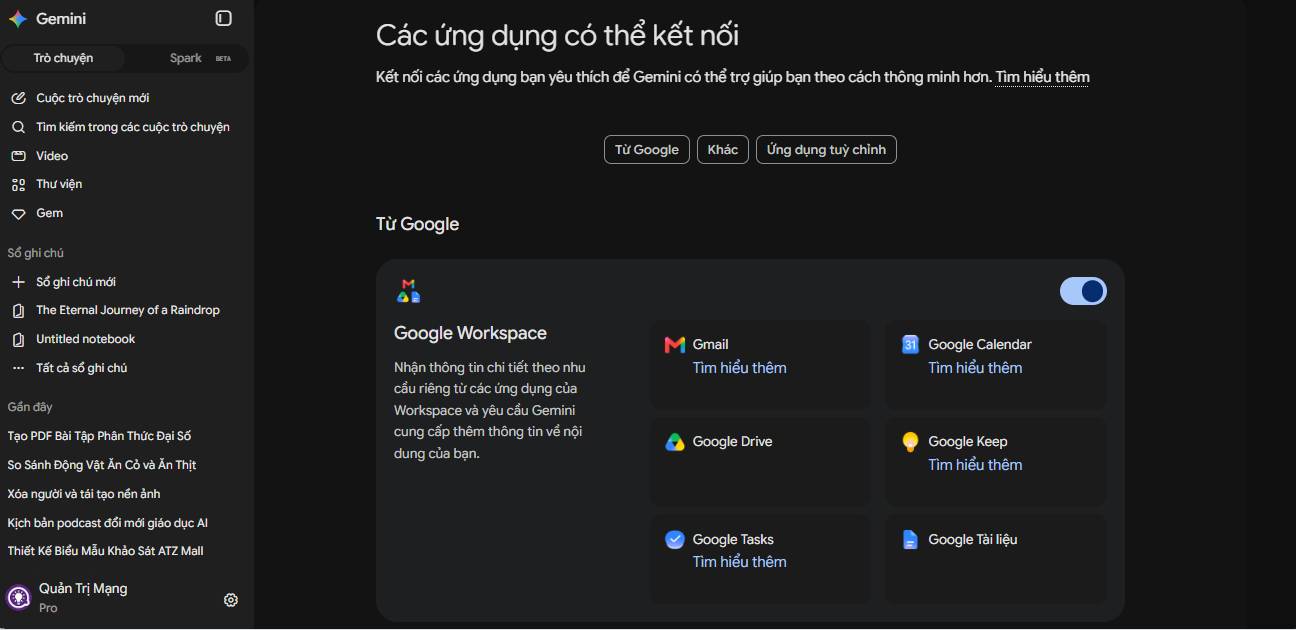
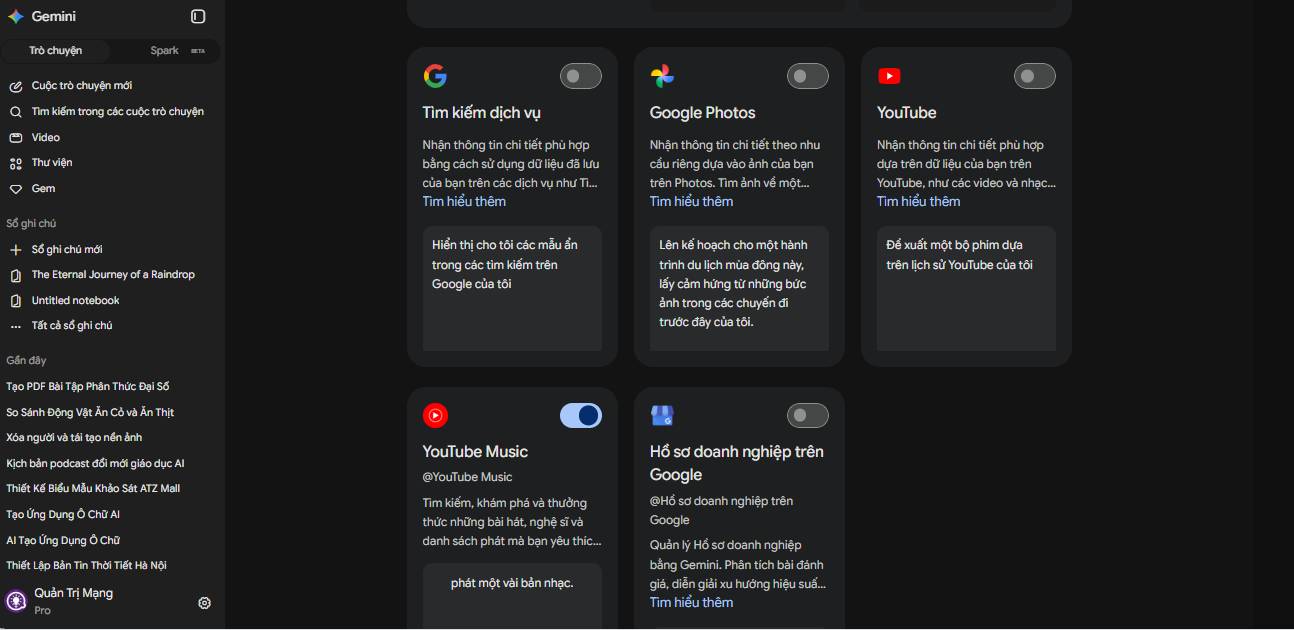
Enabling Personal Intelligence and Memory in Gemini Spark settings
Delegate Complex Email Handling and Calendar Management
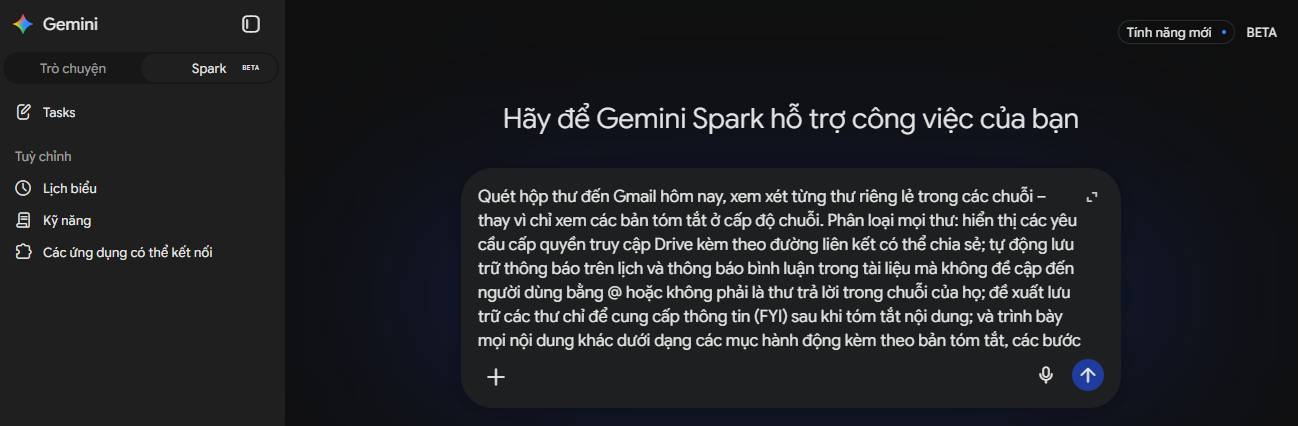
An overflowing inbox and chaotic calendar are productivity killers for modern professionals. Gemini Spark solves this by prioritizing emails in real time, drafting contextually relevant replies, and automatically updating calendar events through simple natural language or voice commands.
Human-in-the-Loop Safety Guardrails
While Spark operates autonomously, it maintains security through explicit confirmation requests before executing critical actions. For example, if an email arrives requesting a meeting cancellation or schedule change, Spark will ask your permission before modifying your Google Calendar or deleting events.
- Prioritization: Scan incoming email within a timeframe you specify and flag urgent actions versus low-priority updates.
- Auto-Draft Replies: Research necessary details and compose complete response drafts ready for your one-click approval.
- Calendar Sync: Resolve scheduling conflicts and add new meeting times directly from email context.
Transform Recurring Prompts Into Reusable Skills
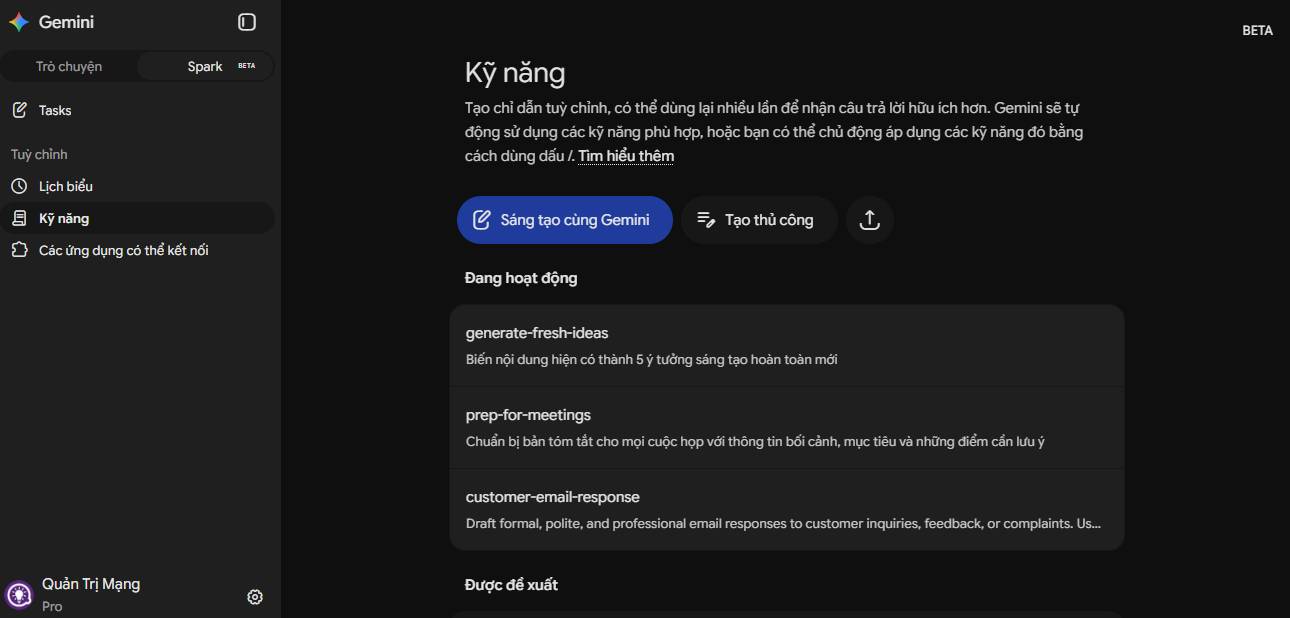
Repeating complex instructions daily wastes precious time. Spark's Skills feature solves this—saved custom procedures that teach the AI agent exactly how to execute repetitive workflows without re-entering commands.
Building Custom Skills
You can create skills manually by uploading text instructions, entering rules directly, or simply asking Gemini to convert a completed task into a saved skill (for example: "Turn this inbox cleanup process I just finished into a skill called Inbox Manager"). Once saved, activate it anytime in Spark by typing a slash command (/).
Automate Workflows With 24/7 Autonomous Scheduling
The true power of an AI agent lies in background execution. Gemini Spark lets you attach custom schedules and event-based triggers to saved skills, enabling fully autonomous operation around the clock—no need to keep your computer or phone running.
Key Scheduling Options
- Time-Based Triggers: Schedule tasks to run automatically at specific times, like cleaning your inbox every day at 5:00 AM.
- Event-Based Triggers: Configure Spark to automatically act when receiving specific emails or updates.
- Cloud-Native Execution: All tasks execute server-side on Google Cloud, ensuring seamless operation across devices between Gemini on desktop and mobile.
Synthesize Scattered Context Across Multiple Apps for Complete Project Overviews
Project data typically lives scattered—Google Docs here, Gmail threads there, Drive folders and external web sources everywhere. Gemini Spark excels at consolidating these different data formats into structured outputs like detailed project timelines, research summaries, and polished presentation decks.
Description: Learn how Gemini Spark transforms Google Workspace productivity with autonomous AI agents that work 24/7 without waiting for your commands.

No Comment to " Master Gemini Spark: Complete Guide to Automating Google Workspace with AI Agents "